Smart Home Platform Integration & Compatibility
Explore smart home integrations with popular platforms, voice assistants, and automation systems for unified home control.
Blog posts
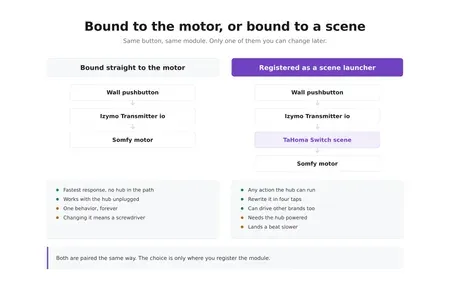
A wired pushbutton in the garage now runs a TaHoma scene instead...
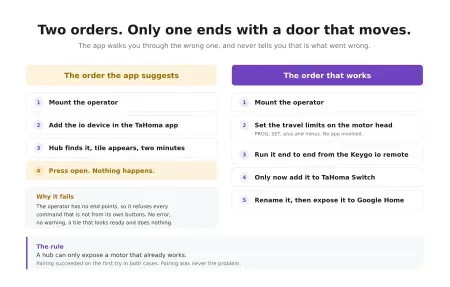
A garage operator pairs with a TaHoma Switch in minutes, and that...
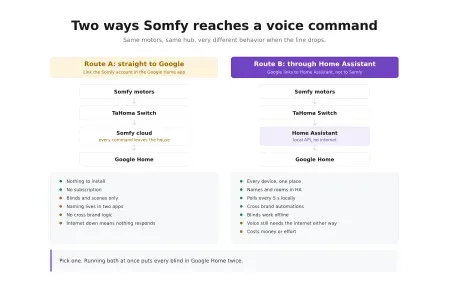
Two links, one decision. You can hand Somfy straight to Google Home,...
Products
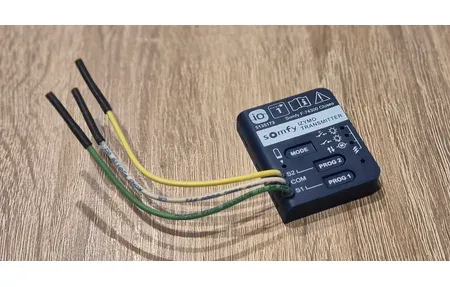
The Somfy Izymo Transmitter io turns a wired wall switch into an...

Enhance your smart home with the Aqara Motion and Light Sensor P2,...

The Aqara Smart Hub M2 enables easy control of smart home devices,...

Google Nest Cam Outdoor (wired, 2nd gen) delivers 2K HDR video, 152°...

Huawei EMMA-A02 is an advanced energy management assistance system for smart scheduling...
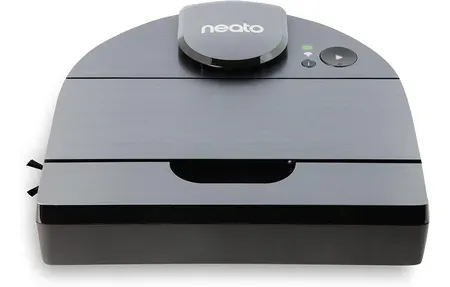
The Neato D10 Robot Vacuum offers superior smart home cleaning with advanced...
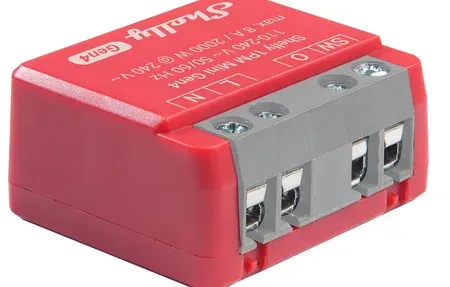
Shelly 1PM Mini Gen4 compact relay, 8A, power metering, Wi-Fi, Zigbee, Bluetooth,...
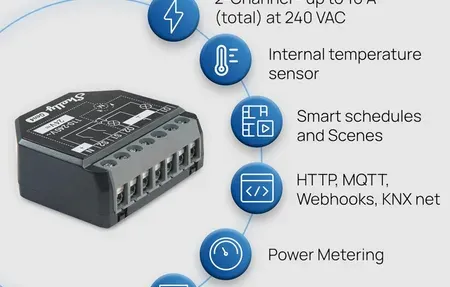
Shelly Plus 2PM Gen4 dual-channel switch with power metering, Wi-Fi, Zigbee, Matter....
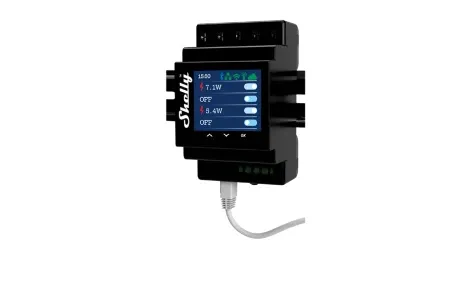
Shelly Pro 4PM is a 4-channel DIN-rail relay with power metering, LAN/WiFi/Bluetooth,...
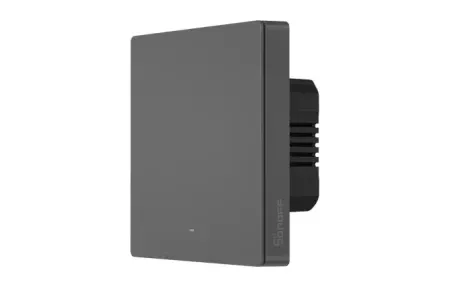
Control your home's lighting with the Sonoff SwitchMan Smart Wall Switch-M5, featuring...

Optimize your home security with Aqara Door and Window Sensor P2, offering...

Philips Hue Bridge Pro is a powerful smart hub supporting 150+ lights,...

Shelly Presence Gen4 motion detection sensor with intelligent presence sensing for smart...
Smart Home Platform Integration
Overview
This guide covers tem integration and how they enhance your smart home setup.
Smart home integration lets different devices, platforms, and services talk to each other. It lets you control many brands from one app or voice assistant.
Top platforms include Amazon Alexa, Google Home, Apple HomeKit, Samsung SmartThings, and Home Assistant. You can also link with IFTTT, webhooks, and cloud APIs for advanced setups. When smart devices work together, they handle complex tasks and respond to your habits. Good integration ties separate systems into one smart ecosystem. Devices talk and work in sync. This enables automation that lone devices or basic links cannot provide.
Building a linked smart home means picking the right platforms. Learn their strong and weak points. Plan for future growth. Smart planning avoids vendor lock-in and keeps you free to add new tech as it comes out.
Deep links across many platforms create results greater than the sum of parts. Routines that sync lighting, climate, security, and media at once are not possible with solo devices. APIs and webhooks let you link your home to outside services like weather feeds, power companies, or personal tools. Over time, your system learns your patterns and starts to predict what you need. Early work on good integration pays off for the full life of your home.
Integration Platforms and Services
Major platforms make smart home links possible. Amazon Alexa gives voice control across hundreds of brands. Google Home ties Android to smart home control. Apple HomeKit offers private integration for iOS users. Samsung SmartThings pulls many protocols into one hub. Home Assistant runs locally with no cloud needed. IFTTT and webhooks enable custom links between unrelated services.
Good integration means knowing each platform's strong and weak points. Cloud systems offer remote access and backups. Local systems focus on privacy and offline use. Hybrid setups combine both through bridging tools. APIs link custom apps and outside services. Voice assistants provide natural control. Phone apps give quick access. Web panels support desktop use. Smart home hubs connect devices that would not talk on their own. Add links step by step to avoid being overwhelmed.
Start by picking a primary platform that fits your devices and style. Then add more links as your system grows. Check that new devices work with your platform before buying. Test new links in stages rather than all at once. Smart planning builds a system where devices work as one. Start today and see how linked devices change your home. Full integration lets your system do things that lone devices cannot. Coordinated routines control lighting, climate, security, and media at once. APIs tie your home to weather feeds and energy providers. Well-linked systems deliver more than the sum of their parts. Your investment in smart integration builds a system that grows and adapts. Balance current needs with future flex. Pick platforms and devices that scale well as tech evolves.
Advanced features adapt to your daily habits. Network links keep hubs and cloud services in sync. Build quality shows in lasting, durable gear. Integration spans many makers and tech types for full smart home coverage.
One common challenge with integration is getting devices from different brands to work together without delays or errors. Some brands use slightly different versions of the same protocol, which can cause pairing to fail on the first try. Checking the product page or user forum for known issues before buying helps you avoid these traps. If a device does not pair on the first attempt, move it closer to the hub and try again. Some hubs need a restart after adding a new protocol or device type. Patience during the pairing stage pays off with reliable results once everything is linked.
Testing new device links before going all in saves time and prevents headaches. Add one device at a time and verify it works with your hub or app. Check that voice commands respond the right way. Run a few test routines to see if triggers fire as expected. If something fails, check the device firmware and update it through the maker's app. Restart the hub if devices stop responding. Most pairing issues clear up after a restart or a second attempt. Write down which settings worked so you can repeat them for the next device.
When building routines, start with simple ones that use just two devices. For example, pair a motion sensor with a smart light so the light turns on when you walk into a room. Once that works, add a third device like a thermostat that adjusts when you leave the room. Building up in small steps lets you find and fix problems early. Complex routines that span many rooms and many devices work best when each small piece has been tested on its own first.
Keeping your integrated system healthy requires regular checks. Review your routines every few months to make sure they still match your daily life. Remove automations you never use to keep things clean and fast. Test backup methods like manual app control to ensure you always have a way to run devices if a routine breaks. Update device firmware as new versions come out. These simple habits keep your smart home running at its best for years without major effort.
Smart home systems run on many layers of tech working together. Low-level wireless protocols link to high-level platforms. Each layer plays a key role. Knowing how they connect helps you make smart choices as you grow. A modern connected home needs the right mix of fit, safety, and future-ready design to stay useful for years.
Integration is the difference between a pile of gadgets and an actual smart home. The magic happens when a door sensor talks to a light, a lock, and a camera without you lifting a finger. Matter promised to make this painless, and it is slowly getting there. Until then, picking devices that share a protocol or live in Home Assistant remains the surest path to automations that just work.