Smart Home Bridges & Hub Devices
Smart home bridges and hubs that connect and control your smart devices across different platforms. Find the best smart bridges.
Blog posts

Not all Philips Hue products work the same way with Alexa, Google,...

Explore our Home Assistant integration guides for popular smart home platforms and...
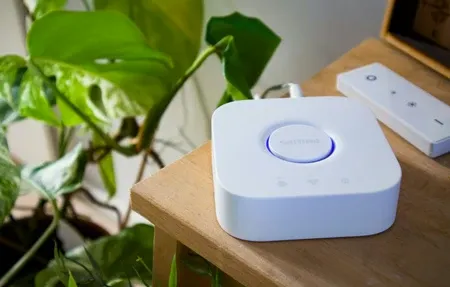
Discover how to easily integrate Philips Hue with Home Assistant to create...

Explore an easy, step-by-step approach to smart home lighting installation, from choosing...
Transform your living space with Philips Hue and discover how smart lighting...
Products
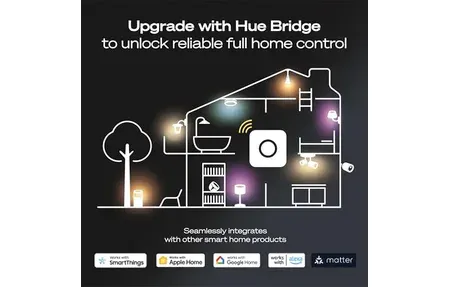
Philips Hue Smart Button offers easy, one-click control of your smart lights....

Multi-protocol smart hub supporting Matter, Thread, and Zigbee. Controls 20 Zigbee +...

Smart LED bulb with Thread/Zigbee, 2000-9000K tunable white, 16M RGB colors, Matter...

Philips Hue Festavia Globe Outdoor String Lights 45 ft feature 16 bright...
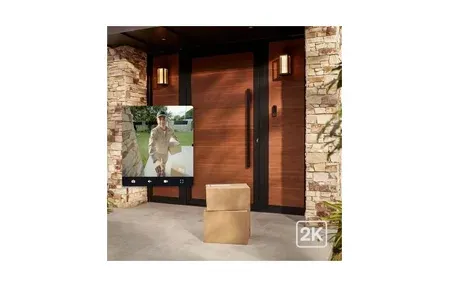
Philips Hue Secure Wired Video Doorbell with 2K resolution, 180° view, color...

The Philips Hue Smart 60W A19 LED Bulb provides energy-efficient, customizable lighting...

The Philips Hue Smart Dimmer Switch offers wireless control of your Hue...

The Philips Hue Smart Plug enables easy control of non-smart devices, letting...

The Sonoff Zigbee 3.0 Pro Gateway is a smart home security gateway...

The Philips Hue Bridge is the central hub for controlling your Philips...

Discover Aqara Hub M200, a versatile smart home control hub with Zigbee,...

Philips Hue Bridge Pro is a powerful smart hub supporting 150+ lights,...

The Philips Hue Dimmer Switch, offering smooth lighting control and energy-saving features...
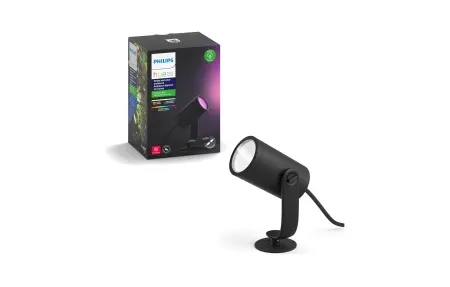
Illuminate and enhance your garden with the Philips Hue Lily Outdoor Spot...
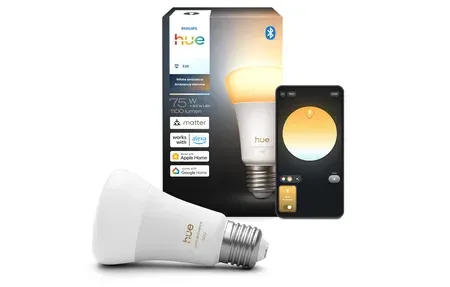
Philips Hue White Ambiance Bulb offers tunable white light (1000-20000K), voice control,...
Smart Home Bridges and Central Hubs
Overview
This guide covers mart home hub, & bridge and how they enhance your smart home setup.
Smart home bridges and hubs are central devices that link and manage your smart gear. They sit between your smart devices and home network. This allows smooth data flow and automation.
Bridges work with protocols like Zigbee, Z-Wave, Thread, and other wireless standards. Popular bridges include Philips Hue Bridge, SmartThings Hub, and Home Assistant servers. These let you build complex automations and link devices from different brands. A central bridge gives faster response times, better reliability, and control across many brands. Smart home bridges form the core of device networks. They support many protocols and extend device range. They pull control from many makers into one screen. This cuts complexity and boosts reliability across smart home setups.
Picking the right bridge depends on your devices, automation needs, privacy goals, and growth plans. Many homes do well with a hybrid approach. Using more than one bridge type supports different standards while adding backup.
Good bridge choices mean thinking beyond what works today. Consider how new tech might fit in the future. Processing power, security, and plugin support decide how well a bridge grows with your system. Backup bridges prevent total failure if one goes down. That keeps all device types linked to your home automation system. Regular updates and mesh tuning keep things running well. Quality bridges become more useful over time. They form the base for smart routines that make homes truly responsive.
Popular Smart Home Bridge Products
Popular bridges include the Philips Hue Bridge for lighting, the Samsung SmartThings Hub for multi-protocol support, and Home Assistant for local automation. The Aqara Smart Hub M2 adds Zigbee with Matter support. Amazon Echo hubs offer voice-based bridge features for wider integration.
Different bridge types serve different needs. Dedicated hubs handle complex automations and run many protocols at once. Router-based bridges save space with no extra gear. Software options like Home Assistant give full control and privacy through local processing. Cloud bridges offer remote access but need internet. Matter-certified bridges ensure forward fit with new standards. Your choice depends on your devices, automation depth, and privacy needs. Multi-hub setups add backup and coverage in large homes.
Start by picking hardware that fits your main device system and automation needs. Check what works together before you buy. Place your bridge in a central spot for the best device range. Update firmware often for security and new features. Watch network speed to keep things responsive. As your system grows, add a second bridge for backup in large or multi-floor homes. Good bridge placement is key for device coverage. Central spots cut distance to devices and avoid radio blocks from walls and metal. Backup bridges take over if the main unit fails. Firmware updates patch security holes and add new features. Tuning channels and power levels keeps the network fast. Your bridge forms the base for reliable smart home growth. It ties together varied device systems as you expand. Smart homes today need choices that support both current gear and future tech. Quality bridges grow more useful over time. They become the core system that runs your automations and keeps your whole household connected.
Response times are tuned for real-world use. Setup needs little tech skill thanks to clear guides. Regular updates fix security issues and add features based on user input. A growing range of add-ons extends what your bridge can do.
A common mistake is placing the bridge too far from your devices. Thick walls, metal shelves, and large appliances can block wireless signals. If you notice slow responses or dropped devices, try moving the bridge to a higher, more central spot. Some users mount their bridge on a shelf or wall hook midway through the home for the best coverage. Ethernet cables let you place the bridge far from your router without signal loss. If your home has multiple floors, one bridge per floor often works better than a single unit trying to reach everything. Test range by walking through each room and checking device response on your phone app. If any room has weak coverage, consider a range extender or a second bridge for that floor. Keeping the bridge away from other wireless devices like baby monitors and cordless phones also reduces interference. Small placement changes can make a big difference in how well your smart home responds.
When choosing a bridge, think about how many devices you plan to connect now and in the next few years. Some hubs handle up to fifty devices while others support hundreds. If you only need smart lights, a simple lighting bridge will do. If you want to mix lights, locks, sensors, and cameras from different brands, look for a hub that speaks several protocols at once. Check online reviews and user forums to see how well each bridge handles firmware updates and long-term support. A bridge that gets regular updates stays safe and keeps working with new devices. Price matters too, but a cheap bridge that stops getting updates can cost more in the long run than a slightly pricier one with steady support. Keep spare batteries or a backup power source for your bridge so your smart home keeps running during short power cuts. Most bridges draw very little power so running them all day barely affects your energy bill.
A bridge is the unglamorous piece that makes everything else click. Hue, Aqara, and SmartThings all lean on one to translate Zigbee or Thread traffic into something your phone understands. Skip it and you lose local control, faster response, and offline reliability. Before buying devices, check which bridge they expect. Matching the bridge to your protocol first saves a drawer full of returns later.