Aqara Smart Hub M2 for Complete Home Automation
As an Amazon Associate we earn from qualifying purchases. Disclosure.
Check Price on Amazon →Product Details
🏭 Manufacturer: Aqara
🔌 Plug Format: USB-C Powered
📄 Specification Met: CE, FCC Certified
🔖 Part Number: HM2-G01
🏋️♂️ Weight: 3.53 ounces
📏 Dimensions: 3.94 x 3.94 x 1.06 inches
🏳️ Country of Origin: China
🆔 Model Number: HM2-G01
📐 Size: Standard
🎨 Style: Modern
🧲 Mounting Type: Wall Mount or Tabletop
🔧 Usage: Indoor
🧩 Included Components: Aqara Smart Hub M2, USB-C Cable, Power Adapter, User Manual
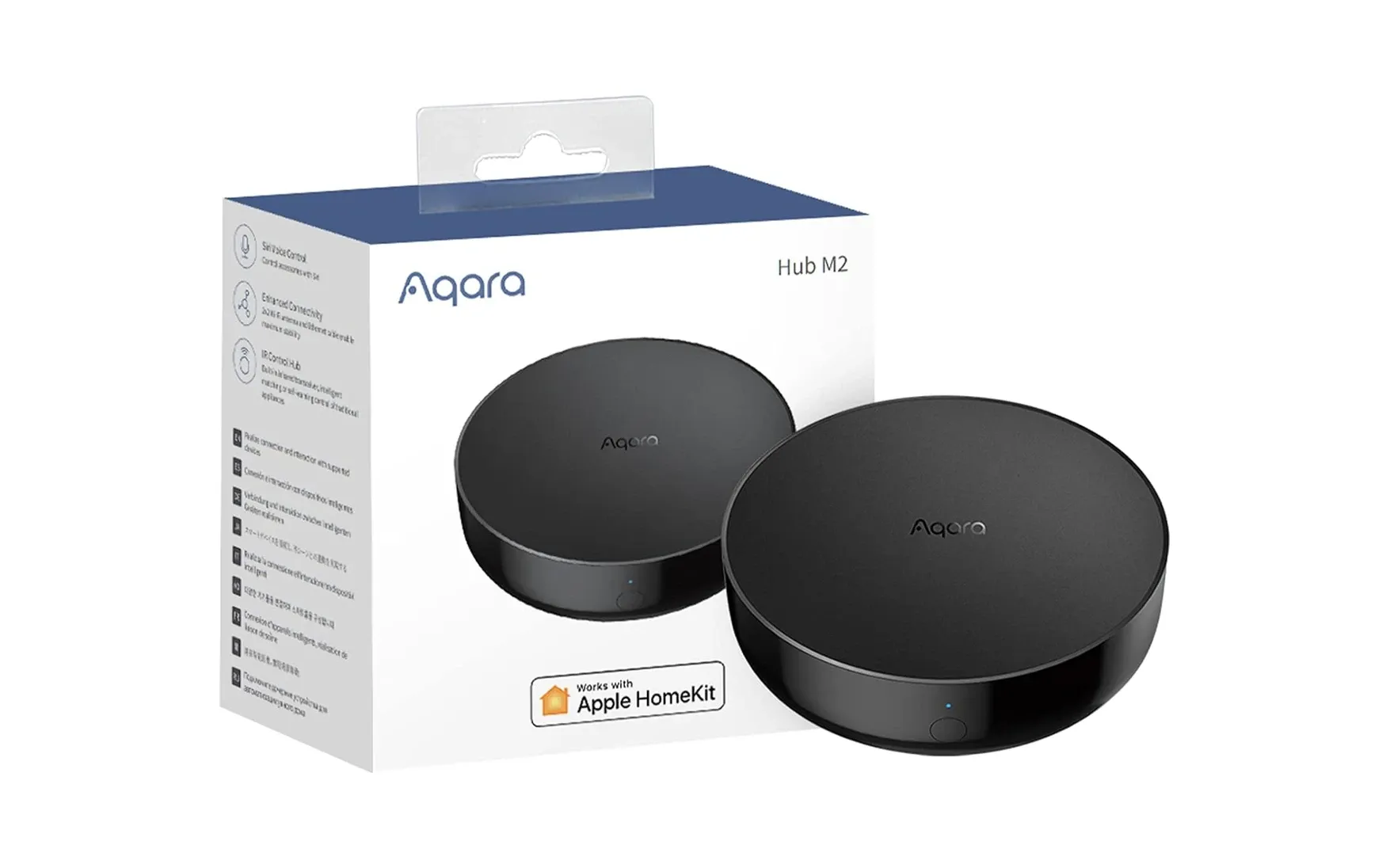
Which Aqara hub should anchor a Zigbee setup that still needs to reach Apple Home? The Aqara Smart Hub M2 (model HM2-G01) is built for that job. It runs ZigBee 3.0, adds a 360-degree IR blaster, and speaks Apple HomeKit, Google Assistant, and Amazon Alexa. One small puck pulls your ZigBee sensors together with Wi-Fi gear and older IR-compatible electronics like a TV or air conditioner. So a messy mix of devices ends up in one set of routines instead of three different apps fighting for attention.
A Central Hub for All Your Devices
The Aqara Smart Hub M2 is designed to be the central control center for your smart home devices. It supports ZigBee 3.0, which means it can connect to a wide variety of devices, including lights, sensors, and switches, while also offering integration with Wi-Fi and infrared (IR) technologies. This flexibility allows you to automate and control almost any device in your home, from smart lights to your TV or air conditioner.
Key Features of Aqara Smart Hub M2
Here's what actually separates the Aqara Hub M2 from a plain Zigbee coordinator you'd buy for less:
- ZigBee 3.0 support for connecting up to 128 devices simultaneously
- Wi-Fi and IR control to manage non-ZigBee devices like TVs and air conditioners
- Integration with Apple HomeKit, Google Assistant, and Amazon Alexa for voice control
- 360-degree IR transmitter for controlling multiple devices from any angle
- Smart automation capabilities, enabling complex scenes and routines
- USB-C power for reliable, consistent energy supply
With its ability to manage multiple devices and technologies, the Aqara Smart Hub M2 offers complete control over your home automation ecosystem.
Simple Setup and Installation
Installing the Aqara Smart Hub M2 is a straightforward process that anyone can do. The hub comes with a USB-C power adapter, making it easy to plug in and start connecting your devices. Once powered, the Aqara app provides step-by-step instructions to help you pair your ZigBee and Wi-Fi devices with the hub. Its compact design means it can be mounted on the wall or placed discreetly on a table without taking up much space.
Why Choose Aqara Smart Hub M2?
The Aqara Hub M2 suits homeowners who'd rather run one system than three. Because it covers ZigBee, Wi-Fi, and IR-controlled devices, it drives lights, sensors, and home entertainment systems from the same app. A few reasons it stands out:
- Multi-protocol support for controlling ZigBee, Wi-Fi, and IR devices
- Voice assistant integration for hands-free control with Alexa, Google Assistant, and HomeKit
- Manage up to 128 devices for a solid, interconnected smart home
- Create smart scenes and automation routines that trigger actions based on time, sensors, or other conditions
- Sleek and modern design that blends into any home decor
With the Aqara Smart Hub M2, you can enjoy the convenience of smart home automation without the complexity of managing multiple hubs or control systems.
Where the IR Blaster Earns Its Keep
The Aqara Smart Hub M2 ties into Apple HomeKit, Amazon Alexa, and Google Assistant, so you can fire commands by voice or from each respective app. Turning off lights, nudging a thermostat, or building a multi-step routine all work the same way. The clever part is the IR side. That 360-degree transmitter mimics the remote for a TV or AC unit, so it drags dumb electronics into your ZigBee 3.0 automations without a separate bridge. Honestly, that one feature is why I'd reach for the M2 over a bare stick hub.
Multi-Protocol Reliability
Running three radios buys you a safety net. If Wi-Fi hiccups, ZigBee 3.0 mesh keeps sensors and switches talking, and IR carries on regardless, so one flaky protocol won't take down the whole house. The ZigBee mesh actually improves as you grow it. Every mains-powered ZigBee device you add repeats the signal and patches dead zones on its own, no config needed. That makes the Hub M2 a capable central controller for a place of almost any size, from a one-bed apartment to a multi-level house with rooms the router barely reaches. The 128-device capacity means you won't outgrow it as your smart home ecosystem fills out over the years.
Is the Hub M2 Worth Buying?
Buy the Aqara Smart Hub M2 if you want a cheap, dependable base for Aqara's Zigbee sensors and you already live inside Apple Home. It brings together ZigBee 3.0, Wi-Fi, and IR control in one puck, so a pile of sensors, switches, and legacy AV gear answers to a single app. The 128-device ceiling is generous for a starter setup, and the mesh only gets steadier as you add mains-powered devices. Voice control through Alexa, Google Assistant, and HomeKit is baked in, so you're not stuck in Aqara's own app for day-to-day commands.
Here's the honest catch. Some of Aqara's better automations run only inside the Aqara app, not in HomeKit, so power users end up hopping between two apps to wire up advanced scenes. That split bugs me more than the low price should let it.
Who should skip the M2? Anyone who needs Thread or Matter-over-Thread, because it supports neither, and a newer hub handles that job. Really, the M2 is the bridge that turns Aqara's cheap Zigbee sensors into a working system and adds an IR blaster for old remotes. It speaks HomeKit, Alexa, and Google. For a budget Zigbee base that plays with Apple Home, it's a sensible first hub.
Video Review
As an Amazon Associate we earn from qualifying purchases. Disclosure.
Check Price on Amazon →