The Benefits of Motion Sensors for Smart Homes
Motion sensors power security alerts, automated lighting, and energy savings in smart homes. The $8B sensor market is growing 9.9% yearly.
Blog posts

Shelly's first security camera is a 1080p box that records to a...
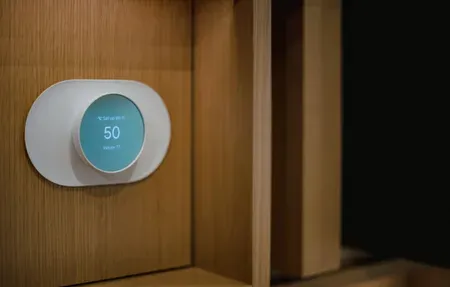
Cheap Zigbee sensors beat expensive Z-Wave ones for the way most people...
Products

Aqara Motion and Light Sensor P2 is a battery Thread sensor with...

Bosch Motion Detector II [+M] is a 13 m PIR sensor with...

IKEA MYGGSPRAY wireless motion sensor automatically controls lighting indoors and outdoors. Matter-compatible...

Aqara Door and Window Sensor P2 is a Matter over Thread contact...

Shelly Presence Gen4 mmWave occupancy sensor with Wi-Fi 6, Zigbee 3.0 and...
Aqara Motion Sensor P1 review: Zigbee 3.0, 170-degree detection, adjustable sensitivity, works...
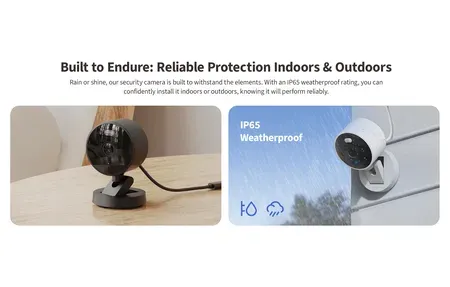
Aqara Camera G100 offers 2K resolution, AI person detection, 140-degree view, IP65...

Multi-protocol smart hub supporting Matter, Thread, and Zigbee. Controls 20 Zigbee +...

Smart LED bulb with Thread or Zigbee, 2000-9000K white and 16M colors...

The Aqara Presence Sensor FP2 offers advanced motion detection, enabling precise smart...

The Aqara Smart Hub M3 enables solid connectivity for Aqara smart devices...

Matter-certified US wall switch with Thread and Zigbee. Works with or without...

The Philips Hue Smart 60W A19 LED Bulb provides energy-efficient, customizable lighting...

36,000 Pa suction power with VibraRise 5.0 sonic mopping, AdaptiLift obstacle climbing,...

Shelly Dimmer Gen4 multi-protocol smart dimmer with Matter compatibility, Wi-Fi, Bluetooth, and...

The Philips Hue Bridge is the central hub for controlling your Philips...

5-in-1 battery-powered sensor with dual PIR and mmWave detection. Includes temperature, humidity,...

Philips Hue Bridge Pro is a powerful smart hub supporting 150+ lights,...
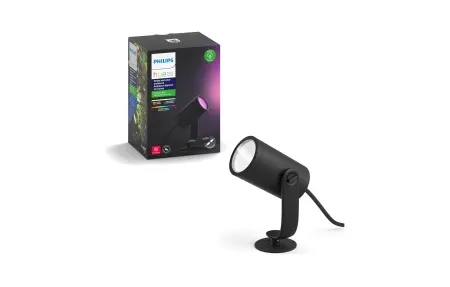
Illuminate and enhance your garden with the Philips Hue Lily Outdoor Spot...
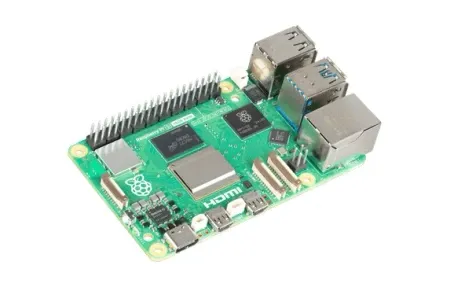
The Raspberry Pi 5, the ultimate tool for smart home enthusiasts, featuring...

All-in-one Samsung washer-dryer: 98-minute Super Speed, AI OptiWash, one 5.3 cu. ft....
Wall Display X2 smart control panel with 6.95-inch touchscreen, 5A relay, environmental...
A motion sensor detects physical movement in a room or outdoor area and tells your smart home system to react. That reaction might be switching on a light, recording video, or sending a push notification to your phone. The global motion sensor market reached $8.0 billion in 2024 and is forecast to grow at 9.9% annually through 2030, according to Grand View Research. Why the growth? The benefits are clear: these small, affordable devices solve real problems, wasted energy, blind spots in security, and the daily hassle of flipping switches by hand.
TL;DR: Motion sensors trigger lights, cameras, and alerts when they detect movement. Occupancy-based controls cut lighting energy use by roughly 24% (Lawrence Berkeley National Laboratory), and most wireless sensors install in under 10 minutes with no wiring.
How Do Motion Sensors Work?
Not all sensors use the same technology. The detection method matters because it affects range, accuracy, and where you can mount the device.
Passive infrared (PIR) sensors are the most common type in residential smart homes. They watch for changes in infrared heat, the kind your body radiates as you walk through a room. PIR units are inexpensive, draw very little power, and work well indoors. The tradeoff? They can miss slow movement or struggle near heat sources like radiators.
Microwave sensors send out a continuous microwave signal and measure the reflection. They detect motion through thin walls and cover wider areas than PIR, but they're more expensive and can pick up movement outside the intended zone.
Dual-technology sensors combine PIR and microwave detection. Both technologies must agree that something moved before the sensor triggers, which cuts false alarms dramatically. These are popular for garages and large open rooms where pets or HVAC drafts cause problems with PIR alone.
Ultrasonic sensors emit high-frequency sound waves. They're less common in homes but show up in commercial occupancy detection for bathrooms and conference rooms.
Key Advantages
- Lower energy bills: Occupancy-based lighting controls reduce energy consumption by an average of 24%, based on a meta-analysis of 88 studies by Lawrence Berkeley National Laboratory.
- Hands-free operation: Lights, fans, and appliances respond to your presence without voice commands or app taps.
- Better security coverage: Pair sensors with cameras or alarms for instant alerts when unexpected movement occurs.
- Fast installation: Most wireless models mount with adhesive strips and connect to your hub in minutes.
- Affordable entry point: Quality PIR sensors from brands like Aqara and Sonoff start around $10-15 per unit.
Which Devices Pair Best with Motion Sensors?
Nearly half of U.S. internet households, 45%, now own at least one smart home device, according to Parks Associates 2024 research. If you already have a hub or voice assistant, adding sensors is one of the fastest ways to make the rest of your gear more useful. Here's where they have the biggest impact.
Motion Sensor-Activated Security Cameras
Security cameras with built-in detection record only when something moves, saving storage and making it easier to find relevant footage later. Standalone sensors paired with separate cameras offer more flexibility in positioning. Place the sensor at ankle height near a door and mount the camera higher for a wider field of view. This combination works especially well with outdoor setups where you want the camera pointed at a driveway while the sensor covers a walkway.
Smart Lighting with Motion Detection
This is where most people notice the biggest daily convenience. A sensor in the hallway turns on lights when you walk through at night and shuts them off after you've passed. Bathrooms, closets, and staircases are other obvious spots. Connect sensors to smart bulbs or switches through a hub, and you can control brightness by time of day, full brightness at 7 AM, 10% at midnight.
Plugs, Thermostats, and Beyond
A smart plug paired with a sensor can run a space heater only when someone is in the room. The same logic applies to fans, humidifiers, and desk lamps. Sensors that report to a smart thermostat help the system know which rooms are actually occupied, so it doesn't waste energy heating empty spaces all afternoon.
How to Place Motion Sensors for Best Coverage
Bad placement is the number one reason people get frustrated with sensors. Here's a practical approach:
- Start with high-traffic zones. Entryways, hallways, and staircases are where detection matters most and false alarms are least likely.
- Mount at the right height. Most PIR sensors work best at 6-7 feet (about 2 meters). Too high and they miss movement close to the floor; too low and pets trigger them constantly.
- Avoid heat sources. Don't place PIR sensors near radiators, sunny windows, or air vents. Temperature fluctuations cause phantom triggers.
- Mind the detection angle. PIR sensors detect lateral movement (walking across the field of view) better than movement directly toward the sensor. Point them perpendicular to the path people walk.
- Test before permanent mounting. Use adhesive tape for a week and track how often the sensor fires. Adjust before drilling holes.
- Cover blind spots with overlapping zones. In L-shaped rooms or open floor plans, a single sensor may not reach every corner. Two sensors with overlapping fields solve this cheaply.
Motion Sensors and Home Automation Routines
Sensors become genuinely powerful when they're part of larger automation routines rather than simple on/off triggers. A motion event can kick off a chain of actions, and the platform you use determines how complex those chains get.
With Alexa, you can create routines that respond to sensor triggers: lights on, thermostat up, music playing, all from a single motion event. Google Home offers similar triggers through its automations tab. Both platforms work with popular ZigBee and Wi-Fi sensors out of the box.
Home Assistant takes this further. You can build automations that factor in time of day, which room detected motion, how long since the last event, and whether anyone else is home. For example: if the hallway sensor fires after 11 PM and no other rooms show activity, turn on a dim path light for 60 seconds. During the day, the same sensor does nothing. That kind of conditional logic is where the real value of sensors appears.
Want to get started? Most ZigBee sensors pair with Alexa, Google Home, or Home Assistant through a compatible hub. Wi-Fi models connect directly to your router but use more battery.
PIR vs Microwave vs Dual-Technology: Which Should You Pick?
The right sensor depends on your space and what you're trying to detect.
PIR sensors are the default choice for bedrooms, hallways, and living rooms. They're cheap, reliable, and don't generate radio emissions. But they won't detect someone sitting still at a desk after the initial movement stops.
Microwave sensors work through walls, which is both a strength and a problem. Great for garages or mudrooms where you want detection before you open the door. Not ideal for apartments where the signal can bleed into a neighbor's space.
Dual-technology sensors are worth the extra cost in spots prone to false alarms, near large windows, in rooms with ceiling fans, or anywhere pets roam freely. The dual-trigger requirement means fewer phantom activations, but it also means slightly slower response times since both systems must agree.
For most residential setups, start with PIR sensors everywhere and upgrade specific problem locations to dual-technology if false alarms become an issue.
Getting the Most from Your Sensors
After installation, a few adjustments make a noticeable difference. Most sensors let you tweak sensitivity, turn it down in rooms with pets under 25 kg to ignore them, or turn it up in large rooms where the sensor sits far from the main walking path.
Pet immunity is a feature, not magic. It works by ignoring heat signatures below a certain size threshold. A 30 kg dog will still trigger a sensor rated for 25 kg pets. Check the spec sheet and test with your actual pets before relying on this setting for security alerts.
Battery life varies widely. ZigBee sensors typically last 12-24 months on a coin cell battery because the protocol is designed for low-power devices. Wi-Fi sensors drain batteries faster and often need USB power or frequent recharges.
Clean the sensor lens every few months. Dust buildup reduces detection range gradually, and most people don't realize their sensor's range has shrunk until they're standing right in front of it before the light turns on. A quick wipe with a dry cloth brings performance back to normal.
Motion sensors won't replace a full security system on their own, but they're one of the most practical upgrades you can add to any connected home. Pair them with the right hub, place them thoughtfully, and they'll handle the small decisions, lights, alerts, temperature, so you don't have to think about them at all.