Troubleshooting Guide for Persistent Smart Home Problems
Solve smart home issues fast with this troubleshooting guide covering connectivity drops, device freezes, voice assistant errors, and automation hiccups.
Blog posts
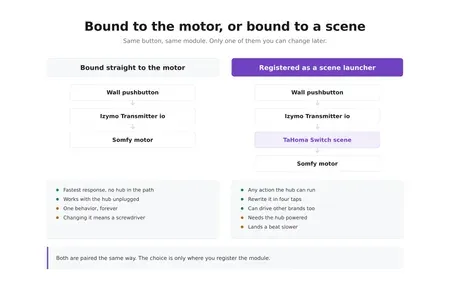
A wired pushbutton in the garage now runs a TaHoma scene instead...
Most Thread trouble in Home Assistant traces back to border router sprawl,...
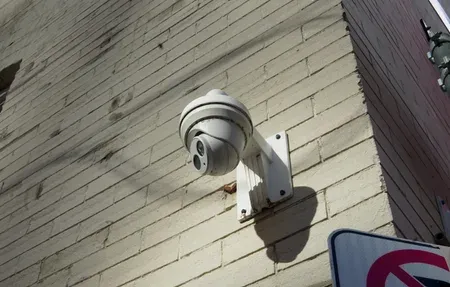
Shelly's first security camera is a 1080p box that records to a...

One unrooted iRobot Roomba j7+ has run here for two years, which...
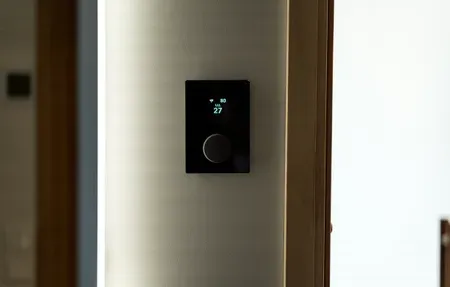
I've wired three thermostats into my own HVAC and lived with each...
Zigbee2MQTT bridges your Zigbee radio to Home Assistant through an MQTT broker...
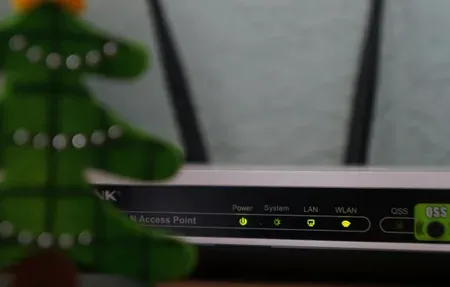
Nine times out of ten, a device Home Assistant won't discover is...

Securing Home Assistant comes down to one rule above the rest: never...

The default Home Assistant dashboard works fine for a handful of devices....
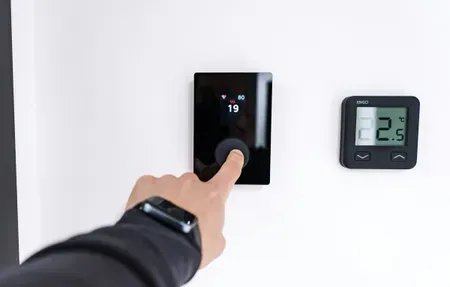
The right Home Assistant theme does more than look nice. It changes...

HACS has roughly 2000 community integrations. Maybe 30 of them are worth...

Arduino sketches are a fine way to build smart sensors if you...

HACS opens Home Assistant to 2000-plus community integrations, custom Lovelace cards, themes,...

Home Assistant YAML automations get hard to read past 30 lines. Once...

Learn how to troubleshoot common SmartThings issues in 2024. This guide provides...
Products

The Aqara Dual Relay Module T2 enables control of two circuits for...

The Aqara Water Leak Sensor detects water leaks and alerts you instantly...

36,000 Pa suction power with VibraRise 5.0 sonic mopping, AdaptiLift obstacle climbing,...
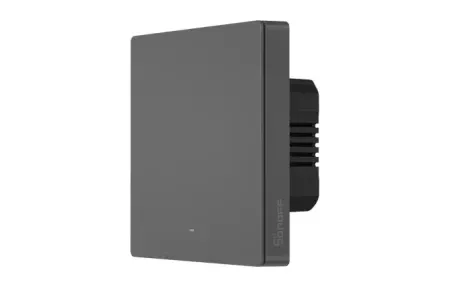
Control your home's lighting with the Sonoff SwitchMan Smart Wall Switch-M5, featuring...

TP-Link AC1200 WiFi Extender RE315 provides 1.2Gbps dual-band signal boost covering up...

Flagship robot vacuum and mop that self-empties, washes, dries pads and obeys...

IKEA KAJPLATS decorative smart bulb brings white spectrum dimming and Matter support...

IKEA KAJPLATS GU10 Smart Spotlight delivers tunable white and vivid color with...

ILIFE A11 Robot Vacuum offers 4000 Pa suction, LiDAR mapping, and a...
Smart home devices don't always cooperate. Wi-Fi drops, firmware glitches, and automation misfires can turn a connected home into a frustrating one. Browse the troubleshooting articles below for step-by-step fixes covering connectivity problems, device freeze-ups, voice assistant errors, and sensor failures. Whether you're running Zigbee, Matter, or plain Wi-Fi gear, you'll find practical solutions that get your setup back on track fast.
Common Issues and Where to Start
Overview
Most smart home problems fall into a handful of categories. Connectivity drops account for roughly half of all complaints, a device works fine for weeks, then suddenly goes offline. Firmware bugs come second, especially on cheaper hardware that doesn't receive frequent updates. Automation misfires round out the top three, and they're often the trickiest because the root cause could be a sensor, a cloud service, or a timing conflict between rules.
Before you look at specific guides, try these quick checks first. Power-cycle the problem device by unplugging it for 10 seconds. Restart your router if multiple devices dropped at the same time. Open your hub's companion app and look for pending firmware updates. These three steps resolve about 60% of issues without any deeper troubleshooting.
Troubleshooting by Protocol
Different wireless protocols fail in different ways. Wi-Fi devices suffer from channel congestion and range limits, a mesh router upgrade often solves chronic dropouts in larger homes. Zigbee gadgets depend on a healthy mesh network, so removing a single repeater can break routing for every sensor behind it. Z-Wave operates on a different frequency band and rarely conflicts with Wi-Fi, but its 232-device limit per controller catches some power users off guard. Matter devices connect through Thread border routers or Wi-Fi, and while the standard promises interoperability, early firmware releases from some manufacturers still have rough edges.
If you're not sure which protocol your device uses, check the product box or the manufacturer's spec page. Knowing the protocol narrows down your troubleshooting path significantly.
Quick Diagnostic Checklist
When something stops working, run through this list before anything else. Check your internet connection on a phone or laptop to rule out a provider outage. Look at the LED indicator on the problem device, solid, blinking, or off each tells you something different. Open the device's companion app and check for error messages or pending firmware updates. Test a different outlet or USB port if the device seems completely unresponsive. Reboot your hub or bridge if multiple devices from the same brand dropped simultaneously.
Keep a simple spreadsheet of your devices, their firmware versions, and the last time each one acted up. Sounds tedious, but it saves real time when you're diagnosing a recurring pattern at 11 PM on a Tuesday. You'll start noticing that certain devices misbehave after specific router firmware updates, or that your Zigbee mesh drops every time a particular smart plug loses power.
When to Call a Professional
DIY fixes handle the vast majority of smart home headaches. But if you're seeing repeated breaker trips after installing wired smart switches, persistent camera dropouts in security-critical areas, or automation loops that cycle devices on and off rapidly, it's time to bring in an electrician or a certified smart home installer. Hardware-level faults aren't worth guessing at when safety is involved.
Wiring issues in particular can create dangerous situations that look like simple smart switch glitches. A neutral wire that's missing or incorrectly connected can cause flickering lights, overheating, or intermittent failures that no amount of software troubleshooting will fix. If you smell burning plastic or notice discoloration around a switch plate, cut power at the breaker immediately and call a licensed electrician.
Preventive Maintenance That Actually Helps
A few minutes of regular upkeep prevents most emergency troubleshooting sessions. Update device firmware monthly, manufacturers patch connectivity bugs and security holes with every release. Reboot your hub or bridge once a quarter; a simple power cycle clears stale memory and refreshes network connections. Audit your device list every six months and remove anything you've unplugged or replaced. Orphaned device entries can confuse automation rules and waste processing time on your hub.
Label your power adapters with masking tape and a marker. When you've got 15 smart devices plugged in around the house, pulling the right adapter during a midnight troubleshooting session becomes a lot easier with labels. Keep a spare Ethernet cable handy for testing wired connections when Wi-Fi becomes suspect, and install a Wi-Fi analyzer app on your phone to spot congested channels before they cause problems across your entire smart home network.
Another habit worth building: back up your hub's configuration after making changes. Many platforms including Home Assistant, SmartThings, and Hubitat support cloud or local backups. A single corrupted database can wipe hours of automation work, and restoring from a backup takes minutes instead of rebuilding everything from scratch. Set a monthly calendar reminder and treat it like backing up your phone, boring but absolutely essential when something goes wrong unexpectedly. Even a simple text file listing your device names, IP addresses, and which hub controls each one saves significant time during a troubleshooting session.
Troubleshooting is the skill nobody advertises but everyone needs. Most smart home failures trace back to a handful of culprits: weak Wi-Fi, a stale firmware version, a 2.4GHz device hunting for a 5GHz band, or a hub that quietly dropped offline. Work through them in order before blaming the device itself. Half the gadgets people return were never broken, just sitting on a flaky network.