Aqara Hub M200 Smart Home Control

Product Details
🏭 Manufacturer: Aqara
🔌 Plug Format: USB-C 5V/2A or PoE 48V/0.25A
📄 Specification Met: EU RED 2014/53/EU; FCC Part 15; IC; UK PSTI
🔖 Part Number: HM-G03E/HM-G03D
🏋️♂️ Weight: Not specified
📏 Dimensions: 100.5 mm diameter x 30.75 mm (3.96 x 1.21 in)
🏳️ Country of Origin: China
🆔 Model Number: M200
📐 Size: Not specified
🎨 Style: White
🧲 Mounting Type: Desktop, wall mount, or ceiling mount (1/4" threaded bracket)
🔧 Usage: Matter controller; Thread border router; Matter bridge for Aqara Zigbee devices; 360-degree IR blaster; Dual-band Wi-Fi 6; Ethernet (RJ45) with PoE; 90dB speaker
🧩 Included Components: Hub M200, USB-A to USB-C cable, user manual (no power adapter, no mounting bracket)
The Aqara Hub M200 makes your smart home easier to run. It links all your devices in one place. The hub uses Zigbee 3.0, Thread, and Wi-Fi to connect your home. It also works with Matter, so it joins devices from many brands. This guide will help you understand how the M200 can serve as the central hub for all your smart home needs.
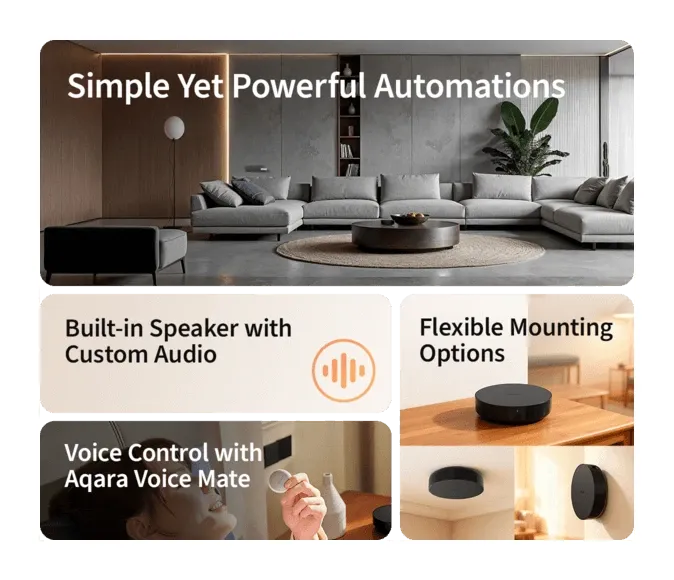
Why Choose Aqara Hub M200 for Your Smart Home?
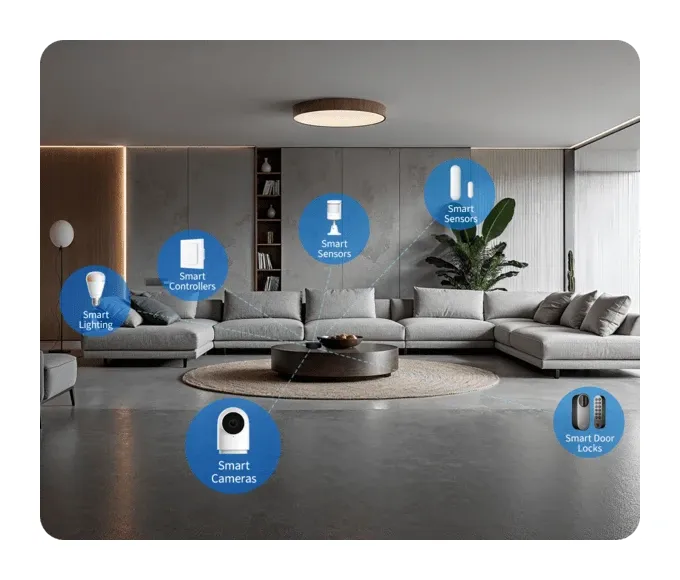
You want a hub that works with many devices. The M200 does just that. It links sensors, switches, and locks all at once. It uses a mesh network to keep things fast. Your devices stay online and respond right away.
Here's what the Aqara Hub M200 can do for you:
- Matter Controller: You can manage over 50 types of Matter devices. The Aqara Home app gives you full control.
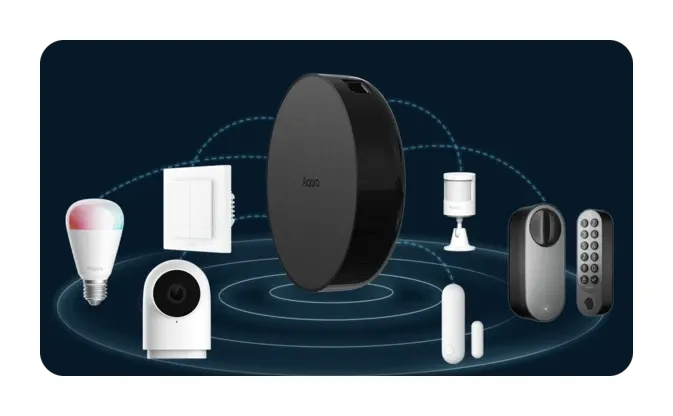
- Thread Border Router and Mesh Extender: It links Thread devices to your home network. It also spreads the Thread mesh to more rooms.
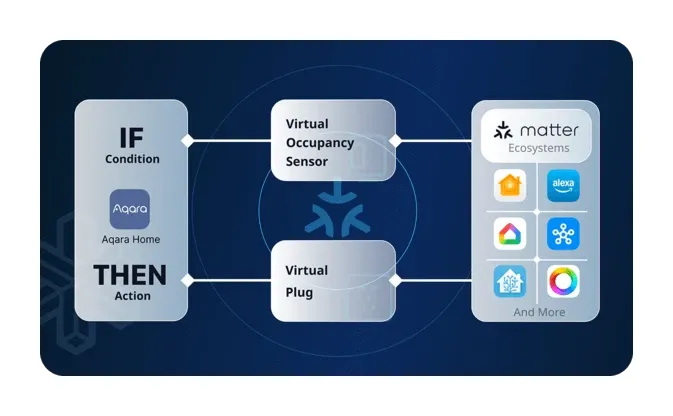
- Matter Bridge: You get the full set of Aqara features on other smart home apps. It doesn't matter which brand's app you use.
- Universal IR Remote: The 360-degree IR blaster sends commands to your old devices. It can detect when you use your TV remote too. Pair it with an Aqara Climate Sensor to control your air conditioner like a thermostat. Aqara's spec notes that only one IR air conditioner gets exposed to Matter this way; a second unit needs Advanced Matter Bridging.
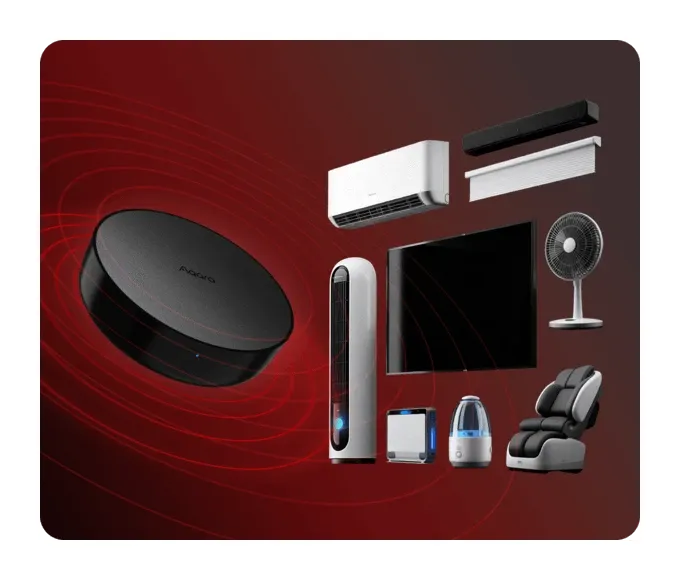
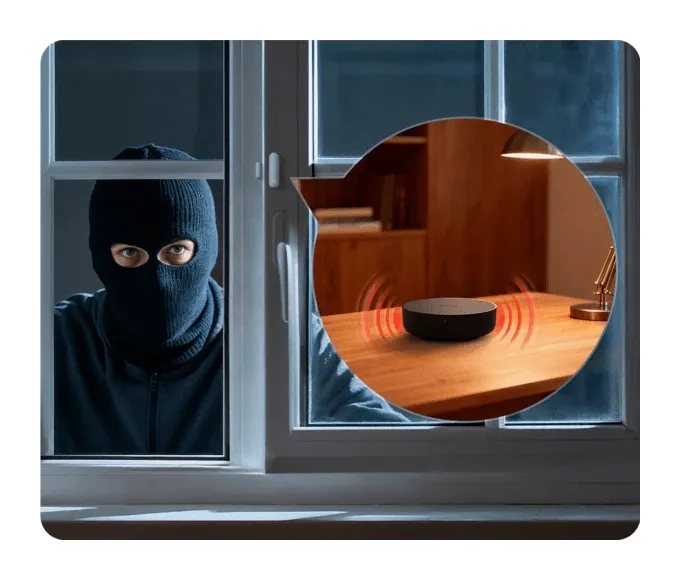
- Built-in 90dB Speaker: The loud speaker handles alerts and alarms. You can use it for a doorbell, a wake-up alarm, or a security alert. You can also upload your own sounds.
- Voice Control with Voice Mate H1: You pair the Voice Mate H1 Bluetooth mic with this hub. Then you can give voice commands from anywhere in your home.
- Dual-band Wi-Fi 6: It works on both 2.4 GHz and 5 GHz bands. Your data stays safe with WPA3 security.
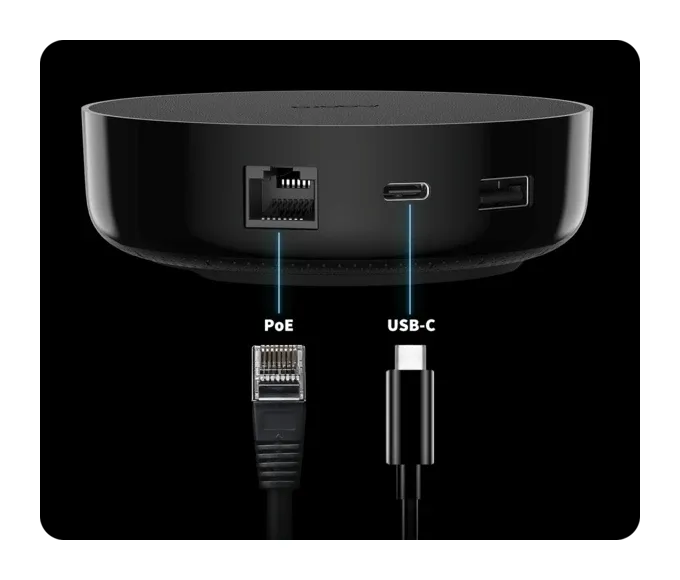
- Flexible Power Options: You can power it via USB-C or PoE. PoE means you only need one cable for power and internet.
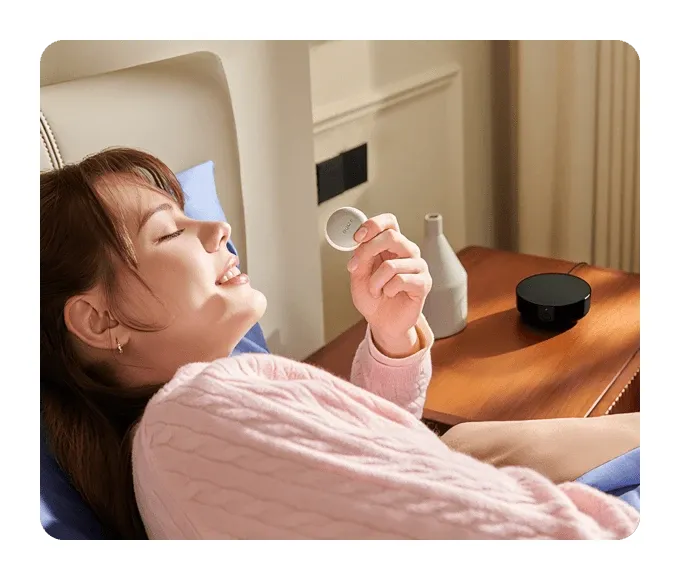
- Device Capacity: The hub can hold up to 40 Aqara Zigbee devices. It also holds up to 40 Thread devices at once.
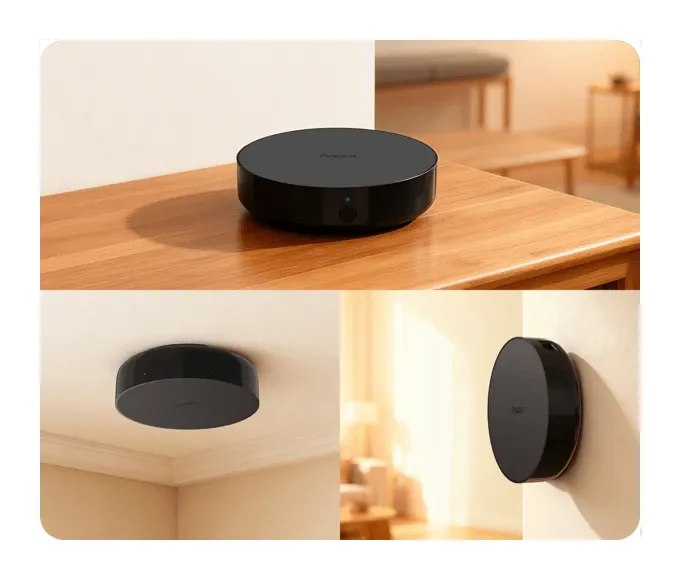
- Local Automations 2.0: You can build WHEN-IF-THEN rules. They run on the hub itself, so they work even if the internet goes out.
This hub works with both old and new smart home standards. You don't need extra bridges or apps.
How Aqara Hub M200 Helps Your Home Run Itself
The best part of a smart home is when it runs on its own. The M200 makes that happen. It links Zigbee and Thread devices in your home. Thread builds a low-power mesh that keeps devices talking fast.
Here's how the M200 helps your home:
- It links dozens of Aqara Zigbee devices. Door sensors, motion detectors, and smart switches all work well. They don't use your Wi-Fi either.
- Thread helps devices respond fast. The mesh heals itself if one device goes offline.
- Matter means you can add devices from other brands. Your setup grows without limits.
- You can build scenes in the Aqara app or in your other home app. Control lights, alarms, thermostats, and more with one tap.
Many old hubs only worked with one brand. The M200 fixes that. You can mix brands and it all just works. That saves you time and money.
Setting Up the Aqara Hub M200
Setup is quick and simple. You don't need any special skills. The hub joins your Wi-Fi (2.4 or 5 GHz) or takes an Ethernet cable, then pairs with your devices through the Aqara app. After that, your hub is ready. One thing the box doesn't hold: a power adapter. Aqara ships a USB-A to USB-C cable and nothing to plug it into, so budget a 5V/2A brick or go PoE.
Once it's set up, you can:
- Get real-time alerts from your sensors.
- Start scenes based on motion or other changes.
- Control your devices from anywhere with your phone.
Here are the key specs for the Aqara Hub M200:
| Specification | Details |
|---|---|
| Dimensions | 100.5 mm diameter x 30.75 mm (3.96 x 1.21 in) |
| Power Input | 5V/2A (USB-C, adapter not included) or 48V/0.25A (PoE) |
| Wireless Protocols | Wi-Fi IEEE 802.11 a/b/g/n/ac/ax (2.4/5 GHz), Zigbee/Thread IEEE 802.15.4, Bluetooth |
| Speaker | 90 dB (10 cm) |
| Ports | RJ45 PoE x 1, USB-A x 1, USB-C x 1 |
| Operating Temperature | -10 to 50 degrees C |
| Device Capacity | 40 Aqara Zigbee + 40 Thread |
| App Works With | Aqara Home, Apple HomeKit, Alexa, Google Assistant, SmartThings, Home Assistant |
| Protocols | Matter Controller, Matter Bridge |
This small hub packs a lot of power. It links your old devices and your new ones in one place.
What Makes Aqara Hub M200 Is notable?
The M200 is built for the future. It uses Zigbee, which is proven and reliable. It also uses Thread and Matter, which are new and growing fast. You get the best of both worlds.
Here's why it is notable:
- Scalability: You can add new devices any time. Your hub grows with your home.
- Works With Many Brands: Devices from other brands work just fine. You don't lose any features.
- Efficiency: It uses less power. Your devices still respond fast.
- Security: Both Zigbee and Thread keep your data safe. You don't have to worry.
The hub ties many smart home standards together. You get speed, safety, and full control.
The Real Limits: Where the M200 Falls Short
No hub does everything, and the spec sheet quietly draws a few hard lines worth knowing before you buy. First, there's no Z-Wave radio. The M200 speaks Zigbee, Thread, and Matter, full stop. If your locks or sensors are Z-Wave, this hub can't see them, and no firmware update changes that. Second, watch the ceiling: 40 Aqara Zigbee plus 40 Thread devices. That's plenty for most homes, but a heavily instrumented house with a sensor in every room can bump it, and then you're adding a second hub.
Then there's voice. The 90dB speaker handles alarms and chimes, but the hub has no built-in microphone. Real voice control means buying the separate Voice Mate H1, so treat "voice control" as an add-on, not an in-box feature. And the -10 to 50 degrees C operating range means this is an indoor or sheltered device; a cold garage in winter is outside spec.
Would any of these stop me recommending it? Not for a typical Zigbee-and-Matter home. But if you're deep in Z-Wave or counting past 80 devices, the honest answer is that this isn't your hub.
Bottom Line
The Aqara Hub M200 Smart Home Control is a great pick for any smart home. It links all your gadgets in one easy system. It works with many protocols and many apps.
Whether you're setting up lights, alarms, or thermostats, the M200 has you covered:
- Works with Zigbee, Thread, and Matter to link many brands.
- Fast mesh network so every device stays in sync.
- Voice assistant support for hands-free use.
- Saves your Wi-Fi by using Zigbee and Thread.
- Easy setup that anyone can do.
Choose the M200 if you want a hub that works today and is ready for tomorrow.
The hub bridges devices from different protocols into a single control interface. Pairing new devices uses the app's discovery mode, which scans for nearby compatible hardware. Automations created in the app run locally on the hub, so they stay active even when internet connectivity drops. Firmware updates install during off-hours when the hub detects low activity.
Who Should Buy the Aqara Hub M200?
What does it cost? Aqara's own product page prints no price, only a Buy Now button. Retailer listings as of October 2026 put the M200 at $69.99 in the US and around 60 to 70 EUR in European shops, which makes it the cheaper sibling of the M3 rather than its replacement. Reviewers who compared the two keep landing on the same catch: the older M2 took up to 128 Zigbee devices, and the M200's 40-plus-40 split is a step down for a sensor-heavy house. For Home Assistant the hub arrives as a Matter bridge, so its Aqara Zigbee devices show up through the Matter integration rather than a native Aqara one.
Reach for it if you're consolidating a mixed setup and want one box that speaks Matter, Thread, and Zigbee so you can retire a drawer of single-brand bridges. It suits people building automations across brands rather than staying inside one app. It's overkill if you own only a couple of devices from a single ecosystem, where a cheaper one-protocol hub does the same job. For a growing multi-protocol home, the M200 earns its place as the backbone. The less expensive Aqara Hub M100 is the step down if you don't need all of that.


