Eufy Lumos Smart Bulb 2.0, No Hub, Budget Wi-Fi Lighting
As an Amazon Associate we earn from qualifying purchases. Disclosure.
Check Price on Amazon →Product Details
🏭 Manufacturer: Eufy
🔖 Part Number: T1011
🏋️♂️ Weight: 0.15 kg (5.3 oz)
📏 Dimensions: 6 cm diameter x 11 cm height (A19 standard)
🧩 Included Components: 1 LED bulb, quick start guide
🔋 Batteries Required: No
Somewhere between a $50 Philips Hue starter kit and a bare-bones dumb bulb, there's a gap most people never fill because the good options either need a hub or cost too much for a single fixture. The Eufy Lumos Smart Bulb 2.0 sits right in that gap: a Wi-Fi LED bulb that connects directly to your router, no bridge required, at a price that makes it easy to try in one room before committing to a whole house. Is it the most capable smart bulb on the market? Not even close. Is it the least friction-heavy way to get one working light on voice control this weekend? Probably.
What You Actually Get
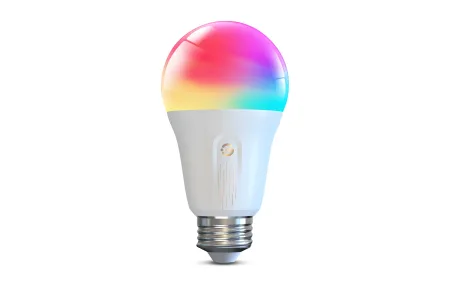
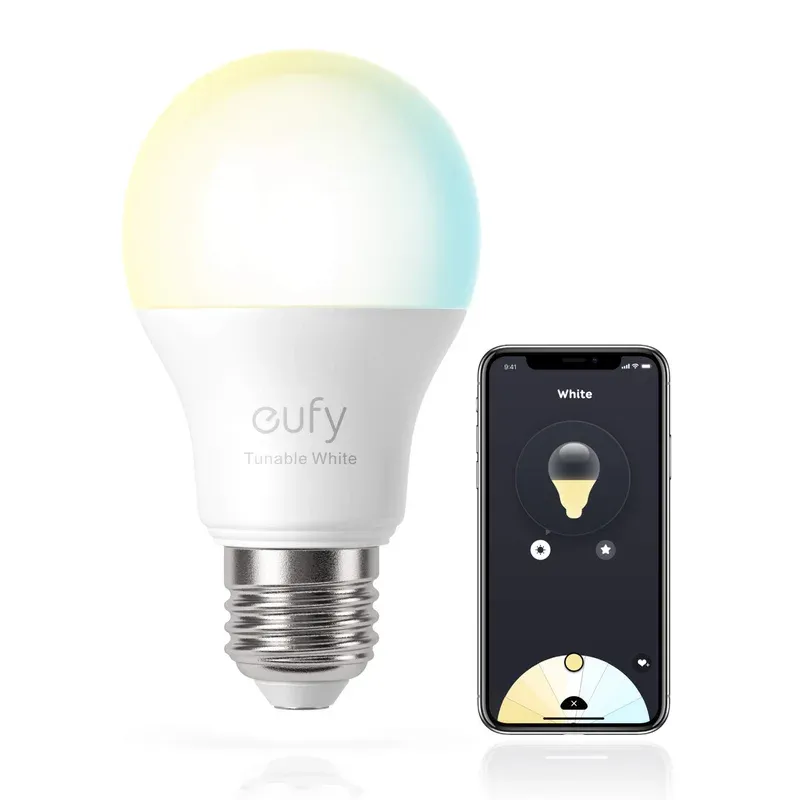
This is a 9W A19 bulb, E26 base, rated at 800 lumens, which Eufy pitches as a 60W-equivalent replacement. It comes in two flavors. The dimmable version locks in at a warm 2700K and runs about $16. The tunable version, roughly $20, slides between soft white and daylight so you can match the mood to the time of day. Neither one does full color, so if you're picturing a party-mode RGB bulb, look elsewhere in the eufy lineup or at something like LIFX.
Setup happens through the EufyHome app over 2.4GHz Wi-Fi. No hub, no Zigbee dongle, no waiting for a bridge to update its firmware at 2am. Is that trade-off, one bulb eating its own Wi-Fi slot instead of hopping onto a mesh, worth it? For a single lamp or two, yes. For a dozen bulbs across a house, a hub-based system starts making more sense simply because your router has a finite number of connections it handles gracefully.
Where the Antenna Upgrade Actually Matters
Version 2.0 isn't a light-output bump over the original Lumos, it's a connectivity fix. Eufy redesigned the internal antenna to hold a steadier Wi-Fi signal, which matters more than it sounds. First-generation smart bulbs from a lot of brands, not just Eufy, were notorious for dropping off the network after a router reboot or a firmware push. If your old bulb needed a factory reset every few weeks, that's the exact failure mode this revision targets.
The Scheduling Limitation Nobody Mentions in the Marketing
Here's the catch that changes how useful this bulb is for automation: scheduled triggers jump to full brightness, ignoring whatever dimming level you'd set. Set a sunset schedule expecting a gentle 40 percent glow, and you'll get blasted with 800 lumens instead. You then have to manually dim it after the fact, which defeats a chunk of the point of scheduling in the first place. IFTTT support is also absent, so if your automations lean on that ecosystem, you're stuck with whatever routines Alexa or Google Home natively support.
A few other things worth knowing before you add one to your cart:
- Both versions max out at 800 lumens, so they're a 60W-equivalent replacement, not a bright-ceiling-fixture bulb.
- The tunable model only shifts between soft white and daylight, no full RGB color.
- Firmware updates arrive through EufyHome automatically, no manual flashing required.
- Only one bulb ships per box, so budget for multiples if you're covering more than a single lamp.
None of this makes the bulb bad. It makes it a bulb you turn on and off and occasionally dim by hand or voice command, not one you build a layered lighting schedule around. Match your expectations accordingly and you won't be annoyed six weeks in.
Setup Notes From Real Use
Pairing is a standard app-driven QR or Bluetooth handoff, and most setups finish in under five minutes. One published review flagged a password-reset bug during testing, an isolated glitch rather than a pattern reported across multiple buyers, but it's worth knowing the EufyHome app has had rough edges before. If setup stalls, forgetting the bulb from the app and rejoining from scratch clears most first-time pairing issues.
I've watched this exact failure mode play out with cheap Wi-Fi bulbs from three different brands over the years, and it's almost always the same fix: kill the bulb's power at the switch for ten seconds, forget the device in the app, then re-add it fresh. Don't waste twenty minutes fighting a stuck pairing screen before trying that.
Should You Buy It?
If you want to dip a toe into smart lighting without buying a hub, or you need a couple of Wi-Fi bulbs for a hallway or a guest room where dimming schedules don't matter much, the Lumos Smart Bulb 2.0 earns its low price. Skip it if HomeKit is your ecosystem, since there's no Matter bridge to rescue that gap, or if you're building a schedule-heavy lighting plan where the on-trigger brightness bug will genuinely annoy you every evening.
For a single-room upgrade at $16 to $20 a bulb, it does the one job it promises: reliable Wi-Fi lighting with no extra hardware, no hub tax, and a setup you can finish before your coffee gets cold. Just don't expect it to replace a proper hub-based system once you're past two or three bulbs, and don't buy it if a tight lighting schedule is the whole reason you wanted a smart bulb. Budget shoppers who just want a light that answers to a voice command will get exactly what they paid for here, nothing more and nothing less.
Frequently Asked Questions
Does the Eufy Lumos Smart Bulb 2.0 need a hub?
No. It connects straight to your 2.4GHz Wi-Fi network through the EufyHome app, so there's no separate bridge or hub to buy or plug in. That's the whole appeal of this bulb over a Zigbee system like Hue: one box, one app, done in about five minutes if your Wi-Fi cooperates.
What's the difference between the dimmable and tunable versions?
The dimmable model is fixed at a warm 2700K, the same color as a standard incandescent bulb, and costs less. The tunable version lets you slide between soft white and daylight in the app, which is worth the extra few dollars if you use the same fixture for morning routines and evening wind-down. Neither version changes to full RGB color, just shades of white.
Can I schedule the bulb to dim automatically?
Not really, and this is the bulb's biggest limitation. Scheduled on-triggers snap the bulb to 100 percent brightness regardless of whatever level you last set manually. If you want a dimmed evening schedule, you'll need to nudge the brightness by hand after the schedule fires, or automate it through a third-party routine your voice assistant supports.
Does it work with Apple HomeKit or Matter?
No official HomeKit or Matter support as of this review. The bulb talks to Alexa and Google Assistant through EufyHome's own cloud integration, so Siri and the Apple Home app are out unless Eufy adds Matter compatibility in a future firmware update.
As an Amazon Associate we earn from qualifying purchases. Disclosure.
Check Price on Amazon →