SwitchBot Safety Alarm: 130dB Personal Security
Product Details
🏭 Manufacturer: SwitchBot
🔌 Plug Format: Battery
📄 Specification Met: FCC, CE, IP65
🏋️♂️ Weight: 35 g
📏 Dimensions: 67 × 33 × 15 mm
🏳️ Country of Origin: China
🆔 Model Number: Safety Alarm
📐 Size: 67 × 33 × 15 mm
🎨 Style: Keychain
🧲 Mounting Type: Keychain Attachment
🔧 Usage: Indoor/Outdoor
🧩 Included Components: Safety Alarm, 2 × CR2032 batteries, Screwdriver, Pry tool, Spare screws, User manual, Warranty cards
🔋 Batteries Included: Yes
🔋 Batteries Required: Yes
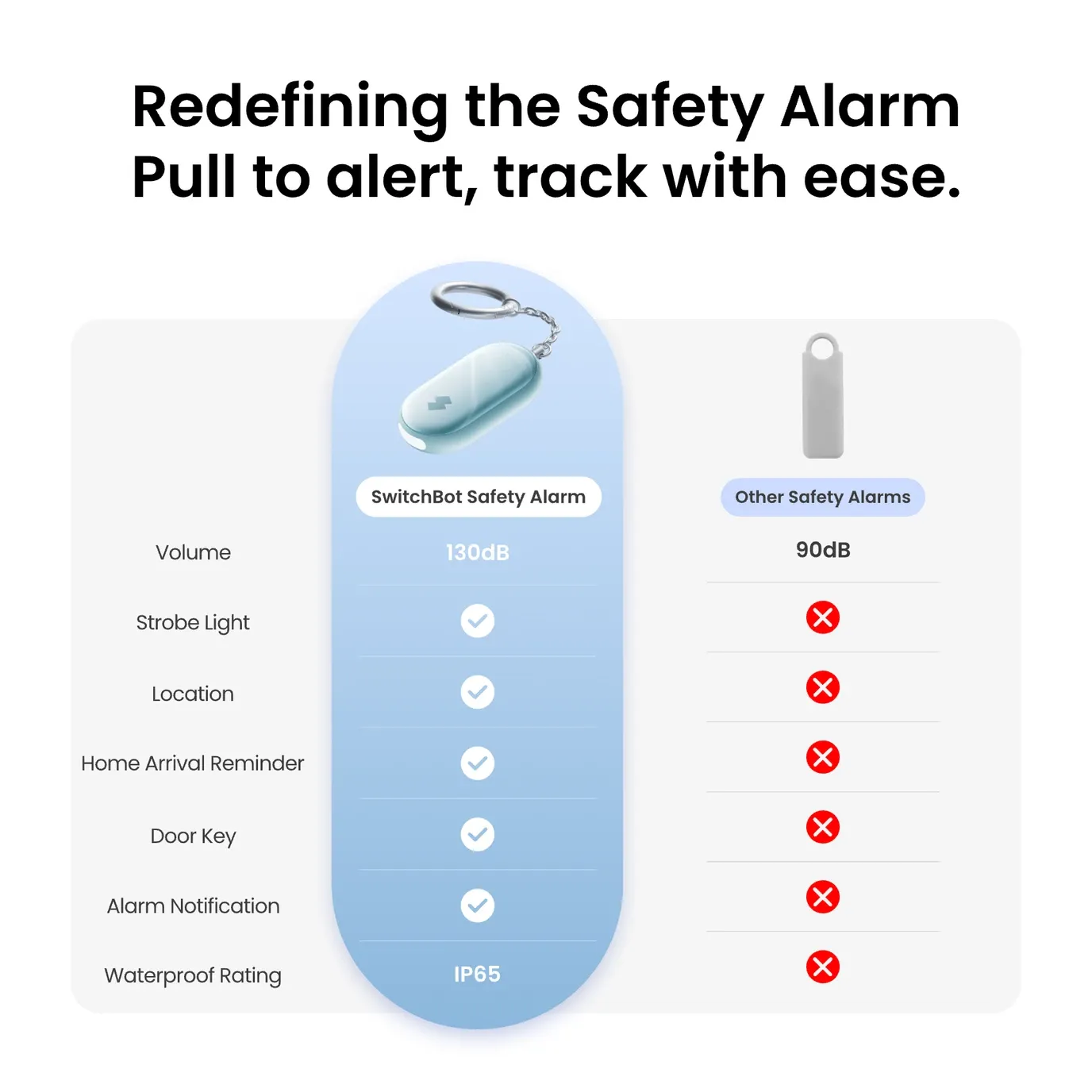
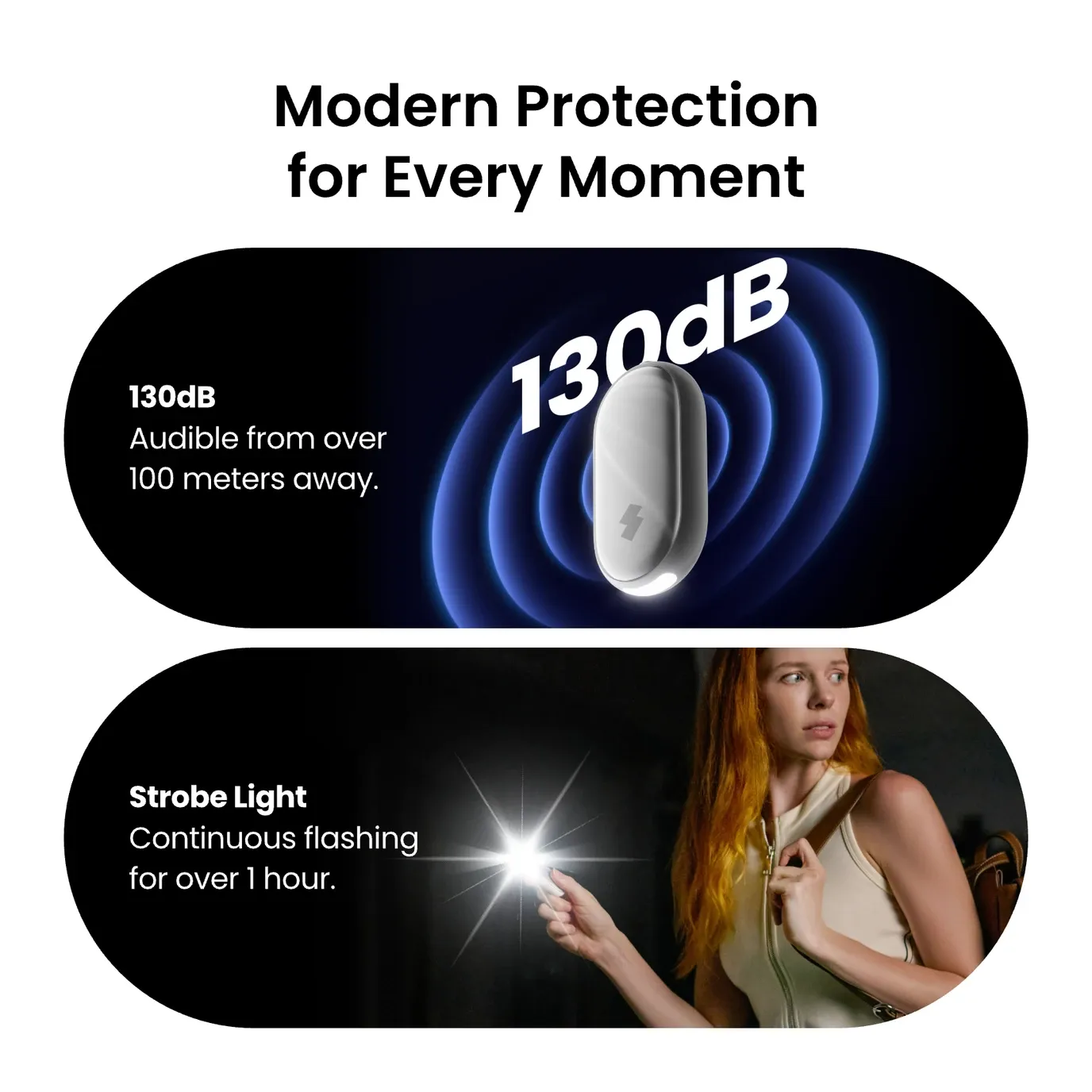
The SwitchBot Safety Alarm is a compact personal safety device that blends smart tech with daily use. This keychain alarm weighs just 35 grams. It packs a 130dB siren, a bright strobe light, and smart home features into a small form. It is great for women, students, hikers, and anyone who values safety. It works in both city and remote settings.
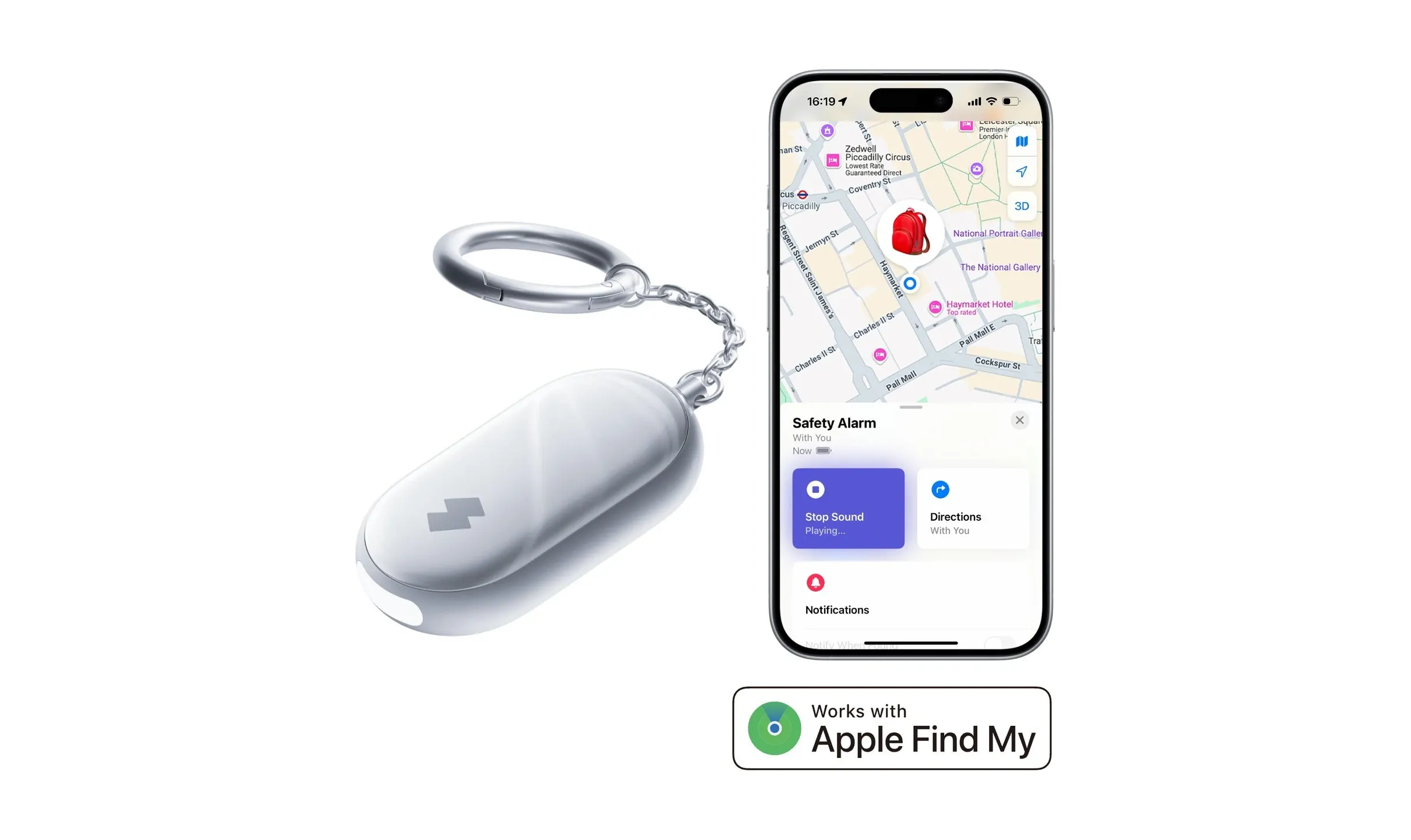
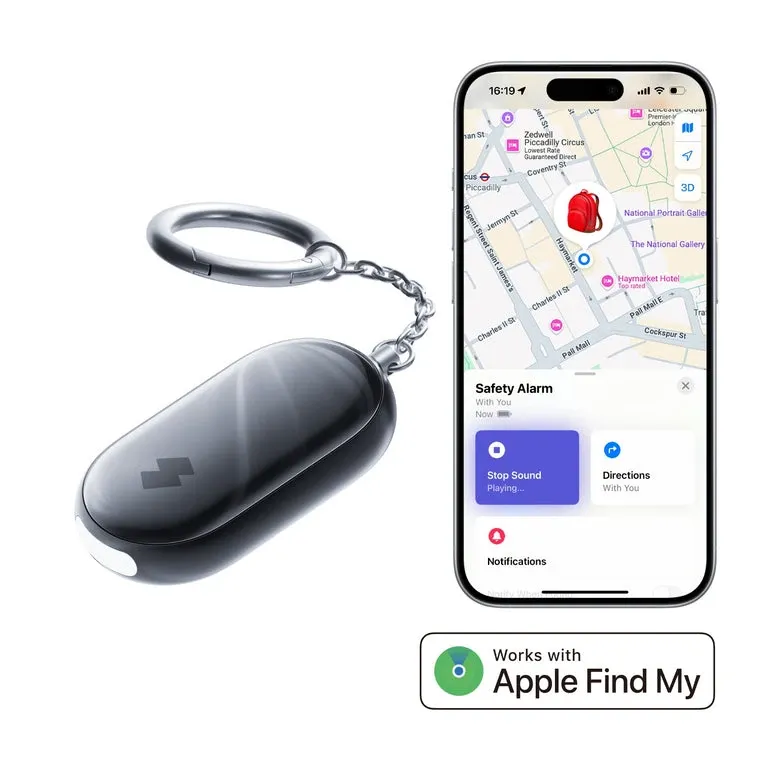
What makes this alarm is notable is its Apple Find My support. This gives you global location tracking with no extra fees. When linked to a SwitchBot Hub, it joins your smart home system. You get arrival alerts, fake incoming calls to your phone, and ties to your existing security setup. On its own, it runs on Bluetooth Low Energy. Setup is instant and needs no hub for basic use.
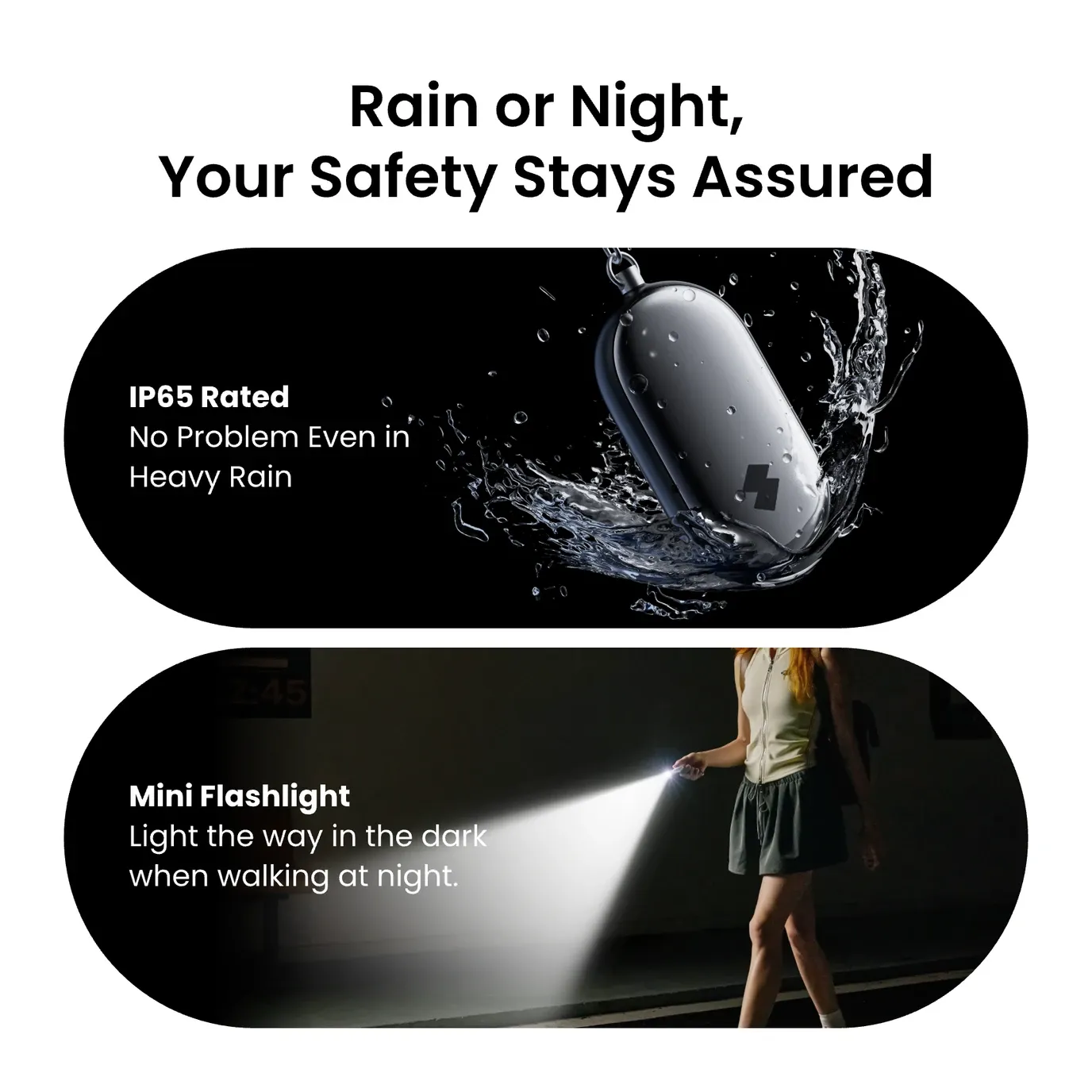
The 130dB alarm is louder than a jet engine at takeoff. Paired with a LED strobe that flashes for over an hour, it scares off threats and draws attention fast. The IP65 waterproof design keeps it working in rain, humidity, and splashes. Its CR2032 batteries last up to 2 years of battery life. This makes it an always-ready safety tool.
The Rundown
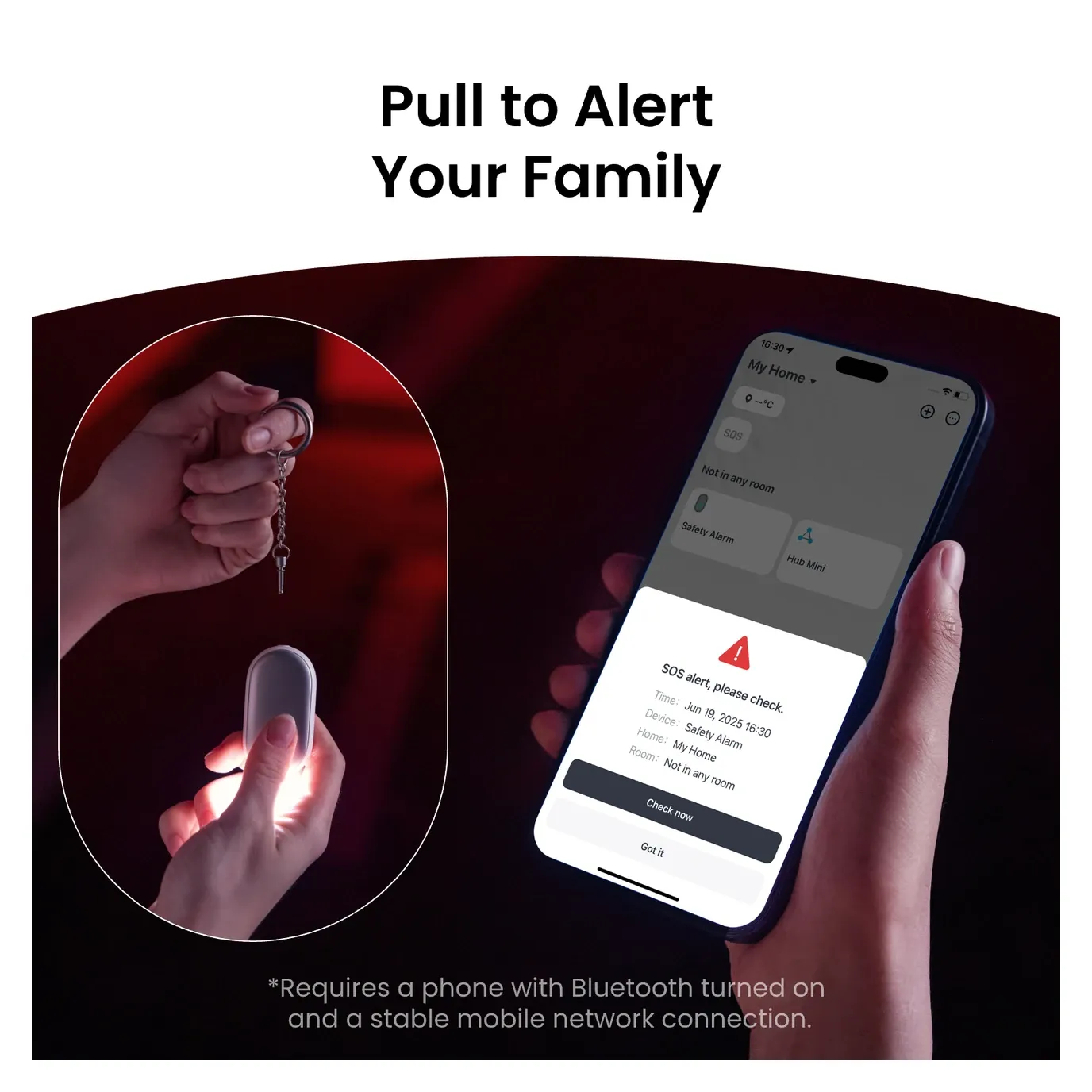
The SwitchBot Safety Alarm offers three ways to activate. The pin-pull emergency mode blasts the full 130dB siren. A Silent SOS mode sends quiet alerts to your contacts. The virtual call feature makes your phone ring with a fake call, even in silent mode. This gives you the right response for any threat.
The Lost Mode feature sets this device apart. When turned on, it shows your emergency contact info on its LED display. This helps strangers who find it reach you. With a SwitchBot Lock or Keypad, the device gains NFC 13.56MHz support. It can then double as both a personal alarm and a contactless door key. This rare combo puts safety and access on one keychain.
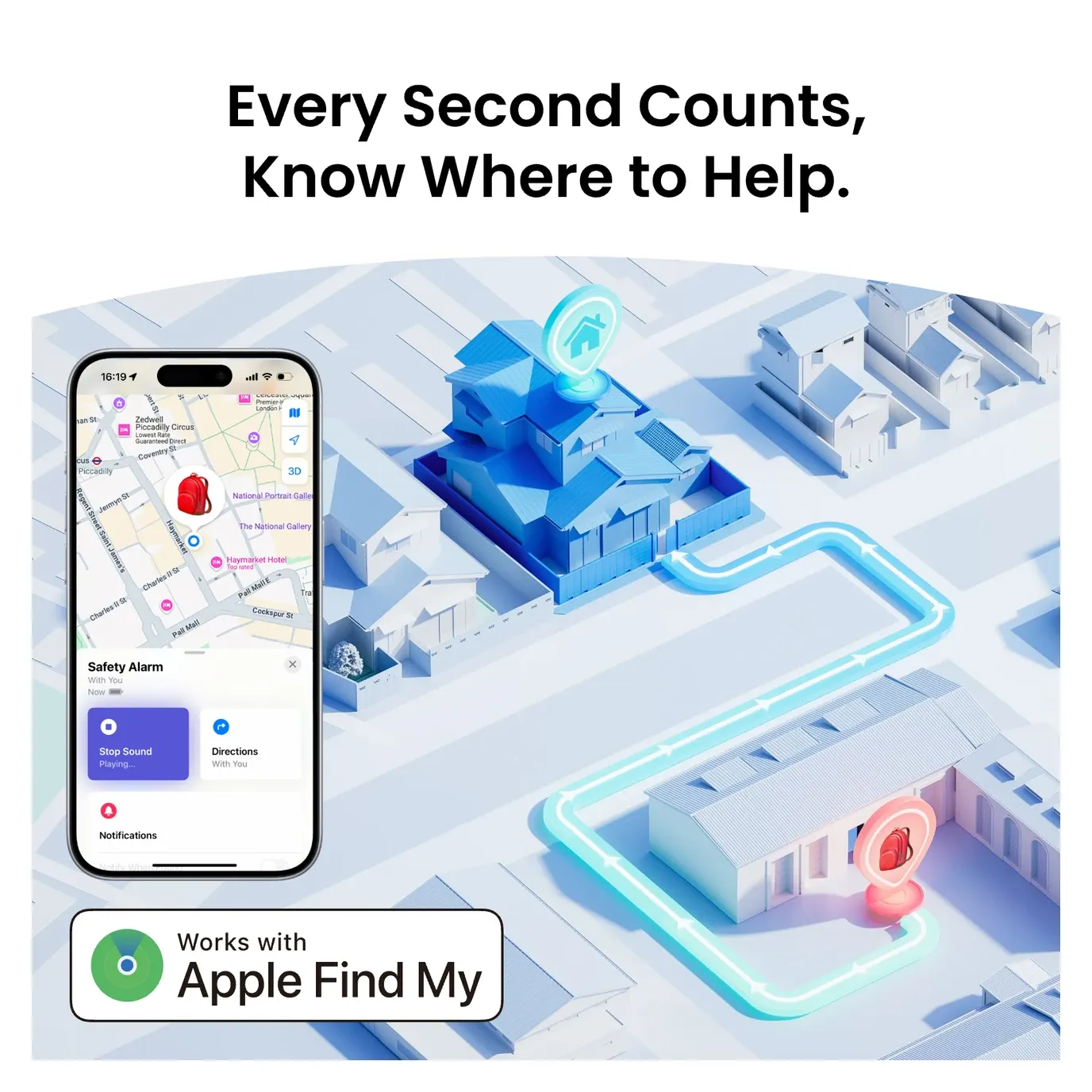
Apple Find My support is a huge plus for Apple users. The Safety Alarm taps into Apple's global Find My network. This lets you track its location from anywhere through nearby iPhones. This helps travelers, commuters in new areas, and parents keeping tabs on family. It also ties into your smart home for arrival alerts, emergency lighting, and notification routing.
Technical Specifications & Build Quality
The SwitchBot Safety Alarm is built with care. Its ABS plastic body and polycarbonate (PC) parts resist daily wear, drops, and weather. At 67 x 33 x 15 mm and 35-gram weight, it stays light on your keychain, backpack, or belt.
It works in tough conditions. It handles temps from -10°C to 45°C (14°F to 113°F) and humidity up to 90%. IP65 certification protects it from water jets and dust. You can use it outdoors, near pools, in rain, or in humid kitchens and bathrooms.
It runs on two standard CR2032 batteries. These are cheap and easy to find. With Apple Find My on (always scanning), it lasts about 1 year. With only the SwitchBot app, it lasts up to 2 years. Low-battery alerts go to your hub or phone. This stops the alarm from dying when you need it most.
Connectivity specifications:
- Alarm Output: 130dB peak siren frequency (optimal human perception range)
- Strobe Function: High-intensity LED, continuous operation for >60 minutes per battery charge
- Bluetooth Technology: Bluetooth Low Energy 5.0 with 80-meter (260-foot) range
- NFC Support: ISO/IEC 14443 Type A standard, 13.56MHz frequency
- Wireless Protocols: SwitchBot proprietary + BLE standard
- Warranty: 2-year limited manufacturer coverage
Smart Home Ecosystem Integration
The SwitchBot Safety Alarm works both on its own and as part of the SwitchBot system. It links via Bluetooth Low Energy. No WiFi passwords or network setup needed. Pairing with the SwitchBot app (iOS and Android) takes about 10 seconds. Just hold it near your phone or hub.
With the app alone, you get real-time alerts when the alarm goes off, victim notices, and Apple Find My tracking (iPhone only). The app shows battery level, lets you turn off the alarm from afar, and stores your emergency contacts. This basic setup needs no extra hardware and works for most safety needs.
Adding a SwitchBot Hub unlocks home automation features. The system can turn on lights, unlock SwitchBot Locks, or start welcome routines when you get close to home. The hub also sends battery warnings 2 weeks before they run out. This stops the alarm from going dead when you need it.
It ties into Apple HomeKit through Find My on iCloud+ plans. This lets families share safety tracking through Apple's private system. NFC support works with SwitchBot Smart Lock products. The alarm can then serve as both a door key and an emergency device. This helps at offices, campuses, or homes with many entry points.
The alarm does not yet support Amazon Alexa or Google Assistant voice control. But it works with Home Assistant and other open-source platforms through ESPHome and community add-ons. This appeals to tech-savvy users with larger setups.
Real-World Use Cases & Applications
The SwitchBot Safety Alarm demonstrates remarkable versatility across diverse personal security and automation scenarios:
Personal Security During Commutes & Outdoor Activities
Safety experts say this device is great for nighttime commutes, transit use, and solo outdoor trips. The 130dB alarm and strobe give you confidence while looking like a simple keychain. Campus safety teams suggest it for students walking between dorms and libraries at night. Runners and cyclists like the 35-gram weight. It adds no real bulk but provides emergency help when needed.
Family Safety & Child Locating Parents use Apple Find My to track kids on field trips, mall outings, and play dates. Unlike GPS trackers that charge monthly fees, this alarm uses Apple's Find My network at no extra cost. The Lost Mode is key here. If a child loses a bag with the alarm, any nearby iPhone can spot it. Your emergency contact info shows right on the alarm's display.
Elderly Care & Wandering Prevention Caregivers clip the alarm to wallets, belts, or clothes of elderly family members. Apple Find My tracks location at all times. The elder does not need to know how to use it. If they wander or get lost, caregivers get alerts right away. They can also trigger the alarm from afar to draw nearby help.
Home Automation Integration With a SwitchBot Hub, the alarm becomes a home security trigger. Set up rules like "if the alarm goes off at home, turn on all lights and unlock the front door." When someone hits the button, the whole home lights up at once. This can startle intruders and light the way for a safe exit.
Travel Security Travelers love the IP65 waterproof rating for beach trips, ski outings, and global travel. It works in humid spots like saunas, pools, and tropical climates where normal gadgets might fail. TSA lets it through airport security with no issues. Apple Find My tracks it across countries and cell networks, giving you peace of mind abroad.
Workplace Safety in Vulnerable Environments Healthcare workers, social workers, and security staff use the alarm as a quiet distress signal during tense moments. The Silent SOS mode alerts help without making things worse. If things turn unsafe, the 130dB activation gives a loud backup option.
Installation and First Setup
Initial Battery Installation Open the device with the included plastic pry tool. Do not use metal tools, as they may cause a short circuit. Put in two CR2032 batteries with the + side facing out. Use the small screwdriver to close the battery door. Do not over-tighten, as this can strip the plastic threads.
Mobile Application Setup Get the SwitchBot app from Google Play (Android) or the App Store (iOS). The app needs Bluetooth access but only asks for location when you turn on Apple Find My. Create a new SwitchBot account or sign in with your existing one. One account makes it easy for the whole family to share devices and routines.
Bluetooth Pairing Procedure Turn on Bluetooth and open the SwitchBot app. Go to "Add Device" and pick "Safety Alarm." Hold the button for 3-5 seconds until you see a blue LED flash. The app finds and connects to it on its own. Pairing takes 5-15 seconds, based on nearby Bluetooth traffic.
Apple Find My Integration (iPhone Users) Open Apple's native Find My app and select "Add Item." Choose "SwitchBot Safety Alarm" from the non-Apple products list (SwitchBot devices are officially supported). This enables location tracking through Apple's privacy-preserving Find My network at zero additional cost or subscription fees. The device transmits anonymous location data only when Bluetooth is active.
Emergency Contact Configuration Go back to the SwitchBot app and add your emergency contacts. You can add as many as you want and edit them at any time. There are no middleman services or paperwork needed. Set how each person gets notified. Some may want phone calls, others may prefer texts or app alerts.
Virtual Call Settings Set up the virtual call feature in the app. Choose if calls ring on speaker, bypass silent mode, or stay off. Test it in a safe, private place first. Make sure you know how it works before you ever need it in a real crisis.
Smart Home Hub Connection (Optional) To get features like arrival routines and early battery warnings, add a SwitchBot Hub in the app. Hub pairing works the same way via Bluetooth. Once linked, the hub connects the alarm to other SwitchBot devices like smart locks, light switches, and robot vacuums.
Firmware Updates The device automatically downloads firmware improvements through Bluetooth when connected to the app. Updates occur silently in the background and require no user intervention. If experiencing connection instability, manually trigger an update through the app's device settings menu.
Troubleshooting & Reset If the device stops working or will not pair, do a factory reset. Hold the button for 10+ seconds until the LED turns red, then flashes blue. This wipes all settings and lets you pair again fresh. If Bluetooth issues persist, move away from microwaves, WiFi routers, or other 2.4GHz devices that use the same signal band.
Verdict & Final Recommendations
The SwitchBot Safety Alarm is a standout personal safety device. It bridges personal protection with smart home features in a clean, compact package. At $39.99, it offers strong value for anyone who wants safety without giving up style or ease of use.
Best For:
- Apple ecosystem users seeking affordable location tracking without subscription services
- Women commuting through urban environments or unfamiliar areas
- Parents monitoring children's whereabouts during field trips or campus attendance
- Elderly care scenarios requiring discreet but reliable emergency assistance
- Smart home enthusiasts building comprehensive automation systems
- Travelers requiring multi-environment reliability
Strengths:
- 130dB alarm output exceeds sound pressure levels of professional emergency signals
- Extended strobe functionality (>60 minutes) provides rare visual deterrence
- Apple Find My integration costs nothing and operates globally without subscriptions
- Compact 35-gram design eliminates weight concerns across any attachment method
- IP65 durability enables deployment in challenging environmental conditions
- 2-year battery life provides exceptional runtime between replacement cycles
- 2-year manufacturer warranty demonstrates engineering confidence
Considerations:
- Requires Bluetooth-enabled smartphone for full functionality (cannot operate as standalone alarm)
- No direct Amazon Alexa or Google Assistant voice control integration
- Virtual call feature behaves differently across iOS and Android versions
- Find My location accuracy depends on nearby Apple device density (urban areas perform better than rural locations)
Overall Assessment: The SwitchBot Safety Alarm goes beyond typical alarms. It offers smart home ties, long battery life, and strong Apple ecosystem support. Whether used on its own or as part of a larger setup, it gives real peace of mind through reliable sound, smart links, and useful emergency features.