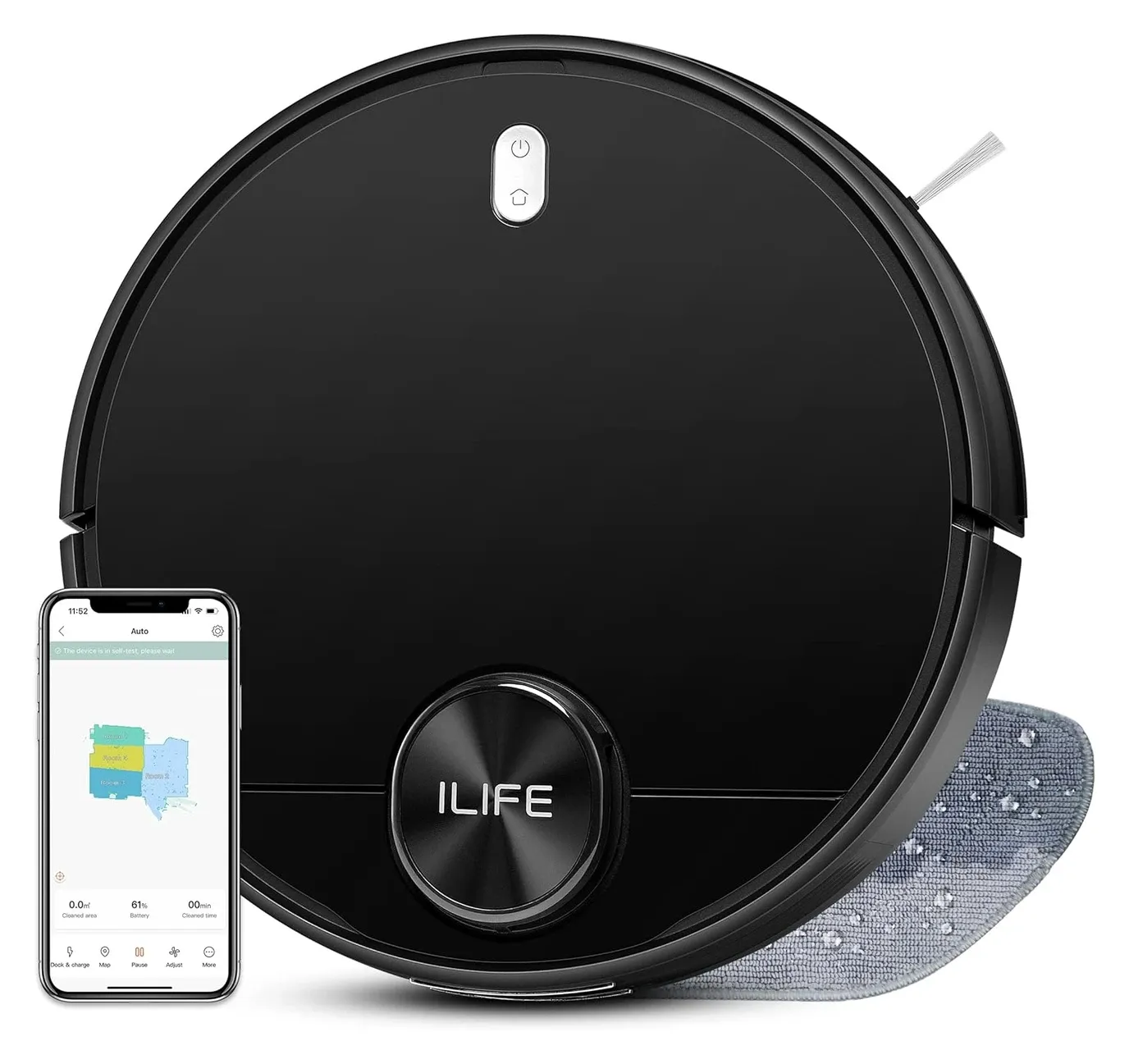
ILIFE A11 Robot Vacuum for Powerful Smart Cleaning

As an Amazon Associate we earn from qualifying purchases. Disclosure.
Check Price on Amazon →Product Details
🏭 Manufacturer: ILIFE Robotics
🔌 Plug Format: Rechargeable
📄 Specification Met: CE Certified
🔖 Part Number: A11
🏋️♂️ Weight: 7.7 pounds
📏 Dimensions: 13.78 x 13.78 x 3.72 in
🏳️ Country of Origin: China
🆔 Model Number: A11
📐 Size: Standard
🎨 Style: Modern
🧲 Mounting Type: Freestanding
🔧 Usage: Indoor Cleaning
🧩 Included Components: ILIFE A11 Robot Vacuum, Charging Dock, Water Tank, Mop Cloth, User Manual
🔋 Batteries Included: Yes
🔋 Batteries Required: Yes
The ILIFE A11 is a LiDAR-guided robot vacuum that vacuums and mops on a single charge. The interesting thing about it is the price of entry: true LiDAR mapping at a tier where most machines still bounce off furniture and hope. This one has not run in this house, so the review below works from the specification and from what owners consistently report, and it covers navigation, suction, mopping, and the parts that decide whether you still like it in year two. The 4000Pa suction and true LiDAR mapping deliver powerful, accurate cleaning that rivals robots priced considerably higher.
One thing to know before reading further: the A11 launched in March 2022 at $399.99, and by October 2026 ILIFE no longer lists it on its own website (the A-series page now shows the A30 Pro, A20, A12 Pro and A10s), while the Amazon listing reads "Currently unavailable". Treat it as an end-of-life model that still turns up second-hand and at smaller retailers. The section near the end covers what that means for parts.
Why the ILIFE A11 Is notable
The A11 delivers hardware worth taking seriously at its price point. A Japanese Nidec brushless motor drives 4000Pa suction. It pulls fine dust from grout lines and lifts pet hair from low-pile carpet. The LiDAR turret gives accurate room mapping from day one. Camera-based systems struggle in low light. The A11's laser works well in any lighting condition.
Quick specifications:
- 4000Pa suction with four adjustable power levels (quiet to max)
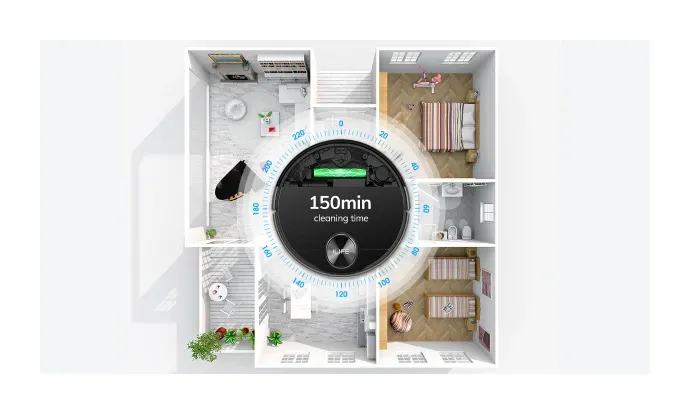
- 5200 mAh battery running up to 150 minutes per charge
- 2-in-1 combined tank: 300 ml dustbin plus 200 ml water reservoir
- Multi-floor mapping: stores up to five separate floor plans
- Voice control: compatible with Amazon Alexa and Google Home
Long-Term Ownership Costs
The HEPA filter is washable and the dustbin pops out without tools. Side brushes snap in and out in seconds. Replacement parts are available from third-party sellers without requiring a subscription or proprietary consumables. Over one to two years, those savings add up compared to robots with bag systems or sealed filter assemblies.
LiDAR Navigation and Room Mapping
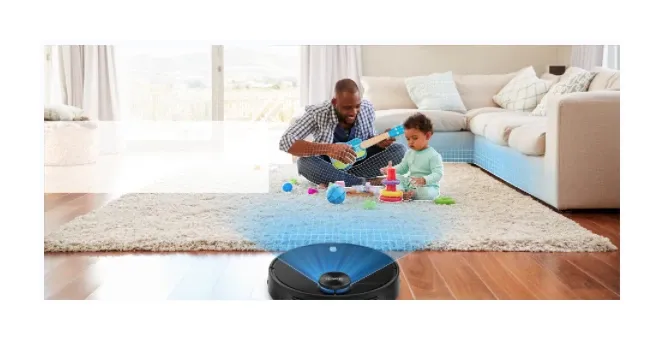
LiDAR works by spinning a laser turret ten times per second. It captures thousands of distance measurements to build a precise floor plan. The ILIFE A11 uses this data with a SLAM algorithm that updates the map in real time. When furniture moves, the next cleaning run adapts. The robot cleans in neat rows, not random bouncing. It covers walls and corners on the first pass.
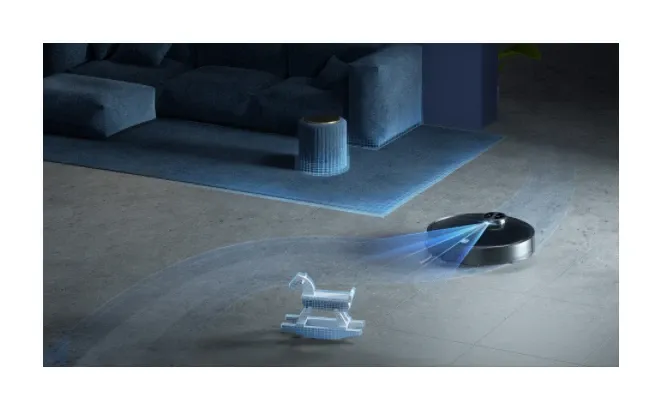
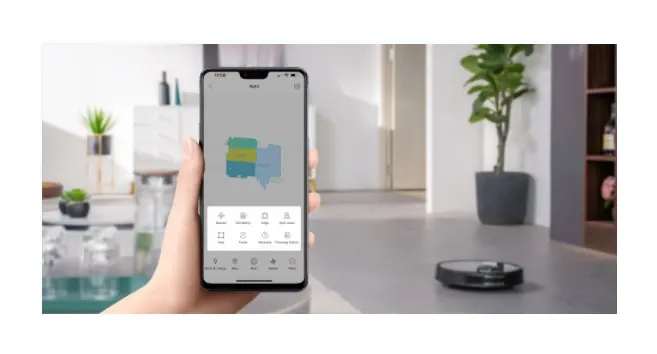
The laser uses pulses, not visible light. It works in low light and total darkness. After the first mapping run, you label rooms in the ILIFE Vac app. Draw no-go zones around pet bowls or fragile items. Set room-specific schedules with a few taps. The A11 stores up to five floor layouts. Switching between levels needs no reset.
4000Pa Suction and Cleaning Performance
Four thousand pascals translates to strong real-world performance on hard floors. Published reviews agree on the shape of it: TechHive called the A11 a most attractive option at its price, while Trusted Reviews rated its carpet performance as sub-par and noted there is no carpet detection, so the robot will not raise suction on its own when it rolls onto a rug. Fine debris on hardwood and tile is where it does its best work. Four suction modes match the task. Quiet mode runs at night on hard floors. Max mode drives through thick carpet fibers.
The main brush floats on a suspension to stay in contact on uneven floors. The edge brush sweeps debris inward. Nothing builds up near baseboards. You rarely need to spot-clean after a run.
Low-Maintenance Design
Emptying the dustbin takes about five seconds. The HEPA filter rinses clean under tap water and dries fast. Main and side brushes release without tools, which is practical for pet owners who need to clear wrapped hair every few days. Compared to upright vacuums with complex filter assemblies, the A11 maintenance routine is genuinely quick.
2-in-1 Vacuum and Mop System
The A11 vacuums and mops in a single pass using one combined tank unit. The 300 ml dustbin handles dry debris while the 200 ml water reservoir feeds a microfiber mop cloth at a controlled flow rate. The pad stays damp enough to lift surface grime without leaving puddles or streaks on hardwood or tile.
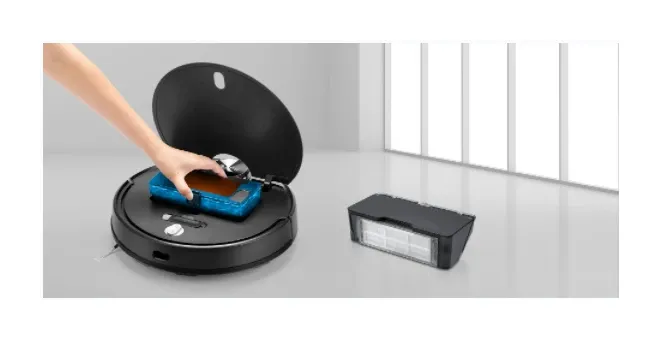
The mop pad does not lift automatically when crossing carpet, so for homes with mixed flooring, setting no-go zones in the app before a mopping run prevents the robot from wetting rugs. It adds a one-time setup step but avoids damage.
Battery Life and Smart Scheduling
The 5200 mAh battery runs for up to 150 minutes per charge. That covers roughly 2,690 square feet in one session. When battery drops low, the robot docks on its own and resumes the job after charging. Full recharge takes four to five hours.
The ILIFE Vac app lets you schedule specific rooms on specific days at specific power levels. Quieter in bedrooms, stronger in hallways and kitchens. The included physical remote handles start, stop, and dock commands without opening the app. Amazon Alexa and Google Home voice commands cover the same basics hands-free.
How the A11 Compares
ILIFE A11 vs. Eufy G40 Hybrid: The G40 requires physically swapping the dustbin when switching to mop mode. The A11 handles both simultaneously without any part changes. The A11 also uses true LiDAR where the G40 uses infrared - the mapping accuracy difference shows in complex multi-room layouts.
ILIFE A11 vs. Wyze Robot Vacuum: Wyze costs less but offers suction-only cleaning and camera-based navigation that degrades in low light. The A11's LiDAR accuracy and simultaneous mopping justify the price difference for households that need full floor care in one robot.
Setup Guide
Unboxing and Dock Placement
- Remove all plastic wrap and tape from the robot and dock.
- Place the dock flat against a wall with at least one meter of clearance on each side and two meters in front.
- Plug in the dock and confirm the indicator light turns on.
Initial App Setup
- Download the ILIFE Vac app from the App Store or Google Play.
- Create an account, tap "Add Device," and select the A11 model.
- Follow the on-screen prompts to connect the robot to your 2.4 GHz Wi-Fi network.
First Cleaning Session and Mapping
- Place the A11 on the dock and confirm it seats correctly.
- Tap "Clean" in the app to start the initial mapping run - let it complete without moving furniture.
- Once the map appears, label rooms and draw no-go zones before setting recurring schedules.
For a longer look at the mapping, battery claims and where published specs disagree, read the iLife A11 review.
Is the A11 Still Sold?
Not by ILIFE, as far as its own storefront shows. The old product page at iliferobot.com returns a 404, the current robot lineup runs from the V-series through the A30 Pro and the T60s, and the A11 appears only in a quoted press blurb. Amazon's listing for the A11 (4000Pa, 150 minutes) was still up in October 2026 but marked unavailable with no restock date. What does that change for a buyer? Mostly consumables. HEPA filters, side brushes and mop cloths for the A11 are generic parts that third-party sellers carry, and ILIFE's support downloads still host the app and manual, so an existing unit is not orphaned. A new purchase, though, means a refurbished or clearance unit with whatever warranty the seller offers rather than ILIFE's one-year cover, and it is fair to ask whether a current A-series model at a similar price is the safer bet.
Troubleshooting
Poor Mapping or Navigation Errors: Check the LiDAR turret for dust accumulation - even a thin layer degrades accuracy. Restart the robot and run a fresh mapping session on a cleared floor. Avoid very dark or highly reflective surfaces near the robot's path.
Robot Not Returning to Dock: Confirm the dock is plugged in and the area in front of it is clear. If the robot still cannot find it, delete the saved map and let the A11 remap the space from scratch.
Weak Suction or Missed Debris: Empty the dustbin and rinse the HEPA filter. Inspect the main brush and side brushes for wrapped hair. Increase the suction level when cleaning thick carpet.
Frequently Asked Questions
How long does the ILIFE A11 battery last per charge?
The ILIFE A11 runs up to 150 minutes per charge on a 5200 mAh battery and covers about 2,690 square feet in one session. When power runs low it returns to the dock automatically, then resumes where it left off.
Does the ILIFE A11 vacuum and mop at the same time?
Yes. The 2-in-1 combined tank handles dry vacuuming and wet mopping simultaneously without swapping parts. The 300 ml dustbin and 200 ml water tank are built into one compact unit. Water feeds the mop cloth at a steady rate so floors stay damp but not wet.
How does LiDAR mapping work on the A11?
The LiDAR laser turret spins ten times per second and captures thousands of data points to build a precise floor map. It operates in low light and total darkness. The SLAM system updates the map in real time when furniture moves, so every subsequent run is just as accurate.
What floor types does the ILIFE A11 handle?
The A11 cleans hardwood, tile, laminate, and carpet. The 4000 Pa suction lifts dirt from grout lines and carpet fibers. Four power levels let you match suction to the surface, using quiet mode on hard floors and max mode on thick carpet.
Does the ILIFE A11 work with Alexa and Google Home?
Yes. The A11 supports voice commands through Amazon Alexa and Google Home so you can start, stop, or dock the robot hands-free. The ILIFE Vac app provides full control including room-specific cleaning, no-go zones, schedules, and cleaning history.
Video Review
As an Amazon Associate we earn from qualifying purchases. Disclosure.
Check Price on Amazon →


