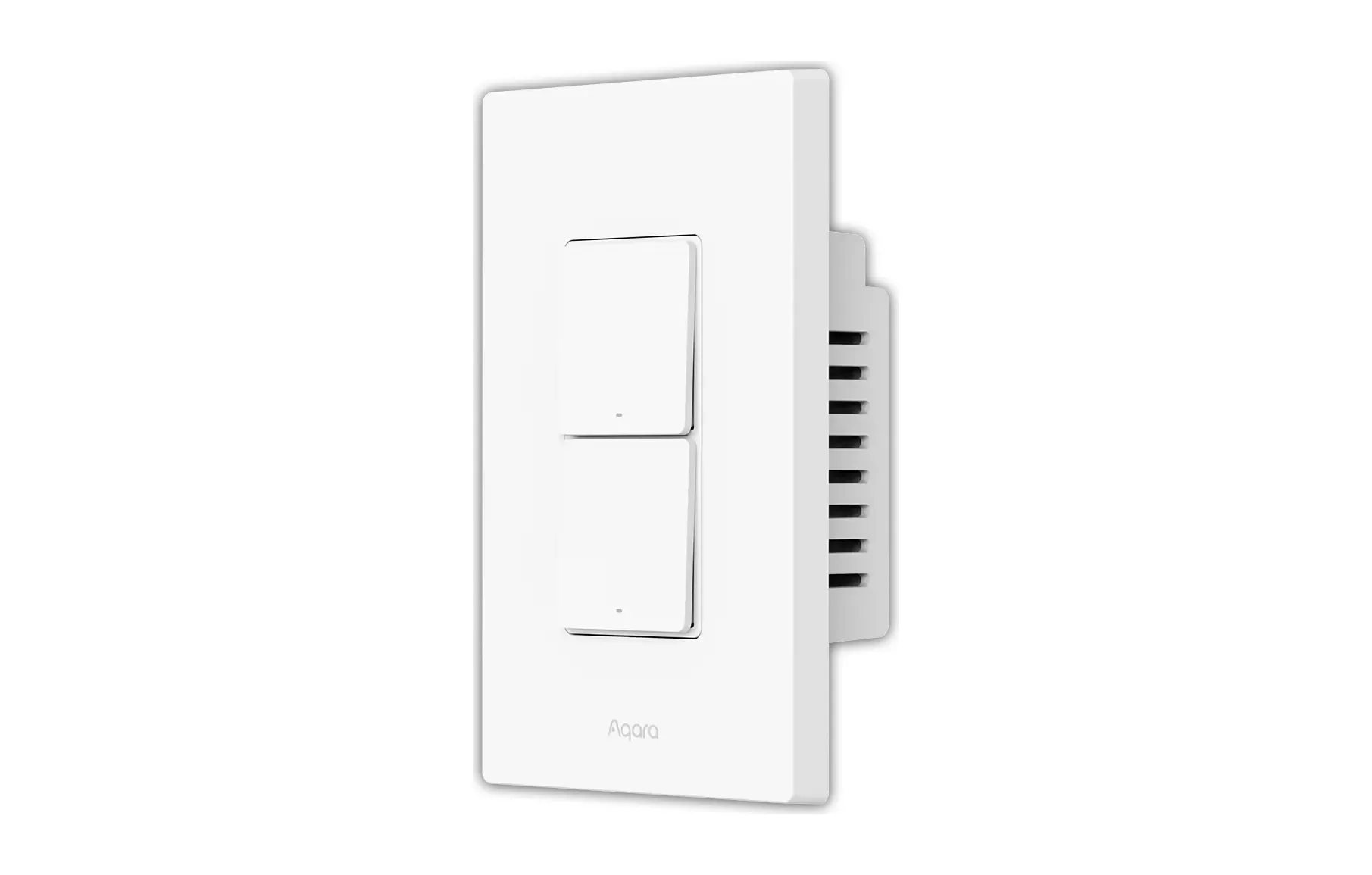
Aqara Smart Wall Switch H2: Matter Light Controller
Product Details
🏭 Manufacturer: Aqara
🔌 Plug Format: Hardwired, 120 VAC 60 Hz (US)
📄 Specification Met: FCC, Matter 1.3 (Thread)
🔖 Part Number: WS-K02E
🏋️♂️ Weight: Not specified
📏 Dimensions: 119 mm x 74 mm x 42 mm
🏳️ Country of Origin: China
🆔 Model Number: Light Switch H2 US (WS-K02E, 2 buttons, 1 channel)
📐 Size: Standard wall mount
🎨 Style: Wall-mounted switch
🧲 Mounting Type: Wall Mount
🔧 Usage: Indoor Use
🧩 Included Components: Light Switch H2 US x 1, compliance statement, user manual, screw kit, wire nuts kit
The Aqara Smart Wall Switch H2 (US version, model WS-K02E for the 1-channel, 2-button switch) replaces an ordinary light switch with one that talks Matter over Thread or Zigbee. It's built to work with or without a neutral wire, in single-pole and 3-way circuits. Aqara sells the US range in 1, 2, and 3-channel versions, and the store price for the 2-button, 1-channel model is $44.99, while MatterAlpha shows $54.99 on Amazon US as of 2026-10-14.
Key highlights of this light controller include decoupled switch mode (a Zigbee-mode feature) which separates the physical buttons from the relay, so you can lock the wired load on and use the buttons as wireless triggers for scenes. With a neutral wire you also get power monitoring and overload protection, and the switch has power-off memory. Integration with Apple Home, Google Home, Amazon Alexa, and SmartThings runs through Matter, and Aqara's manual states the switch needs a device with Matter border router functionality to operate in Thread mode.
Under the Hood
Aqara's manual lists a 120 VAC, 60 Hz rating with a maximum of 10A on resistive loads. Minimum power is 5W with no neutral and unlimited with a neutral, which matters for LED fixtures that draw very little. The switch measures 119 x 74 x 42 mm, works from 0C to 40C, and tolerates up to 95 percent relative humidity without condensation.
Wireless is Thread (2400-2483.5 MHz, up to 13 dBm) plus Bluetooth for setup, and Zigbee for use with an Aqara hub. MatterAlpha records Matter 1.3 certification, with the certificate dated September 2024 and a US launch on November 14, 2024. In Thread mode the switch is a Full End Device rather than a router, so don't count on it to extend your mesh. In Zigbee mode, HomeKit News reports that switches with a neutral act as repeaters.
The box holds the switch, a compliance statement, the user manual, a screw kit, and a wire nuts kit.
Thread Versus Zigbee
Thread mode lets you add the switch straight to your Matter platform with no Aqara hub and no Aqara app, apart from firmware updates, HomeKit News notes. Zigbee mode needs an Aqara hub but unlocks the Aqara-specific extras: decoupled mode, LED settings, relay lock, power-on behavior, and multi-click configuration. That split is the main decision. If you want a plain on/off switch in Apple Home, Thread is enough. If you want buttons that trigger scenes independently of the light, you want Zigbee.
When It Makes Sense
- Multi-room lighting: the US range goes up to three channels on one panel for a bedroom, hallway, and bath.
- 3-way circuits: you can replace one switch in a pair, but Aqara's manual says to use only one H2 in a 3-way circuit, with a standard switch at the other end.
- Energy tracking: with a neutral, the switch reports power for the circuit it controls.
- Older homes without neutral: the 2-in-1 design gives you basic on/off smarts, minus power monitoring and overload protection.
- Scene buttons: in decoupled mode, the second button can trigger a scene without touching the load.
Easy Setup and Installation Guide
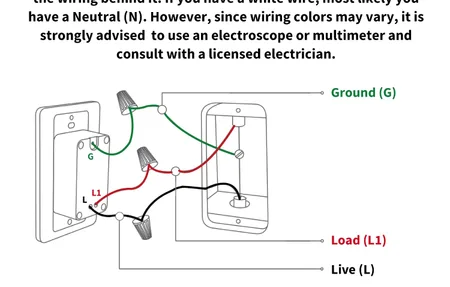
Turn the power off at the breaker first. In a single-pole circuit, Aqara's manual has you connect Live (L) and Neutral (N) to the switch, with the load wired through the Common (C) and Terminal (T) ports. For 3-way circuits, rewire both ends as shown in the manual's diagrams, since Aqara documents two layouts: light outside the two switches, or light between them.
Then download the Aqara Home app, enable Bluetooth, and scan the QR code. Pick Zigbee (with a hub) or Thread/Matter mode. Test the buttons and configure decoupled mode in the settings if you chose Zigbee. If it doesn't join, keep the 5W minimum load in mind for no-neutral installs. Label your wires before you pull the old switch, and hire an electrician for anything beyond a simple swap.
What Wiring Looks Like When You Skip the Multi-Way Habit
The "replace one switch in stairwell pairs" line above assumes a house that already has stairwell pairs. Mine doesn't contain a single one, and leaving them out was the best lighting decision of the whole build.
Every room got one global switch and one deep box holding that room's entire lighting wiring. A neutral runs to every box in the house, no exceptions, no guessing which positions might matter later. Bulbs sit permanently live and the switching happens in Home Assistant, so adding a second or third control point for any light is a configuration change rather than a cable.
What does that do to an electrician's week? Mine said the lighting was unusually easy work, because there were no multi-way runs to pull and no intermediate switches to chase down. The claim that automation complicates an electrical installation gets repeated everywhere. In this house the copper got simpler and the complexity moved into a text file I can version and roll back.
The cost is blunt and dressing it up would be dishonest. With Home Assistant offline, none of my lights respond. The wall switch reports a press, and when nothing is listening, nothing happens. A conventionally wired house with an H2 in the box behaves differently: the button drives the relay locally, decoupled mode is opt-in rather than structural, and a failed update costs you your automations instead of your corridor. If you want the smart layer without that dependency, this switch is the safer of the two shapes. I picked the other shape with my eyes open and would pick it again, but claiming it's free would be a sales pitch.
Power-Off Memory and Update Notes
The switch can restore its previous state after an outage, stay off, or stay on. Zigbee2MQTT exposes the same options as on, previous, off, and inverted for the EU sibling. The firmware list on MatterAlpha shows version 1.0.2.0 as the latest, so check the Aqara Home app for updates after you pair it.
Final Analysis
The H2 is a practical switch for anyone who wants Matter in the wall without rewiring a house. It adapts to neutral and no-neutral boxes, it runs on Thread with no hub, and it offers a Zigbee mode for the people who want decoupled buttons. The catches are real too: one H2 per 3-way circuit, a 5W minimum load without a neutral, and the Zigbee-only extras behind an Aqara hub.
Treat this page as a researched summary of Aqara's manual and independent coverage, not a hands-on test. If you want the sibling with a horizontal layout, the Aqara Light Switch H2 Horizontal is the other H2 variant, also with Matter and Zigbee.