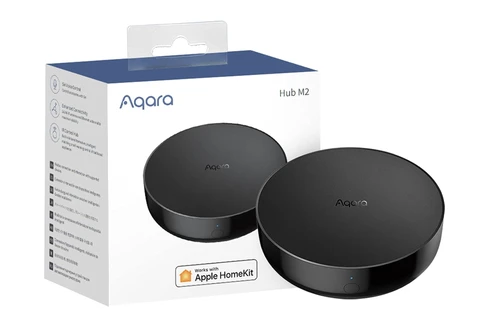
Aqara Hub M3: Central Smart Home Controller Review

As an Amazon Associate we earn from qualifying purchases. Disclosure.
Check Price on Amazon →Product Details
🏭 Manufacturer: Aqara
🔌 Plug Format: USB-C (5V 2A, adapter not included) or PoE
📄 Specification Met: CE, FCC Certified
🔖 Part Number: Hub-M3
🏋️♂️ Weight: 200 g (7.1 ounces)
📏 Dimensions: 105 x 105 x 36.5 mm (4.13 x 4.13 x 1.44 inches)
🏳️ Country of Origin: China
🆔 Model Number: HM-G01D / HM-G01E
📐 Size: Standard
🎨 Style: Minimalist
🧲 Mounting Type: Freestanding or Wall-Mount
🔧 Usage: Indoor
🧩 Included Components: Hub M3, USB-A to USB-C cable, screws and anchors kit, mounting bracket, user manual (no power adapter)
Model HM-G01D or HM-G01E on the label, a USB-C port and a PoE-capable Ethernet port on the back, and room for up to 127 Zigbee and Thread child devices. The Aqara Smart Hub M3 is the central controller and wired brain of an Aqara smart home, and this review looks at what it is meant to do. I haven't run an M3 myself, so the spec-level claims here come from Aqara's published material. It bridges ZigBee 3.0 and Matter, doubles as a Thread border router, and pulls older Aqara sensors and newer Matter gear onto one network. Setting up automations, driving lights, or wiring in security devices all route through the M3. That single-brain role is what separates it from a plug-in that only relays commands.
Why Choose Aqara Smart Hub M3?
The M3 gives you one flexible controller for a house full of smart home devices. Route your gear through the hub and you can automate lighting, security, temperature, and more from a single app. The chassis is small and plain, so it disappears on a shelf or a wall bracket while it quietly runs the show behind everything else.
Key Features of Aqara Smart Hub M3
- Supports ZigBee 3.0, Thread, and Matter (controller, bridge, and Thread border router) for wide device compatibility
- Up to 127 Zigbee and Thread child devices in total, 64 of them connected directly and the rest through routers or mesh extenders
- Dual-band Wi-Fi (2.4GHz and 5GHz), an RJ45 Ethernet port, and Power over Ethernet (48V) for a stable wired backbone
- A built-in IR blaster and a small speaker for alarm sounds and custom chimes
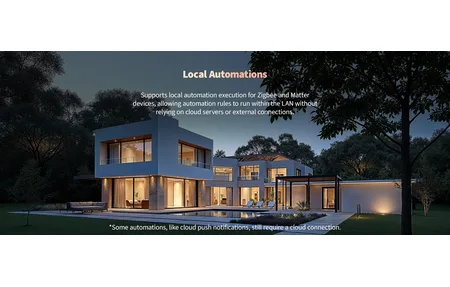
- Local processing that keeps automations running and data on the device
- Voice control through Alexa, Google Assistant, and Apple HomeKit
- Scenes and automations built in the Aqara Home app
Those are the pieces that let the M3 anchor a real automation network rather than just passing commands along.
Effortless Setup and Control
Getting started is quick. Power it with a 5V/2A USB-C supply or a PoE switch (Aqara ships a USB-A to USB-C cable but no power adapter), put it on your home Wi-Fi or plug in Ethernet, and pair it in the Aqara Home app. From there you add devices, build scenes, and set automations for lights, security cameras, motion sensors, and more. Mount it on a wall or leave it freestanding, whichever suits the room and where your power sits.
One practical setup tip is worth calling out. Give the hub a spot with a strong signal near your router, because it acts as the ZigBee coordinator for everything downstream. Drop it into a dead corner behind a cabinet and distant sensors will start falling off the network, no matter how many devices the spec sheet promises you can add. Aqara's own figure is 64 devices connected directly and 127 in total once routers are in the mix.
Why Should You Use the Aqara Smart Hub M3?
The M3 fits homeowners who want one place to run and automate everything. Controlling smart lights, setting security routines, or nudging a thermostat all happen through its direct link to your Aqara smart devices and other compatible gear on the network.
A few reasons the M3 stands out:
- Straightforward setup and control through the Aqara Home app
- Matter and ZigBee 3.0 support for a broad device range
- Local processing, which keeps the network private and quick to react
- Works with several voice assistants for hands-free control
- Room to grow, up to 127 Zigbee and Thread devices on one hub
That headroom is why the M3 tends to outlast the first project you buy it for, and it saves you swapping hubs a year in.
Talking to the Rest of Your Home
The M3 plugs into the major ecosystems, including Apple HomeKit, Amazon Alexa, Google Assistant, and Matter. That lets you drive devices from one app regardless of brand or protocol. With ZigBee 3.0 and Matter both on board, folding in third-party gear stays simple as your setup grows, and you're not locked to a single vendor's roadmap.
A note on what the bridge does and does not cover is worth adding here. The hub carries Aqara ZigBee sensors into Matter, so those devices show up in Apple Home, Alexa, or Google Home even though they speak a different radio underneath. Reviewers report a few rough edges. Matter-over-Thread accessories such as the Door and Window Sensor P2 don't sync automatically and have to be added by hand, only a limited list of third-party Zigbee sensors bridges, and Aqara's EU listing says just one IR-controlled air conditioner can be exposed to Matter. Expect the Aqara Zigbee sensors and switches to travel across ecosystems cleanly and the fancier features to stay inside the Aqara Home app.
Two Eras of One Setup, and What Survived Between Them
The point about the M3 becoming a secondary bridge deserves more than a shrug, because I live with a version of that situation. A SmartThings Hub v3 still runs part of the automations in my flat. It hasn't been retired or demoted to a bridge; it simply kept working. The house I'm finishing is built around Home Assistant OS on a Raspberry Pi 5, DIN-rail mounted in the distribution board, with a Home Assistant Connect ZBT-1 as the Zigbee coordinator and a few dozen Zigbee devices planned or already installed behind it. Two eras of the same setup, running in parallel. Not a contest between platforms.
Here's the part that should shape how you read "up to 127 devices" and "local processing". The Aqara sensors in my flat have survived two coordinator changes. The Wi-Fi devices I bought for Mi Home in the same years didn't survive, because they depended on an app and an account. So the headroom that actually protected what I'd spent wasn't a hub's device limit at all. It was the fact that the radio underneath was Zigbee, and the devices genuinely didn't care whose box was coordinating them.
Which leads to an opinion you're welcome to reject: hub capacity figures are close to noise for most homes, and the specification worth comparing is how cheaply you can walk away from the thing. Buy the M3 for the Aqara integration and for wired, always-on behavior in a spot where it can sit powered forever. Don't buy it because 127 sounds like more future than 40.
M3 Verdict: Who It Suits and Who Should Wait
Buy the M3 if you're building around Aqara and want a wired, always-on hub that scales to 127 devices and speaks Matter to the rest of your smart home. Local processing is the real draw here. Automations keep firing when your internet drops, and sensor data stays on the device rather than a distant server. For a security-conscious household, that's the feature that matters most, and for a growing Aqara home that combination of local control and Matter reach is genuinely hard to match at this size.
Now the honest part. The M3 is at its best inside the Aqara ecosystem, and its Matter bridging, while genuine, still leans on the Aqara Home app for the deepest control. If your home already runs on SmartThings or Home Assistant as the primary controller, the M3 becomes a secondary bridge rather than the main brain, which is a harder value case to justify. It's also mains or PoE powered with no battery option, sold as models HM-G01D and HM-G01E, so it needs a permanent power spot, not a battery corner you can tuck away anywhere. Reviewers also flag that no power adapter comes in the box, and that Aqara's EU shop lists it at 159.99 euros, so it isn't a cheap add-on.
For anyone committed to Aqara and Matter, though, the M3 is a dependable foundation. It gives you connectivity, broad compatibility, and local control from one small box, and it leaves plenty of headroom to keep adding devices as your home grows over the years. If you want a cheaper hub with Thread, PoE, IR, and a speaker but a smaller device ceiling (reviewers cite about 40 Zigbee and 40 Thread devices), the Aqara Hub M200 is the alternative.
Video Review
As an Amazon Associate we earn from qualifying purchases. Disclosure.
Check Price on Amazon →