FAQ on Smart Homes: Answers to Common Important Questions

This post may contain affiliate links. As an Amazon Associate we earn from qualifying purchases. Disclosure.
Discover the answers to the most frequently asked questions about smart homes to enhance your living experience.
The concept of a smart home is becoming increasingly popular, largely due to advancements in IoT devices and technology. Homeowners and renters are drawn to the idea of added convenience, energy efficiency, and enhanced security that smart technologies offer. However, many people have questions about the journey of incorporating smart technologies into their homes. This FAQ on smart homes is designed to provide answers to some of the most common important questions you may have regarding this innovative lifestyle.
Bottom line: A smart home uses Wi-Fi-connected devices controlled via apps or voice assistants to automate lighting, climate, and security. A basic setup starts at $100-200 (smart speaker plus a few bulbs or plugs). Devices are secure when you use strong passwords, enable two-factor authentication, and keep firmware updated.
What Is a Smart Home?
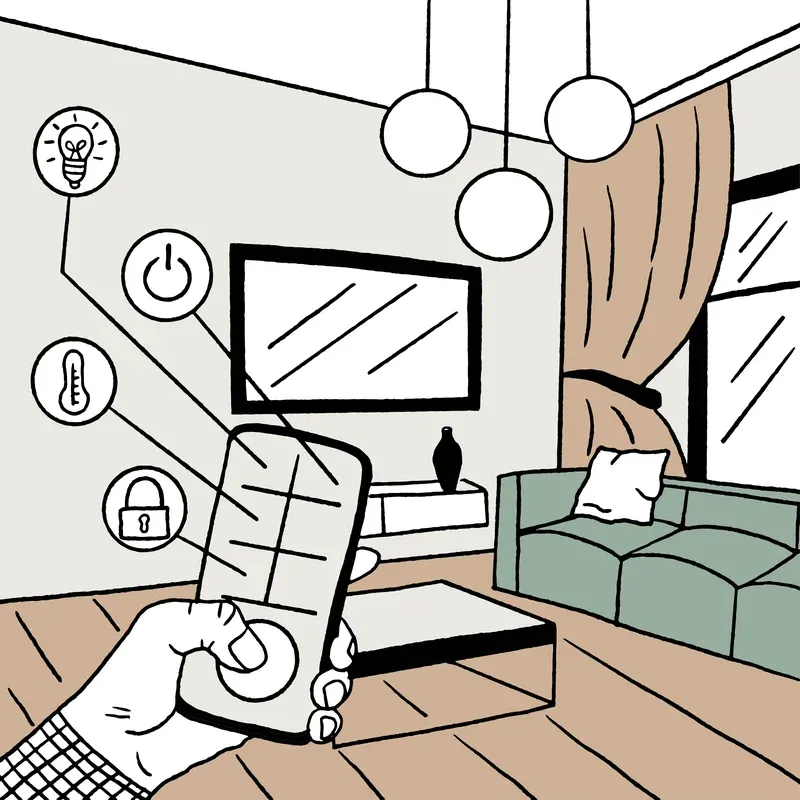
A smart home is a residence equipped with network-connected devices that automate and enhance day-to-day living. These devices can be controlled remotely, typically via a smartphone or a smart home hub. Home automation is at the core, allowing users to manage lighting, temperature, security systems, and more, all with a few taps or voice commands.
I cross-checked the protocol claims against ZigBee Alliance official standards.
Key Features of Smart Homes
- Connectivity: Smart homes rely on a strong internet connection to ensure all devices communicate effectively.
- Remote Access: Control devices from anywhere using mobile apps or web interfaces.
- Automation: Set schedules and routines to automate tasks like turning off lights.
- Energy Efficiency: Optimize energy usage with smart lighting and thermostats.
- Enhanced Security: Use smart locks, cameras, and sensors to fortify your home.
What Devices Are Essential for a Smart Home?
Several devices can transform a traditional residence into a smart home:
- Smart Speakers: Integrate with virtual assistants like Alexa and Google Assistant.
- Smart Thermostats: Adjust heating and cooling based on your preferences and habits.
- Security Cameras: Keep an eye on your property from anywhere.
- Smart Locks: Enhance entry security with remote locking/unlocking.
- Lighting Systems: Control lighting with a smartphone or voice commands using options like the Tapo L535E for basic smart bulbs, the LIFX Beam Kit for decorative panels, or the LIFX Z TV Light Strip for entertainment area ambiance.
Integration of Smart Devices
Integrating smart devices ensures smooth communication and operation. With platforms like Google Home and Amazon Echo, you can create a cohesive network where every device communicates efficiently with the others. Many devices support Tuya and other cloud platforms, providing flexibility across brands. This integration is important for achieving a fully functional smart home environment.
How Do Smart Home Devices Work?
Smart home devices utilize the Internet of Things (IoT), which allows devices to connect and communicate with each other over a network. This communication occurs via wireless protocols such as Wi-Fi, Bluetooth, and ZigBee. By doing so, these devices can operate synchronously, offering an enhanced user experience.
Benefits of IoT in Smart Homes
- Improved Efficiency: Devices work together to perform tasks automatically.
- Convenience: Access and control various aspects of your home at your fingertips.
- Customization: Personalize settings to fit your lifestyle and preferences.
Is a Smart Home Secure?
Security can be a concern when it comes to smart homes due to the increasing number of connected devices. However, by following best practices, you'll minimize potential risks:
- Use strong, unique passwords for your devices and Wi-Fi network.
- Regularly update device firmware to protect against vulnerabilities.
- Employ multi-factor authentication for an additional layer of security.
- Be mindful of the data shared and how devices use it.
Do Smart Homes Save Energy?
Yes, smart homes can lead to significant energy savings. Smart thermostats and lighting systems are prime examples of devices that can help reduce energy consumption. By automating schedules and optimizing usage, you'll not only lower your utility bills but also contribute to a more sustainable environment.
Environmental Benefits
- Reduced Energy Consumption: Intelligent systems help cut down unnecessary energy use.
- Sustainability: Using energy efficiently reduces your carbon footprint.
- Green Living: Smart homes support the goal of living more sustainably.
How Much Does It Cost to Set Up a Smart Home?
The cost of setting up a smart home varies greatly based on the complexity and number of devices you choose to incorporate. A basic setup with essential devices can be affordable, but adding advanced systems and a comprehensive array of devices can be relatively expensive. Planning and budgeting ahead can help ensure you make the most cost-effective decisions.
Factors Affecting Cost
- Device Selection: Prices range widely between high-end and budget-friendly devices. Budget-friendly options like the Tapo Mini Plug, Eufy Smart Plug Mini, and Tapo Smart Light Bulb L535E offer smart functionality starting under $15. TUO sensors and other value brands provide excellent quality at competitive prices.
- Installation Needs: Some systems require professional installation, adding to costs. DIY-friendly wall switches like the Tapo Dimmer Switch S505D and LIFX Switch with Night Vision install in minutes without professional help.
- Device Compatibility: Ensure new devices are compatible with existing ones to avoid additional expenses. Platforms like Tuya-enabled devices offer broad compatibility across brands.
By addressing these common questions and offering valuable insights into smart home technology, we hope to provide a clearer understanding of how you can embrace this contemporary lifestyle. With smart homes, you can enjoy the benefits of automation, efficiency, and peace of mind, all tailored to fit your needs and preferences.
What Should I Do First: Hub or Devices?
This is the question that trips up most beginners, and the answer is: hub first. Choosing your central platform before buying any devices prevents the most expensive smart home mistake, buying devices that don't work with your chosen ecosystem.
If you're going the commercial route (Alexa, Google Home, or HomeKit), buy a smart speaker first. The Amazon Echo Dot 5th generation costs $35 and gives you the full Alexa experience immediately. The Google Nest Mini runs similarly. Both serve as combination voice interface and hub for Wi-Fi devices, and they expose you to what automations look like in each platform before you invest in a full device library.
If you want a local-first DIY setup, the Raspberry Pi 5 with Home Assistant OS is your starting point, not a smart device. Getting Home Assistant running and understanding how integrations work will save you from buying devices that require cloud subscriptions when you wanted local control.
The worst outcome is buying a dozen devices in a week, discovering they span three different ecosystems, and spending two weekends trying to get them talking to each other. One ecosystem, one hub, a few devices, then expand.
How Long Do Smart Home Devices Last?
Most smart home devices have hardware lifespans of 5-10 years, but the meaningful question is how long they receive software support. Smart home devices stop working usefully not when the hardware fails but when the manufacturer discontinues the companion app or cloud service.
Wi-Fi bulbs from brands like LIFX and Philips Hue have 25,000+ hour rated lifespans on the LED element, that's roughly 25 years of average use. The bulb will outlast the app support. Philips Hue has been consistent about backward compatibility since 2012, which is genuinely good by smart home standards.
Smart plugs last until the relay switches wear out. Under normal residential use, toggled maybe 5-10 times per day, quality smart plugs from Kasa, Tapo, or similar brands last 5-8 years before mechanical failure.
Smart locks have the most variable lifespans. The lock mechanism itself degrades with use, and most manufacturers rate them for 250,000 cycles (about 6-8 years of door use in a typical household). Battery life on locks ranges from 6 months to 2 years depending on usage frequency.
The practical advice: choose devices from brands with active product lines and recent firmware updates. A device that hasn't received a firmware update in 18 months is a signal that support may be winding down.
Can Smart Home Devices Interfere with Each Other?
Yes, and it's more common than manufacturers acknowledge. The main sources of interference are radio frequency conflicts and mesh network congestion.
The 2.4 GHz band is the most congested. Wi-Fi, Zigbee, and Bluetooth all operate here. In a dense urban apartment building where dozens of neighbors are also running smart home devices, the 2.4 GHz environment is genuinely noisy. Symptoms include devices that drop offline unpredictably, slow app response, and automations that trigger inconsistently.
The fix for Wi-Fi devices: keep your smart home devices on a dedicated 2.4 GHz SSID with no more than 20-25 devices. This isolates IoT traffic from your laptops and phones, and many routers let you apply QoS rules to the dedicated network.
For Zigbee, interference is usually from neighboring Wi-Fi networks on channels 1 or 6. Zigbee channel 25 (2.475 GHz) avoids most Wi-Fi overlap. You can set the Zigbee channel in Home Assistant's ZHA integration or in the SmartThings advanced settings.
Z-Wave operates at 908.42 MHz (in North America), which means zero interference from Wi-Fi or Zigbee. It's one reason Z-Wave is preferred for security devices like door sensors and locks where reliability is non-negotiable.
Take the next step in your smart home journey today. Begin with one or two essential devices and gradually expand your ecosystem as you become more comfortable with the technology and your specific needs. My honest opinion: buying a full starter kit before you've lived with a single smart plug for a month is how most abandoned smart home projects begin, start smaller than you think you need to.
You can verify the technical specifics at ZigBee specification and documentation. For setup guides straight from the source, see CSA Matter specification.
Frequently Asked Questions
What is a smart home and how does it work?
A smart home is a residence equipped with network-connected devices that automate and enhance daily living. Devices connect via Wi-Fi, Zigbee, Z-Wave, or Bluetooth to a central hub or router. You control everything through smartphone apps, voice assistants like Alexa or Google Assistant, or automated routines that trigger based on time, location, or sensor data.
How much does it cost to set up a smart home?
A basic smart home setup starts at $100-200 for a smart speaker plus a few smart bulbs or plugs. Mid-range setups with a thermostat, security camera, and smart lock run $300-600. Full-home systems with multiple cameras, sensors, and a hub can exceed $1,000. Factor in ongoing subscription costs for cloud storage and professional monitoring services.
Are smart home devices secure from hackers?
Smart home devices can be secured with proper precautions. Create a dedicated IoT network separate from your main network. Use unique, strong passwords for each device account. Enable two-factor authentication where available. Keep firmware updated on all devices. Replace discontinued products that no longer receive security patches.
Do smart home devices work without internet?
Most smart home devices require internet for voice control, remote access, and cloud processing. However, devices using Zigbee or Z-Wave protocols with a local hub like Home Assistant continue basic automation locally during outages. Some cameras with local storage keep recording without internet. Wi-Fi bulbs and plugs lose smart functionality but still work as standard devices.
What is the easiest smart home device to start with?
A smart speaker like Amazon Echo Dot or Google Nest Mini is the easiest starting point. It requires only a power outlet and Wi-Fi to set up, and immediately provides voice control for music, timers, weather, and calendar. From there, add smart bulbs or plugs that the speaker can control by voice for instant home automation.