Surveillance & Security Monitoring
Smart surveillance systems and security cameras with motion detection, night vision, and cloud storage for home monitoring.
Products
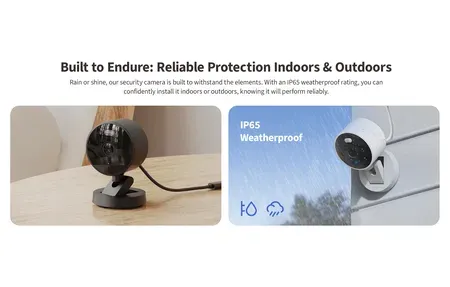
Aqara Camera G100 offers 2K resolution, AI person detection, 140-degree view, IP65...

Google Nest Cam Outdoor (wired, 2nd gen) delivers 2K HDR video, 152°...
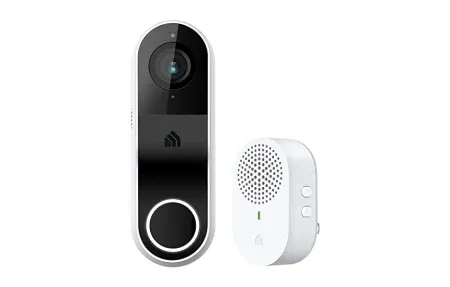
The Kasa Smart Doorbell | KD110 provides sharp video, two-way audio, and...
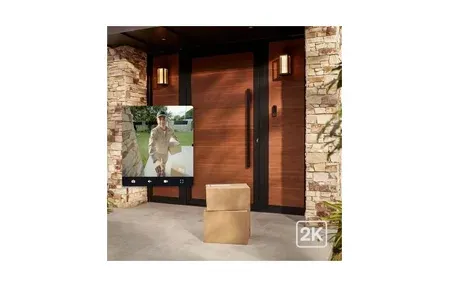
Philips Hue Secure Wired Video Doorbell with 2K resolution, 180° view, color...
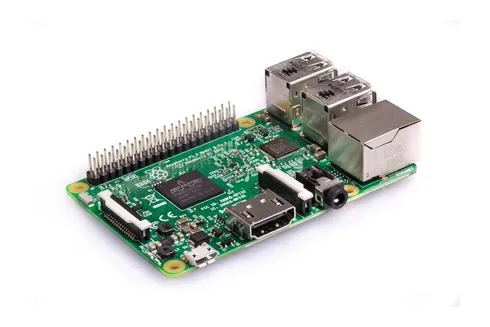
Raspberry Pi 4 Model B: quad-core 1.5GHz CPU, up to 8GB RAM,...
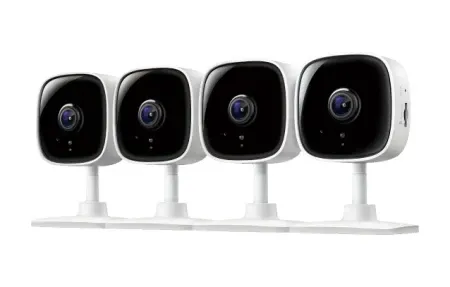
TP-Link Tapo C100 delivers 1080p HD video, smart motion detection, night vision,...
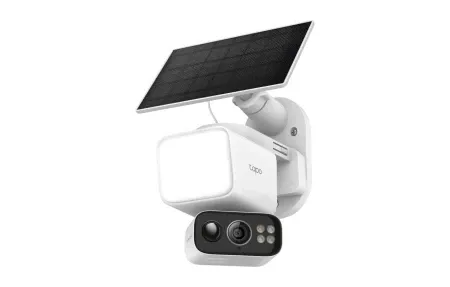
Solar-powered, wire-free 2K floodlight camera with 360° pan/tilt, color night vision, and...

The Aqara 2K Indoor Security Camera E1 provides crystal-clear home surveillance with...
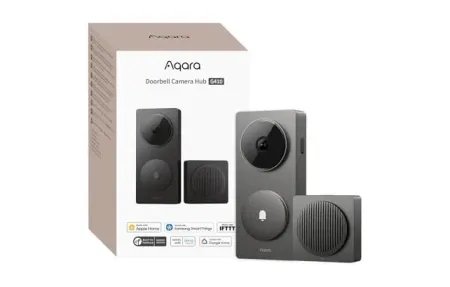
2K video doorbell with built-in Matter hub, HomeKit Secure Video, mmWave radar,...

The Eufy Security Video Doorbell E340 delivers dual-camera 2K surveillance and AI...

The versatile world of the Raspberry Pi 1 Model B+, the ultimate...
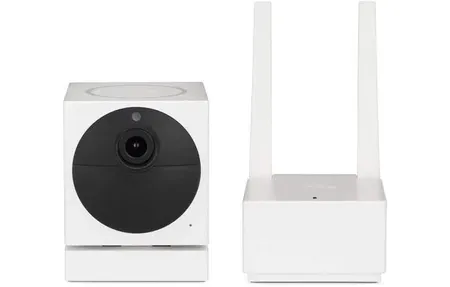
The Wyze Cam v1 offers 1080p Full HD video, motion detection, and...
Smart Home Surveillance and Monitoring
Overview
Smart home systems watch over your property around the clock. They send smart alerts when something happens. From security cameras to full monitoring setups, this tech helps you keep an eye on your home and family. Key features include motion detection, night vision, two-way audio, and cloud storage. These protect your property and save proof of events. Cameras are a key part of modern home security. They scare off threats and record what happens if a problem occurs.
These systems work with smart home hubs and voice assistants. You can watch live feeds and get instant alerts when motion is found. Whether you are at work, on a trip, or just in the next room, your cameras keep you in the loop. Pro-level setups offer smart sensing, live alerts, and saved video for checking past events. Sharp cameras record high-res video for ID checks and proof if a break-in occurs. Modern systems layer many tools for full safety. Wide-angle lenses cover doors and edges well. Motion sensing tells real threats apart from wind or moving plants.
Night vision uses infrared or color tech to see in total darkness. This means no blind spots in your coverage. Integration with home automation lets your system act on its own. It can turn on outdoor lights when motion is found. It can lock doors when strange activity shows up. Cloud storage keeps a safe backup off-site so you never lose proof. Local storage keeps clips on your own network with no internet needed. Smart cameras shift safety from reacting after the fact to staying one step ahead.
Future-Ready Surveillance Systems
As smart home tech grows, cameras keep getting smarter. AI can now spot people, spot packages, and learn your home's normal patterns. You can check your feeds many ways: phone apps, web panels, voice commands, or auto alerts. No matter where you are, you stay in the know. Putting money into good cameras pays off over time. You get lasting safety, peace of mind, and solid proof for insurance or police if needed.
Good cameras do more than just record. They study what is normal and alert you when things change. They tell expected guests apart from possible threats. Cloud storage keeps your clips safe even if someone steals the gear. Local storage guards your privacy by keeping data in your home. Video proof, motion time stamps, and auto alerts form a strong safety layer. This scares off crime and helps police act fast when problems happen. Clean your lenses, update firmware, and check your system often. This keeps your cameras working well for years.
Start by picking cameras that match your needs and your setup space. You can choose outdoor weather-proof models, small indoor units, or thermal imaging systems. There is a solution for every need. Begin with cameras at entry points around the edge of your home. Add indoor cameras as needed. Link everything to your smart home system for a joined-up safety response. Steady watching plus regular upkeep makes a strong deterrent. It also gives you solid proof when you need it most. Set up full coverage today and rest easy knowing your property is always watched.
Adding cameras to your smart home builds layered safety with many sensing and recording tools. Place cameras at doors, weak windows, and outer edges. Keep them away from private spaces. Cloud storage saves clips even if your gear is stolen. Local storage keeps data on your own network for privacy. Modern systems use AI to tell real threats from false alarms caused by weather, pets, or normal movement. Pro-grade setups link with smart devices like locks and lights. They work together to respond to detected threats. Clean lenses and update firmware often to keep things running well. Good cameras give you peace of mind through constant watching and saved proof when problems strike. Boost your home safety today with smart cameras that pair sharp video with auto responses and smart analysis.
These cameras fit right into modern smart home setups. They work with popular platforms and standards. Users like the simple interface that is easy to set up but still packed with features. The design puts steady performance first, working well in any setting. Future firmware updates will add new skills. This keeps your gear up to date as tech moves forward.
Strategic Camera Placement and Coverage Planning
Good camera placement takes thought. You need to plan angles and think about what affects video quality. Front doors, garage doors, side gates, and patio doors are key spots. These are where safety risks are highest. Cameras at these spots should have wide-angle views. They need to catch people from far enough away to allow clear ID. Height matters a lot. Most experts suggest mounting between seven and nine feet up. This is high enough to record faces but not so high that the steep angle hides them. Tilt cameras slightly down to capture faces. This also helps avoid direct sunlight that can wash out video in the afternoon.
Edge coverage goes beyond doors to include weak windows, roof access, and back yard areas. These are spots where intruders might sneak in with less notice. Using many cameras with fields that overlap kills blind spots at corners and edges. Corner-mounted units or well-placed outdoor cameras can cover dead zones that a single camera misses. Plan your full coverage before you buy. This way you get the right number and types of cameras. You will not find gaps only after install. Mapping your yard with satellite views or photos helps you pick the best spots before your gear shows up.
The world around your cameras matters a lot. It should guide what you buy and where you place it. Cameras that face east or south get strong sun. This can cause backlight issues. Pick models with wide dynamic range to handle this. Cameras under eaves or roof edges get less rain and sun. This can make them last longer and need less upkeep. Nearby yard lights or street lamps may add glare or shadows at night. Windy spots may need strong mounts and sealed camera bodies built for tough weather. Think about these factors when you plan. It saves you from moving cameras later or being let down by poor video.
Video Quality, Storage, and Retention Strategies
Modern systems offer many storage options, each with its own pros and cons. Cloud storage keeps a backup off-site. Your clips are safe even if gear is stolen or broken. This is key for keeping proof after an event. But cloud storage has costs. There are monthly fees, privacy worries about who can see your clips, and you need good upload speed. Local storage uses hard drives or NAS units on your home network. This protects your privacy and cuts ongoing costs. The risk is that if the drive is stolen or fails, you lose your proof. A hybrid setup that uses both local and cloud is the best of both worlds. You keep local copies for quick access. Cloud copies guard against gear loss.
How long you keep clips matters. Old files get erased or written over to make room. Experts suggest keeping at least thirty days of footage for a typical home. This gives you time to spot issues and save proof before auto-delete kicks in. High-value homes or those in risky areas may want ninety days or more. If privacy is your top goal, you might limit storage to two weeks. Pick a time frame that fits your safety needs, drive space, and privacy wishes. Most systems let you set tiers. Key areas keep clips longer. Less vital zones erase old footage faster.
Video sharpness is a big factor. Modern systems range from 1080p to 4K or higher. More pixels means more detail for ID and better digital zoom without blur. This helps a lot when checking past events. But higher quality eats much more storage. Going from 1080p to 4K can use four times the space. A smart approach is to use 1080p or 2K for most cameras. Save 4K for key spots like your front door where face ID matters most. Night vision varies too. Infrared gives black-and-white video. Color night tech keeps color even in the dark. Knowing these trade-offs helps you pick the right specs. You avoid paying for power you do not need or wasting storage on extra pixels.
Integration and Response Automation
Smart cameras get much more useful when linked to your broader smart home setup. Auto responses to motion, like turning on outdoor lights, warn people inside and make it look like someone is home. This scares off would-be thieves. Phone alerts give you instant awareness of activity and threats, no matter where you are. Recording only when motion is found saves storage. You capture what matters, not hours of empty rooms. Some systems use person sensing that tells visitors, delivery workers, and family apart. Each type gets a fitting response. A stranger at the door might trigger a fast alert. A regular mail carrier might just get logged quietly.
Smart lock links let your system lock doors when odd activity is found while you are away. Voice helpers let you ask about camera status out loud. You can also pull up live video on any screen in your home. Setting up routines that link cameras, locks, lights, and alerts turns passive recording into active safety. Your system reacts on its own to threats it finds. Test these links during normal times so they work when you truly need them. Write down how your setup works. This helps with fixing issues and guides family in urgent events.
Maintenance and System Reliability
Regular upkeep keeps your cameras working well and lasting longer. Clean lenses each month to remove dust, spider webs, and grime that blur your video. Restart cameras every few months to refresh network links and clear memory issues. Install firmware updates as soon as they come out. These bring safety patches and better performance. Each month, test that recording works. Check recent video for quality. Make sure alerts fire when they should. This keeps you aware of how your system is doing. Steady care stops slow quality loss that you might not notice. Without it, you could miss key details during a real event. The small time you spend on upkeep pays off with solid video when it matters most.
Privacy and Security Best Practices
Camera placement must balance safety with privacy. Never point cameras at bathrooms, bedrooms, or other private spaces. Outdoor cameras aimed at doors, driveways, and yard edges give you safety value. They also respect the privacy of those in your home. Cloud safety depends on strong passwords, two-factor login, and giving access only to trusted users. Check camera access rights often. Make sure only the right people can view footage. Talk with your family about what the cameras record. This sets clear and fair rules about privacy in your home.
Before you buy, think about video quality, storage, power, and network needs. Sharper cameras catch more detail from farther away. But they use much more storage and bandwidth than lower-res models. Plan your drive space based on how long you keep clips, how many cameras you have, quality settings, and recording modes. This way you will not run out of room or need to delete files all the time. Wired cameras give steady power and data, but need pro install and cannot move easily. Wireless battery models go up fast anywhere, but need new batteries or solar panels.
Network speed is vital for cloud-based systems that send clips to remote servers. Good upload bandwidth stops gaps in your recordings caused by network jams. Modern sharp cameras may need several megabits per second of upload each. Your local network must be solid too. Cameras need a steady link to your recording hub or cloud service to capture clips without breaks. Wireless cameras share WiFi bandwidth with your other devices. This can cause link problems in homes with many wireless gadgets or weak signal in far-off rooms.
Costs go beyond the price of cameras. Factor in cloud plans, gear swaps over time, and maybe pro install fees. Cloud storage is often the biggest long-term cost. Premium tiers with longer clip retention, smarter motion sensing, and top support charge more per month. Plan your budget over many years to see the true total cost. Do not just look at the upfront hardware price. To save money, use local storage for most cameras. Add cloud backup only for key cameras at main doors. This balances savings with protection against losing proof.
Pro monitoring adds another layer of safety. Trained staff review your alerts and call the police or fire dept when something looks wrong. Monthly fees are higher than self-run cloud plans. But you get faster help because staff can confirm events before sending first responders. Pro review also cuts false alarms. This avoids fines in areas that limit how often you can trigger false calls. Whether pro monitoring is worth it depends on your safety concerns, local crime rates, and how at ease you feel handling alerts on your own.
Laws about cameras vary a lot from place to place. Rules cover camera use, notice signs, and how long you can keep clips. Some areas require visible signs that warn people about active recording. Others ban audio capture without clear consent from everyone being recorded. Workplace rules are often stricter than home rules. You may need to tell workers and get their consent. This can limit where you put cameras. Look up your local laws before you set up any system. This stops legal issues and keeps your setup in line with privacy rules.
Linking cameras with other safety devices creates a team response that boosts overall protection. When a camera spots motion, it can turn on outdoor lights to show intruders clearly. It can lock smart locks to block entry. It can send urgent alerts to everyone in the household. When alarm sensors detect a break-in, cameras can start recording on their own. This captures key proof at the most critical time. These linked responses turn passive recording into active safety. Your system reacts to threats on its own, rather than just logging events after the fact.
Getting the most from your cameras means fine-tuning where they sit, their settings, and your network. Aim cameras away from direct sunlight. Glare washes out key details at certain times of day. Adjust motion levels to cut false alerts from trees blowing in the wind. Make sure real events still trigger solid alerts. Balance video quality against your network speed and storage use. Review your system now and then to spot problem cameras or repeat false alarms. Targeted tweaks improve how well your system works and how happy you are with it over time.