Smart Home Ecosystems: Google, Samsung, Matter, and Roku
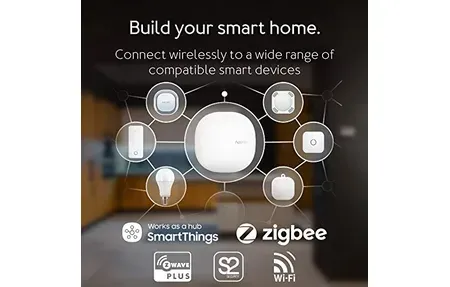

This post may contain affiliate links. As an Amazon Associate we earn from qualifying purchases. Disclosure.
Google, Samsung, and Roku all offer smart home ecosystems, but they don't all play well together. Here are the guides that help you compare, choose, and set up.
Quick take: Three ecosystems compared here: Google Home (broad third-party support, strong voice AI, Nest hardware), Samsung SmartThings (Zigbee, Z-Wave, Thread, and Wi-Fi from one hub, Samsung appliance integration), and Roku Smart Home (TV-first integration, smaller catalog, Roku household focus). Matter devices work across all three simultaneously, picking one ecosystem no longer locks out the others. Start with whichever matches hardware you already own.
Choosing a smart home ecosystem is one of the first decisions you'll make. It shapes which devices you can buy, how automations work, and whether your setup stays functional five years from now. The three ecosystems covered here, Google Home, Samsung SmartThings, and Roku Smart Home, each approach the connected home differently. This guide helps you compare them across the factors that actually matter for day-to-day use.

What Makes a Smart Home Ecosystem Different?
An ecosystem is more than an app. It's a set of protocols, cloud services, voice assistants, and device partnerships that determine what works together and what doesn't. When you compare ecosystems side by side, you're really comparing four things:
- Device compatibility: Which third-party devices work natively, which need workarounds
- Automation depth: How complex you can make rules without writing code
- Voice assistant quality: How reliably the built-in assistant handles natural language
- Local vs cloud processing: Whether automations run if your internet goes down
The comparison shifts depending on what you prioritize. A household that wants fast setup and broad device support will reach different conclusions than one that needs granular control over every automation trigger.
How Does Google Home and Nest Work as an Ecosystem?
Google Home is the broadest consumer ecosystem. It covers cameras, doorbells, thermostats, speakers, and locks under the Nest brand, plus thousands of third-party devices from partners. Setup runs through the Google Home app, and voice control works through Google Assistant on any speaker or display. The Google Home first-setup walkthrough covers the pairing steps.
Nest cameras and thermostats integrate tightly. A Nest Thermostat learns your schedule over several days and adjusts automatically. Nest cameras feed into the Google Home app with event-based clips, facial recognition, and 24-hour continuous recording on subscriptions.
When you compare Google Home against other platforms on automation tools, it's been catching up but still falls short of SmartThings in raw flexibility. The automation builder handles time-based triggers, presence detection, and device state changes, but multi-condition rules are harder to build than they are in SmartThings. For most households, that gap doesn't matter. For power users, it might.
Google Assistant is genuinely good at natural language. You can say "turn off everything downstairs" without setting up named groups first, the system infers context from device locations. That's compared to some platforms where you'd need to create groups manually before that phrase works.
The shift toward Matter support means Google Home now interoperates with Apple HomeKit and Amazon Alexa devices. A Matter-compatible lock works across all three platforms simultaneously, which reduces vendor lock-in considerably.
Google Home Device Highlights
The Nest lineup covers most smart home categories:
- Nest Thermostat: $130, learns scheduling automatically, connects to utility programs for rebates
- Nest Cam: Wired and battery models, 1080p minimum, 24/7 recording on subscription
- Nest Doorbell: Battery or wired, 960p video, package detection
- Nest Hub Max: 10-inch display, Nest camera viewer, Face Match for personal results
- Google TV with smart home controls: Remote and voice control merged with device management
The Nest Renew program connects your thermostat to your utility company's grid data, shifting your HVAC usage to lower-carbon hours automatically. Google's Nest Renew overview lists which utility partners are enrolled and how the program credits work. That's a feature you won't find compared against any other ecosystem, it's genuinely unique to Google's platform.
How Does Samsung SmartThings Work as an Ecosystem?
SmartThings is the automation-first option. Where Google Home focuses on ease of use, SmartThings focuses on flexibility. You can build complex automations that react to multiple conditions: time, location, sensor state, and device status, all in one rule.
The platform supports Zigbee, Z-Wave, and Wi-Fi devices natively, plus cloud integrations with hundreds of brands. Samsung appliances, refrigerators, washing machines, air conditioners, connect directly, which matters if you have a Samsung-heavy household.
As of early 2026, SmartThings surpassed 430 million users globally with over 390 partner brands. The ecosystem keeps growing, especially on the Matter side where SmartThings acts as a bridge between different protocol families.
When you compare SmartThings against Google Home on flexibility, SmartThings wins clearly. An automation can check: is it after sunset, is someone home, has the front door been open for more than 30 seconds, and is the temperature below 65 degrees, then send a notification and lock the door. That's four conditions in one rule. Google Home gets there eventually, but SmartThings' automation builder makes it much less painful.
SmartThings also integrates with IFTTT, Alexa, and Google Assistant simultaneously, so you're not locked to one voice assistant. That flexibility matters in households where different family members use different devices.
SmartThings Compatible Protocols
SmartThings handles more protocols natively than most ecosystems:
- Zigbee: Door sensors, motion detectors, plugs, and many budget smart devices
- Z-Wave: Locks, dimmers, switches, and security sensors with mesh networking
- Wi-Fi: Most mainstream consumer devices from major brands
- Matter: Full support as both a controller and a bridge for other ecosystems
- LAN/API: Direct integrations with local network devices and custom DIY setups
This protocol breadth is where SmartThings stands apart when you compare it to consumer-focused platforms. You can mix a $10 Zigbee door sensor with a Samsung refrigerator and a Yale Z-Wave lock in the same automation. The SmartThings compatibility list shows which brands and models fit.
How Does Roku Smart Home Work as an Ecosystem?
Roku entered the smart home market as an extension of its streaming platform. Roku devices connect through the same Roku app used for TV control, making the entry point unusually simple. If you already use Roku, adding a smart plug or camera feels natural rather than like learning a new system.
The tradeoff is depth. Roku Smart Home covers cameras, doorbells, lights, and plugs but doesn't reach the automation complexity of SmartThings. The doorbell runs on a rechargeable battery, and the Roku doorbell charging guide covers the routine. It's a good fit for renters or first-time smart home users who want simple, reliable control without a steep learning curve. The lighting side is a single Roku Lights smart bulb line, fine for a lamp or two, not for a whole house of fixtures.
Compared to Google Home and SmartThings, Roku Smart Home has a narrower device library. You won't find Zigbee or Z-Wave support, and the automation tools are basic. But basic isn't always bad. Many households don't need 15-condition automation rules. They need lights that turn on at sunset and cameras that send a notification when someone's at the door. Roku handles both without requiring any configuration expertise.
Roku's pricing model is also simpler compared to subscription-heavy competitors. Most features work without a monthly fee, which matters if you're adding smart home devices on a tight budget.
How Will Matter Shape the Future of Smart Home Ecosystems?
The Matter protocol, backed by Apple, Google, Samsung, and Amazon, is reshaping how ecosystems compare to each other. Matter devices work across multiple platforms simultaneously, a Matter-certified lock pairs with Google Home, Apple HomeKit, and SmartThings at the same time.
This matters practically because it reduces the risk of ecosystem lock-in. You buy a Matter device today, and if you switch ecosystems in three years, the device comes with you. The Connectivity Standards Alliance Matter specification publishes full protocol documentation for developers and manufacturers.
Google Home and SmartThings both have solid Matter implementations. Roku has announced Matter compatibility for newer devices. Apple HomeKit, while not compared here in depth, was a founding member of the Matter consortium and has strong Thread border router support through HomePod.
Which Ecosystem Should You Choose?
When you compare all three ecosystems directly, the choice usually comes down to your starting point:
- Google Home is right if you want broad device support, strong voice control, a polished app, and don't need deep automation tools
- SmartThings is right if you care about multi-condition automations, Zigbee/Z-Wave device compatibility, or Samsung appliances
- Roku Smart Home is right if you're already in the Roku streaming ecosystem and want a low-friction, low-cost entry point
Matter compatibility is reducing the stakes of this choice over time. Your assistant preference, Google Assistant, Alexa, or Siri, may be a more durable factor than which hub you pick first, because the assistant you use most often is the one you'll actually talk to. Pick the ecosystem that matches the assistant you already trust.

How Do You Build a Mixed-Ecosystem Smart Home?
Many households end up with devices across two ecosystems. A Google Home setup with a few SmartThings devices for Zigbee sensors isn't unusual. Matter bridges this reality increasingly well.
The practical advice: start with one ecosystem's hub, get comfortable with its automation tools, then add devices from other brands as needed using Matter or cloud integrations. Trying to run two full ecosystems simultaneously from the start creates confusion about where automations live and which app to open for what.
Whichever platform you pick, the guides in this section cover device-specific setup, automation strategies, and troubleshooting for real-world home configurations.
What Are the Costs of Switching Smart Home Ecosystems?
One thing worth factoring into your decision: switching ecosystems later is genuinely painful. It's not technically impossible, but re-pairing dozens of Zigbee or Z-Wave devices, rebuilding automations from scratch, and replacing any hub-locked hardware adds up fast.
I'm in an unusual position to compare, because I never did switch. The flat I've been adding to since around 2016 still runs a SmartThings hub, and it still runs it today. The house I'm building runs Home Assistant. Both are live, so I get to watch the same decision play out twice, on the same person, with a decade between them.
What that decade taught me isn't the lesson I expected. Local control saves the logic you built. It does not save your supply chain. My heating in the flat is eQ-3 MAX!, a discontinued line that still works fine because the Cube sits on my own network and Home Assistant talks to it locally. Then one window contact died. There was nowhere to buy another. The part isn't sold, the protocol is closed, and nobody makes a substitute, so a perfectly healthy system now has a hole in it that no amount of local control can patch. My Aqara Zigbee sensors from the same era survived two controller changes without caring, because Zigbee has no opinion about who the coordinator is. The Wi-Fi devices from that period, the ones tied to an app and an account, didn't survive at all.
So the question I'd ask before committing to any ecosystem isn't just "does it work locally". It's "can I buy the ninth one when the eighth dies". The most expensive mistake of my decade was buying the same category twice because the first purchase only ever talked to its own app.
Matter is slowly reducing these costs. Devices with Matter certification can move between ecosystems without re-pairing at the protocol level, you just add them to the new controller. But the automation logic you've built doesn't transfer. Your routines, schedules, and conditional rules are ecosystem-specific and need to be rebuilt.
The practical implication: think through your voice assistant preference, your existing devices, and your automation ambitions before committing. A month with a single hub device, before you buy sensors and switches for every room, is worth more than any comparison guide.
Frequently Asked Questions
Which smart home ecosystem is best for most people?
Google Home suits most households already using Android and Google services, the setup takes under 10 minutes, Nest cameras and thermostats work out of the box, and Google Assistant voice commands understand natural phrasing better than older platforms. SmartThings is the stronger choice for power users who need Zigbee and Z-Wave device support alongside Samsung appliance integration; its Scene and Routine builder handles multi-condition logic that Google Home can't match. Roku Smart Home is the simplest entry point for renters or first-time buyers, no hub required, the device catalog is smaller and cheaper, and Roku TVs tie everything together naturally. If you already own a Nest Thermostat or Nest Hub, start with Google Home. If you own Samsung appliances, SmartThings fits better. I started with Google Home in a two-bedroom apartment before switching to SmartThings once I added a Samsung washer, the appliance integration alone justified moving.
Do Google Home, SmartThings, and Roku work together?
With Matter-certified devices, yes, partially. A Matter-certified device can be added to Google Home, SmartThings, and Apple HomeKit simultaneously; you control it from each platform without interference between them. Cloud integrations also let SmartThings trigger Google Assistant routines and vice versa, and Amazon Alexa can control SmartThings devices through its SmartThings skill. What doesn't work: full two-way automation logic sharing. An automation you build in SmartThings, if door opens at night, turn on lights, doesn't replicate automatically in Google Home. You'd need to recreate it in each platform separately. In practice, most households pick one platform as their primary automation engine and use the others purely for voice control. I run both splits, in two places. The flat still runs SmartThings as its automation hub after about a decade. The house runs Home Assistant as the engine with Google Home purely for voice and the household widgets. Either division keeps things clean. Running one platform for automation and another for voice is the part that works; expecting two automation engines to stay in sync is not.
What is the Matter smart home protocol?
Matter is an open interoperability standard developed by the Connectivity Standards Alliance, backed by Google, Amazon, Apple, Samsung, and over 500 other companies. A Matter-certified device, identified by the Matter triangle logo on the box, works across all supporting ecosystems simultaneously without special setup. One bulb can appear in both Google Home and Apple HomeKit at the same time, responding to voice commands and automations on both platforms. Matter uses local networking over Wi-Fi, Thread, or Ethernet rather than cloud routing, which means device responses are faster (under 100ms typical) and work during internet outages. It doesn't eliminate cloud dependency entirely, remote access and firmware updates still need internet. But for daily control and automations, Matter devices run locally. The practical benefit: you don't have to choose one ecosystem before shopping; you can switch later without replacing all your devices.
Is it hard to switch smart home ecosystems?
It's time-consuming, especially if you've built a large setup. Zigbee and Z-Wave devices, sensors, locks, bulbs using those protocols, must be factory reset and re-paired to the new hub from scratch. That's 2-5 minutes per device for a simple sensor and 15-20 minutes for a lock. All automations must be manually rebuilt in the new platform; there's no export or migration tool between ecosystems. Wi-Fi devices are mixed: many work with multiple ecosystems simultaneously through their manufacturer apps, so switching is easier. Matter devices are the easiest, they join a new ecosystem via QR code without leaving the old one. The practical advice: pick your platform before you're deep into a build. Budget the time honestly, because re-pairing every device and rebuilding the automations by hand is the whole job. A 30-device setup with complex automations could take an entire weekend.
Does Samsung SmartThings support Zigbee and Z-Wave devices?
Yes, and it's one of SmartThings' strongest differentiators. The SmartThings Station (2023 hub) supports Zigbee, Z-Wave, Thread, Wi-Fi, and Matter natively, no separate Zigbee bridge or Z-Wave stick required. Zigbee compatibility covers most Ikea Tradfri bulbs, SmartThings multipurpose sensors, and hundreds of third-party motion and contact sensors. Z-Wave support covers smart locks (Schlage, Yale, Kwikset Z-Wave models), thermostats, and switches from brands like GE/Enbrighten. Thread devices, including Eve and newer IKEA products, also pair directly. Zigbee and Z-Wave automations process locally on the hub, so they keep working during internet outages, critical for door locks and alarm sensors. A mix of IKEA Tradfri Zigbee bulbs ($9.99 each), a Yale Assure Z-Wave lock ($199), and Samsung appliances can all live in one SmartThings installation. Nothing requires a separate hub, and they all trigger each other in the same automation.