Advanced Facial Recognition Technology for Home Security
Facial recognition enables secure hands-free access with biometric authentication. Explore smart locks and security systems for home protection.
Blog posts

Discover Arlo's advanced smart home security features. From AI-driven motion detection to...
Discover the OpenAI ChatGPT Smart Speaker, an ambitious AI device with a...
Products

Matter-certified camera with dual-lens 4K/2.5K system, 9x zoom, local AI detection, pan-tilt...
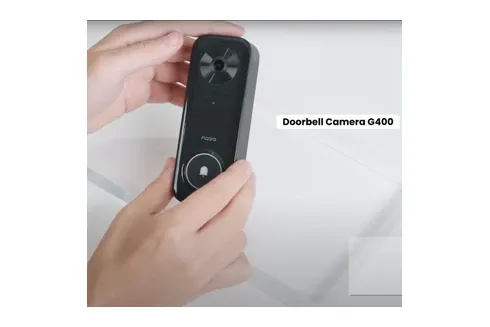
Aqara G400 wired doorbell with 2K video, 165-degree head-to-toe view, PoE or...

eufy C120 delivers 2K video with AI motion detection, two-way audio, and...
Smart Home Facial Recognition
Overview
This guide covers mart lock and how they enhance your smart home setup.
Facial recognition is a big step forward in home security. It offers safe, hands-free access control. Modern smart locks use facial scanning to verify identity in just a few moments. You enter without keys, codes, or touching anything.
These systems map facial features and match them to saved users. They are very accurate even in different lighting. When paired with infrared sensors and 3D depth mapping, they provide top-tier security for homes.
You can give guests or workers digital access and keep a full log of all entries. The tech links with platforms like Apple HomeKit. This gives you control across your entire smart home.
Facial recognition smart locks are the future of home entry. They blend ease and safety in ways that standard deadbolts cannot.
The tech keeps getting better with sharper accuracy, faster speed, and more range in tough settings. Modern systems can tell twins apart. They also spot family members who wear new glasses or grow a beard. These gains make facial scanning more reliable for homes where many people need easy access. Infrared and thermal imaging work alongside visible-light scanning. This ensures steady results no matter the light or time of day.
Using facial recognition at home shifts how people think about security and access control. Old methods need keys or codes. A lost key or leaked code creates risk. Facial scans link to you and cannot be copied or shared. This removes those weak points. The system also logs every access attempt. This creates a safety record that no regular lock can match. The tech learns over time and gets more accurate for each user. Multi-factor login pairs facial scans with other checks. This blocks spoof attempts using photos or videos.
Setting up facial scanning at home takes care around privacy, accuracy, and uptime. Modern systems use anti-spoof tech to tell a live face from a photo. Regular updates and tuning keep the system accurate across seasons and changes in look, such as aging or new hairstyles. A good facial recognition setup pays off with strong security and no hassle from lost keys or missed codes.
Start upgrading your home security today with facial recognition. Keep your family safe while ditching keys and codes. Hands-free entry with strong biometric safety gives you peace of mind beyond what old convenience locks offer.
Facial recognition links up with wider smart home systems for stronger security. Pair it with smart lighting, cameras, and locks for a full safety plan. Real-time alerts tell you when family gets home. You can greet them remotely or check guest IDs before letting them in. This layered approach beats standard deadbolts while keeping the smooth daily use that modern homeowners want.
Advanced Biometric Features
Modern facial scanning uses 3D mapping and infrared sensors. These spot users right away, even in the dark or bad weather. They link with smart home platforms for one unified safety system. Artificial intelligence makes each system smarter over time as it learns your family's patterns.
Facial recognition smart locks offer hands-free entry with no keys or codes. They can store many family members and guests for flexible access. Many also include backup options like fingerprint scans or PIN codes. If one method fails, another lets you in. They work with Apple HomeKit, Amazon Alexa, and Google Home. You can control access from anywhere and get alerts when someone enters.
Upgrade your entry system today. Facial recognition blends strong biometric safety with hands-free ease. Get full confidence in your home's protection with smart locks the whole family can use.
When shopping for a facial recognition lock, check how many faces it can store. Most home models hold between twenty and one hundred profiles. This is enough for a large family plus regular visitors. Look at how the lock handles low light. Good models use infrared to scan faces even in total darkness. Check the unlock speed listed in the specs. The best locks open in under two seconds from the moment you face the camera. Battery life matters too. Some facial recognition locks drain batteries faster than fingerprint models due to the camera and processor. Look for models that last at least eight months on a single set of batteries. Read user reviews to learn how well the lock works in rain, cold, and direct sunlight. These real-world tests tell you more than product pages ever will.
Setup for most facial recognition locks follows a simple pattern. Mount the lock on your door following the included guide. Open the phone app and create your admin profile by scanning your face a few times from different angles. Add family members one by one so the lock learns each face. Test the lock several times from different positions to confirm it works well. Adjust the camera angle if the lock does not read your face on the first try. Most brands include a quick start card that walks you through each step in order.
Privacy is a key concern with facial recognition in the home. Your face data should stay stored on the lock itself, not on a cloud server. Check the product specs to confirm local storage. Most trusted brands keep all biometric data on the device and never send it to outside servers. This means even if the company gets hacked, your face data stays safe at home. Some locks let you set a privacy mode that turns off the camera when you are home and only scans when the door is locked. Look for models that let you delete stored faces easily through the app. If a guest no longer needs access, removing their profile should take just a few taps. These privacy features give you control over who can enter and how your data is handled at all times.