Best SmartThings Devices to Upgrade Your Home in 2026
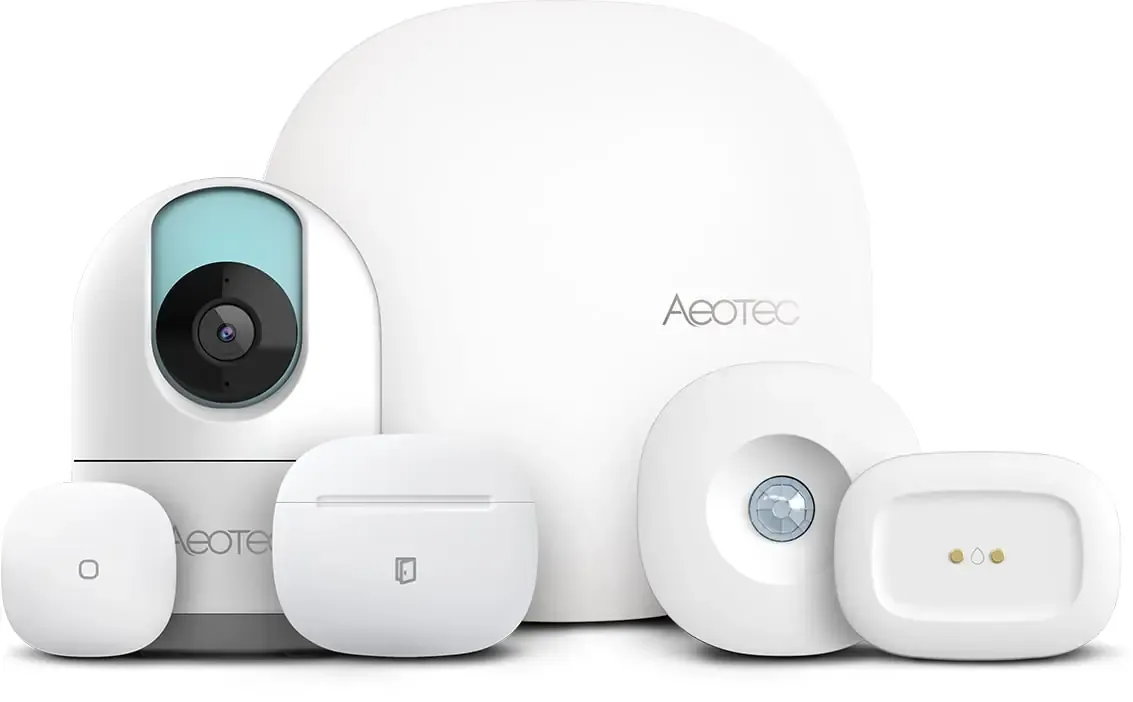

This post may contain affiliate links. As an Amazon Associate we earn from qualifying purchases. Disclosure.
Discover the top 10 SmartThings devices to take your home automation to the next level in 2026. Stay ahead of the curve with the latest in smart home technology.
The smart-home landscape keeps evolving, and Samsung's ecosystem keeps moving with it. Here is our roundup of the Top SmartThings Devices for 2026, picked to cover security, savings, and hands-free convenience in every room.
Bottom line: Start with a SmartThings hub (the Hub v3 supports Zigbee, Z-Wave, and Matter; the newer Smart Home Hub 2 trades Z-Wave for Thread), then add a motion sensor and a water leak sensor for immediate value. The platform works with hundreds of third-party devices, and Zigbee and Z-Wave devices on Edge drivers can run locally, but check which of your routines still depend on the cloud.
My take: Honestly, half this list is "nice to have" and half is "actually essential." The hub, motion sensor, and water leak sensor earn their place first. Everything else depends on your specific use case - why install a 360 camera if you have no concerns at home?

Is the SmartThings Hub v3 the Right Command Center for You?
Is the hub really worth it if your devices already work over Wi-Fi? Yes, if you want Zigbee or Z-Wave sensors: they sip batteries and don't clog your Wi-Fi.
Samsung's own SmartThings page says the platform is compatible with hundreds of devices and brands, covering hubs, lighting, sensors, smart plugs, cameras, thermostats, and doorbells.
The third-generation hub, now sold by Aeotec as the Smart Home Hub, is the brain of a connected household. It has Zigbee and Z-Wave radios, and a 2022 firmware update made it a Matter controller and a Thread border router. The catch is timing. Aeotec has said it plans to discontinue the Hub v3 at the end of 2026 after a final production run, and its successor, the Smart Home Hub 2, adds Thread but drops Z-Wave. So Z-Wave owners should buy the v3 while it is around, and everyone else should look at the Hub 2.
Why you'll love it
- Handles hundreds of sensors, locks, bulbs, and cameras
- Matter compatibility protects your investment
- Local processing for Zigbee and Z-Wave devices on Edge drivers keeps basic automations running when the cloud is slow
How Does the SmartThings Motion Sensor Provide Instant Awareness?
Do battery-powered motion sensors actually last a year? Often yes, and sometimes longer: busy hallways drain them faster than quiet rooms, and lithium cells outlast standard alkalines.
Pop this battery-powered puck in a hallway or home office for lighting and security alerts. It is a Zigbee motion sensor with a built-in temperature probe, which Aeotec (the company that now makes the SmartThings-branded sensors) describes as a 2-in-1 motion and temperature sensor. That lets you fine-tune climate automations as well as lights.
The SmartThings Motion Sensor remains a favorite among homeowners because of its compact design and versatility across different rooms. When paired with compatible smart lighting, the sensor can trigger lights to fade in softly as you enter a room, reducing glare and creating a welcoming flow through your home.
Its built-in temperature reading also opens the door to smarter climate routines. For example, the sensor can signal your thermostat to adjust heating or cooling the moment activity is detected, so the room reaches the right temperature only when needed. That helps cut waste in spaces used irregularly, such as guest rooms, basements, or home offices. By linking it with a SmartThings hub, you can combine motion and temperature data to build multi-step routines, such as activating fans, adjusting blinds, or opening smart vents.
Beyond comfort, the motion sensor adds a layer of protection. When set to Away mode, even slight movement triggers an alert while you're traveling or at work. Those alerts can activate additional devices too, such as turning on cameras, sending a notification to your phone, or switching on exterior lights.
Linking the sensor to a thermostat automation, so a room is only conditioned while it is occupied, is the standard way to cut runtime in rarely used rooms. Whether you are building your first smart home system or expanding your existing setup, this sensor is an essential building block. SmartThings-compatible lighting options include the Govee Smart Ceiling Light for overhead illumination, the LIFX Outdoor Spot for pathway security lighting, the LIFX Outdoor PAR38 for wide-area flood coverage, and the Govee RGBIC LED Permanent Outdoor Lights for permanent eave accent lighting. For wall-mounted switch control, the LIFX Switch with Night Vision gives you on/off and dimming from a standard wall plate. Check each model against SmartThings' compatible devices page before ordering, since support for individual lights changes.
Which Video Doorbell Works with SmartThings?
Samsung doesn't sell a SmartThings-branded video doorbell. SmartThings connects to third-party doorbells instead, and Samsung's TV-and-doorbell bundle pages describe pairing a doorbell camera with a compatible Samsung TV through the app, which needs Wi-Fi and a Samsung account. Pick a doorbell with 1080p video, night vision, and two-way audio, then connect it to a SmartThings routine so porch lights brighten when someone rings after dark.
Which Smart Lock Fits a SmartThings Setup?
Forget the keychain. Z-Wave and Zigbee deadbolts from brands such as Yale, Schlage, and Kwikset have long been the usual SmartThings choice, and they let you unlock with a fingerprint, a PIN code, or a remote command from the SmartThings app. Grant temporary access to pet-sitters and get a push alert every time the door opens. Confirm the exact lock model on SmartThings' compatible devices page first, because features such as audit logs sometimes live only in the lock maker's app.
How Does the SmartThings Water Leak Sensor Act as Invisible Insurance?
Which sensor catches the most expensive disasters? The water leak sensor under the dishwasher - by far.
The Aeotec Water Leak Sensor is a Zigbee device that Aeotec describes as a leak and temperature detector. Place it under sinks or near the washing machine; if moisture strikes, you'll get a push alert. Pair it with the hub and a compatible shut-off valve to stop the water before it does expensive damage.
What Does SmartThings Energy Show You About Power Use?
Does energy monitoring actually change behavior? For many households the novelty fades after a few weeks, so treat it as a tool for finding one or two big offenders rather than a daily habit.
SmartThings Energy is a free feature inside the SmartThings app, not a separate box. When Samsung launched it in 2021 it supported most Samsung home appliances and HVAC products, with third-party support promised later, and it shows real-time consumption, cost estimates, and alerts when you exceed a goal you set. A desktop PC and two monitors can pull a few hundred watts when active, and forgetting to shut them down at night is exactly the kind of waste a dashboard like this exposes. For devices Samsung doesn't cover, a smart plug with energy metering fills the gap.
Is a 360 Indoor Camera Worth Adding?
Is an indoor 360 camera overkill for most homes? Probably yes - unless you have multiple kids or pets to track simultaneously.
The SmartThings-branded option is the Aeotec Cam 360, a 1080p camera that works with SmartThings. Availability is patchy, though. Some European retailers list it as unavailable, and a SmartThings community post says the optional cloud subscription is no longer offered, so confirm what you get before you buy. Whatever camera you choose, look for a physical privacy shutter or a way to disable the lens when you're home.
How Does an Outdoor Smart Plug Provide Weather-Proof Control?
Automate patio lights, fountains, or festive displays with a tap or a voice command. Look for a plug with an outdoor weather rating (an IP44 or higher rating is the usual bar for rain exposure) and check that it's on the SmartThings compatibility list, since many outdoor plugs are Wi-Fi models that connect through the cloud.
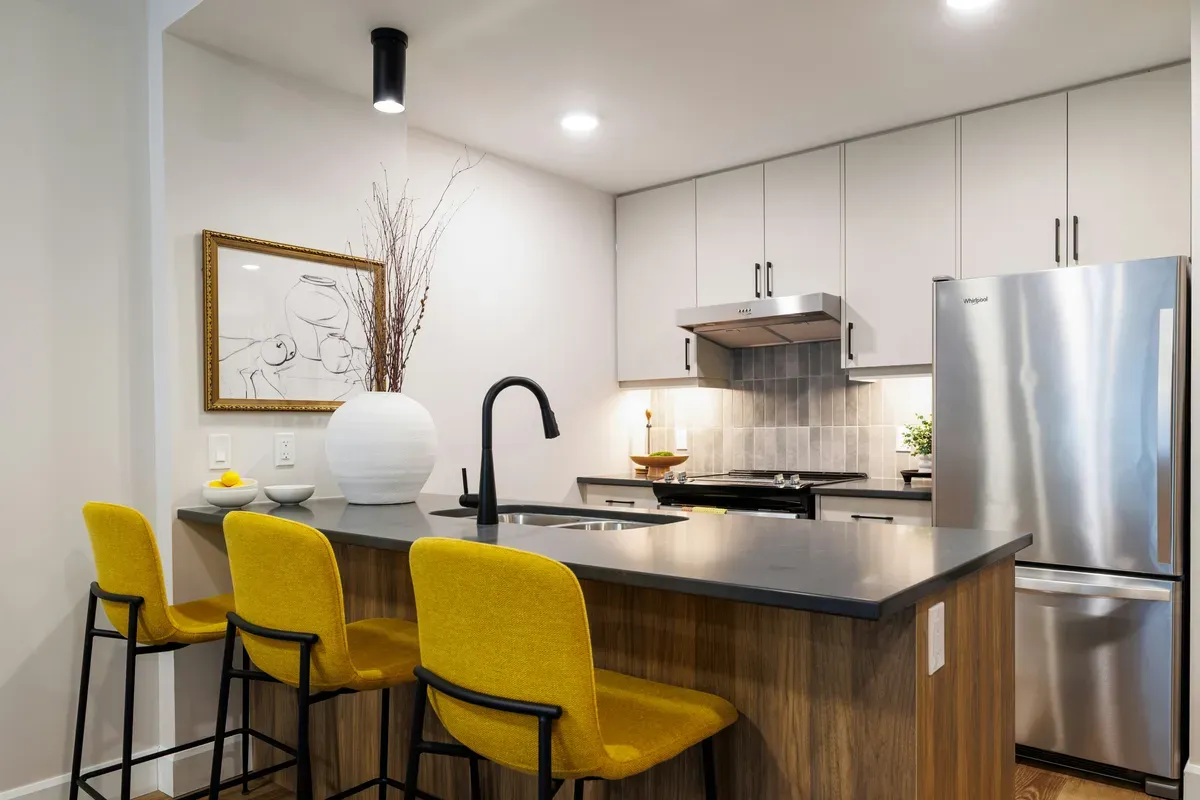
How Does the Samsung Bespoke AI Family Hub Refrigerator Provide Kitchen Intelligence?
For the biggest smart kitchen upgrade, the Samsung Bespoke AI Family Hub+ refrigerator brings AI-powered food management to your SmartThings ecosystem. Samsung's marketing highlights AI Vision Inside cameras that track what's in the fridge, a built-in touchscreen, and SmartThings control, plus energy consumption tracking in the SmartThings app. It's a big purchase, so check the screen size and features of the specific model you're considering on Samsung's product page.
How Does a SmartThings-Connected Air Purifier Help You Breathe Better?
Look for a purifier with particulate and VOC sensors that ramps the HEPA fan only when needed, saving energy while keeping the air clean. Many models let you view historical charts inside the app to spot sneaky pollution sources. Check SmartThings compatibility for the exact model.
How Do You Build a SmartThings Lighting Setup for Ambience on Demand?
A mix of smart bulbs, dimmers, and wireless remotes lets you craft scenes for movie night, homework, or sunrise simulation. Voice assistants and automations make reaching for the switch a thing of the past. Affordable Wi-Fi bulbs from LIFX and Govee pair with SmartThings, and a Zigbee dimmer adds precise control for table and floor lamps.
How Do SmartThings Devices Compare at a Glance?
Prices are approximate retailer listings from October 2026. They shift often, and tariffs have pushed some hub listings up, so confirm before buying.
| Device | Approx. price | Protocol | Best For |
|---|---|---|---|
| Aeotec Smart Home Hub (Hub v3) | $130-150 at US retailers | Zigbee, Z-Wave, Wi-Fi, Matter, Thread border router | Central controller for Z-Wave setups |
| Aeotec Smart Home Hub 2 | About EUR 95-105 in Europe | Zigbee, Thread, Matter (no Z-Wave) | Newer hub without Z-Wave |
| Aeotec Water Leak Sensor | Varies by country | Zigbee | Flood protection |
| Aeotec MultiSensor 7 | From $69.99 | Z-Wave Plus | 6-in-1 environment monitor |
| Aeotec Motion Sensor | About $43 | Zigbee | Presence and security |
| SmartThings Energy (app feature) | Free | Wi-Fi (Samsung appliances) | Energy usage tracking |
Quick-Fire Benefits of Going SmartThings
- Unified ecosystem - one app, countless brands
- Broad protocol support - Zigbee, Z-Wave, Matter, and Wi-Fi all play nicely
- Local automations - some routines keep running if the internet drops
How Do You Build Your SmartThings Foundation for the Future?
The beauty of SmartThings lies in its flexibility. Starting with the hub and a few key sensors, you can expand gradually, adding cameras, locks, and specialty devices as your needs evolve. Unlike closed ecosystems, SmartThings embraces open standards like Matter and Thread, meaning your investments remain valuable as the smart home industry develops. Many users find that their SmartThings setup naturally grows as they discover new automation possibilities - perhaps starting with motion sensors for convenience, then adding water leak detection for peace of mind, and eventually building whole-home automations that optimize energy and security simultaneously.
Beyond Samsung's native devices, SmartThings integrates with hundreds of third-party products. Plugs with energy metering work well for remote control and energy monitoring, and Wi-Fi bulbs from LIFX and Govee add dynamic lighting automation. For Zigbee, note that the Sonoff Zigbee 3.0 Pro is a standalone Zigbee bridge with its own app and Home Assistant support, not a range extender for a SmartThings hub, so use it only if you want a second Zigbee network. A Zigbee mains-powered plug or bulb is the simplest way to extend your existing SmartThings mesh, because those devices act as routers.
With these ten picks, upgrading your space is simpler than ever. Each item on our Top SmartThings Devices list adds a practical layer of comfort, safety, or savings, and together they create a responsive home. Samsung keeps pushing SmartThings into new territory, so expect this list to shift. For compatibility checks, Samsung's SmartThings site links to a compatible devices page with officially supported products.
How Do You Prioritize Your SmartThings Device Purchases?
Building a SmartThings ecosystem incrementally produces better results than purchasing many devices simultaneously. Start with one or two devices that address your most pressing needs and learn the SmartThings automation interface before expanding. Many users start with a SmartThings Hub, a smart plug, and a motion sensor. This combination enables basic presence detection, energy monitoring, and lighting automation sufficient to demonstrate the platform's capabilities and identify which areas of your home benefit most from further automation.
After mastering basic automations, add devices that extend your most valued use cases. If energy monitoring proves compelling, add smart plugs to more outlets and connect a smart thermostat. If security automation excites you, add door sensors, additional motion detectors, and a video doorbell. This focused expansion approach avoids the common trap of buying many devices that never get properly configured and integrated.
What SmartThings Routines Save Time Daily?
The greatest value from SmartThings comes from routines that automate repetitive daily actions. A morning routine triggered by your phone's alarm or by motion detection in the bedroom can simultaneously adjust thermostat temperature, brew coffee if paired with a smart plug connected to a drip machine, and turn on kitchen lights to a comfortable brightness level.
An "Away" routine triggered when your phone's location indicates you have left home can lock doors, turn off all lights, lower the thermostat by several degrees, and arm any connected security sensors. This automation replaces the mental checklist many people run through before leaving, eliminating the anxiety of wondering whether you remembered to lock the door or turn off the coffee maker.
A "Bedtime" routine activates when you tap a button or speak a command, dimming bedroom lights to a sleep-promoting warm tone, locking exterior doors, setting the thermostat to your preferred sleeping temperature, and activating do-not-disturb mode on connected devices. These routines deliver daily convenience that accumulates into significant time savings and reduced cognitive load over weeks and months of use.
For real-world device compatibility questions before you buy, the r/SmartThings community on Reddit is the best place to check. Owners post firmware quirks and Edge Driver fixes there long before they show up in official documentation. If a device drops offline, the SmartThings troubleshooting tips cover the usual causes.
Frequently Asked Questions
What are the best SmartThings devices for 2026?
The picks span a few categories. For the hub, the Aeotec Smart Home Hub (the Samsung SmartThings Hub v3) covers Zigbee, Z-Wave, and acts as a Matter controller and Thread border router, though Aeotec has said it plans to phase it out by the end of 2026. Its successor, the Smart Home Hub 2, adds a Thread router but drops Z-Wave. For sensors, the Aeotec Water Leak Sensor (Zigbee, with temperature reporting), the Aeotec Motion Sensor, and the Aeotec Multipurpose Sensor cover flood protection, presence, and door monitoring. Aeotec's MultiSensor 7 is the Z-Wave option with six sensors in one body. For power control, a Zigbee relay such as the Sonoff ZBMINIR2 or a Wi-Fi plug from a brand on SmartThings' compatibility list gives you appliance scheduling without rewiring. Samsung's own SmartThings page says the platform works with hundreds of devices and brands across hubs, lighting, sensors, plugs, cameras, thermostats, and doorbells.
Is SmartThings Hub v3 worth buying?
Only if you need Z-Wave. The Hub v3 (sold by Aeotec as the Smart Home Hub) is the last SmartThings hub with both Zigbee and Z-Wave radios, and since a 2022 firmware update it also works as a Matter controller and Thread border router. Aeotec has said it plans to discontinue it at the end of 2026, so buy it for a Z-Wave setup, not as a long-term bet. If you only run Zigbee, Matter, and Thread devices, the newer Smart Home Hub 2 is the better fit, and European retailers list it at roughly EUR 95 to 105. One thing I learned from running a Hub v3 in my flat: cloud-based automations failed silently during every ISP outage, with no error and no alert. Test which of your routines actually run locally before you trust them with anything important.
What protocols does SmartThings support?
A SmartThings hub talks to Zigbee and Z-Wave devices directly (the Hub v3 has both radios, the Hub 2 has Zigbee only), while Wi-Fi devices connect through the cloud or LAN. Matter devices work over Wi-Fi, Ethernet, or Thread. Samsung worked with Silicon Labs so that Zigbee and Thread can run at the same time on the Hub v3's single radio chipset. Z-Wave is a sub-GHz protocol whose frequency band varies by region and which allows up to 232 nodes on one network. In practice, a Hue bulb on Zigbee, a Yale lock on Z-Wave, a thermostat on Wi-Fi, and a Matter sensor can all sit in the same SmartThings app. Thread support is hub-dependent: Samsung said in 2022 that the Hub v3 would get the border router role and the Hub v2 would not, so v2 owners can only add Matter devices over Wi-Fi or Ethernet.
Can SmartThings detect water leaks automatically?
Yes. A Zigbee leak sensor such as the Aeotec Water Leak Sensor pushes an alert to the SmartThings app when it gets wet, and Aeotec's own listing describes it as a leak and temperature detector, so it doubles as a passive monitor for unheated spaces like a crawl space or garage. Retail prices vary a lot by country, from roughly 30 pounds in the UK to well above that in Canada, so compare before you buy. A Z-Wave or Zigbee shut-off valve, like the Dome water valve line, can be tied into a SmartThings routine so the sensor closes the supply when it trips. Place sensors where a failure does the most damage: under the kitchen sink, by the washing machine, next to the water heater, and under the dishwasher. Check the valve's SmartThings compatibility before you order, because valve support varies by model and by hub.
Does SmartThings work with non-Samsung devices?
Yes. Samsung says SmartThings is compatible with hundreds of devices and brands, and any Matter-certified device should be discoverable through Matter. Aeotec now makes the SmartThings-branded hubs and Zigbee sensors, and community-maintained Edge Drivers extend support to devices with no official integration. Look for the Works with SmartThings or Matter badge on the box, and check the model against SmartThings' compatible devices page before buying. The caveat is that some device features, like advanced camera analytics or lock audit logs, only fully appear in the manufacturer's own app. Basic on/off, status, and trigger functionality works across most devices on Zigbee, Z-Wave, or Matter. For households that already own gear from several brands, SmartThings is usually the platform that needs the fewest trade-offs to bring them together.
Sources & References
- Home Assistant - SmartThings integration home-assistant.io
- Home Assistant - Matter integration home-assistant.io
- Samsung - Smart home with Samsung SmartThings samsung.com