Roku and Smart Home: The Guide
Roku integrates with smart home systems for a smooth entertainment experience. Discover tips, tricks, and best practices.
Blog posts
Learn how to charge your Roku doorbell with this simple guide. Ensure...

Compare Arlo and Ring home security systems. Find out which is better...
Products

Upgrade your home lighting with Roku Smart Light Bulb. Control brightness, color,...
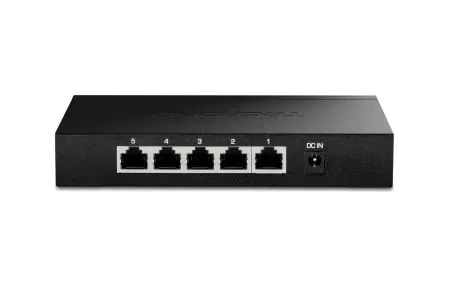
TP-Link TL-SG105 delivers reliable 5-port gigabit networking for smart home expansion with...
This guide covers mart home integration with roku and how they enhance your smart home setup. Roku is a leading streaming platform that has transformed how users connect their entertainment systems with smart home technology. Whether you are new to smart homes or a seasoned tech user, understanding how Roku fits into your smart home ecosystem can enhance your viewing experience and simplify control over your devices. This guide will help you explore the benefits of Roku, how to set it up with other smart devices, and how to maximize its potential in your home.
More than just a streaming box, Roku serves as a powerful hub for smart home entertainment. Imagine using Roku to control your TV, lights, thermostat, and speakers all from one interface or through simple voice commands. By integrating Roku with popular smart assistants like Google Assistant and Amazon Alexa, you can create a smooth and automated entertainment environment that responds to your needs.
How Roku Enhances Your Smart Home Setup
Roku connects effortlessly with various smart home systems, allowing you to control your entertainment devices through voice or app-based commands. Using Roku alongside apps like Google Home or Amazon Alexa enables you to power your TV on or off, play your favorite shows, and adjust volume without lifting a finger. Roku acts as the central bridge between your smart home and entertainment center, making it easier to manage multiple devices.
With Roku's compatibility extending beyond just streaming, you can integrate it with smart lights, thermostats, and speakers to create a fully immersive and connected smart home experience. This integration means you can automate your home environment to suit your entertainment preferences effortlessly.
Benefits of Using Roku in Your Smart Home
- Hands-Free Entertainment: Use voice commands with Roku through voice assistants like Google Assistant and Alexa to control your TV, search for content, and adjust settings.
- Smart Device Integration: Roku works with smart lights, thermostats, and plugs, allowing you to automate your entire entertainment setup.
- Customized Automation: Create personalized routines with Roku, such as dimming lights or adjusting temperature automatically when you start watching a movie.
- Energy Savings: Combine Roku with smart plugs to power off devices when not in use, helping reduce energy consumption.
- Enhanced Viewing Experience: Synchronize Roku with your smart home devices for immersive lighting, sound, and climate control tailored to your entertainment.
Setting Up Roku for Smart Home Integration
Setting up Roku within your smart home is straightforward. You'll need a Roku device, a compatible smart home hub or voice assistant like Google Home or Amazon Alexa, and any additional smart devices you want to control. Follow these simple steps to integrate Roku:
Step-by-Step Roku Setup:
- Connect Roku to Your TV: Plug your Roku device into your TV's HDMI port and follow the on-screen instructions to connect it to your Wi-Fi network.
- Enable Voice Assistant Support: Download the Google Home or Amazon Alexa app to link your Roku device. This connection allows you to control Roku using voice commands.
- Pair Roku with Other Smart Devices: Use the voice assistant apps to connect Roku with smart lights, thermostats, or plugs and create automation routines.
- Test Your Setup: Try voice commands like "Turn on Roku TV" or "Dim the lights" to ensure everything works smoothly with Roku and your smart devices.
With Roku integrated into your smart home, you gain convenient and centralized control over your entertainment and environment.
Top 5 Roku-Compatible Smart Home Devices
To get the most from your Roku setup, consider these top smart devices that work well with Roku:
1. Smart Speakers:
Devices such as Google Nest Audio or Amazon Echo allow you to control Roku hands-free. These smart speakers also serve as hubs for managing other smart devices in your home.
2. Smart Lights:
Brands like Philips Hue and LIFX integrate with Roku for creating the perfect ambiance. Use voice commands to adjust lighting when watching shows on Roku.
3. Smart Thermostats:
Thermostats like the Nest Thermostat or Ecobee can sync with Roku to adjust room temperature automatically during your viewing sessions.
4. Smart Plugs:
With devices like the Kasa Smart Plug or Wemo, you can control power to your Roku and TV remotely, improving convenience and saving energy.
5. Universal Remotes:
The Logitech Harmony Hub simplifies managing multiple devices, including Roku, from a single remote, streamlining your smart home entertainment control.
By pairing Roku with these devices, you can build a connected home entertainment system tailored to your lifestyle.
Best Practices for Roku and Smart Home Efficiency
To optimize your Roku experience within a smart home, keep these tips in mind:
1. Use Voice Commands Fully:
Set up custom voice commands with Roku for quick access to your favorite channels or functions like "Play Netflix" or "Turn off Roku TV."
2. Create Entertainment Scenes:
Combine Roku with smart lighting and thermostats to automate scenes that adjust lights, temperature, and sound when you start watching a movie.
3. Save Energy:
Use smart plugs with Roku to power down devices automatically when not in use, reducing standby power consumption.
4. Manage Parental Controls:
Use Roku's parental controls alongside smart home features to limit access and set viewing schedules for children.
5. Keep Software Updated:
Regularly update your Roku device and smart home gadgets to benefit from new features, security patches, and improved performance.
Conclusion
Integrating Roku into your smart home setup unlocks a new level of convenience and entertainment. Roku not only streams your favorite content but also connects with smart lights, thermostats, speakers, and more to create an automated, voice-controlled environment. Whether you use Google Home or Alexa, Roku's compatibility with smart home devices allows for effortless control and customization. With Roku at the center of your smart home entertainment, you can enjoy a smooth, efficient, and immersive experience that adapts to your lifestyle.
As smart home technology continues to evolve, Roku remains a versatile and valuable component, helping you build a connected home where entertainment and automation work hand in hand. Start integrating Roku today and transform how you enjoy your media and control your smart devices.
Frequently Asked Questions
Can I control Roku with Google Home?
Yes, Roku integrates with Google Home. Linking your Roku account to Google Assistant allows you to control your Roku device using voice commands for power, navigation, and content search.
Is Roku compatible with Alexa?
Absolutely! Roku works well with Amazon Alexa. After connecting your Roku to the Alexa app, you can use voice commands to launch channels, control playback, and more.
Can I integrate Roku with other smart home devices?
Yes, Roku supports integration with various smart home devices such as smart speakers, lights, thermostats, and plugs. Using voice assistants, you can automate routines that include Roku and other smart devices.