Essential TP-Link Devices to Power a Smooth Smart Home
Explore TP-Link's top smart devices-from plugs and bulbs to mesh Wi-Fi-learn how they simplify automation, boost security, and save energy at home.
Products
TP-Link Kasa HS220 smart dimmer switch installs in about 10 minutes, needs...
TP-Link Kasa EP25 controls two outlets independently via app or voice, with...
TP-Link Kasa EP10 is a compact single-outlet Wi-Fi smart plug that works...
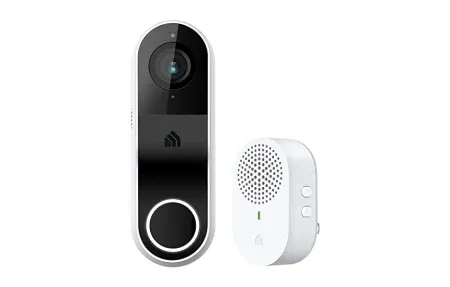
The Kasa Smart Doorbell | KD110 provides sharp video, two-way audio, and...

Control any light with schedules, voice, or remote app access using the...

TP-Link AC1200 WiFi Extender RE315 provides 1.2Gbps dual-band signal boost covering up...
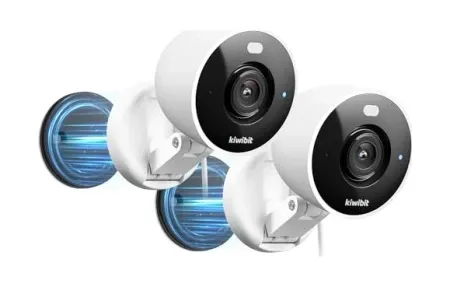
Kasa KC410S delivers 2K+ resolution, 360° pan and tilt coverage, AI person...

Smart wireless dimmer switch for WiFi control. Schedules, automation, voice commands with...
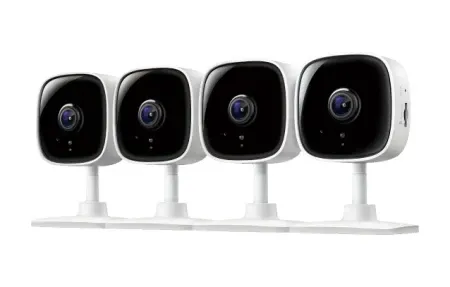
TP-Link Tapo C100 delivers 1080p HD video, smart motion detection, night vision,...

Dual-lens baby camera with 2K + 1080p, AI cry detection, 360° pan/tilt,...
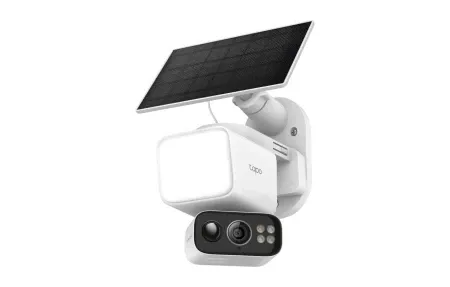
Solar-powered, wire-free 2K floodlight camera with 360° pan/tilt, color night vision, and...
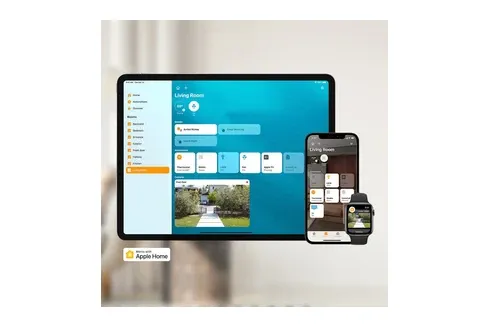
Control fan speed and lighting with the Kasa Smart Ceiling Fan Control...

TP-Link Tapo C210 delivers 2K resolution, 360° pan and 114° tilt coverage,...
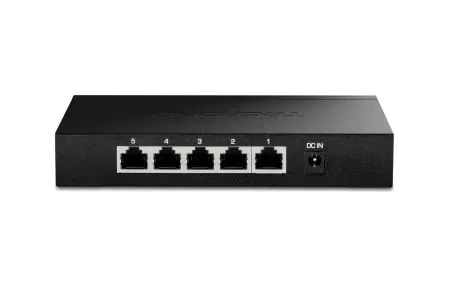
TP-Link TL-SG105 delivers reliable 5-port gigabit networking for smart home expansion with...
This guide covers ultimate TP-Link , guide 2025 and how they enhance your smart home setup. In today's era of voice‑first living, TP-Link has become a powerhouse for affordable, intuitive smart home gear. Their Kasa and Deco ranges prove that turning a regular house into an intelligent home doesn't have to be expensive or complicated. This ultimate guide highlights the devices that deserve a spot in your kit and shows how they can weave together to create a responsive, energy‑aware environment.
What Sets TP-Link Apart?
- Swift installation: Pairing typically takes under a minute thanks to clear in‑app prompts.
- Cross‑platform strength: Native links to Amazon Alexa, Google Assistant, and Apple HomeKit (select models) mean you pick the voice you prefer.
- Budget‑friendly innovation: Entry‑level pricing lowers the barrier to experimentation without sacrificing reliability.
- Rock‑solid networking heritage: Decades of router expertise translate to stable, low‑latency control.
- Eco smarts: Built‑in energy dashboards reveal real‑time consumption so you can cut waste with a tap.
Standout TP-Link Gadgets for 2025
Kasa EP10 Mini Smart Plug
This tiny adapter turns lamps, heaters, and fans into remotely managed devices. It is an essential building block for smart energy management. Schedules and away‑mode reduce idle power draw, while grouping lets you kill multiple outlets with a single command.
Kasa KL125 Color Bulb
Swap a standard bulb for instant mood lighting. The KL125 supports millions of colors, tunable whites, and sunrise routines. No extra hub required-just Wi‑Fi.
Deco XE75 Mesh Wi-Fi 6E
Smart homes thrive on dependable bandwidth. The tri‑band Deco XE75 blankets up to 670 m² in high‑speed Wi‑Fi, automatically steering devices to the least‑congested channel for lag‑free, smooth automation.
Kasa Pan/Tilt Indoor Camera
Get 360‑degree coverage with motion tracking, crisp 2K video, and two‑way talk. Activity zones keep alerts focused, and local microSD storage avoids extra cloud fees.
Kasa Smart Light Switch KS230
Prefer the feel of a wall switch? The KS230 replaces old toggles, adding app and voice control without losing manual operation. Soft‑glow LEDs guide you in the dark.
Quick Start Blueprint
Beyond the basics, power users can look at TP‑Link's scene editor to craft multi‑stage automations. For example, an evening routine can dim the KL125 bulbs to a warm 30 %, lower a connected space‑heater via the EP10 to eco‑mode, and instruct the Deco network to prioritize streaming traffic for your living‑room TV. You can also create location‑based triggers: when the last family member leaves, the KS230 switches turn off hallway lights while the indoor camera arms privacy mode. Because settings live in the cloud, changes sync instantly across phones, tablets, and even the upcoming Kasa desktop dashboard rolling out later this year.
Expanding Your Setup With Advanced TP-Link Features
As your smart home grows, TP‑Link offers advanced features that help you manage every device with less effort and more confidence. One powerful option is the use of adaptive automation, where routines adjust automatically based on time of day, motion detection, or energy usage patterns. For instance, you can configure the Kasa ecosystem to read power spikes from a connected heater or fan and turn it off when it exceeds your defined threshold. This helps homeowners cut costs and prevents unnecessary wear on appliances. Another helpful addition is TP‑Link's improved remote control layer, which allows secure, encrypted control from outside your home network without any complex VPN setup. Families who rely on shared access can assign device‑level permissions, ensuring kids can toggle lights or plugs without changing advanced settings. You can also integrate Kasa devices with third‑party dashboards like Home Assistant or SmartThings, unlocking custom rules and hybrid automation. Add in TP‑Link's routine‑based notifications, which alert you when doors open, lights stay on too long, or motion is detected unexpectedly, and your system becomes more than convenient-it becomes proactive. All these enhancements make the ecosystem feel larger, smarter, and more helpful day after day.
Practical Tips for Getting the Most From Your TP-Link Ecosystem
To help you push your smart home even further, it is worth exploring a few practical habits that make TP‑Link devices feel smoother and more responsive. First, review your Wi‑Fi layout on a regular basis. Smart homes grow over time, and as you add more gadgets, the placement of your Deco units or your router may need fine‑tuning. Even a small adjustment can boost signal strength for cameras or switches located in tricky corners of the house.
Another valuable step is to use TP‑Link's energy insights consistently. Many people check these dashboards once in a while, but using them weekly lets you spot patterns such as quiet spikes from heaters, gaming PCs, or entertainment setups. With that knowledge, you can adjust schedules or create fresh automations that reduce idle consumption without adding effort to your routine.
Pairing routines with location‑based triggers also enhances convenience. Kasa's geolocation features can turn lights off as you leave or start warming a room as you head home. For families, shared routines help everyone learn the flow of the house, reducing forgotten lights and improving nighttime safety. If you rely on a voice assistant, consider grouping devices logically-such as by room or activity-to keep commands fast and natural.
Lastly, keep firmware updated across all TP‑Link devices. These updates often sharpen performance, add new integrations, and strengthen security. A fully patched system stays reliable and ensures TP‑Link hardware continues to work smoothly with the expanding smart home ecosystem around it.
Final Thoughts
A connected house should feel effortless, and TP-Link nails that balance of simplicity, affordability, and depth. Whether you are buying your first smart plug or rolling out a full mesh network, the ecosystem scales with you. By choosing TP‑Link you invest in devices that cooperate smoothly today and continue to improve through over‑the‑air updates tomorrow. Looking ahead, the brand's forthcoming Matter‑enabled devices promise even broader interoperability, ensuring your investments remain future‑proof and aligned with emerging industry standards for privacy, security, and smooth cross‑platform automation experiences that just work effortlessly every single day for modern households. Start building your TP-Link smart home today and experience the difference that thoughtful design, reliable connectivity, and continuous innovation can make in your living spaces. From compact plugs to powerful mesh networks, TP-Link offers solutions that grow with your needs while remaining simple enough for anyone to use.
TP-Link has earned its reputation as a trusted name in smart home technology through years of consistent performance, regular software updates, and genuine commitment to user satisfaction. The company understands that today's homeowners want affordable solutions without compromising on reliability or feature depth. Whether you are interested in energy monitoring, remote access, voice integration, or advanced automation, TP-Link provides the tools to transform your house into a truly intelligent home. The supportive community forums, comprehensive mobile app, and detailed documentation mean you are never stuck when setting up or troubleshooting. As smart home technology becomes increasingly important in daily life, choosing TP-Link means selecting a partner that continues to innovate while keeping the user experience intuitive and straightforward for everyone.
Explore TP-Link's networking and smart home solutions designed for reliable connectivity and smooth device integration.
TP-Link manufactures affordable smart home devices including smart plugs, switches, and lighting solutions under their Kasa and Tapo brands. Known for reliable hardware and user-friendly mobile apps, TP-Link products integrate with major voice assistants and platforms. The company emphasizes local processing and data privacy while supporting convenient cloud features for remote access. Kasa and Tapo ecosystems deliver enterprise-grade functionality at consumer-friendly price points.
Building a Comprehensive TP-Link Smart Home Strategy
Creating a complete smart home system with TP-Link starts with understanding your priorities and timeline. Many users begin with a single smart plug to test the ecosystem before committing to a larger deployment. This low-risk approach helps you understand how the mobile app works, what automations feel natural to your household, and whether you prefer scheduling-based or sensor-driven automation. Once comfortable with basic features, most people expand to lighting solutions, then add cameras and environmental controls to create a truly responsive home.
The beauty of TP-Link's ecosystem lies in its modularity and scalability. You can start with just a Deco mesh system for better WiFi coverage, then add Kasa smart plugs to monitor and control standby power on entertainment systems. Next, swap out standard light switches for Kasa smart switches without requiring any rewiring beyond basic electrical work that many homeowners can handle. Finally, add indoor or outdoor cameras to complete the security layer. Each addition builds on previous investments without requiring a wholesale system replacement.
Energy awareness becomes the primary benefit once you have multiple TP-Link devices working together. Real-time power monitoring on plugs reveals which appliances consume most electricity, allowing targeted interventions like setting water heaters to run during off-peak hours or powering down office equipment when not in use. Users report electricity bill reductions of 10-20% within the first few months of implementing smart automation, especially when paired with behavioral changes like scheduling phantom loads to turn off during sleeping hours.
TP-Link's commitment to regular firmware updates means your devices improve continuously without hardware replacement. New integrations with emerging standards, faster response times, improved voice recognition accuracy, and expanded automation options arrive regularly. This commitment to ongoing improvement contrasts sharply with some competitors who abandon older products shortly after release, leaving customers with obsolete hardware that stops receiving updates and security patches.
The company's global presence ensures you'll find detailed documentation, community forums, and professional support if you encounter issues. Unlike some niche brands that offer minimal English-language resources, TP-Link provides comprehensive guides, video tutorials, and responsive support teams familiar with both basic setup and advanced configuration. This support ecosystem dramatically reduces frustration and accelerates your journey toward a fully automated home that works reliably day after day.