Kasa KC410S 2K+ Pan/Tilt Wi-Fi Security Camera
As an Amazon Associate we earn from qualifying purchases. Disclosure.
Check Price on Amazon →Product Details
🏭 Manufacturer: TP-Link
🔌 Plug Format: Micro USB Power
📄 Specification Met: FCC, RoHS
🔖 Part Number: KC410S
📏 Dimensions: 3.2 x 3.2 x 4.4 inches (82 x 82 x 112.6 mm)
🏳️ Country of Origin: China
🆔 Model Number: KC410S
📐 Size: Standard
🎨 Style: Modern
🧲 Mounting Type: Wall/Ceiling/Desk Mount
🔧 Usage: Indoor Use Only
🧩 Included Components: Kasa Spot Pan Tilt camera, power adapter, 10 ft USB cable, mounting plate, mounting screws, quick start guide
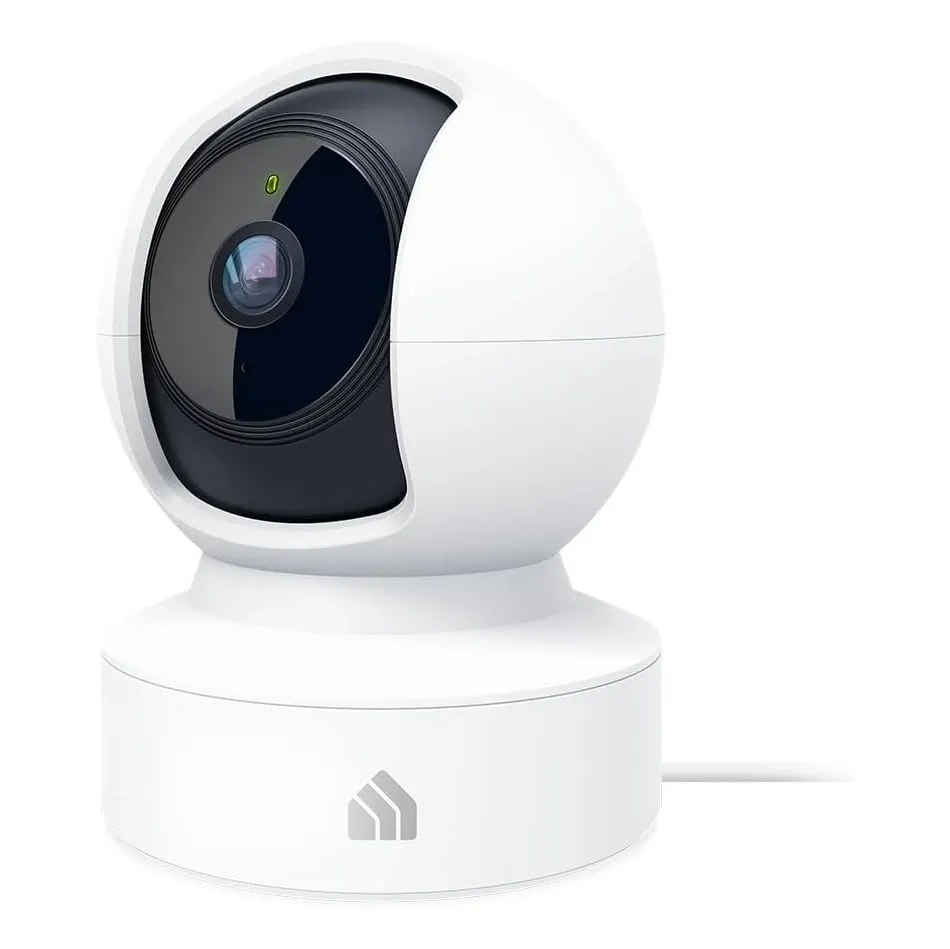
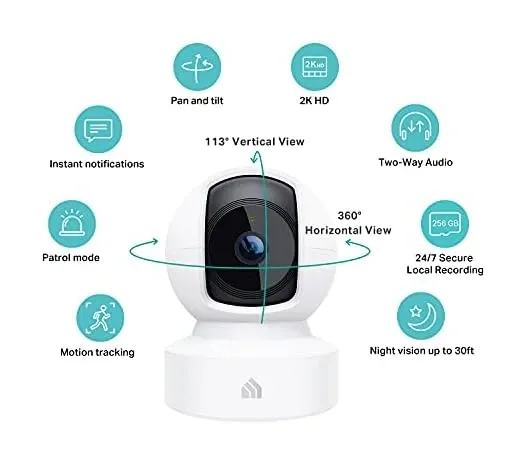
Point the Kasa KC410S at a crib or a back door and it captures 2560 x 1440 pixels, which is nearly twice the pixel count of 1080p. The lens covers 360 degrees horizontally and 113 degrees vertically, enough for a whole room from one spot on a shelf. As a security camera it can record around the clock to a local microSD card instead of pushing a cloud plan. One naming note: TP-Link's current US page is titled KC411S and shows KC410S in its heading, so retailer listings may carry either name for the same Kasa Spot Pan Tilt.
Key Features:
- 2K+ resolution (2560 x 1440) for superior detail
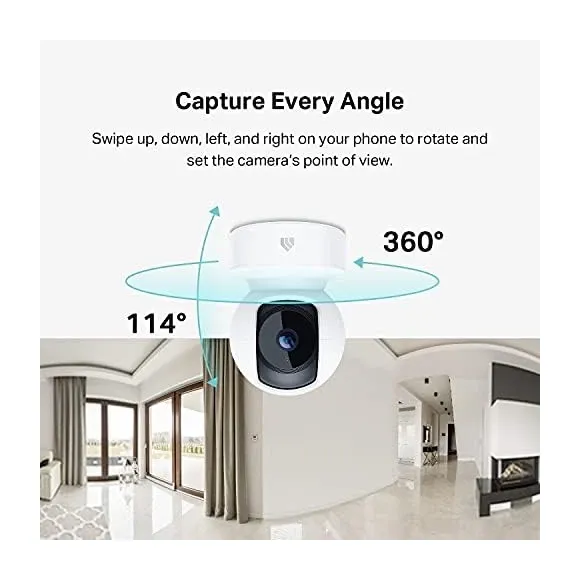
- 360 degree pan and 113 degree tilt for complete coverage
- Motion tracking, patrol mode and AI recognition of people, motion and sound
- Night vision up to 30 feet
- Two-way audio
- Local storage (up to 256GB) or Kasa Care cloud storage
- Live view on Alexa and Google Home displays, per retailer listings
Superior 2K+ Resolution
Overview
The KC410S captures footage at 2560 x 1440 pixels (4MP) from a 1/3-inch sensor, which gives noticeably more detail than a 1080p camera when you zoom in on a face or a package. TP-Link's spec sheet lists a F/1.6 lens with a 4 mm focal length and 15 frames per second.
TP-Link advertises light and shadow adaption, meaning it reduces overexposure so you can see outdoors through a window. I haven't seen independent test footage, so treat that as a claim.
Complete 360 Degree Pan and Tilt
The motorized pan and tilt mechanism provides a 360-degree horizontal and 113-degree vertical view, enabling the KC410S to monitor entire rooms from a single central installation point. Unlike fixed cameras that create blind spots where activity goes unnoticed, the comprehensive coverage ensures complete surveillance that adapts to your monitoring requirements. Control the camera's position remotely through the Kasa Smart app, and use patrol mode to set several viewpoints and have the camera check each one at intervals you choose.
The motion tracking feature automatically follows detected movement, keeping subjects centered in frame as they move throughout the monitored space. When motion is detected at the edge of the current view, the camera smoothly pans or tilts to follow the activity, ensuring continuous monitoring of important events without manual intervention. Parents appreciate this automated tracking for keeping active children in view, while pet owners monitor their animals' activities throughout rooms without constant manual camera repositioning.
Advanced AI Person Detection
TP-Link says the camera uses AI to recognise people, motion and sound, and sends push alerts according to the trigger mode and sensitivity you pick. Triggers on the spec sheet are motion detection and audio detection. How well it separates a person from a pet is something I can't confirm from the sources, and the listings I found don't say whether any of the AI features need a Kasa Care subscription, so check before you rely on it.
Continuous 24/7 Recording
The KC410S supports continuous recording to local microSD cards up to 256GB, per TP-Link, so it can capture everything instead of relying on motion triggers that might miss an event. That matters for a nursery or a small shop where gaps in coverage aren't acceptable.
If you'd rather save space, event-based recording records only when motion or audio triggers fire, which stretches the card much further.
Flexible Storage Options
Local storage via microSD cards means subscription-free recording that keeps footage under your physical control. At 2560 x 1440 and 15 fps, how long 256GB lasts depends on your settings and how busy the scene is, and TP-Link doesn't quote a figure.
If you want footage that survives a stolen or broken camera, a Kasa Care plan adds cloud storage, which TP-Link's page describes as 30 days. That's an optional subscription, and the plan prices change, so check the current ones in the Kasa app.

Enhanced Night Vision
TP-Link specifies night vision from 850 nm infrared LEDs up to 30 feet. 850 nm infrared LEDs typically show a faint red glow when you look straight at them, so don't assume the camera is invisible in a dark room. TP-Link also advertises a starlight sensor that restores colour in low light, so the image only drops to infrared black and white once it's properly dark.
Crystal-Clear Two-Way Audio
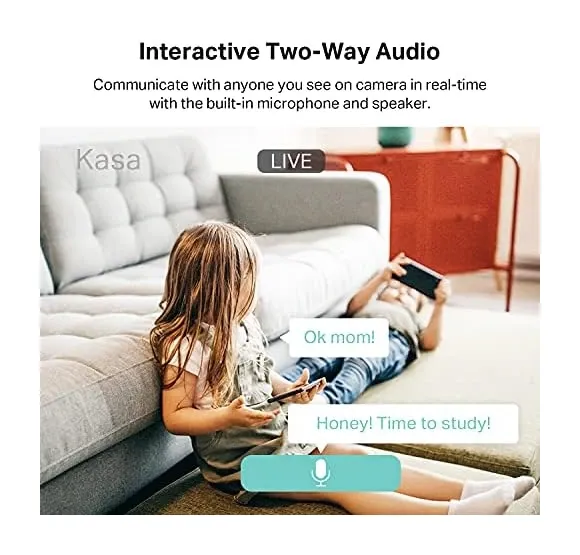
The KC410S has a built-in microphone and speaker for two-way audio, listed on TP-Link's spec sheet. You can talk to someone at the door, a family member or a pet through the Kasa Smart app. TP-Link's page doesn't mention noise cancellation, so I wouldn't count on it filtering a loud fan.
Sound Detection Alerts
Besides motion detection, TP-Link lists audio detection as an alert trigger, so the camera can notify you of noise even when nothing moves in frame. The spec sheet doesn't name specific sounds, so I wouldn't promise baby-cry or dog-bark recognition. A general-purpose camera with sound alerts is not certified baby-monitoring equipment, alerts depend on your Wi-Fi and on the app running, and no audio trigger catches everything. Use it as a convenience on top of how you'd already check on a room.
Activity Zones and Scheduling
Customizable activity zones let you define areas where motion detection should focus, and TP-Link says you can set up to 16 of them at no charge. Draw zones around doorways and windows and leave out the pet bed to cut false alerts.
The patrol mode doubles as a schedule of sorts: set viewpoints such as the front door and the kitchen, and the camera cycles between them at the interval you pick.
Simple Installation and Setup
The KC410S needs no professional installation. Plug it in with the supplied 10 ft USB cable, position it with the mounting plate and screws in the box, and follow the setup steps in the Kasa Smart app. Setup needs a phone running iOS 10 or newer, or Android 5.0 or newer, and a 2.4GHz network.
The package includes a mounting plate and screws, and the camera also sits on a desk or shelf. It's rated for 0 to 40 degrees C, which is why it's an indoor camera.
Voice Control Integration
Retailer listings say live video can be streamed to Alexa and Google Assistant displays such as an Echo Show or a Google Nest Hub, and a distributor spec sheet lists the camera as Alexa and Google Assistant ready. TP-Link notes that those assistants aren't available in every language and country. I couldn't confirm voice control of settings, so assume live view only and use the Kasa Smart app for everything else. If you run Home Assistant, note that its TP-Link integration documents support only for Tapo cameras, doorbells and chimes, so the KC410S isn't covered there.
Remote Access Anywhere
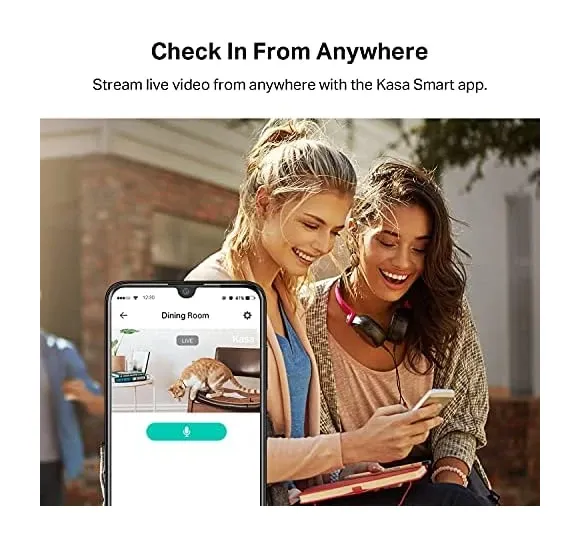
Secure remote viewing lets you check the camera from anywhere with an internet connection, from your desk at work to a hotel abroad to the next room over. TP-Link lists 128-bit AES encryption with SSL/TLS for the video connection. The Kasa Smart app works over WiFi and cellular data.
Check live feeds with a single app tap, review stored footage from earlier in the day, or get instant notifications about detected events no matter where you are. Travelers can check in and confirm the house is fine, while working parents verify their kids got home safely from school. The reliable remote access turns the camera from a passive recorder into a live monitoring tool you can reach from anywhere.
Is the KC410S Worth It?
If you want continuous 24/7 recording without a subscription, the KC410S makes a strong case. Most budget cameras only record on motion. This one can roll footage nonstop to a 256GB card, which matters for a nursery or a small shop where gaps in coverage aren't acceptable. The 4MP sensor is sharper than 1080p on paper, and person detection is advertised, though I couldn't verify how well it works.
The catches are worth knowing before you buy. It's 2.4GHz Wi-Fi only, so it won't join a 5GHz-only network. Check your router first. Storage caps at 256GB, lower than the 512GB some rivals allow, so nonstop recording fills up faster than you'd expect. And like its Tapo cousins, it's strictly indoor. For round-the-clock indoor coverage on a budget with smart home integration through Alexa and Google displays, the KC410S is a reasonable pick, but step up to a higher-capacity camera if you plan to archive weeks of continuous 2K+ video. TP-Link's Tapo C210 is a similar 2K pan/tilt camera that takes microSD cards up to 512GB.
Frequently Asked Questions
Does the Kasa KC410S require a subscription for cloud storage?
No subscription is required for local storage via microSD card up to 256GB capacity. Kasa Care cloud storage is optional and adds remote backup with extended retention periods. Most users find the local storage option fully sufficient for everyday monitoring needs.
What microSD card size does the KC410S support?
The KC410S supports microSD cards up to 256GB. This capacity provides several days of continuous 2K+ recording or several weeks of motion-activated recording depending on activity levels and chosen resolution settings.
Does the KC410S connect to 5GHz Wi-Fi networks?
TP-Link's spec sheet lists a 2.4 GHz radio only (802.11 b/g/n), so the camera won't join a 5GHz-only network. The 2.4GHz band reaches further through walls than 5GHz. The spec sheet lists H.264 video at 15 frames per second.
What is the night vision range on the Kasa KC410S?
TP-Link specifies 850 nm infrared LEDs reaching up to 30 feet (approximately 9 meters). The camera also has a starlight sensor that TP-Link says restores colour in low light, so the image may not be monochrome until it's properly dark.
Does the KC410S automatically follow moving subjects?
Yes. TP-Link lists motion tracking, which follows a detected subject to keep it in view, and a patrol mode that cycles between viewpoints you set at intervals you choose. Detection triggers are motion and audio, and the Kasa app describes AI recognition of people, motion and sound.
Video Review
As an Amazon Associate we earn from qualifying purchases. Disclosure.
Check Price on Amazon →


