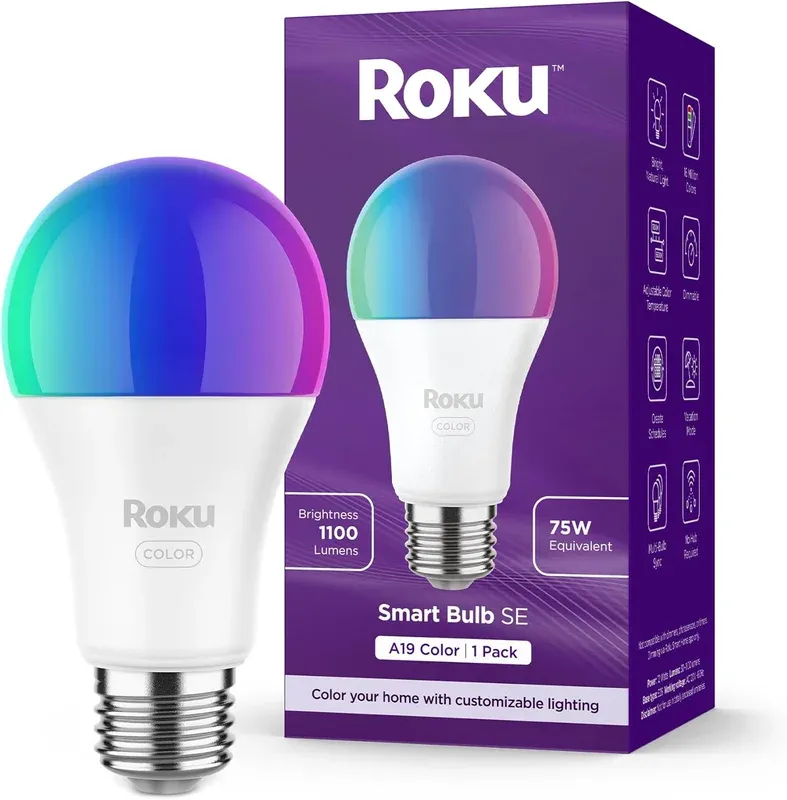
Roku Lights - Smart Light Bulb for Effortless Home Control
As an Amazon Associate we earn from qualifying purchases. Disclosure.
Check Price on Amazon →Product Details
🏭 Manufacturer: Roku
🔌 Plug Format: E26
📄 Specification Met: None
🔖 Part Number: BS1000R
🏋️♂️ Weight: 0.31 lb
📏 Dimensions: 5 x 2.5 x 2.5 inches
🏳️ Country of Origin: China
🆔 Model Number: BS1000R
📐 Size: Standard A19
🎨 Style: Modern
🧲 Mounting Type: Screw-in
🔧 Usage: Indoor
🧩 Included Components: 1 smart bulb, quick-start guide
Model BS1000R screws into any standard E26 socket and hops onto your Wi-Fi with no hub and no Roku streaming box required. So to be clear: the Roku Smart Light Bulb is a plain Wi-Fi bulb that happens to wear the Roku name. You dim it, recolor it, and schedule it from the app, and it answers to Alexa and Google Assistant once you link the skill. At roughly 9.6 watts and a rated 25,000 hours, it's built to sit in a fixture for years and be forgotten.
Works with Your Smart Home Right Away
The bulb connects to your Wi-Fi. That's it. No hub. No bridge. Just screw it in and open the app. You can control it from your couch or from across town.
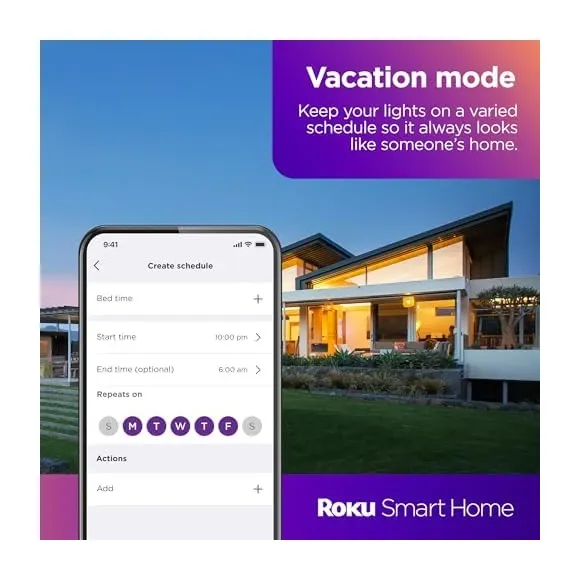
Setup takes about five minutes. The bulb fits your current light fixtures. Once it's connected, you can dim it. You can change its color. You can also set it to turn on and off on a schedule. It handles all of that on its own.
Why the Roku Smart Light Bulb Is a Smart Pick
Here's what makes it stand out:
- Energy saving: It has an Energy Star rating. It uses less power but stays bright.
- Voice control: Works with Alexa or Google Assistant. Hands-free and easy.
- Adjustable brightness: Match the light level to what you're doing.
- Vibrant color options: Pick from millions of colors for any mood.
- Smart scheduling: Set lights to turn on and off on a routine in the app.
Schedules are very useful. You can have lights brighten slowly each morning. You can set them to turn off when you leave. The bulb does this on its own.
Saves Energy and Lasts Long
The Roku Smart Light Bulb lasts up to 25,000 hours. That's a long time between replacements. It draws only 0.08A. So it uses very little power but still lights up a room well.
The bulb uses a standard E26 base. It fits most home light fixtures. No adapters are needed. The design is clean and modern. It looks good in a living room, bedroom, or home office.
Boost Your Smart Home Lighting
This bulb does more than just light a room. You can set colors and brightness for different times of day. Use a calm, warm tone for evenings. Use a bright, cool tone for work. The schedule keeps lights off when you don't need them. That saves energy over time.
It works with Alexa and Google Assistant. It also fits into the Roku app. You control everything from one place. No extra apps. No confusing settings.
Practical Uses Every Day
The bulb shines in daily life. One great use is the sunrise effect. It slowly brightens in the morning. This makes waking up feel more natural. It's also good for helping kids start their day. For more tips, check our comprehensive smart home lighting installation guide.
Home security is another good use. Schedule the bulb to turn on and off while you're away. It creates the impression that someone is home. This can stop intruders. You can also turn it off remotely if you forgot before leaving.
Entertainment gets better too. Set lighting scenes for movie nights or gaming. Warm light feels cozy for movies. Bright colors add fun to a party. The bulb becomes part of your setup, not just a light source.
It also helps with your energy bill. Its long life means less waste. Its low power draw cuts running costs. Security, comfort, or a smaller bill - it covers all three. It's a practical part of most any smart home setup.
Key Specs and Setup
The bulb uses an E26 socket. It fits most home fixtures. No adapters needed. The 25,000-hour life means it runs for about 11 years with normal daily use. You won't need to swap it out often.
The 0.08A rating keeps power use very low. At 120V, that's about 9.6 watts. Old incandescent bulbs use around 60 watts. Switching to the Roku bulb can cut lighting costs by up to 80%.
Setting it up takes three steps. First, screw it into any E26 fixture. Second, download the Roku app on your phone. Third, connect it to your Wi-Fi through the app. That's it. You're done.
Works with Alexa and Google Home
The bulb pairs with Alexa and Google Home. You can add it to your routines. Say "turn off the lights" and it responds right away. This is great if your hands are full or if you just don't want to get up.
You can also build group commands. Say "Hey Google, goodnight" and it turns off the lights along with other devices. That kind of whole-home control is very handy.
Smart Schedules and Scenes
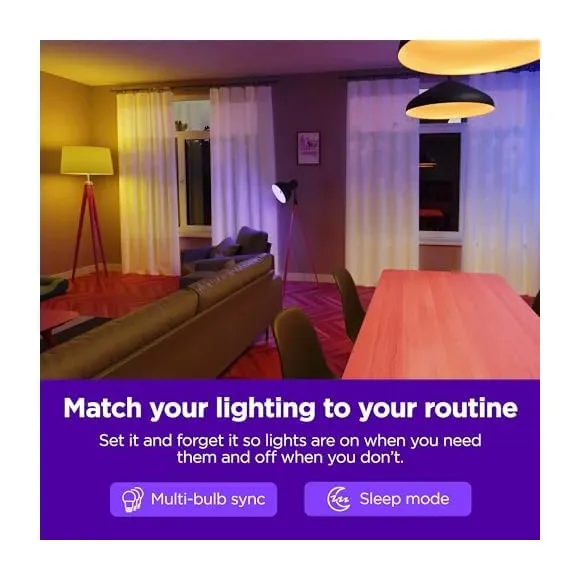
The Roku app lets you build useful routines. Set the bulb to dim slowly before bed, so the room doesn't go from full brightness to black in one step. In the morning it can brighten gradually instead of snapping on at full output.
You can save color scenes for specific uses. A "movie night" scene uses soft amber light. A "focus mode" scene uses cool white. A "relax" scene uses warm, low light. Switch between them with one tap or a voice command.
How It Compares to Other Bulbs
Roku is known for reliable, well-priced tech. The same goes for their smart bulbs. The price is lower than brands like Philips Hue or LIFX. You still get hub-free setup and a good app.
Philips Hue bulbs cost more per unit. They often need a separate hub too. They have strong color accuracy. But the added cost turns many buyers away.
LIFX also skips the hub, like Roku. But it costs more without adding much extra. LIFX does support local API control, which some users prefer.
Wyze bulbs are cheaper but the app and features aren't as strong. Roku hits a good balance. Hub-free, well-priced, and backed by a brand you know.
Troubleshooting Common Issues
If the bulb won't connect to Wi-Fi, check your router. Make sure it's on and within range. About 30 to 50 feet is ideal. Move the bulb closer during setup if needed.
If the app can't find the bulb, check the light switch. Many people forget the bulb needs power to connect. If that's fine, restart your router and phone. Then try again.
If brightness or color acts up, your Wi-Fi signal may be weak. Move your router to a more central spot. That usually fixes it.
If voice commands stop working, re-enable the skill in your Alexa or Google app. This sometimes needs a refresh after app updates.
Wi-Fi Bulbs and the Wall Switch Problem
The line above about the bulb dropping offline when you flip the wall switch is the single most important sentence on this page, and it applies to every smart bulb, not just this one.
There are two ways out. Either you train everyone to leave the switch alone, which never holds, or you make the switch stop cutting power. I went the second way: lamps permanently live, the wall switch reporting to Home Assistant, no stairwell pairs anywhere. Bulbs then behave. What you buy with that is a hard dependency, because when the system is down the lights don't come on at all. A Wi-Fi-only bulb like this one, with no Thread, Zigbee, or Matter to fall back on, is the worst candidate for that arrangement. Consider it a reason to prefer a mesh bulb before you commit the wiring.
Is the Roku Smart Light Bulb Worth It?
For a first smart bulb, yes. It's cheap, there's no hub to buy, and setup is three steps: screw it in, open the app, join your Wi-Fi. It answers to Alexa and Google Assistant out of the box, and the smart home lighting basics - dimming, color, schedules, a sunrise wake-up - all just work.
Here's the part the box won't tell you. Every one of these bulbs is its own 2.4GHz Wi-Fi client, so a houseful of them makes your router work harder. There's no Thread, Zigbee, or Matter, so it can't join a mesh, and flipping the wall switch drops it offline until power returns. Color is fine, not Hue-grade.
Buy it if you want one or two smart bulbs and hate the idea of a hub. Skip it if you're lighting a whole house or already run a Zigbee network, since mesh bulbs behave better at scale. The 1-year warranty is standard and Roku's track record is solid. For one or two rooms it delivers effortless app and voice control, and as a low-risk way into smart lighting, it earns its place.
Video Review
As an Amazon Associate we earn from qualifying purchases. Disclosure.
Check Price on Amazon →


