Onvis Smart Home Technology and Products
Onvis security cameras, sensors, and devices with HomeKit integration, local processing, and privacy-focused control for home protection.
Blog posts
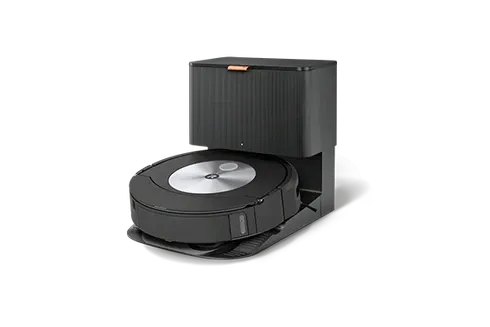
Learn how to fully use your iRobot's potential using the iRobot Home...
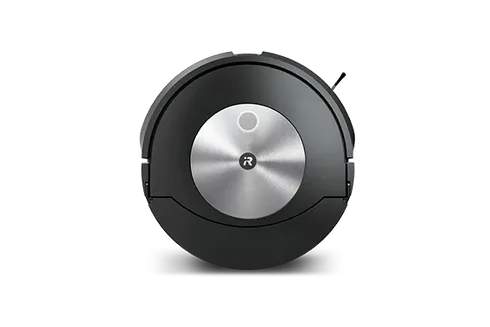
Complete comparison of iRobot Roomba models in 2026 - learn the differences...
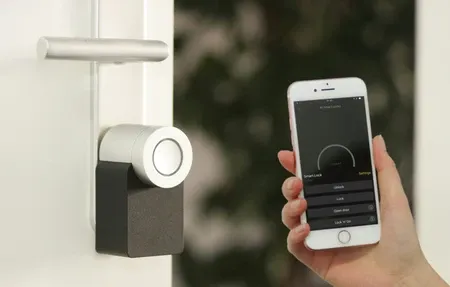
Discover how to install a smart security system with our comprehensive, easy-to-follow...

Explore an easy, step-by-step approach to smart home lighting installation, from choosing...
Smart locks promise enhanced convenience and security, but are they safe? Learn...
Products
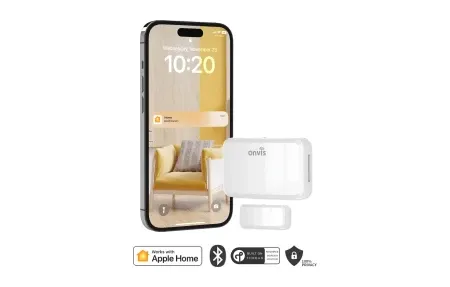
Onvis Contact Sensor CT3 delivers smart door and window monitoring with Thread...
The Onvis SMS2 motion sensor with Thread, temperature, humidity, and light detection...
Onvis develops quality smart home security technology that works great with Apple HomeKit. Their lineup includes security cameras, sensors, and control systems. These products protect your home while keeping your data private and setup simple.
Onvis Smart Home Products
Onvis designs products that integrate with Apple HomeKit and other smart home ecosystems:
Key Points
- HomeKit-certified security cameras with local video recording
- Motion and door sensors for comprehensive home monitoring
- Smart control solutions for lighting and automation
- Privacy-focused design with local processing of sensitive data
- Intuitive setup and management through HomeKit app
Integration and Privacy
Onvis puts privacy and local control first. Video stays on your home hub, not in the cloud. You keep full control of your footage. HomeKit Secure Video runs smart checks right on your device. No footage gets sent to outside servers. This gives you pro-level security with the privacy you expect from your smart home systems.
Onvis keeps making smart security simple for daily use. They focus on privacy, local storage, and HomeKit ties. This brings strong security without losing control of your data. Users like the mix of smart features and easy setup. Footage stays on your devices, which eases worries about cloud-based cameras.
Advanced Security Features
Onvis cameras pair sharp video with smart motion detection. HomeKit Secure Video can tell people, animals, and cars apart. This cuts false alerts so you only get notified for real threats. Night vision uses infrared to record clear video in total darkness. Low-light mode keeps color detail even in dim rooms.
Onvis door sensors go beyond open-close checks. They track door use over time and flag odd access tries. Integration with HomeKit lets your system react when doors open. Front doors can turn on lights while inside doors stay quiet.
Motion sensors from Onvis cut false triggers from pets, shadows, and passing cars. Radar tech detects even still people in a room. This helps lighting systems turn on based on who is present, not just motion. These sensors work in living rooms, basements, and garages.
HomeKit Integration Excellence
All Onvis products have HomeKit certification. This means smooth setup backed by Apple. Their cameras offer smart video checks without sending footage to outside servers. Facial recognition runs on your home hub. It learns your family and alerts you to strangers. Activity zones let you focus on key areas and skip alerts from low-risk spots.
HomeKit lets Onvis devices work with products from many other brands. You can create scenes that arm security while setting lights and temperature. Build routines that react to doors, motion, or time of day. Use Siri voice commands to view cameras or turn on security. This deep linking turns Onvis from single devices into parts of a full smart home.
Onvis is for those who put privacy first. Video stays in your home and never goes to the cloud. This solves real worries about cloud cameras. For people who want strong security and data control, Onvis delivers. Start with one HomeKit camera and add more rooms over time.
Onvis makes security simple through HomeKit. You use one app instead of many. Each family member gets access on their own Apple device with the right permissions. Routines arm security when the last person leaves or turn on lights when motion is found. This creates a smooth home where all devices support your safety goals. Pro install support helps place cameras for the best coverage while keeping a clean look.
Onvis shows that privacy and strong security can go hand in hand. Video data stays local instead of going to cloud servers. This approach appeals to those who want pro security without giving up control. As privacy matters more to people everywhere, Onvis sets new rules for how security products should respect user rights.
Start protecting your home with Onvis today and experience privacy-first security that keeps your data under your control.
Onvis cameras record video in full high definition with wide angle lenses. The two-way audio lets you talk to visitors through the camera speaker. Clips are stored on a local hub or an iCloud plan of your choice. The app sends alerts with thumbnail previews so you see what triggered the event. Battery powered sensors last over a year on a single charge. Magnetic mounts let you place sensors on doors and windows without screws. Firmware updates arrive through the Home app and install in the background. Each device ships with a quick start card that covers pairing in three steps.
Onvis cameras use a 130 degree field of view to cover wide rooms and hallways. The infrared night vision range extends up to ten meters in complete darkness. Video compression keeps file sizes small without losing important detail. The motion sensor has a five meter detection range with adjustable sensitivity. Door sensors measure just two centimeters thick so they blend into window frames. Temperature and humidity readings update every minute for accurate indoor tracking. The plastic housing resists dust and light moisture for indoor mounting spots. Each product passes safety testing for both North American and European electrical standards.
The Onvis app shows all devices on a single dashboard sorted by room. Notification settings let you silence alerts during sleep hours or quiet times. Activity zones draw boxes on the camera view to focus alerts on doors and driveways. The timeline view scrolls through past events with color coded markers for each type. Sharing access with family members takes just a few taps inside the Home app. Each user sees only the rooms and cameras assigned to their profile. Voice commands through Siri let you check camera feeds without picking up your phone. The setup process pairs each device through a simple QR code scan on the box.