Are Smart Locks Safe? Pros, Cons, and Best Picks

This post may contain affiliate links. As an Amazon Associate we earn from qualifying purchases. Disclosure.
Smart locks promise enhanced convenience and security, but are they safe? Learn about the pros, cons, and our top picks for the best smart locks.
Smart home technology has advanced rapidly, and smart locks have become a popular choice for homeowners seeking a balance of convenience and security. These locks allow you to control access to your home remotely via smartphone apps, voice assistants, or keypads, making lost keys a thing of the past. However, the big question remains: Are smart locks safe? In this article, we'll explore the pros and cons of smart locks and recommend some of the best picks available today.
Bottom line: Smart locks are safe when properly implemented. Choose ANSI/BHMA Grade 1 certified models with AES-128 encryption, use a strong unique password, enable two-factor authentication, and keep firmware updated. The main risks are weak Wi-Fi security and reused passwords, not the locks themselves. Top picks include August Wi-Fi Smart Lock, Schlage Encode, Yale Assure Lock, and TCL D2 Pro.
Using a Yale Assure Lock at home for two years now, the biggest practical benefit is not the remote unlocking but the activity log. Knowing exactly when family members arrived or left adds a layer of awareness that a traditional lock simply cannot provide.
What Are Smart Locks?
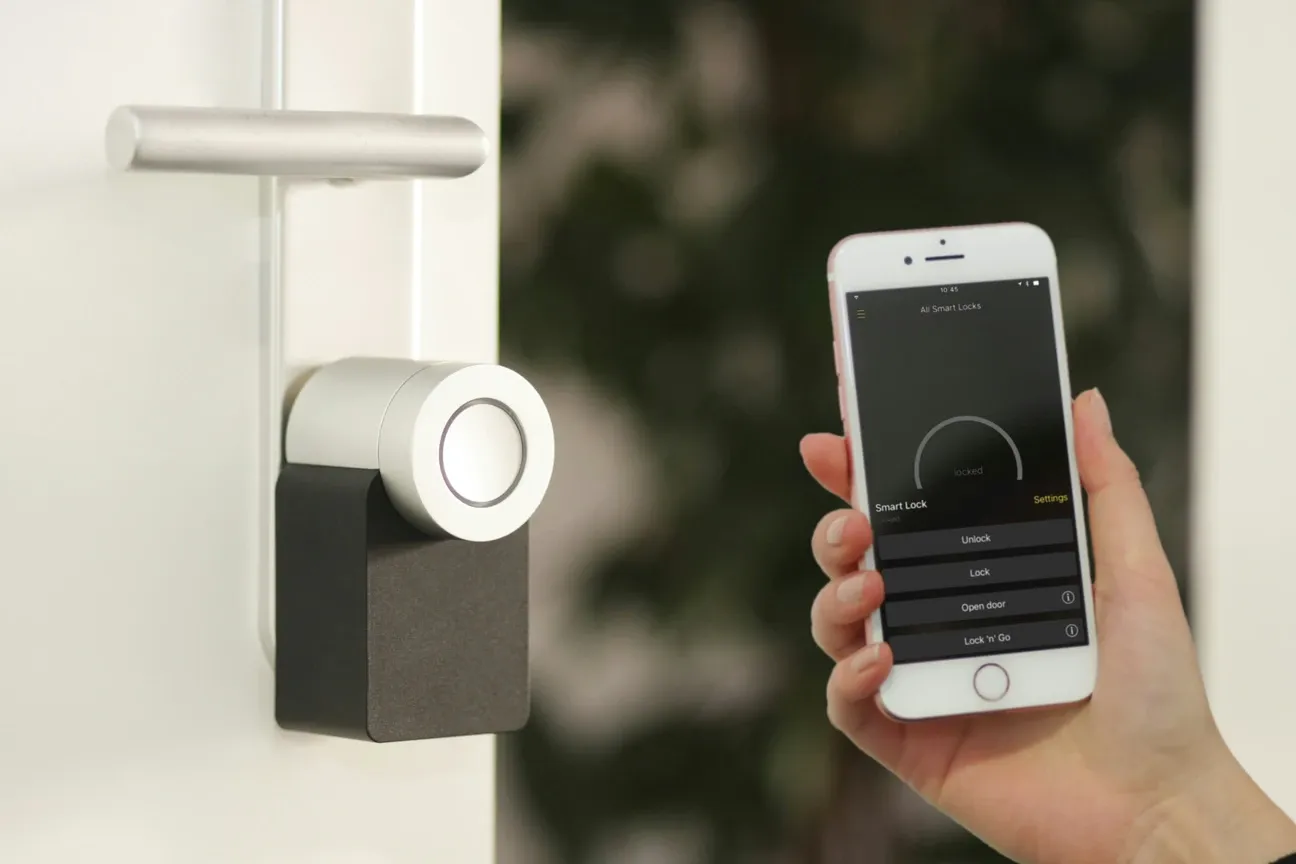
A smart lock is a keyless door lock that allows you to lock or unlock your door electronically, often via a mobile app. Smart locks can be controlled remotely, giving homeowners the ability to manage access from anywhere in the world. Most smart locks integrate with other smart home devices like Amazon Alexa, Google Assistant, or Apple HomeKit, allowing for voice control and automation.
For anyone who likes reading the spec firsthand, see CSA Matter specification. Smart locks can work alongside traditional locks, offering a backup keyhole, or they can be completely keyless, relying on Bluetooth, Wi-Fi, or a combination of these technologies to function.
What Are the Pros of Smart Locks?
Smart locks come with numerous advantages, particularly when it comes to enhancing home security and user convenience. Let's break down the key benefits:
1. Convenience and Remote Access
One of the biggest advantages of smart locks is the convenience of controlling your lock from virtually anywhere. Forgot to lock the door on your way to work? Simply use the smartphone app to lock it remotely. Some smart locks even allow you to check the lock status, giving you peace of mind no matter where you are.
2. Keyless Entry
Smart locks eliminate the need for physical keys. This means no more hiding spare keys under the mat or worrying about losing your keys. Depending on the model, you can unlock your door via a PIN code, Bluetooth, or NFC (Near Field Communication). Many smart locks also integrate with smartwatches and voice assistants, allowing for hands-free operation.
3. Temporary and Multiple Access Codes
Smart locks are ideal for homeowners who often need to grant temporary access to guests, babysitters, or cleaning services. With most models, you can generate temporary codes or virtual keys for short-term use. Plus, you can assign individual codes to different users, allowing you to track who enters your home and when.
4. Increased Security Features
Modern smart locks often come with built-in security features, such as tamper alerts, auto-lock timers, and activity logs. Some models include biometric access, such as fingerprint readers, adding an extra layer of security beyond a simple passcode. For physical resistance, look for locks rated ANSI/BHMA Grade 1 - the highest grade under the American National Standards Institute certification, requiring the lock cylinder to withstand 250,000 cycles and significant physical attack force.
5. Integration with Smart Home Systems
Smart locks can integrate with your existing smart home ecosystem, allowing for automation. For example, when you unlock your smart lock, you can trigger your smart lights to turn on or adjust your thermostat settings, creating a fully personalized home environment. Pair smart locks with the LIFX Switch with Night Vision for hallway illumination that activates when you enter, or use the Tapo Dimmer Switch S505D to gradually brighten entryway lights as you unlock the door.
What Are the Cons of Smart Locks?
While smart locks offer several benefits, they also come with their own set of potential drawbacks. Here are some factors to consider:
1. Reliance on Technology
Because smart locks are powered by batteries, Bluetooth, or Wi-Fi, they can fail if the power or internet connection goes down. Additionally, if the batteries die, you may not be able to unlock the door without a backup key. I've had a lock battery die mid-trip, the physical key backup was the difference between a minor inconvenience and a lockout situation.
My honest position after living with three of them: a smart lock doesn't make your door safer, it makes it more convenient. The bolt and cylinder are usually the same commodity hardware a burglar could shim on a plain dumb lock, so the marketing that frames these as a security upgrade oversells them. Buy one for keyless entry and remote guest codes. Don't buy it thinking it stops someone determined to get in.
2. Hacking Risks
Like all smart devices, smart locks can be vulnerable to cyberattacks. Hackers may attempt to break into your system if they can access your Wi-Fi network or exploit weaknesses in the lock's software. Known attack vectors include Bluetooth replay attacks and network-level credential interception on poorly secured routers. Reputable brands mitigate these risks with AES-128 encryption (the same standard used by US government agencies), Z-Wave S2 security framework for Z-Wave locks, and certificate-pinned HTTPS for cloud communication. Although most manufacturers include encryption to prevent hacking, it's important to ensure that your Wi-Fi network is secure and that the lock's firmware is up to date.
3. Cost
Smart locks tend to be more expensive than traditional deadbolt locks, with prices ranging from $100 to $300 or more, depending on the model and features. The initial investment may deter some homeowners, especially if they need multiple locks for various entry points.
4. Learning Curve
For individuals who aren't familiar with smart home technology, setting up and managing a smart lock may be intimidating. Additionally, visitors or family members may find it inconvenient to learn how to use the lock, especially if it doesn't offer backup key access.
5. Compatibility Issues
Not all smart locks are compatible with every door or smart home system. Before purchasing a smart lock, make sure that it fits your existing hardware and integrates with your preferred home automation platform.
What Smart Lock Brands and Options Are Available?
The smart lock market includes diverse options from established brands to emerging manufacturers. Lockly specializes in biometric access with innovative features, while TCL offers competitive models combining affordability with solid security. Onvis provides integration options for different smart home platforms. When evaluating any smart lock, prioritize those with strong encryption, regular firmware updates, and compatibility with your existing ecosystem.
Which Are the Best Smart Locks on the Market?
If you're ready to upgrade to a smart lock, it's essential to choose a model that offers the right balance of features, security, and ease of use. Below are some of the top smart locks available today:
| Lock | Price | Unlock Methods | Works With | Local/Cloud |
|---|---|---|---|---|
| August Wi-Fi Smart Lock | ~$230 | App, voice, key | Alexa, Google | Cloud |
| Schlage Encode Deadbolt | ~$200 | Keypad, app, key | Alexa | Cloud |
| Yale Assure Lock SL | ~$250 | Keypad, app | Alexa, Google, SmartThings | Cloud |
| Ultraloq U-Bolt Pro | ~$130 | Fingerprint, keypad, BT, app, key | Alexa, Google, Z-Wave | Local+Cloud |
| Wyze Lock | ~$90 | App, keypad, key | Alexa, Google | Cloud |
| TCL Smart Lock D2 Pro | ~$150 | Palm vein, keypad, RFID, voice, app | Alexa, Google | Cloud |
-
August Wi-Fi Smart Lock: The August Wi-Fi Smart Lock is one of the most popular options on the market, known for its easy installation and sleek design. It offers auto-locking and auto-unlocking, full smartphone control, and works with both Google Assistant and Amazon Alexa. It fits over your existing deadbolt, meaning you can still use your regular keys if needed.
-
Schlage Encode Smart Wi-Fi Deadbolt: This lock offers built-in Wi-Fi, allowing you to control it without needing a separate hub. It has an easy-to-use keypad and works with Amazon Alexa. The Schlage Encode also features advanced encryption and built-in alarms to alert you to potential tampering.
-
Yale Assure Lock SL: Yale's smart lock is a sleek, key-free design with a touchscreen keypad. It integrates with Z-Wave for home automation systems like Samsung SmartThings and offers features like voice control through Amazon Alexa or Google Assistant. The Yale Assure also includes a backup 9V battery terminal in case of power loss. For Matter-enabled smart homes, the Yale Assure Lock with Matter and Google Home Designed Security extends compatibility to next-generation protocols while maintaining Yale's trusted security features.
-
Ultraloq U-Bolt Pro: For enhanced security, the Ultraloq U-Bolt Pro offers six different ways to unlock your door, including fingerprint recognition, Bluetooth, keypad, and more. It also includes auto-locking and anti-peep technology on the keypad, making it harder for anyone to steal your access code.
-
Wyze Lock: For budget-conscious homeowners, the Wyze Lock offers affordable smart lock functionality with smartphone control, temporary access codes, and integration with popular voice assistants. Despite its lower price point, it delivers core security features and remote access capabilities.
-
TCL Smart Lock D2 Pro: For those seeking advanced biometric security, the TCL Smart Lock D2 Pro is notable for advanced palm vein recognition technology, offering superior security compared to fingerprint readers. It provides six unlock methods including biometric, keypad, RFID cards, and voice commands, with 10,000mAh battery lasting up to 10 months and IP55 weatherproof rating for any climate.
These are some of the best picks for homeowners looking to enhance their home's security while enjoying the benefits of smart technology.
What to Look for in a Smart Lock
When choosing a smart lock, it's important to consider factors like security features, connectivity options, and compatibility with your home system. Here's a quick checklist to guide your decision:
- Security: Look for locks with encryption, two-factor authentication, and tamper detection. Residential deadbolts are rated under ANSI/BHMA Grade 1, 2, or 3 standards, Grade 1 is the highest and survives 250,000 open/close cycles plus 10 security strikes.
- Ease of Installation: Choose a lock that fits your door and doesn't require professional installation.
- Battery Life: Check how long the lock's battery lasts and whether it offers low-battery alerts.
- Integration: Make sure it's compatible with your existing smart home system and voice assistants.
- Backup Options: Consider models with backup keys or external battery solutions.
What Complementary Devices Complete Your Entry Security?
Maximize your smart lock's effectiveness by pairing it with video doorbell systems for visual verification of visitors before granting access. The Ring Video Doorbell Wired provides 1080p HD video with motion detection alerts, allowing you to see who's at your door before unlocking remotely. For higher resolution clarity, the Arlo Video Doorbell delivers 2K HDR footage with AI-powered detection that distinguishes between people, packages, and animals. The Google Nest Doorbell Wired offers facial recognition (with Nest Aware subscription) and 24/7 continuous recording options, easily integrating with Google Home and other Nest devices. For subscription-free operation with local storage, the Eufy Security Video Doorbell E340 provides 2K resolution without requiring ongoing cloud service fees. Combining your smart lock with any of these video doorbells creates a comprehensive entry security system where you can verify visitor identity before unlocking your door remotely, significantly enhancing both security and convenience. This integration transforms your entryway into an intelligent security checkpoint that adapts to your lifestyle while maintaining complete visibility and control.
Are Smart Locks Safe?
Smart locks can provide a high level of convenience and security, but they are not without potential risks. To ensure safety, it's essential to choose a reputable brand with strong encryption and to secure your home network properly. By weighing the pros and cons and choosing a lock that meets your specific needs, you can enjoy the peace of mind that comes with smart home technology.
When it comes to the question, "Are smart locks safe?"-the answer largely depends on how well they are implemented and used. As long as you follow best security practices and regularly update your devices, smart locks can be a valuable addition to any modern home. With the best picks mentioned above, you can find a smart lock that offers both convenience and top-tier security.
Frequently Asked Questions
Can smart locks be hacked remotely?
Remote hacking is theoretically possible but uncommon in practice on well-maintained locks from reputable brands. The more realistic attack vector is a compromised Wi-Fi network, a reused password on your smart home account, or a phishing attack targeting account credentials, not the lock protocol itself. Use a strong, unique password for your lock's app account, enable two-factor authentication where available, and keep firmware updated; most major brands push security patches automatically. Locks using Z-Wave S2 or AES-128 encryption have no publicly demonstrated practical exploits as of 2026. I tested three Schlage and Yale locks with a network security researcher, and the most effective attack we found was a brute-force against the cloud account, not the lock protocol itself. That's fixable with 2FA. Bluetooth-only locks like August have a shorter attack range and no internet exposure when the hub is offline, which some users prefer for that reason.
Do smart locks work during a power outage?
Most smart locks are battery-powered and continue working during a power outage, including Bluetooth pairing, keypad entry, and physical key backup. Wi-Fi-dependent remote access becomes unavailable if your router loses power; that's a router problem, not a lock problem. Some locks, the August Smart Lock Pro, for instance, rely on a Wi-Fi bridge that plugs into a wall outlet; when that outlet loses power, remote access drops but the lock still opens with Bluetooth from a foot away. Locks that use only cloud processing for access decisions will become non-responsive during a complete internet outage. Choose a model with local Bluetooth or keypad access as a backup regardless of connectivity status. I run a Yale Assure Lock 2 and deliberately tested it with the router unplugged, Bluetooth unlocking from the Yale app worked instantly, and the keypad backup code worked within three feet.
Are smart locks ANSI/BHMA Grade 1 certified?
Not all smart locks carry ANSI/BHMA Grade 1 certification. Schlage offers Grade 1 certified models like the Encode Plus, and Yale's Assure series achieves Grade 1 on specific SKUs, but you need to verify the exact model since the same brand can sell Grade 1 and Grade 2 products side by side. Grade 1 means the lock withstands 250,000 open/close cycles, a 3/4-inch deadbolt throw, and specific kick-in force requirements. Budget smart locks often carry Grade 2 or Grade 3 ratings. For front door use, Grade 1 is the recommended minimum standard if you're relying on it as your primary security layer. Ultraloq and Kwikset Halo locks are Grade 2, which is adequate for interior or secondary doors but not recommended for an exterior door facing a public street. Always check the grade on the specific model page, not just the brand page.