Why Smart Camera Integration Transforms Your Home Security

This post may contain affiliate links. As an Amazon Associate we earn from qualifying purchases. Disclosure.
A camera alone doesn't do much. Paired with smart locks and motion-triggered lights, it cuts false alerts by 80% and responds automatically. Here's the setup.
Smart camera integration provides remote monitoring, automated security responses, and coordination with other devices like smart locks and lights. Cameras placed at entry points at 8-10 feet height with motion zones configured to exclude streets give the best results while minimizing false alerts.
Bottom line: Integrating smart cameras into your home provides 24/7 remote monitoring, automated security responses when paired with smart locks and lights, and can increase property value. Mount cameras at 8-10 feet height at entry points, configure motion zones to exclude streets, and choose devices that support both local and cloud storage for maximum reliability.
In today's tech-savvy world, the concept of a smart home has evolved significantly. The ability to connect devices for increased convenience and security is more accessible than ever. One of the essential components of a smart home system is the integration of cameras. Understanding the benefits of integrating cameras into smart home systems can enhance your living experience while providing peace of mind. My honest opinion, though: indoor cameras rarely earn their keep, point them at your doors and driveway and leave the living room alone, the privacy cost inside your own home isn't worth the handful of extra alerts.
How Do Smart Cameras Enhance Your Home Security?
The most prominent advantage of integrating cameras into your smart home system is enhanced home security. Smart cameras offer advanced features such as motion detection, night vision, and high-definition recording. With these features, you can monitor every corner of your home anytime and anywhere through your smartphone or computer. This level of surveillance acts as a deterrent to potential intruders, ensuring that your home remains safe.
Remote monitoring capabilities allow you to check on your home even when you're thousands of miles away. This connectivity ensures you are always in the loop regarding the security status of your home. Moreover, most smart cameras come with real-time notifications. You'll receive alerts on your device if any unusual activity is detected, allowing you to act swiftly.
Integrated Smart Devices for Automation
Integrating cameras with other smart devices in your home creates a more smooth environment. For instance, when a smart doorbell camera detects someone at the front door, it can trigger other devices, such as smart locks or lighting systems. This integration is part of what makes a home truly "smart."
The ability to connect different devices lends itself to greater automation. You can automate lighting to turn on when the camera captures motion or set up routines for energy-saving purposes. Outdoor lighting products like the Govee Outdoor Wall Light, LIFX Outdoor PAR38, and Govee RGBIC LED Permanent Outdoor Lights enhance camera visibility when motion triggers illumination. Indoor accent lighting such as the Govee Smart Ceiling Light and LIFX Candle Color can simulate occupancy alongside camera recordings. The possibilities are endless with smart homes when devices work together.
Peace of Mind and Convenience
Another critical benefit of having smart cameras is the peace of mind that comes from knowing your home is secure. It is comforting to know that your property is under constant surveillance, and you have the tools at your disposal to check in whenever needed. This sense of security extends beyond just keeping intruders out. Cameras can also be vital in monitoring other areas, such as children's rooms or areas where pets might roam.
Additionally, the convenience factor should not be underestimated. With just a tap, you can access camera feeds, adjust settings, or communicate through two-way audio features. This ease of use ensures that anyone in the household can manage the system without much technical knowledge.
Increased Home Value
Installing a smart home camera system can increase your property's market value. Homebuyers increasingly seek properties with integrated smart technologies, recognizing their benefits. Having a comprehensive smart home system, including cameras, can make your property is notable in a competitive market.
Key Features to Consider
When choosing the right smart cameras for your home, several features should be considered:
- High Definition Video: Look for cameras that offer at least 1080p resolution for clear image quality.
- Night Vision: Ensure your cameras can record in low light or darkness for 24/7 surveillance.
- Motion Detection: Choose cameras with adjustable sensitivity to avoid false alerts.
- Two-Way Audio: This feature allows you to communicate with anyone in the camera's vicinity.
- Weather Resistance: If you're placing cameras outdoors, they should withstand various weather conditions.
Conclusion
The benefits of integrating cameras into your smart home system are numerous, ranging from enhanced security and increased property value to unmatched convenience and peace of mind. By carefully selecting smart cameras that meet your specific needs, you can create a safer, more connected and automated home environment. Integrating these technologies not only meets the demands of modern living but also prepares your home for the innovations of the future. Whether it's about enhancing security, enjoying the convenience of remote monitoring, or augmenting your property's value, smart cameras have become a important element of contemporary household management and automation.
Advancements in on-device processing now allow many smart cameras to distinguish between people, animals, vehicles, and packages without sending footage to the cloud. This local intelligence reduces false alerts significantly and ensures that notifications you receive are relevant and actionable. As these capabilities continue to improve, homeowners can expect even smarter detection that adapts to their specific environment over time.
Budget-friendly camera options like the eufyCam 2C Pro deliver wireless 2K recording with local storage and no subscription fees, while the eufy Indoor Cam E220 provides pan-and-tilt indoor coverage for nurseries and living spaces. For front door monitoring, the eufy Security Video Doorbell Dual captures both faces and packages simultaneously with its dual-lens design, and the Eufy SpaceView Baby Monitor offers dedicated nursery surveillance with a portable parent unit.
Smart plugs like the Tapo Smart Outdoor Plug P400M allow scheduling outdoor floodlights alongside your camera system, while the LIFX Switch with Night Vision replaces standard wall switches with smart dimming and a built-in night light for camera-monitored hallways.
Choosing cameras that support both local storage and optional cloud backup gives you flexibility in how you manage your recordings. Local storage through a microSD card or network-attached drive keeps your footage accessible even during internet outages, while cloud subscriptions provide off-site redundancy that protects your recordings if the camera itself is damaged or stolen. Together, these capabilities transforms a basic camera setup into a resilient, layered security solution for any home.
How Do You Choose the Right Smart Camera for Your Home?
Not all smart cameras suit every situation. Indoor cameras work well for monitoring entry points, stairways, and common areas. Outdoor cameras need to handle weather, glare, and longer distances. Here is what to think about when choosing:
| Factor | Indoor Camera | Outdoor Camera | Notes |
|---|---|---|---|
| Resolution | 1080p sufficient | 2K-4K recommended | Outdoor: zooming on faces/plates |
| Field of view | 130+ degrees | 140+ degrees | Wide angle = fewer cameras |
| Power | Wired or battery | Wired or battery/solar | Solar extends outdoor battery life |
| Storage | Cloud or local SD | Cloud or base station | Local = works during internet outage |
| Weather rating | Not required | IP65+ recommended | IP67 for areas with heavy rain |
Resolution matters most for identifying details. A 1080p camera works fine for most indoor spaces. Outdoor cameras covering driveways or front yards benefit from 2K or 4K resolution so you can zoom in on faces or license plates in recorded footage.
Field of view determines how much of a room or yard the camera sees. Wide-angle lenses above 130 degrees cover more area with fewer cameras. Narrow lenses suit focused spots like doors or gates.
Power source affects where you can mount the camera. Wired cameras need a cable run but offer uninterrupted power. Battery cameras go anywhere but need periodic recharging, usually every 2 to 6 months depending on activity level.
Storage is either cloud-based or local. Cloud plans charge monthly fees but keep footage off-site. Local storage via a base station or microSD card has no recurring cost and works even during internet outages.
How Do You Set Up a Smart Home Camera System?
Start by mapping your property. Mark the main entry points: front door, back door, garage, and any side gates. These are the highest-priority spots for camera placement. A camera at each entry point gives you complete coverage of how people enter and leave.
After placing entry cameras, consider adding coverage for blind spots. Side yards, driveways, and detached garages are common areas that burglars approach unseen. A single wide-angle camera positioned at a corner can cover two walls at once.
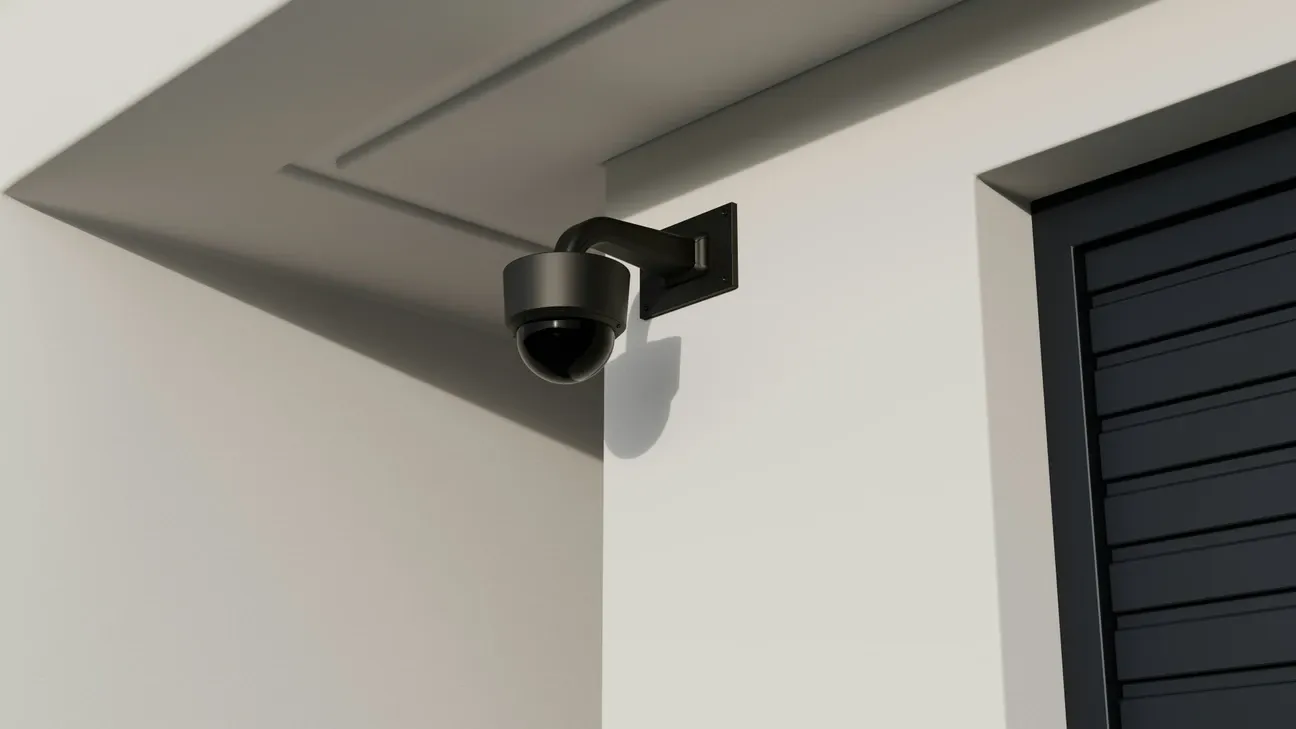
Install cameras at a height of 8 to 10 feet. This angle captures faces and prevents easy tampering. Make sure the camera lens is not pointing directly into a light source, which causes overexposure and washed-out footage.
Once mounted, set up motion zones in the app. Draw zones only around the areas you actually care about. Excluding the road in front of your house prevents constant alerts from passing cars. Tightening zones around doorways focuses notifications on actual entry attempts.
Test the camera view during the day and at night before finalizing placement. Night vision performance varies by model and ambient light level, so verifying the view in both conditions prevents surprises.
How Do Smart Cameras Integrate with Other Security Devices?
Cameras become more powerful when connected to the rest of your security system. A camera that detects motion at the front door can trigger a smart lock to display an alert, a smart light to flash, or a siren to sound.
Modern smart home hubs like Home Assistant support camera integration through local processing. This reduces cloud dependency and allows complex automations. For example, when a camera recognizes an unknown face at the front door, the system can automatically lock all smart locks, turn on perimeter lights, and send a priority notification to your phone.
Regular firmware updates keep your cameras secure. Manufacturers release patches for vulnerabilities, and keeping cameras current reduces the risk of unauthorized access to your footage or network.
Most cameras check for updates automatically when connected to Wi-Fi. Some cameras install updates overnight without interrupting recording. Check your camera's app settings to confirm automatic updates are enabled. For cameras on older firmware, a manual update through the device app takes only a few minutes and is always worth the time investment to maintain security and stability.
The manufacturer keeps current documentation at Arlo official site.
Frequently Asked Questions
What are the main benefits of smart home camera integration?
Smart home cameras integrated with your broader home system deliver benefits that standalone cameras can't match. Motion detection triggers automated responses, a camera catching motion at the front door can simultaneously turn on perimeter lights, lock the side gate, and send you a video clip within 2 seconds. Night vision on modern cameras like the Arlo Pro 5S covers 25 feet in complete darkness at 2K resolution, while color night vision modes on Reolink Duo 3 PoE capture license plates and face details that monochrome IR misses. Remote monitoring lets you check live feeds from anywhere, I've confirmed package deliveries and checked on a repair technician from across the country using the Arlo app. Integration with smart locks adds an audit trail: every Yale lock entry gets a timestamp you can cross-reference against camera footage. Cloud AI on newer cameras also reduces false alerts by distinguishing people from pets and vehicles before the notification reaches your phone.
Where should I place smart home cameras for best coverage?
Prioritize all main entry points: front door, back door, garage, and side gates. Install at 8 to 10 feet high, enough to capture faces clearly while staying out of easy reach. Add coverage for common blind spots: side yards, driveways, and detached garages. A single wide-angle camera like the Arlo Pro 5S ($199.99) at a corner can cover two walls simultaneously, which cuts your total camera count. I mapped my property perimeter before buying and ended up needing four cameras instead of the seven I originally expected. Driveways deserve a dedicated camera because that's where package theft and vehicle damage happen most often. For multi-story homes, add one camera covering the main staircase, intruders who get inside usually head upstairs first. Eufy's 360-degree pan cameras ($69.99) work well for open-plan interiors where a fixed-angle camera would miss half the room.
Should I choose cloud storage or local storage for camera footage?
Both have real advantages depending on how you prioritize cost and reliability. Cloud storage with Ring or Arlo Secure ($9.99 per camera per month) provides off-site backup that survives camera theft and power outages, with 30 to 60-day retention depending on the plan. Local storage via microSD eliminates monthly fees and works during internet outages, a Reolink Duo 3 PoE supports a 256GB microSD card, giving roughly 14 days of continuous 4K footage. A NAS drive like a Synology DS223j ($179.99) scales to multiple terabytes if you're running five or more cameras. I've used both setups and the honest answer is: use local storage for indoor cameras and cloud for outdoor perimeter cameras. Many cameras support both simultaneously, Arlo's base station can write to a local hard drive and upload clips to cloud at the same time, which is the most resilient setup you can build without dedicated NVR hardware.
How do I reduce false alerts from smart cameras?
Draw custom motion detection zones in the camera app to exclude public sidewalks, roads, and areas with trees or bushes that sway in wind. Start with medium sensitivity and adjust down if you're getting more than three false alerts per day. Arlo, Eufy, and Reolink let you draw polygon exclusion zones rather than just rectangular regions, this matters if your driveway runs at an angle to a public street. On-device AI processing in newer cameras distinguishes people, animals, vehicles, and packages. The Arlo Pro 5S I've been running for six months triggers on people and vehicles only, and I've averaged fewer than one false alert per week. Time-of-day rules also help: disable motion alerts during daytime hours if you only care about after-hours activity. For overnight cameras, set a separate sensitivity profile since headlights and shadows trigger more false positives in low light than in daylight.
Do smart home cameras increase property value?
Yes, smart home cameras increase perceived property value and help homes sell faster. Buyers looking at security-equipped properties consistently rate integrated camera systems as a top smart home feature they'd pay a premium for. The actual dollar impact depends on installation quality, a hardwired 4-camera PoE system like the Reolink RLK8-810B4 ($279.99) reads as permanent infrastructure to buyers, while battery-powered cameras on removable mounts look like tenant additions that leave with the seller. Listings that specifically mention the camera brand and storage type attract more serious inquiries in competitive markets. I've talked to two real estate agents who said security camera setups are one of the few smart home additions they recommend to sellers because buyers actually notice them during walkthroughs. For maximum resale appeal, wire cameras through the attic or run conduit, that distinguishes a permanent installation from a plug-and-play setup anyone could remove in five minutes.