Roku Smart Home Setup - Essential Beginner Tips & Tricks
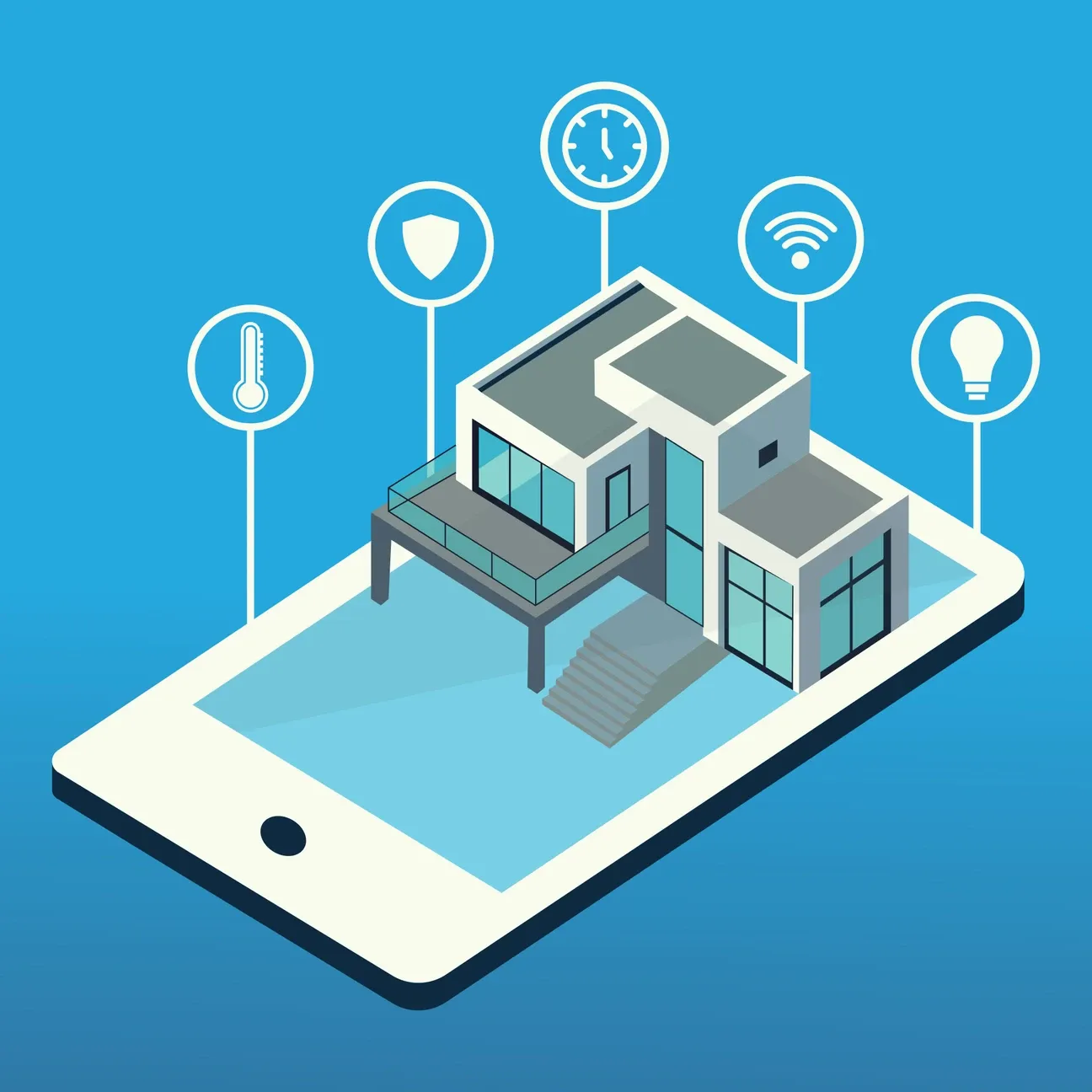

This post may contain affiliate links. As an Amazon Associate we earn from qualifying purchases. Disclosure.
Discover how to effortlessly integrate Roku into your smart home setup with our comprehensive beginner's guide.
Setting up a smart home can seem daunting, especially if you're new to the world of home automation. However, with the right guidance, integrating a Roku Streaming Device into your smart home system can be a fun and rewarding experience. This ultimate guide to setting up a Roku smart home will walk you through the process, providing helpful tips and tricks to ensure that even beginners can establish an efficient Roku smart home setup.
Bottom line: Roku doubles as both a streaming device and a smart home controller. Plug it into your TV's HDMI port, connect to Wi-Fi, then link smart bulbs, cameras, and doorbells through the Roku Smart Home app or voice assistants. The setup is plug-and-play with no separate hub required.
What Is Roku's Role in a Smart Home?
When most people think of Roku, they envision a streaming device that brings entertainment to your television. While that is certainly true, Roku also plays a significant role in home automation. The device can connect with various smart devices in your home, enhancing convenience and creating a more integrated living environment. For a comprehensive overview, explore our detailed guide on the Roku smart home ecosystem, which outlines how Roku integrates with other smart home devices and platforms.
For anyone who likes reading the spec firsthand, see CSA Matter specification. By using Roku, you can:
- Control your TV and streaming services.
- Integrate with voice assistants like Amazon Alexa and Google Assistant.
- Connect with other smart home devices for a unified control system.
- Access apps and services to manage your smart home environment.
How Do You Complete the Initial Setup of Your Roku Device?
Before you explore into connecting your Roku with other devices, it's essential to set up the device itself. The beauty of Roku lies in its user-friendly interface which ensures an easy setup process.
First, plug in your Roku device into the HDMI port of your TV and connect it to a power source. For 4K streaming at premium quality, the Roku Express 4K+ delivers stunning 4K HDR picture quality with smooth streaming and voice remote control. Work through the setup menu using the remote control. Ensure you connect your device to a stable Wi-Fi network to access all features and updates. Once connected, you can personalize settings and download your preferred streaming apps.
Connecting Roku to Other Smart Devices
- Smart Speakers: Use a compatible voice assistant to control Roku with simple voice commands.
- Smart Lighting: Sync smart bulbs like Philips Hue or LIFX to dim or change colors while watching movies.
- Home Security: Connect your Roku with video doorbells like the Roku Wire-Free Video Doorbell or smart cameras for enhanced security alerts on your TV.
Once configured, these integrations can vastly improve the smart home experience, giving you more control and flexibility without the need to juggle multiple remotes or devices.
What Tips and Tricks Enhance Your Smart Home with Roku?
Now that you've connected Roku with various smart devices, let's explore some tips to make the most out of your new setup.
Optimize Your User Experience
- Customize Channels: Arrange your streaming channels for quick access and clutter-free navigation.
- Use the Roku Mobile App: Take advantage of this app to type searches more easily and control your Roku device when the remote isn't handy.
- Enable Screen Mirroring: Share content from your smartphone or computer to your TV without wires.
Enhance Energy Efficiency
Another great advantage of using Roku in your smart home is the potential energy efficiency gains. Many smart devices come with power-saving modes or auto-off settings to help reduce electricity consumption.
- Set schedules for your Smart Lighting to only activate when needed. Budget-friendly smart bulbs like the Tapo Smart Light Bulb L535E and the Tapo Smart Multicolor Bulb work with voice assistants for automated lighting scenes.
- Use sensors to manage devices' operation based on room occupancy.
- Add smart plugs like the Tapo Mini Plug to control lamps and appliances on schedules that reduce standby power consumption.
How Do You Troubleshoot Common Roku Issues?
Despite its reliability, you may encounter some issues while integrating Roku with your smart home system. Here are solutions to common problems:
- Slow Streaming: Ensure your Wi-Fi connection is strong or switch to a wired network connection.
- Device Compatibility: Double-check that your other smart devices are compatible with Roku.
- Lagging Performance: Regularly update your Roku device software to fix bugs and enhance stability.
- Doorbell Power Management: If you're using a Roku Wire-Free Video Doorbell, ensure it remains fully charged and well-maintained. Keeping the power level high ensures your wireless doorbell continues to function reliably for home security. I checked the doorbell battery on a cold December morning and found it at 22%, charging it weekly has kept it reliable ever since.
How Do You Build a Connected Living Space With Roku?
Creating a unified smart home ecosystem with Roku as your central hub opens up possibilities that extend far beyond basic entertainment. When you invest time in properly configuring your devices and learning how they communicate with each other, you gain a living space that responds to your preferences and daily routines. The initial learning curve pays dividends as automation handles repetitive tasks, leaving you free to focus on what matters most. Whether you want to create the perfect movie night atmosphere or simply turn off all your lights with a single voice command, Roku provides the foundation for a truly modern home. I set up a movie scene that dims the LIFX bulbs to 20% when I press play on the Roku remote, it took about 5 minutes in the app and I use it almost every evening. Here's my honest take though: if you don't already own a Roku streaming device, Roku smart home isn't the ecosystem I'd pick first. The lights, plugs, and cameras are fine on their own, but the real payoff is the TV-and-remote integration, and without a Roku in the living room you're better served by SmartThings or Home Assistant.
Establishing a Roku smart home system involves more than just watching TV; it's about crafting an integrated and convenient lifestyle. With these tips and tricks, even novices can set up an efficient home environment tailored to their needs. The investment you make in setting up your Roku smart home today will continue to pay dividends as new features and integrations become available through software updates. Start with the basics and gradually expand your system as you become more comfortable with the technology. Enjoy your smart home experience with Roku at the center of your digital universe!
Remember that building a smart home is a journey rather than a destination. Each device you add creates new possibilities for automation and convenience. Take your time exploring the features available to you and don't hesitate to experiment with different configurations until you find what works best for your household.
I cross-checked the protocol claims against Matter connectivity standard documentation. The manufacturer keeps current documentation at Roku official support.
What Is Driving Smart Home Innovation in 2026?
The smart home sector in 2026 reflects the cumulative impact of Matter protocol standardization that began transforming the industry in 2022. Most new smart home devices ship with native Matter support, eliminating compatibility concerns that previously complicated purchasing decisions. Setup procedures that once required separate apps for each device brand have consolidated into universal onboarding through major platforms including Apple Home, Google Home, and Amazon Alexa.
AI assistants have evolved beyond voice command processing into proactive home management systems. Context-aware suggestions based on calendar events, weather forecasts, and observed household patterns present actionable recommendations rather than simply responding to explicit requests. These assistants identify optimization opportunities like adjusting HVAC pre-conditioning based on expected arrival times from calendar data and current traffic conditions.
How Does Thread Network Coverage and Reliability Work?
Thread's mesh networking protocol has established itself as the reliable foundation for matter device communications in 2026. Homes with multiple Apple HomePod mini, Google Nest Hub, or Amazon Echo devices automatically benefit from distributed Thread border routers that maintain mesh network coverage throughout living spaces. Self-healing mesh topology routes communications around offline devices, maintaining connectivity without manual intervention.
Thread network health diagnostics available in advanced smart home apps reveal coverage gaps and signal quality across the mesh. Identifying rooms with poor Thread signal strength and adding a mains-powered Thread device to improve coverage takes minutes through app-guided diagnostics. This visibility into network health was previously unavailable to non-technical users, democratizing smart home reliability optimization.
How Does Smart Home Data Privacy and Transparency Work?
Privacy regulations and consumer pressure have driven meaningful improvements in smart home data handling practices. Major platforms now offer granular privacy controls that specify exactly what data is processed locally versus transmitted to cloud servers. Transparency reports from smart home companies detail data collection practices, retention periods, and government access requests in formats accessible to everyday users.
Local-first privacy options have expanded as home hub capabilities have grown. Processing voice commands, analyzing camera footage for person detection, and executing automations locally eliminates the privacy concerns associated with continuous cloud data transmission. Users who prioritize privacy choose platforms and configurations that maximize local processing, accepting occasional feature limitations compared to cloud-dependent alternatives.
What Are Emerging Sensing Technologies for Smart Homes?
Radar-based presence sensing represents one of 2026's most significant advances in smart home capability. Millimeter-wave radar sensors detect occupancy, breathing patterns, and movement without cameras, eliminating privacy concerns in bedrooms and bathrooms. These sensors distinguish between a sleeping occupant and an empty room with high accuracy, enabling HVAC automations that previously required camera-based occupancy detection.
Predictive maintenance sensing in home appliances monitors performance metrics that indicate impending failures. Smart HVAC systems with embedded sensors track compressor efficiency, refrigerant pressure, and airflow velocity, alerting homeowners to degradation patterns weeks before complete failure. Early warning enables scheduled maintenance during convenient times rather than emergency repairs during extreme weather when HVAC technicians face highest demand and longest response times.
How Do You Build a Future-Ready Smart Home?
Smart home investments made with standardization in mind provide better long-term value than those optimized purely for current features. Devices supporting Matter, Thread, and other open standards remain compatible with future platform updates and ecosystem additions that closed-protocol devices cannot accommodate. This forward compatibility reduces the likelihood of requiring wholesale device replacement as technology evolves.
Local processing capabilities now available in home automation platforms like Home Assistant provide independence from cloud service availability. Automation execution that does not rely on internet connectivity continues functioning during outages, subscription lapses, or manufacturer service discontinuations. Building critical home functions on locally processed automations creates reliability that cloud-dependent systems cannot match.
How Do You Compare Smart Home Platform Value?
Platform selection significantly affects both near-term experience quality and long-term device compatibility. Amazon Alexa's strongest advantage remains its broadest smart home device compatibility and extensive skills marketplace. Google Home excels in natural language processing and Google services integration. Apple HomeKit prioritizes privacy and iOS ecosystem coherence. SmartThings provides deep device variety with Samsung appliance integration.
No single platform excels in all dimensions simultaneously. Many households benefit from maintaining compatibility with two platforms, using one as the primary control interface while retaining the other for device-specific features. Matter's cross-platform device support increasingly reduces the cost of maintaining multi-platform compatibility, as devices now respond to multiple platforms simultaneously without additional setup.
What Smart Home Project Planning Resources Are Available?
Community resources significantly reduce smart home learning curves for users at all experience levels. Reddit's r/homeautomation and r/HomeAssistant communities provide active troubleshooting assistance and configuration sharing from experienced users. Manufacturer communities on Discord and dedicated forums offer product-specific support beyond what official documentation covers.
Following smart home technology news sources keeps awareness current as new products, standards, and platform updates emerge. New protocol certifications, major firmware updates, and ecosystem integrations announced through industry news affect purchasing decisions and configuration approaches. Staying informed through monthly newsletter subscriptions or RSS feeds from leading smart home publications requires minimal time investment but significantly improves decision quality.
Frequently Asked Questions
Can Roku devices control smart home lights and thermostats?
Yes. Roku smart home directly supports lights, cameras, doorbells, and smart plugs through the Roku Smart Home app, all controllable from a single interface on iOS or Android. Newer Roku TV models add a dedicated smart home shortcut button on the remote, so you can toggle devices or activate scenes without picking up your phone. For thermostats specifically: Roku doesn't currently manufacture a smart thermostat, so you can't add a thermostat directly into the Roku Smart Home app as a native device. However, if you use an Alexa-compatible thermostat like the ecobee or Honeywell T6 Pro, you can link the Roku Smart Home skill to Alexa and include your thermostat in the same Alexa routines as your Roku devices. That lets you say one command to adjust the thermostat and turn off Roku lights at the same time. It's not direct integration, but it works reliably through the voice assistant bridge.
Does Roku smart home work without a separate hub?
Yes for most devices. Roku smart home lights, smart plugs, and cameras connect directly to your home Wi-Fi network and don't need a separate hub or bridge. The Roku Smart Home app acts as the controller, you connect devices during setup and then control them through the app or via Alexa and Google Assistant. The exception is ZigBee-based devices like some Roku cameras and sensors. ZigBee doesn't run over Wi-Fi directly, so these devices communicate through a ZigBee mesh network and require a ZigBee router or repeater in the home to relay signals. In Roku's ecosystem, mains-powered ZigBee devices like wired cameras act as mesh nodes, so a ZigBee hub in the traditional sense isn't separately required, but the ZigBee devices do need other powered Roku ZigBee devices within range to build the mesh. For a first setup with just bulbs and smart plugs, you won't need anything except the app and a Wi-Fi router.
What streaming devices work as a Roku smart home controller?
Any Roku streaming stick, streaming box, or Roku TV running OS 11 or later can display and control smart home devices from within the Roku menu interface. On a compatible Roku device, you access smart home controls through the main menu under the "Smart Home" tile. From there you can toggle lights and plugs, view live camera feeds, and activate scenes you've set up in the Roku Smart Home app. The dedicated smart home shortcut button on newer Roku remotes launches the smart home panel directly without navigating menus. The integration between streaming and smart home is one-way for display: your Roku streaming device shows the controls, but the schedules and automations run on the smart home devices themselves, not on the streaming device. If your Roku TV is powered off, the smart home devices keep running their schedules normally. The streaming device is a control interface, not a hub that your devices depend on.