Philips Hue Bridge Pro: Automations and SpatialAware

Product Details
🏭 Manufacturer: Philips Hue
🔌 Plug Format: USB-C power adapter (5 V, 1 A), Ethernet or Wi-Fi
📄 Specification Met: FCC, CE, IC, RCM, UKCA
🔖 Part Number: 929003582615
🏋️♂️ Weight: 7.4 ounces (210 g)
📏 Dimensions: 3.6 x 3.6 x 1 inches
🏳️ Country of Origin: China
🆔 Model Number: BSB003
📐 Size: Compact
🎨 Style: Desktop bridge
🧲 Mounting Type: Desktop
🔧 Usage: Indoor Use
🧩 Included Components: Bridge, power adapter, Ethernet cable, quick start guide
The Short Version
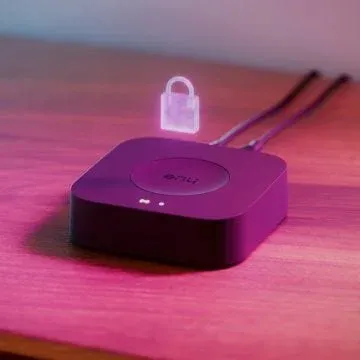
This page began life as a preview, and the preview is over. The Philips Hue Bridge Pro has been on sale since September 2025, rated for 150 lights, 50 accessories and 500 scenes, and the feature it was waiting on, SpatialAware, shipped on April 28, 2026 in Hue app 5.66. Along the way the price went from $99.99 to $149.99 in the US. What follows is the preview rewritten against what actually shipped, with the guesses marked where they were wrong.
This Pro-grade bridge is built for large homes, and Philips pitches it on headroom: more devices, more scenes, less lag driving dynamic effects. No retail unit has been tested here, and that is the honest frame for the whole page. The hardware itself has its own Hue Bridge Pro page. What informs this one is a Hue Bridge v2 running a small installation in this household, plus Signify's press releases, Philips' release notes and the Hueblog coverage of each update.
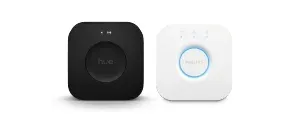
Worth saying plainly who this is not for, because it is most readers. The Hue installation behind this page is five bulbs, a Hue Go and a Bridge v2, and at that scale the v2 has never once been the bottleneck. Bridge Pro is aimed at the far end of the curve, where dozens of bulbs and sensors share one Zigbee network and scene starts begin to arrive in visible sequence rather than together. If your lights already turn on when you ask them to, the Philips Hue Bridge Pro is solving a problem you do not have.
Specs and Numbers
Here is what shipped, from Philips' own spec page. The Pro hub uses Zigbee 3.0 for lights and accessories and lists Bluetooth as its second radio. It does not host Thread; the pre-launch guess that it would was wrong, and the box says Zigbee, Bluetooth and Matter bridging for third party apps.
Hue gear uses AES-128 at the network layer per Zigbee 3.0. Local API access uses token based login on the LAN. Philips has long shipped signed firmware and posts release notes for the Pro separately from the v2, with the April 9, 2026 build (2071294010) being the one that fixed a dropped Matter connection.
The headline spec is support for 150 lights and 50 accessories, three times the v2 Bridge, with room for 500 scenes. That lifts the ceiling past the common 50 to 100 light installs. Inside is a 1.7 GHz quad-core chip that Philips calls the Hue Chip Pro, with 8 GB of eMMC storage; reviewers quote memory figures that disagree with each other, so take any RAM number with salt. The case is compact and fanless, 3.6 by 3.6 by 1 inches, and it draws 5 V DC at 1 A over USB-C with Ethernet or Wi-Fi for the network side. Ethernet is what Philips recommends.
Talking to the Rest of Your Home
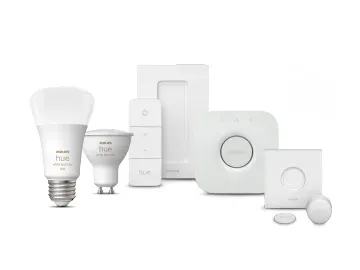
Philips lists Alexa, Google Assistant and Apple Home as compatible, plus Samsung SmartThings and Sonos, so voice control works the way it did on the v2. HomeKit runs through the bridge, and the Matter bridge covers everything else. The Signify release of January 7, 2026 also added an AI assistant in the Hue app that writes automations from a sentence, with Dutch, German and Spanish promised for Q1.
Local is the key word. Hue rules run on the hub, not the cloud. That helps scenes fire when your internet is down. The Pro has far more local processing than the v2 unit, and the Ethernet backhaul is the link Philips recommends even though Wi-Fi is now an option.
For power users, the local API is still there. That's how DIY tools link in, and it's what the Home Assistant Hue core integration talks to. Home Assistant support carried over: owners on the Home Assistant and Homey forums report that swapping a v2 for a Pro needed one restart and nothing else, and Matter is the second route in if you prefer it. Home Assistant's own Hue documentation does not yet name the Pro, so that is community evidence rather than a vendor statement.
Everyday Scenarios
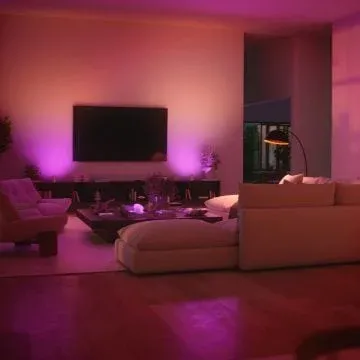
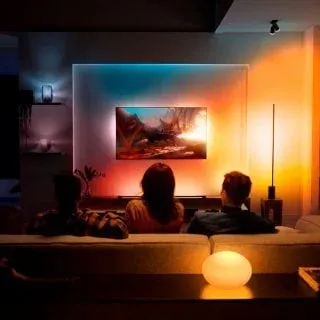
You buy this hub for scale, speed, and new light play. SpatialAware is the hook, and it is a quieter trick than the preview imagined. You scan the room with your phone camera, the app builds a SpatialMap of where each light sits, and a scene is then distributed by position: the sunset lands on the window side, the shadow on the far wall. Half of the remastered Scene Gallery supports it, nature scenes first (Lake Mist, Mountain Breeze, Savanna Sunset), and you can flip any of them back to the classic version in the preview.
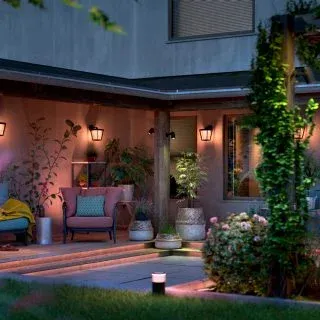
- Whole home lighting with zones that shift by time and presence
- Large media rooms using dynamic light scenes that match action
- Small venues or studios that need rock solid uptime and cues
- Builders who want one hub to seed many rooms at once
The installation behind this page is five bulbs, a Hue Go and a v2 Bridge, which is below the size where any of this bites, so there is no timing measurement to offer. What Signify says is that the scan and the scene maths run on the bridge, not in the cloud, and that the Pro's memory is why the v2 was left out. On a five-bulb room SpatialAware has little to work with anyway; the feature earns its keep when a room holds enough lights for position to mean something.
Out of the Box
Setup looks simple. Plug power, connect Ethernet, and open the Hue app. Tap add bridge, then scan the code. Migrate lights in batches to keep things tidy. Back up your scenes first.
If you use many zones, plan your names. Short names help with voice. Keep your router close to reduce cable mess. For very big installs, map rooms on paper before you scan them for SpatialAware, because the scan is per room and adding a light later means rescanning that area.
Configuration Tips
Use scenes as layers. A base white scene can sit under room themes. Then add time rules for day and night. Hue app 5.67 (May 12, 2026) added editing a scene straight from the Scene Gallery preview, which is the quickest place to compare the spatial and classic versions side by side.
Group lights by wall and row. That helps spatial effects look smooth. Set grace times in your Scheduling so rules never clash. For big homes, split floors into zones. That spreads traffic across the Zigbee 3.0 network. There is no Thread radio to lean on, so range still comes from Zigbee mesh density: mains-powered bulbs relay, battery accessories do not.
Platform Support and Security Notes
Hue works with many apps out of the box. Expect quick pairing to Voice Assistant features and routines. For privacy, keep the hub on your main LAN. Use the app's account control for secure remote access. Zigbee uses link keys, and the hub handles keys on its own.
The Pro shipped with Matter bridge support for third party apps, certified by the CSA under the BSB003 design. That keeps control in one place. Philips signs its builds and posts change logs, so keeping the bridge updated is worth the two minutes it takes; the April 2026 build is the one to be on if Matter devices kept dropping off.
What the Bridge Pro Has To Fix
The v2 bridge is the bottleneck people actually hit, and it shows up in two places. Large Zigbee meshes get slower to respond as bulb count climbs toward the documented 50-device ceiling, and rapid scene changes queue rather than fire together. Neither is a mesh problem as such. It's an underpowered hub arbitrating too much traffic.
So the Pro's headline numbers matter more than the new scene features. More CPU and RAM address the queueing directly. Philips held power draw to 5 W with 0.1 W standby, so the case is fanless, which matters for a device that usually sits in a living room within earshot.
Image Gallery
Where It Lands
The Philips Hue Bridge Pro is a strong upgrade for big light setups. It triples the device limit, speeds up rules, and SpatialAware is now shipping rather than promised. That fits homes and studios that outgrew the v2 hub. This page is based on Philips' published specs and release notes plus Signify's announcements, not on a Pro unit in this house, so the measurements are theirs.
If you run more than 80 bulbs, this hub should make life easier. Local rules and wired links help keep scenes snappy. If you have a small apartment with a few bulbs, the v2 Bridge is still sold and still fine, and at $149.99 the Pro is a harder sell for that case than it was at launch. Plan your zones and scene names, scan rooms once they are finished rather than mid-renovation, and migrate in calm batches.
Frequently Asked Questions
How many lights does the Philips Hue Bridge Pro support?
Philips rates the Bridge Pro for 150 lights and 50 accessories such as switches and sensors, against 50 lights on the square Bridge v2, and it stores up to 500 scenes. Pre-launch rumours of 500 lights were wrong; 150 is the number on the spec sheet and the box.
Does the Philips Hue Bridge Pro support Matter?
Yes. The Hue Bridge Pro is a certified Matter bridge (design BSB003 in the CSA database), exposing your Hue lights to Apple Home, Google Home, Amazon Alexa, and Home Assistant via the Matter protocol. An April 2026 firmware fixed a bug where that Matter link dropped.
Can I migrate from my old Hue Bridge to the Bridge Pro?
Yes. The Hue app backs up your current bridge and restores rooms, scenes and automations onto the Bridge Pro. Since January 2026 the Multi-Bridge migration step lets you pick several old bridges and fold them into one Pro, limited only by its 150-light capacity.
Does the Philips Hue Bridge Pro work without internet?
Yes. All automations, scenes, and schedules run locally on the bridge. You only need internet for remote access, firmware updates, and voice assistant cloud services. Local control stays active if your internet goes down.
What is the difference between SpatialAware scenes and regular Hue scenes?
A regular scene hands each light a colour with no idea where the light is. A SpatialAware scene starts with a camera scan of the room in the Hue app, so a sunset scene puts warm tones on one side and deeper shades on the other. It shipped in Hue app 5.66 on April 28, 2026, needs a Bridge Pro, and covers about half of the remastered Scene Gallery.


