Smart Speaker Reviews: How to Choose, Set Up, and Get More

This post may contain affiliate links. As an Amazon Associate we earn from qualifying purchases. Disclosure.
Smart speakers do more than play music, they're home controllers, timers, and voice interfaces. Here are the guides to find the right one and set it up well.
Quick take: Smart speakers have moved from novelty to daily habit, voice commands handle weather, timers, music, and smart home control faster than any app. Amazon Echo is the default choice for smart home control: Alexa connects to over 100,000 devices and works best with Amazon Prime, Fire TV, and Alexa-compatible hardware. Google Nest fits naturally if you're on Android, Google Workspace, and Chromecast. Apple HomePod earns its spot in an all-Apple household with tight HomeKit integration. Core functions, voice control, smart home commands, and free music, work without any subscription on all three platforms.
What this guide covers (vs. our other smart speaker hub): This is the reviews and buying guide, which model to buy, ecosystem fit, what works without subscriptions, and accessibility considerations. If you already own a smart speaker and want daily-use tips, skills, hacks, and side-by-side voice assistant comparisons, the smart speaker tips and tricks hub covers Alexa skills, Google routines, and HomePod automations. Two complementary angles: choose here, optimize there.
Smart speakers have become furniture. They sit on kitchen counters, nightstands, and living room shelves, handling a constant low-level stream of requests: weather updates, timers, music, reminders, smart home commands. What started as a novelty has settled into daily habit for millions of households.
This section covers the full range: how to choose your first smart speaker, buying tips for getting the right model without overspending, how to get significantly more out of one you already own, why accessibility features make these devices genuinely transformative for specific users, and what the next generation of AI-enhanced speakers actually changes. The guides here are based on extended real-world use, not spec sheet comparisons.
Why Should You Start Your Smart Speaker Buying with the Ecosystem?
You don't pick a smart speaker in isolation, you pick an ecosystem. An Amazon Echo works best in a household that uses Amazon Prime, Fire TV, and Alexa-compatible devices. Google Nest speakers integrate most naturally with Android phones, Chromecast, and Google Home automations. Apple HomePod earns its position in an all-Apple household with iOS, Apple TV, and HomeKit devices.
The buying guide starts with this ecosystem question because buying the wrong ecosystem is harder to undo than buying the wrong speaker model. If your household uses three Fire TV sticks and an Echo, adding a Google Nest speaker doesn't simplify anything, you end up managing two apps and two voice assistants without the integration benefit that makes either worth using.
The audio quality conversation gets more attention than it deserves at the entry level. An Echo Dot and a Nest Mini both sound adequate for voice commands and casual music. The gap opens up at the $100+ tier where Echo Studio and HomePod compete on actual audio performance for dedicated listening. If music is the primary use case, pay for audio quality. If voice control and smart home integration are primary, save the money. The 2025 top 10 smart speakers roundup ranks models across all three ecosystems by audio quality and smart home performance.
What Is the Amazon Echo Lineup Reviewed by Use Case?
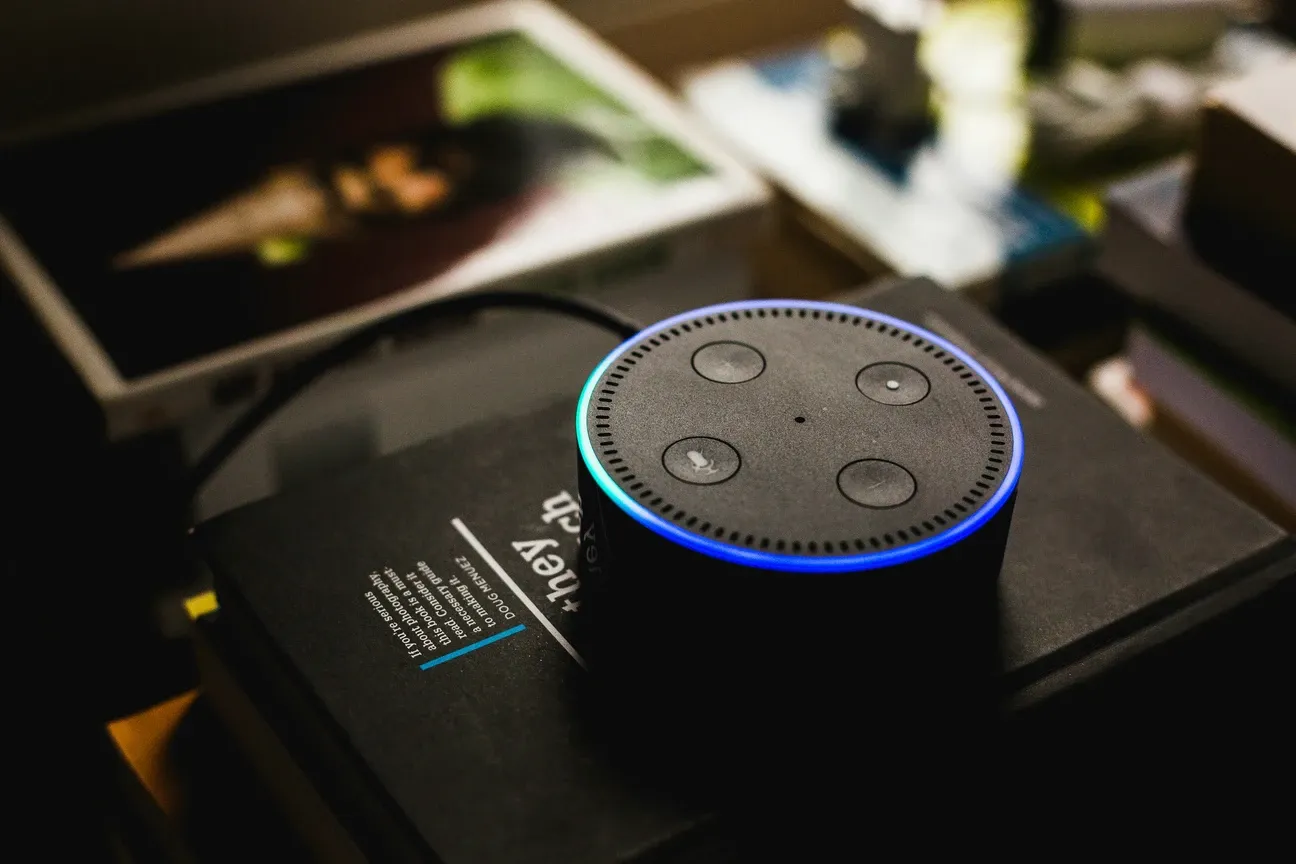
Amazon produces the most diverse Echo lineup in the smart speaker market. Here's how the reviews break down across the full range:
- Echo Dot (5th gen, $50): Best for small rooms, kitchens, and bedrooms. Adequate audio, great Alexa response, Eero mesh networking built in on the Plus model.
- Echo (4th gen, $100): Best all-around speaker for voice control and casual music. Spherical design with better drivers than Dot. Built-in Zigbee hub on the standard model, useful if you're building a smart home with Zigbee devices.
- Echo Studio ($200): Best sound quality in the Echo lineup. 330W equivalent, Dolby Atmos processing, spatial audio. If music matters to you, this is where the buying decision becomes worth the premium.
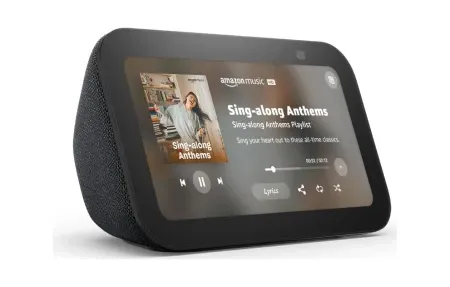
- Echo Show 8 ($130) and Show 15 ($250): Touchscreen models that double as smart displays. The Show 8 works well as a kitchen hub. The Show 15 mounts on a wall and works as a home dashboard for security cameras, calendars, and smart home controls.
- Echo Auto ($55): Brings Alexa to any car with an aux or Bluetooth connection. Useful if you want consistent voice commands across home and car.
The Dot is where most buyers start. It's the right starting point unless you know you need specific features from a higher-tier model. The Amazon Echo devices setup explains the full Echo lineup with setup steps and best use cases for each model.
How Do You Get More from an Amazon Echo with Skills and Setup?
Most Echo owners use 15 to 20 percent of what Alexa can actually do. The Amazon Echo maximize use covers the features that take five minutes to configure but deliver daily value for months:
Drop-In calling turns Echos in different rooms into an intercom system. Works between Echos in your home and with family members in other locations who have Alexa-enabled devices.
Alexa Routines chain up to 20 actions to a single trigger phrase or time. A "Good Morning" routine might turn on kitchen lights, start the coffee maker smart plug, announce the weather, and play a news briefing all from one "Alexa, good morning" command.
Alexa Skills extend what the assistant can do beyond built-in commands. The skills store currently lists over 100,000 options, though the useful subset is smaller. Categories worth exploring:
- Sleep and relaxation: white noise, rain sounds, guided breathing exercises
- Smart home extensions: brand-specific skills from ecobee, August, Lutron
- News and briefing: NPR, BBC, local news sources as flash briefing sources
- Productivity: Todoist, Any.do, and OurGroceries all have reliable Alexa integrations
- Health: medication reminders, guided stretching, 7-minute workout routines
Most useful skills are free. The ones tied to subscription services are usually not worth the additional cost if you're already paying for that service elsewhere.
Guard and Privacy Features
Guard mode uses the Echo's microphone array to detect glass breaking or smoke alarm sounds and sends alerts to your phone. Not a replacement for a dedicated alarm system, but useful as an additional layer. Guard Plus adds professional monitoring for $4.99/month.
Brief mode cuts Alexa's verbal confirmations after commands. Instead of "OK, turning on the living room lights," Alexa plays a short chime and executes the command. After the first month, confirmations get annoying. Turn brief mode on in Alexa app Settings > Voice Responses. The smart speakers setup hub walks through all the essential configuration steps in order, including Guard, multi-room audio, and Routines.
How Are Smart Speakers Used for Accessibility?
Voice control without screen interaction is the feature that makes smart speakers genuinely life-changing for users with mobility limitations, visual impairments, or cognitive differences. Someone who can't easily operate a light switch, thermostat, or television remote can control their entire home environment through voice commands.
The accessibility guide in this section covers specific Alexa and Google Assistant features:
- Captions on Echo Show: Live captions for any spoken content on the display screen
- Whisper mode: Alexa detects when you're speaking quietly and responds at low volume
- Announcement broadcasting: Send voice messages to all speakers in the home simultaneously, useful for caregiver-to-care-recipient communication
- Calendar and medication reminders: Multi-alarm sequences for complex medication schedules
- VoiceView on Fire TV and Echo Show: Screen reader for users with visual impairments
- Follow-Up Mode: Alexa listens for a follow-up command immediately after responding, reducing the need to say the wake word multiple times
The five must-have smart speaker music lovers covers the skills and settings that matter most for audio playback and entertainment use.
The Matter over Thread standard also has accessibility implications, a smart home where all devices speak a common protocol is significantly easier to set up through a voice assistant without requiring platform-specific technical knowledge.
How Does Smart Speaker and Home Automation Integration Work?
A smart speaker becomes significantly more useful when connected to your other smart home devices. The bridge from "turn off the lights" to "goodnight" (which turns off all lights, locks the door, lowers the thermostat, and starts a sleep sounds routine) is entirely possible on basic Alexa or Google Home setups, it just requires spending time in the Routines configuration.
Smart speakers work well as the interface layer for automations built elsewhere. The voice-controlled home automation guide shows how to build routines that combine voice commands with multi-device automations. A morning routine built in Home Assistant can be triggered by an Alexa voice command, with Alexa passing the trigger and Home Assistant handling the device control logic. This approach gives you the conversational interface of a smart speaker with the automation depth of a dedicated hub. The Home Assistant setup and installation guide explains how to integrate Alexa with a local Home Assistant instance for fully local control.
Whole-home audio is the integration feature that changes how people think about music. Create an "everywhere" group with all your Echo speakers and trigger it for whole-home music from one room with one command. Adjust volume by room independently. The Echo lineup handles multi-room audio reliably once the group is configured, this isn't a feature that needs much troubleshooting.
What Are the Google Nest Speaker Reviews?
Google's speaker lineup is smaller than Amazon's but focused. The Nest Mini ($49) and Nest Audio ($99) cover the most common use cases, and the Nest Hub Max ($229) handles the display use case.
Google Assistant's conversational context is genuinely better than Alexa's for multi-turn questions. It also integrates tightly with Google Calendar, Google Maps, and Google Search in ways that Alexa can't replicate. Google's Nest speaker setup and support guide walks through linking Google accounts, calendar sync, and default music services. If your household manages calendars through Google, the Nest speaker ecosystem handles scheduling, reminders, and daily briefings with noticeably less friction. The complete Google Nest ecosystem guide covers the full Nest device lineup and how to set up calendar and smart home integrations.
The limitation: Google Home's smart home automation is less capable than Alexa's for conditional logic. Complex multi-device routines with conditional rules require either Alexa or a separate platform like Home Assistant.
What Are the HomePod and Siri Reviews?
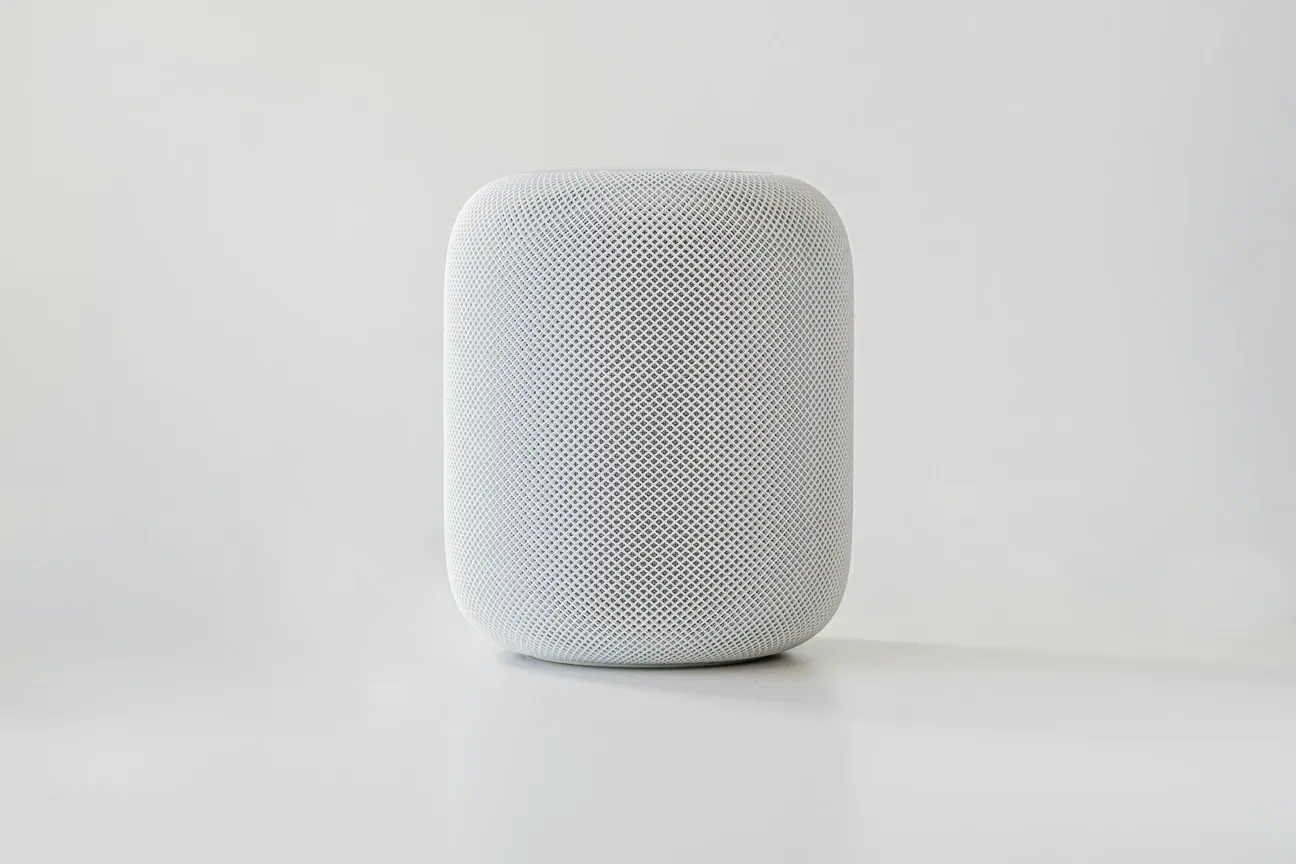
Apple's HomePod ($299) and HomePod mini ($99) deliver the best audio quality in their size class. The H2 chip in the full HomePod handles computational audio processing that competitors at similar price points can't replicate. Audio quality alone justifies the HomePod in a household that values music.
The limitation is ecosystem lock-in. HomePod requires an iPhone, iPad, or Apple TV to set up. The HomeKit smart home platform lags Alexa in third-party device support, though Matter compatibility is closing that gap. Reviews of HomePod consistently note that it's the right choice for Apple households and the wrong choice for everyone else. The Alexa vs Google Assistant vs Siri benchmarks all three on the tasks that matter most for daily use.
What Is the Future of Smart Speakers?
The trend in 2025 and 2026 is toward AI-enhanced speakers that handle context more gracefully. A speaker that understands "remind me to take the chicken out of the freezer when I get home" and ties that to your phone's location requires the kind of language understanding that only became practical in recent hardware generations.
Amazon's integration of Claude-family AI into newer Echo devices, and Google's integration of Gemini into Nest speakers, both point toward voice assistants that can handle multi-step tasks through natural conversation rather than keyword-triggered commands. The practical impact is still limited compared to the marketing claims, but the direction is clear. The OpenAI ChatGPT smart speaker covers what the new AI-powered speaker category actually delivers versus the marketing claims.
What hasn't changed: smart speakers are still best at simple, repeated commands and automation triggers. The buying guide advice from five years ago still holds: choose the ecosystem that matches the devices you already own. The Amazon Echo setup guide for 2026 covers the latest Echo firmware and the setup steps that changed with recent Alexa updates.
What Is the Quick Smart Speaker Buying Guide Summary?
Before spending on a smart speaker, answer these questions:
| Speaker | Best For | Price | Display | Ecosystem |
|---|---|---|---|---|
| Echo Dot (5th gen) | Budget Alexa starter | ~$50 | No | Amazon/Alexa |
| Echo (4th gen) | Balanced audio + Alexa | ~$100 | No | Amazon/Alexa |
| Echo Show 10 | Video calls, kitchen | ~$250 | Yes (10") | Amazon/Alexa |
| Google Nest Mini | Budget Google starter | ~$50 | No | Google Home |
| Google Nest Hub (2nd gen) | Bedroom, sleep tracking | ~$100 | Yes (7") | Google Home |
| Apple HomePod mini | Apple/HomeKit users | ~$99 | No | Apple HomeKit |
| Apple HomePod (2nd gen) | Audiophiles, HomeKit | ~$299 | No | Apple HomeKit |
- Which smart home devices do you already own? Match the speaker ecosystem to those.
- Is audio quality a primary concern? Yes: HomePod or Echo Studio. No: any entry-level model.
- Do you use Android or iPhone predominantly? Android: Google Nest. iPhone: HomePod mini or either.
- Do you want a display? Yes: Echo Show or Nest Hub. No: any standard speaker.
- What's your budget? Under $60: Echo Dot or Nest Mini. $100-200: Echo or Echo Studio. $200+: HomePod or Echo Studio.
The guides in this section cover Alexa setup optimization, the top skills worth installing, speaker reviews by use case, and how to use smart speakers for home entertainment beyond music playback.
Frequently Asked Questions
What is the difference between Amazon Echo and Google Nest speakers?
Amazon Echo runs Alexa, which leads in smart home device compatibility with over 100,000 certified devices and handles shopping, Amazon Prime Video, and Fire TV control best. Google Nest speakers run Google Assistant, which is stronger for conversational follow-ups, general knowledge questions, and Google Workspace calendar sync. For music, Google Assistant integrates more naturally with YouTube Music while Alexa works better for Amazon Music and Audible. Both platforms work with most major smart home brands, Philips Hue, TP-Link Kasa, ecobee, Ring, so the device compatibility difference narrows quickly once you're past the 100 most popular products. I've run an Echo Dot in the kitchen and a Nest Mini in the home office for three years; I reach for the Echo more often for smart home control and the Nest more often for questions I'd normally google. Choosing between them usually comes down to which assistant you already use on your phone.
Can I use a smart speaker without a subscription?
Yes. Core functions, voice control, smart home commands, timers, alarms, reminders, and free music, work without any paid subscription on all three platforms. Amazon Echo devices play Amazon Music Free (ad-supported) and iHeartRadio at no cost. Google Nest speakers stream YouTube Music in shuffle mode for free and support the Spotify free tier. Apple HomePod offers a 3-month Apple Music trial, then requires a subscription to continue. Premium features like ad-free music (Amazon Music Unlimited at $9.99/month or $99/year, YouTube Music Premium at $10.99/month) and Audible audiobooks require subscriptions. I ran an Echo Dot for six months without paying for anything beyond the hardware itself, timers, Alexa Routines controlling my lights, and free radio stations covered everything I actually used. The real subscription pressure shows up only if you want ad-free streaming or access to specific premium content libraries.
How many smart speakers do I need for a whole-home setup?
One speaker per frequently used room is the practical target. Kitchen, living room, and primary bedroom are the three highest-value locations for most households. A compact device like an Echo Dot 5th gen ($49.99) or Nest Mini ($49) handles most rooms since far-field microphones pick up commands reliably from 8 to 10 feet. For a large open-plan living area, an Echo Studio ($199.99) or Nest Audio ($99) gives noticeably better audio quality. Most systems let you group speakers for synchronized multi-room audio, an Alexa speaker group or Google Home speaker group plays identical audio across all grouped devices with under 100ms latency. I added a fourth Echo Dot to my home office last year and it became the most-used device in the house almost immediately, being within arm's reach turned out to matter more than I expected. Start with one, see where you feel the gap, then expand.