Google Nest Features and Home Automation - Complete Review

This post may contain affiliate links. As an Amazon Associate we earn from qualifying purchases. Disclosure.
Discover the power of Google Nest for creating a smart home. Learn everything about its features, benefits, and how to integrate it into your daily life.
Bottom line: The Google Nest lineup covers thermostats, cameras, doorbells, speakers, and displays, all controlled through one Google Home app. The Nest Thermostat ($129) and Nest Doorbell (wired, $179) are the strongest value picks. Matter 1.4 support means Nest hubs now bridge to non-Google devices reliably. Setup takes under 5 minutes per device if you're already in the Google ecosystem.
In the fast-evolving world of smart home technology, Google Nest has become a key player in helping homeowners automate, secure, and simplify their daily lives. From smart thermostats to video doorbells and smart speakers, Google Nest offers a suite of connected devices that make your homes more intelligent and energy-efficient. In this ultimate guide, we'll explore the top features, benefits, and practical installation tips to help you get the most out of Google Nest.
Why Choose Google Nest for Your Smart Home?
Google Nest is known for its innovative products that are not only easy to use but also smoothly integrate into your daily routine. Whether you're looking to control the temperature in your home, monitor security from your phone, or use voice commands to operate various appliances, Google Nest has you covered, according to Google Nest official specs.
This review is the full walkthrough - features, benefits, and installation in one place. If you'd rather compare Nest against rival platforms, want the five features worth turning on first, or hit a device that won't connect after setup, our Google Nest troubleshooting guide picks up where this overview leaves off. Here's my honest take before you spend a dollar: Nest is the best pick only if you already live inside Google's apps. If your phone, photos, and calendar run on Apple or you love tinkering with Z-Wave gear, a rival ecosystem will frustrate you less.
One of the primary reasons for choosing Google Nest is its compatibility with Google Assistant, offering hands-free control of your smart devices. In addition, Nest products are designed to work together, giving you a connected and efficient home ecosystem. When it comes to creating the ultimate smart home experience, Google Nest is the go-to option for a smooth and integrated environment, ensuring that all aspects of your homes are well-connected.
Key Features of Google Nest Products
Google Nest offers a wide range of smart home products, each designed with advanced technology to make life more convenient. Here are some of the standout features of their most popular devices:
| Product | Category | Price | Best Feature |
|---|---|---|---|
| Google Nest Learning Thermostat | Thermostat | $279 | Auto-schedule, 15% energy savings claim |
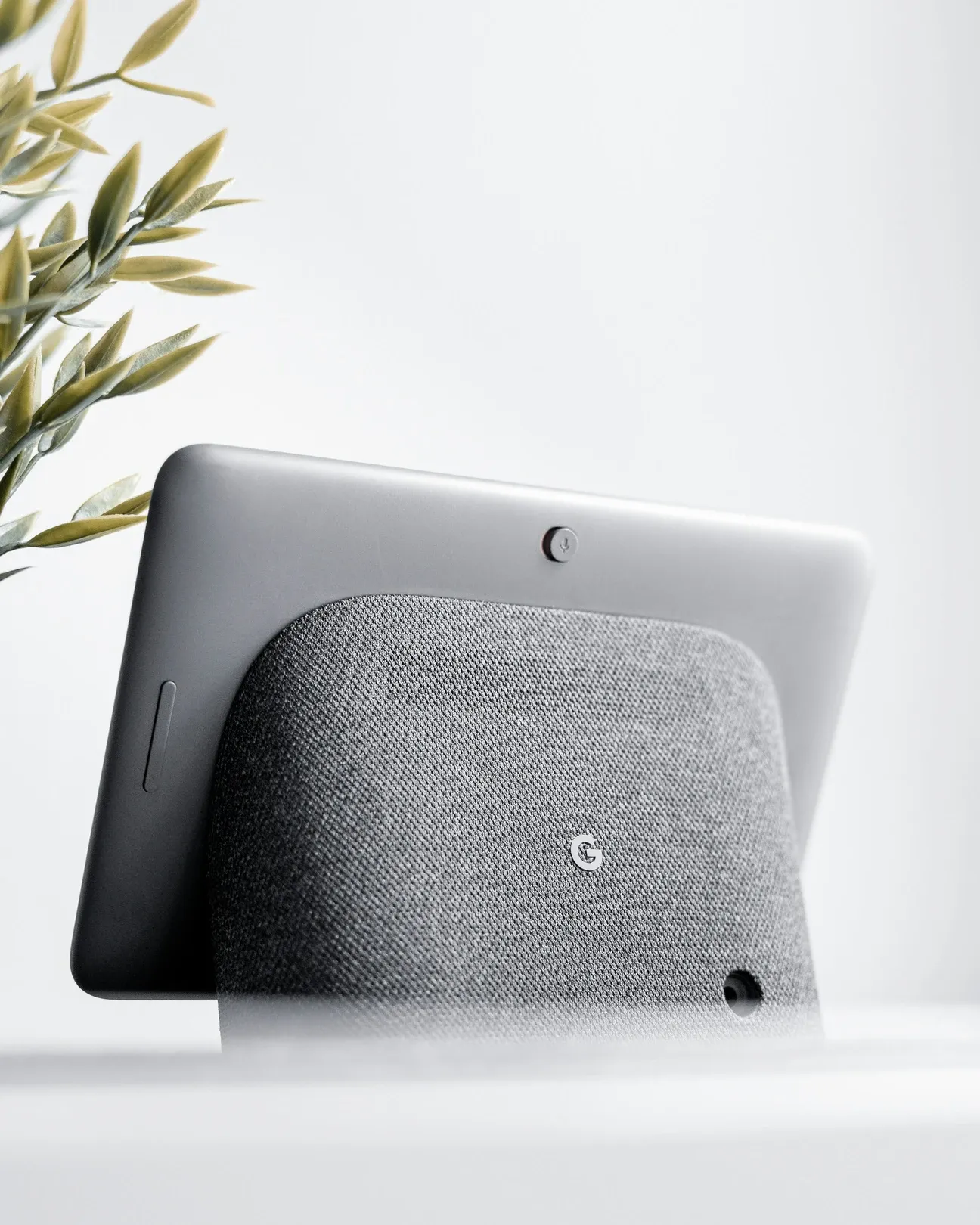
| Google Nest Hub (2nd gen) | Smart display | $100 | Sleep tracking via Soli radar; no camera |
| Nest Cam (indoor, wired) | Camera | $100 | 24/7 HDR recording; 3 hrs free event history |
| Google Nest Doorbell (battery) | Video doorbell | $180 | Head-to-toe view; no subscription for 3 hrs |
| Google Nest Audio | Smart speaker | $100 | Best audio quality in Google's lineup |
-
Google Nest Thermostat: This smart thermostat learns your preferences over time, automatically adjusting the temperature to optimize comfort and energy savings. You can control it remotely via the Google Home app or simply ask Google Assistant to change the temperature.
-
Google Nest Hub: The Nest Hub serves as a central control hub for your smart home. With its touchscreen display, you can control other smart devices, view video feeds from your security cameras, and even follow step-by-step recipes in the kitchen, making it a versatile addition to smart homes.
-
Google Nest Cameras: These smart cameras, available in both indoor and outdoor models, provide HD video streaming with motion detection and night vision. The Nest Cam offers real-time alerts to your phone when it detects unusual activity, keeping your home secure.
-
Google Nest Doorbell: The Nest Doorbell comes with a built-in camera, allowing you to see and speak to visitors through your smartphone, whether you're at home or away. It also integrates with the Nest Aware subscription for enhanced video storage and AI-based recognition features.
-
Google Nest Audio: The Nest Audio smart speaker delivers high-quality sound and integrates with Google Assistant for hands-free control of your home. You can ask it to play music, control other smart devices, or even set reminders and timers, making it an essential feature for connected homes.
What Are the Benefits of Google Nest for a Smart Home?
Integrating Google Nest products into your homes brings a wealth of benefits that go beyond simple automation. Let's explore some of the key advantages:
1. Energy Efficiency
One of the most significant benefits of using Google Nest products is the potential for energy savings. For example, the Google Nest Thermostat can help you save on heating and cooling bills by learning your habits and adjusting the temperature when you're not home. It also provides energy reports, so you can track your usage and find opportunities to save more. This is the ultimate solution for homeowners looking to reduce energy consumption and cut costs, contributing to more efficient and eco-friendly homes.
2. Enhanced Security
Google Nest offers a comprehensive security solution with products like the Nest Cam and Nest Doorbell. You can monitor your home in real-time, receive instant alerts about suspicious activities, and even view recorded footage if you subscribe to Nest Aware. This not only gives you peace of mind but also allows you to keep an eye on your home no matter where you are. For ultimate home protection, these devices provide the features you need to feel secure, safeguarding your homes from potential threats.
3. Smooth Integration
All Google Nest products work smoothly with each other and with other Google Assistant-enabled devices. This means you can control your entire smart home ecosystem using simple voice commands or the Google Home app. Whether it's turning on lights, locking doors, or adjusting the thermostat, you can manage everything with a few words or taps, making your home the ultimate connected space. This integration creates a unified system where all your devices work together to make your homes smarter and more efficient.
4. Convenience and Comfort
With Google Nest, convenience is at your fingertips. The Nest Hub allows you to control multiple devices from one place, while the Nest Audio lets you play music, get news updates, or even ask for traffic reports-all hands-free. Nest products are designed to make everyday life simpler, whether you're automating morning routines or managing your home while you're away. This added convenience turns your house into a comfortable, tech-enhanced living space, allowing you to fully enjoy modern homes.
5. Customization and Automation
One of the biggest advantages of the Google Nest system is the ability to create custom routines and automation. For example, you can set up routines like "Good Morning" to turn on the lights, adjust the thermostat, and read out the news as soon as you wake up. Additionally, with the Home & Away feature, your Nest products will automatically adjust based on whether you're at home or out. The ultimate customization of your homes allows you to enjoy a truly tailored living experience, making each day more personalized and efficient.
What Are the Installation Tips for Google Nest Products?
While Google Nest devices are known for being user-friendly, following a few installation best practices will ensure you get the most out of your smart home system. Here are some tips to help you through the process:
1. Plan Your Setup
Before you start installing your Google Nest devices, make a plan. Decide which rooms would benefit most from devices like the Nest Thermostat, Nest Hub, or Nest Cameras. This will help you prioritize installation and ensure you have the right devices in the right locations for the ultimate setup in your homes.
Here's what I'd recommend as a solid starter kit based on my own experience building out a Nest ecosystem:
- Google Nest Thermostat (around $129) for the main living area
- Nest Hub 2nd Gen ($99) in the kitchen or bedroom as a central control screen
- Nest Doorbell Wired ($179) at your front entrance for package monitoring
- Nest Cam Indoor ($99) pointed at a high-traffic hallway or back door
- Nest Audio ($99) in whichever room you spend the most time
That's roughly $605 before sales. Is it cheap? No. But compared to professionally installed systems that run $2,000 or more, it's a fraction of the cost for similar functionality.
2. Install the Nest Thermostat Properly
The Google Nest Thermostat is one of the easier devices to install, but make sure you follow the included guide carefully. If you're unsure about wiring, it might be worth hiring a professional, as incorrect installation can lead to thermostat malfunctions. Once installed, set up the Auto-Schedule feature to start saving energy immediately and experience the ultimate in temperature control, ensuring your homes stay comfortable year-round.
3. Place Your Nest Cameras Strategically
For optimal coverage, place your Nest Cameras in high-traffic areas or entry points like the front door, driveway, or backyard. Make sure to mount them at a height that provides a good view while being difficult for potential intruders to tamper with. Also, ensure a strong Wi-Fi signal in areas where the cameras will be located to achieve the ultimate home security, protecting your homes from any unwanted activities.
4. Sync Your Devices
After installing all your Google Nest devices, sync them with the Google Home app. This will allow you to control everything from one interface. You can also set up voice control through Google Assistant, enabling hands-free operation for the ultimate convenience across your homes.
5. Customize Your Smart Home Settings
Take advantage of Google Nest's customization features to tailor your smart home setup to your needs. Use the app to set up routines, create schedules, and integrate other smart devices like smart lights or smart locks. The more you customize, the more intuitive your home will become, providing the ultimate in home automation and ensuring your homes are finely tuned to your lifestyle.
Google Nest is a powerful and versatile ecosystem for creating smart homes that are more secure, energy-efficient, and convenient. Whether you're looking to automate your home's heating and cooling, enhance security, or simply enjoy hands-free control, Google Nest products offer something for everyone. This complete review covers the features, integrations, and installation tips that help you transform your homes into the ultimate intelligent living spaces.
Start small with a Nest Thermostat or Nest Hub, and gradually expand your smart home setup with cameras, speakers, and other connected devices. With Google Nest, smarter homes are just a command away, offering the ultimate in convenience, security, and efficiency.
Frequently Asked Questions
What devices are included in the Google Nest lineup?
The Google Nest lineup spans five product categories. Climate: the Nest Thermostat ($129) and Nest Learning Thermostat ($249), both supporting remote scheduling and energy-saving algorithms. Displays and speakers: the Nest Hub 2nd gen ($99), Nest Hub Max ($229), Nest Mini ($49), and Nest Audio ($99). Security cameras: Nest Cam indoor and outdoor models with wired and battery variants ranging from $99 to $299. Doorbells: the Nest Doorbell (wired, $179) and Nest Doorbell (battery, $179). Smoke and CO detection: Nest Protect ($119), available in wired and battery versions. All devices connect through a single Google Home app and work with Google Assistant for voice control. The lineup has narrowed since 2022, Google discontinued several older Nest models, so check the current Google Store for active products before purchasing. Third-party devices connect through the same app via the Works with Google Home program.
Does Google Nest work with non-Google smart home devices?
Yes, and the compatibility range is wider than most people expect. Google Nest Hub Max and Nest Hub 2nd gen both act as Matter controllers, so devices from Eve, IKEA Tradfri, TP-Link Kasa, Nanoleaf, and Amazon smart home hardware all connect natively once they're Matter-certified. Philips Hue connects through a Hue Bridge and all your bulbs then appear in Google Home without any additional configuration. ecobee thermostats and Ring cameras both appear via the Works with Google Home program. Zigbee devices require a compatible hub like the Philips Hue Bridge or IKEA Dirigera, Google Nest doesn't have a built-in Zigbee radio. Z-Wave is not natively supported; you'd need a SmartThings hub or similar bridge. I use a Hue Bridge for all my Zigbee bulbs and they appear in the Google Home app without any custom work, automations triggering across bulbs, the Nest thermostat, and a TP-Link plug all fire in under two seconds.
How do I set up Google Nest devices with the Home app?
Open the Google Home app, tap the plus (+) icon in the top-left corner, and select "Set up device," then "New device." The app scans for nearby Nest hardware via Bluetooth, hold your phone within two feet of the device during this step. Follow the on-screen prompts to connect to your Wi-Fi network, assign the device to a room, and set a display name. Thermostats typically finish setup in about 5 minutes; cameras and doorbells add a few extra steps for positioning and activity zone configuration. Assigning devices to specific rooms is worth doing, room names let you say "turn off the bedroom lights" without specifying every bulb. The most common setup failure I've seen is trying to connect a 2.4GHz-only Nest device to a 5GHz-only network, if setup stalls at the Wi-Fi step, check your router's band settings. After setup the device responds to Google Assistant commands immediately with no additional configuration.
Can Google Nest devices create automated routines?
Yes, and Google Home Routines have improved significantly since 2022. You can trigger routines by voice command, time of day, sunrise or sunset offset, or a device event like a Nest Doorbell detection. A "good night" routine can dim all lights to zero, lower the thermostat by three degrees, and lock a compatible smart lock, all from one command. Personal actions let routines read your Google Calendar events or play a Spotify playlist. The limitation worth knowing: Google Home doesn't support native if-then conditional logic. Every action in a routine fires regardless of other conditions, so you can't say "turn on the porch light only if it's already dark outside" without adding a workaround. I've used Google Home Routines for three years and still run my morning schedule through them; for anything requiring conditional triggers, "only activate if motion is detected after sunset", I moved those automations to Home Assistant, and they've been solid ever since.