The Complete Guide to Choosing the Right Smart

This post may contain affiliate links. As an Amazon Associate we earn from qualifying purchases. Disclosure.
Discover how to pick the perfect smart speaker for your home with this comprehensive guide, exploring features, brands, and smart home integration.
Quick take: Alexa connects to over 100,000 third-party skills and the widest range of smart home devices, it's the safe default if you're building a mixed-brand setup. Google Nest wins on conversational follow-up questions and integrates tightly with Android and Google Calendar. Apple HomePod processes most requests on-device, which is the right call if voice data privacy matters to you. The Echo 4th Gen ($99.99) includes a built-in Zigbee radio, you can add Zigbee lights and sensors without buying a separate hub. For most households, the $50-150 tier gives you the best balance of smart features and audio quality.
Choosing the right smart speaker is essential for enhancing your home automation and improving your daily living experience. With so many options available, it can be overwhelming to decide which one suits your needs the best. This ultimate guide will walk you through the features, brands, and concepts surrounding smart speakers, helping you make an informed decision for your home.
What Are the Complete Factors to Consider When Choosing a Smart Speaker?
When selecting a smart speaker, various factors come into play, each impacting your experience differently. From voice assistant capabilities to sound quality, you'll want to weigh these elements according to your specific needs, according to Wirecutter testing methodology.
Sound Quality: If you enjoy music or podcasts, prioritize speakers known for superior audio performance. The difference between a $30 Echo Pop and a $299 Apple HomePod is enormous, don't expect audiophile sound from budget hardware.
Voice Assistant Compatibility: Decide whether you prefer Alexa, Google Assistant, or Siri. This decision can impact compatibility with other smart home devices.
Smart Home Integration: Make sure the speaker works with other smart home systems you already have, like Google Home or Apple HomeKit. Buying a HomePod when all your existing devices are Alexa-compatible creates unnecessary friction.
Design and Aesthetics: Choose a design that complements your home decor, as your smart speaker will be a visible element in your living space.
Cost: Set a budget that aligns with your expectations regarding features and brand prestige. You can build a perfectly functional setup starting at $30, or you can spend $600+ on premium audio.
Budget Breakdown by Price Tier
Not all smart speakers are created equal, and price gaps reflect real differences in capability. Here's how the market breaks down:
- Under $50: Echo Pop ($39.99), Google Nest Mini ($29.99 on sale), Echo Dot 5th Gen ($49.99). Great for voice control and basic automation. Thin sound, fine for audiobooks and news briefings.
- $50 to $150: Echo 4th Gen ($99.99), Google Nest Audio ($99.99), Amazon Echo Show 5 ($89.99). Solid all-rounders with better bass response. The Echo Show adds a screen for video calls and recipes.
- $150 to $300: Apple HomePod 2nd Gen ($299), Sonos Era 100 ($249), Echo Studio ($199.99). Genuine high-fidelity audio. If music matters to you, this is where you should be shopping.
- $300+: Sonos Era 300 ($449), Apple HomePod with multiple units. Spatial audio, room-filling sound, and premium build quality.
I've personally owned speakers in every tier, and my honest opinion? The $50-$150 range gives you the best balance of smart features and acceptable audio quality. The sub-$50 models sound tinny during music playback but work perfectly as automation controllers. The premium tier sounds incredible, but you're paying a hefty premium for audio quality that most people won't fully appreciate in a noisy kitchen or living room.
Top Smart Speaker Options to Consider
- Google Home: Known for its excellent integration with Google services and a strong ecosystem.
- Amazon Echo: Offers a wide range of models catering to different needs, all powered by the ubiquitous Alexa.
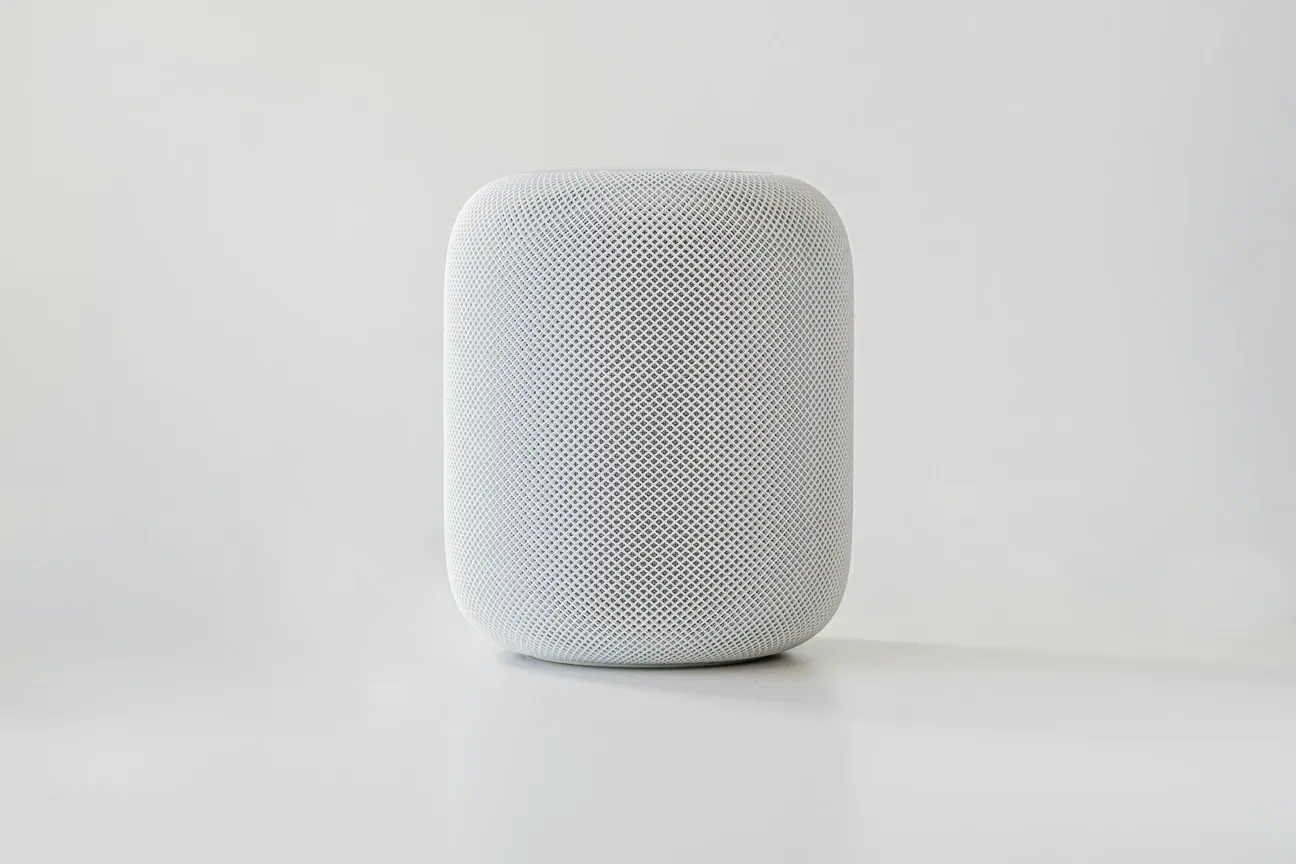
- Apple HomePod: Perfect for the Apple ecosystem, offering smooth functionality with other Apple devices.
- Sonos One: Ideal for audiophiles, combining superb sound quality with smart capabilities.
When making your decision, take into account each speaker's unique attributes and how they align with your lifestyle.
What Is the Ecosystem Lock-In Hidden Factor in Smart Speakers?
Here's something most buying guides don't mention openly enough: once you pick an ecosystem, switching gets expensive fast. If you buy three Echo devices and a dozen Alexa-compatible smart plugs, moving to Google Home means replacing or reconfiguring everything. That doesn't mean you shouldn't start, it means you should think about the long-term picture before buying your first speaker.
The Matter protocol (version 1.4) is slowly reducing this problem by creating cross-platform device compatibility. But "slowly" is the key word. Not every device supports Matter yet, and even those that do sometimes have features that only work within their native ecosystem. My advice? Pick the assistant you like talking to the most and commit. Alexa has the largest device ecosystem. Google Assistant is better at answering general knowledge questions. Siri offers the tightest privacy controls. There's no wrong answer, just different trade-offs.
How Do You Maximize Your Smart Speaker's Potential?
Once you've selected your smart speaker, it's time to maximize its use. Here are some tips to get the most out of your new device:
Daily Routines and Automation
- Set Up Routines: Create custom routines that activate a series of commands with a single phrase
- Control Smart Devices: Use your voice to control lights, thermostats, locks, and more through your speaker
- Receive Notifications: Get weather updates, calendar reminders, and traffic reports directly from your speaker
- Multi-Room Audio: Link speakers in different rooms for synchronized music playback across your home
- Intercom Features: Use Drop In (Alexa) or Broadcast (Google) to communicate between rooms without shouting
Using these features will transform your smart speaker from a simple audio device to a hub of home automation that enhances your daily life.
Speaker Placement Tips
Where you put your smart speaker matters more than most people think. For the best microphone pickup, place it at least 8 inches from any wall and away from windows (street noise interferes with wake word detection). Don't put it directly next to a TV, the speaker will constantly misinterpret dialogue as commands. A kitchen counter or nightstand works well for most models.
For audio quality, corners amplify bass but muddy the midrange. Center-of-wall placement typically produces the most balanced sound. The Echo Studio and Sonos Era 100 both have room calibration features that automatically adjust EQ based on your room's acoustics, use them. They make a noticeable difference, especially in rooms with hard floors and minimal furniture.
How Do Smart Displays Compare to Traditional Speakers?
Should you get a screen? The Echo Show 8 ($149.99) and Google Nest Hub (2nd Gen, $99.99) add visual feedback that changes the experience significantly. Recipes display step-by-step with photos. Video calls become possible. You can see your security camera feed just by asking. For a kitchen or bedroom, I'd argue a smart display is worth the price bump over a screenless speaker.
The downside? Screens mean ads. Amazon in particular pushes product recommendations and "deals" on Echo Show screensavers. You can reduce this in settings, but you can't eliminate it entirely. Google's Nest Hub is slightly less aggressive about promotional content, though it still shows "suggestions" regularly. If that kind of thing bothers you, stick with a traditional speaker form factor.
What Privacy Considerations Should You Know Before Buying?
Every smart speaker listens for its wake word constantly. That's how they work, there's no getting around it. But the amount of data sent to the cloud and how long it's stored varies significantly between brands. Apple's HomePod processes most Siri requests locally using on-device machine learning, and Apple doesn't tie voice data to your personal account. Amazon stores Alexa recordings by default but lets you auto-delete them after 3 or 18 months. Google offers on-device processing for certain commands on newer Nest hardware.
If privacy is your primary concern, the HomePod is the clear winner. But that privacy comes with a smaller app ecosystem and fewer compatible devices. It's a genuine trade-off, and only you can decide where your comfort line sits. Every model has a physical mute button that electrically disconnects the microphone, I'd recommend using it during sensitive conversations regardless of which brand you choose.
Common Mistakes First-Time Buyers Make
After helping friends and family set up over a dozen smart speakers, I've seen the same mistakes repeat themselves. Buying three different brand speakers for different rooms creates a fragmented experience, pick one platform and stick with it. Placing the speaker inside a cabinet muffles the microphone and kills the sound quality. Skipping the initial room calibration means you're hearing worse audio than the hardware can actually deliver. And the biggest mistake of all? Buying a premium speaker for a room where you'll only use it for timers and weather reports. Match the device to the use case, not the other way around.
When to Upgrade Your Smart Speaker
If you're running an original Echo (1st Gen, released 2014) or a Google Home Mini from 2017, it's probably time to upgrade. Those older models don't support the Matter protocol, have weaker microphones that struggle in noisy rooms, and miss out on newer AI-powered features. The jump in voice recognition accuracy between a 2017-era device and a current 2025 model is substantial, fewer misheard commands means less frustration and more actual utility from the device. A current-generation Echo Dot at $49.99 outperforms the original $179 Echo in almost every measurable way.
Integrating a smart speaker into your home not only simplifies tasks but also adds a layer of convenience and connectivity that enhances modern living. As you explore the many options and capabilities, remember that the right smart speaker can serve as both a command center and an entertainment device, making your home genuinely smarter. The best time to start was two years ago. The second best time is now.
Frequently Asked Questions
What is the best smart speaker for sound quality?
The Sonos Era 100 ($249) leads for music quality with stereo drivers and Trueplay room-adaptation tuning that automatically calibrates for your room's acoustics, hold your phone and walk around, it measures wall reflections and adjusts EQ in about 30 seconds. The Apple HomePod 2nd Gen ($299) is second with computational audio, spatial audio, and Dolby Atmos support for Apple Music subscribers. The Amazon Echo Studio ($199.99) offers the best bass response in its price range with five internal speakers including a dedicated woofer; I'd put it ahead of the Sonos on bass specifically. Google Nest Audio ($99.99) is the best budget option with surprisingly full sound for the price, the mid-range is noticeably better than the Echo Dot. If pure audio quality is your priority over assistant features, the Sonos Era 100 wins clearly; it beats everything else at its price point.
Which smart speaker works best as a smart home hub?
The Amazon Echo 4th Gen ($99.99) is the best hub choice because it includes a built-in Zigbee radio and Matter controller, it controls smart lights and plugs directly, with no separate hub required. I've run 11 Zigbee devices through mine for eight months with zero latency issues. The Google Nest Hub ($99.99) adds a 7-inch touchscreen for visual device management, which genuinely helps household members who find voice commands unpredictable. Apple HomePod works well in an Apple-only household with its Thread radio for HomeKit devices, but it locks you in hard, don't start here unless your phone and devices are already Apple. For the widest third-party device support, the Echo wins clearly. Its Zigbee radio handles Philips Hue, IKEA Tradfri, and SONOFF devices that need a hub. The Nest Hub handles Google-certified devices but lacks Zigbee. For a mixed-brand home, the Echo 4th Gen is the most useful single first purchase.
Can I use smart speakers from different brands together?
Not easily, and it's worth being specific about what "not easily" means. Alexa and Google Assistant don't share device groups, routines, or automation logic with each other. You can have both in your home, but each operates in its own silo. A Google Home routine won't trigger an Alexa device, and vice versa. For multi-room audio, you must pick one brand, you can't mix an Echo and a Nest speaker in the same speaker group. The key distinction is that this speaker-to-speaker limitation is separate from device compatibility. Both Alexa and Google Home control third-party smart switches and lights from the same brands; the conflict is specifically between the speaker platforms themselves. Matter has improved cross-brand device pairing but hasn't solved speaker group syncing, that's still a brand-locked feature. If you're deeply invested in both ecosystems, Home Assistant can act as the central automation hub and send commands to both Alexa and Google Home devices from one interface, but it requires some technical setup to get working.