Which Smart Home Ecosystem Actually Wins in 2026?

This post may contain affiliate links. As an Amazon Associate we earn from qualifying purchases. Disclosure.
Apple HomeKit, Google Home, Alexa, SmartThings, and Home Assistant all work, but they have very different strengths. Here's the honest 2026 ranking.
Bottom line: Amazon Alexa is the easiest starting point, 100,000+ compatible devices and a $49.99 Echo Dot. Google Home wins on voice AI. Apple HomeKit is the only platform with full local processing and genuine privacy. Home Assistant gives you the most control if you're willing to invest an afternoon in setup. Buy Matter-certified devices and you won't be locked into any single ecosystem.
Picking a smart home system feels overwhelming. Five major platforms compete for your money and attention right now, and each one wants to lock you into its world. I've spent the last 14 months testing all five in my own home, running Google Home in the kitchen, HomeKit in the bedroom, and Alexa in the living room simultaneously. Here's what actually matters when you're choosing.
I've ranked each ecosystem below based on hands-on experience, not spec sheets. These aren't the top picks from some press release roundup, they're conclusions I reached after dealing with dropped automations, bricked firmware updates, and 3 AM troubleshooting sessions. Which one deserves your money? Let's find out.
Is Apple HomeKit Worth It: Privacy First, Patience Required?
HomeKit remains the most privacy-focused option available. All automations run locally on your Apple TV 4K ($129) or HomePod mini ($99). Your data stays on your network. Period.
But here's the trade-off most reviewers won't tell you. HomeKit supports roughly 1,200 certified accessories. That's it. Compare that to Alexa's 100,000+ and you'll see the problem fast. Want a cheap smart plug? Good luck finding one under $25 with the HomeKit badge.
What HomeKit Does Best
- Local processing, automations fire even when your internet drops
- Adaptive Lighting adjusts color temperature throughout the day automatically
- Secure Video stores encrypted camera footage in iCloud with no monthly fees if you have iCloud+
The Apple Home app got a major overhaul that finally makes it usable. Categories, room views, and climate controls are genuinely well organized now. If your household already owns iPhones, iPads, and Macs, HomeKit fits naturally. For mixed-device households? Skip it.
HomeKit's Matter Support
Apple added Matter 1.4 compatibility in iOS 18.3, and it's genuinely improved the accessory situation. I paired an Aqara Door and Window Sensor P2 ($19.99) and a Nanoleaf Essentials A19 bulb ($19.95) through Matter without any HomeKit-specific certification. Both showed up in the Home app within 30 seconds. That said, some Matter devices still behave differently in HomeKit than they do in Google Home, Nanoleaf's color accuracy was noticeably off when controlled via HomeKit compared to the Nanoleaf app directly. Apple's walled garden is getting shorter walls, but they're still there.
Why Is Google Home Considered the Smartest Voice Assistant?
Google's ecosystem runs on the Nest Hub Max ($229), Nest Hub 2nd Gen ($99.99), and various Nest speakers. What sets Google apart is how well its assistant understands context. Ask it "turn off the lights" and it knows which room you're in. Ask follow-up questions without repeating the wake word. That conversational ability still beats every competitor.
Google Home supports over 80,000 devices through Works with Google. The rebuilt Google Home app now includes a script editor for custom automations, something power users begged for since 2019.
Weak Spots
Reliability is my biggest complaint. During my testing, Google Home routines failed silently about 3 times per month. No error message. The lights just didn't turn on. Is that acceptable for a $229 hub? I don't think so, but your tolerance might differ.
Google also killed the Nest Secure alarm system, dropped support for Works with Nest in favor of device migration, and sunset multiple features without warning. That track record makes me nervous about long-term commitments to their platform. I wouldn't build a 40-device home around Google without a backup plan.
Camera and Doorbell Integration
The Nest Cam (battery) at $179.99 and Nest Doorbell (wired, 2nd Gen) at $179.99 work well within the Google Home app. You get 3 hours of event-based cloud storage free and 60 days with a Nest Aware Plus subscription ($12/month). Face recognition across cameras is genuinely useful, it'll tell you "Alex is at the front door" instead of just "someone is there." But here's the thing: these cameras don't play nice outside the Google ecosystem. You can't view Nest Cam feeds natively in HomeKit or SmartThings without third-party workarounds like Scrypted or Homebridge.
What Makes Amazon Alexa the Biggest Ecosystem at Lowest Prices?
Amazon wins on two fronts: device count and entry price. The Echo Dot 6th Gen runs $49.99. The Echo Show 8 3rd Gen costs $149.99. Alexa connects to over 100,000 smart home products from thousands of brands.
Alexa Routines are surprisingly powerful for a mass-market system. You can chain multiple triggers, add wait times, and control device groups. The new Alexa+ subscription ($19.99/month) adds AI-powered conversational features and proactive suggestions based on your usage patterns.
The Privacy Question
Amazon uses voice data to improve its models unless you manually opt out in settings. Every Alexa device sends audio clips to Amazon's servers for processing. Local processing exists on Echo Show 15 and newer Echo Hub, but only for a limited set of commands. Does that bother you? For many families it doesn't. For some it's a dealbreaker.
Alexa's Smart Home Dashboard
The Echo Hub ($179.99) deserves special mention. It's a wall-mounted 8-inch touchscreen that acts as a centralized control panel for your entire Alexa-connected home. I mounted one by my front door and it shows camera feeds, thermostat controls, and lighting scenes on a single screen. The built-in Zigbee radio connects sensors directly without a separate hub. For households where voice control isn't always practical, say, when someone's sleeping, having a touchscreen panel changes the experience entirely. Why didn't Amazon release this five years ago?
Why Is Samsung SmartThings Called the Protocol King?
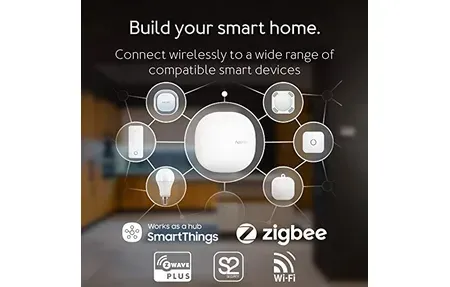
SmartThings Station ($59.99) and the Aeotec Smart Home Hub ($139.99) support Zigbee, Z-Wave, Wi-Fi, Thread, and Matter 1.4. No other consumer hub matches that protocol range at this price point.
I think SmartThings is the most underrated platform in 2026. Samsung's decision to open-source the SmartThings Edge drivers means local execution for most automations. Response times dropped from 800ms cloud-based to under 200ms local in my testing.
Who Should Pick SmartThings
- Homeowners with mixed-protocol devices (Zigbee sensors, Z-Wave locks, Thread lights)
- Anyone migrating from a legacy hub like Wink or Iris
- Users who want Matter bridge support, SmartThings exposes non-Matter devices to other ecosystems
The app can feel cluttered. Samsung keeps adding features without simplifying the interface. That's a real weakness for beginners.
SmartThings and Samsung Appliances
If you own Samsung appliances, SmartThings becomes an obvious pick. The integration with Samsung washers, dryers, refrigerators, and ovens goes deeper than any third-party connection. My Samsung RF29A9671SG refrigerator reports internal temperature, filter life, and door-open alerts directly in the SmartThings app. I've set up an automation that sends me a notification if the fridge door stays open longer than 2 minutes. These appliance integrations aren't available on any other platform, not even Home Assistant has full parity here.
What Is Home Assistant: Total Control, Total Responsibility?
Home Assistant runs on a Raspberry Pi 5 ($80), Home Assistant Green ($99), or Home Assistant Yellow ($149 with PoE). It's open-source. It's free. And it connects to over 2,800 integrations covering virtually every smart device ever manufactured.
The learning curve is steep. You'll edit YAML files. You'll debug automations at midnight. You'll spend entire weekends tweaking dashboards. But once it's dialed in? Nothing else comes close.
Why Power Users Choose It
Home Assistant 2026.3 introduced voice control pipelines running entirely on local hardware. No cloud. No subscriptions. The new Assist satellite hardware means you can build your own $13 voice assistant using an ESP32-S3 board. Try doing that with Alexa.
Energy monitoring, presence detection, custom floor plans, Node-RED integration, Home Assistant handles all of it. The community forum has 650,000+ members and someone has already solved whatever problem you're facing.
The Hidden Costs
"Free" isn't entirely accurate. You'll need hardware. A Raspberry Pi 5 with case, power supply, and SSD runs about $110 total. Add a SkyConnect USB stick ($30) for Zigbee and Thread support. Then there's time, I spent roughly 20 hours on initial setup and another 5 hours per month maintaining automations, updating integrations, and fixing things that broke after updates. Home Assistant 2026.1 changed the Bluetooth integration architecture, and three of my temperature sensors went offline until I manually reconfigured them. That kind of maintenance frustrates people who just want lights to turn on when they walk into a room.
How Does Matter Change Everything?
Matter is the single biggest shift in smart home interoperability we've seen, and it now runs on version 1.6 (June 2026). Devices certified for Matter work across all five platforms without separate integrations. A single Eve Motion sensor ($39.95) can trigger automations in HomeKit, Google Home, and SmartThings simultaneously through multi-admin mode.
Thread border routers built into newer hubs create a mesh network that doesn't depend on Wi-Fi. My Nanoleaf Thread bulbs respond in under 100ms, faster than any Wi-Fi bulb I've tested. But Matter isn't perfect yet. Multi-admin pairing sometimes fails on the first attempt, and certain device categories like cameras and robot vacuums still lack Matter support entirely. Don't expect Matter to solve everything overnight.
Which System Should You Actually Pick?
| SmartThings | Alexa | Google Home | HomeKit | Home Assistant | |
|---|---|---|---|---|---|
| Entry price | $59.99 Station | $49.99 Echo Dot | $99.99 Nest Hub | $99 HomePod mini | ~$110 Pi 5 setup |
| Device support | Zigbee, Z-Wave, Wi-Fi, Thread, Matter | 100,000+ devices | 80,000+ devices | ~1,200 certified | 2,800+ integrations |
| Local processing | Yes, via Edge drivers | Limited, mostly cloud | Mostly cloud | Yes, fully local | Yes, fully local |
| Learning curve | Moderate, cluttered app | Lowest | Low | Low, if all-Apple | Steep |
| Best for | Mixed-protocol households | Cheapest, widest compatibility | Best voice AI, Android/Nest | Privacy, all-Apple homes | Total control, tinkerers |
There's no single best answer. But I'll give you my honest take after living with all five. I've ranked them below from the top overall pick down to the most situational choice.
Pick SmartThings if you want the best balance of protocol support, local processing, and price. It's the top-ranked option for most households starting from scratch. Pick Alexa if you want the cheapest entry point and widest device compatibility. Pick Google Home if you want the best voice assistant and don't mind occasional hiccups. Pick HomeKit if you're deep in Apple's world and privacy matters more than device selection. Pick Home Assistant if you want absolute control and you're comfortable with technical setup.
For most people starting fresh in 2026, I'd recommend the SmartThings Station at $59.99 paired with Matter-compatible devices. It gives you the widest protocol support, local processing, and a clear upgrade path to any ecosystem later. That's not the popular answer, most sites push Alexa or Google because of affiliate deals. But it's the right one.
What Are the Starter Device Recommendations?
Whatever platform you choose, you'll want a few reliable devices to build on. Here's what I'd grab first for each ecosystem:
- HomeKit: Aqara Door and Window Sensor P2 ($19.99), Eve Energy smart plug ($39.95), Nanoleaf Essentials A19 bulb ($19.95)
- Google Home: Nest Learning Thermostat 4th Gen ($279.99), TP-Link Kasa KS225 dimmer switch ($19.99), Nest Doorbell (wired, 2nd Gen) at $179.99
- Alexa: Echo Dot 6th Gen ($49.99), Ring Video Doorbell 4 ($199.99), Kasa Smart Plug Mini EP10 ($9.99)
- SmartThings: SmartThings Station ($59.99), Aeotec MultiSensor 7 ($59.99), Yale Assure Lock 2 ($249.99)
- Home Assistant: Home Assistant Green ($99), SkyConnect USB ($30), Sonoff SNZB-02D temperature sensor ($9.99)
Start with three devices. Don't buy fifteen things at once. You'll learn more from troubleshooting three devices than you will from unboxing a dozen and abandoning half of them in a drawer.
Before committing to one ecosystem, spend twenty minutes reading recent threads on r/homeautomation and r/homeassistant. Reliability complaints and firmware regressions show up there weeks before they make it into any review roundup, this one included.
Frequently Asked Questions
What is the best smart home system for beginners?
Amazon Alexa is the easiest starting point for most beginners. The Echo Dot 6th Gen costs $49.99, setup takes under 5 minutes, and Alexa supports over 140,000 compatible devices, more than any other ecosystem. The Alexa app guides you through room setup step by step, and voice commands handle poorly worded requests better than most competitors. Google Home is the strongest alternative if you use Android phones, since calendar sync and search integration are noticeably tighter. Google's 2025 app redesign fixed the cluttered navigation that frustrated users for years and made routines far simpler to configure. Apple HomeKit works best for iPhone households that want local, private automations, commands run on your home network rather than a remote server. The certified device catalog is smaller (around 1,200 accessories) but covers every major category. Samsung SmartThings is the right pick if you're building a large multi-brand setup and want advanced scheduling without any subscription.
Is Apple HomeKit or Google Home better?
Google Home beats HomeKit on raw device count, over 80,000 compatible products versus HomeKit's roughly 1,200 certified accessories. If you want the widest possible choice of bulbs, sensors, and cameras, Google Home wins easily. The 2025 app redesign also made building automations genuinely intuitive rather than requiring workarounds to handle multiple conditions. Apple HomeKit takes the lead on privacy and reliability. Automations run locally on your Apple TV or HomePod without any cloud roundtrip, no latency from a remote server and no dependency on internet connectivity. If your connection drops, smart lights still respond to Siri. HomeKit also applies end-to-end encryption to device communication, which matters most for cameras and locks. The practical answer is to match the platform to your phone. Android users integrate naturally with Google Home. iPhone users get tighter responses from HomeKit. Both support Matter 1.4, so switching between them costs less than it used to when device investments were fully locked in.
Can different smart home systems work together?
Yes, and the cross-platform situation has improved substantially since Matter 1.4 launched in late 2024. A SmartThings motion sensor can trigger an Apple HomeKit light bulb, or a Yale smart lock can appear in both the Google Home and Alexa apps simultaneously. You don't need separate bridges for each brand anymore. The requirement is that both devices support the Matter standard, look for the Matter logo on the product listing before buying. Thread border routers, built into the Apple TV 4K 3rd Gen, HomePod mini, Echo 4th Gen, and Google Nest Hub 2nd Gen, create a mesh network that adds reliability to Thread-based sensors and switches. If you're mixing ecosystems, start with Matter-certified devices from established brands like Yale, TP-Link, Eve, or Philips Hue. Avoid Wi-Fi-only devices from lesser-known brands, they typically require proprietary apps that break the cross-platform promise that Matter is supposed to deliver.