Keen Home Smart Vent - Budget-Friendly Zone Control
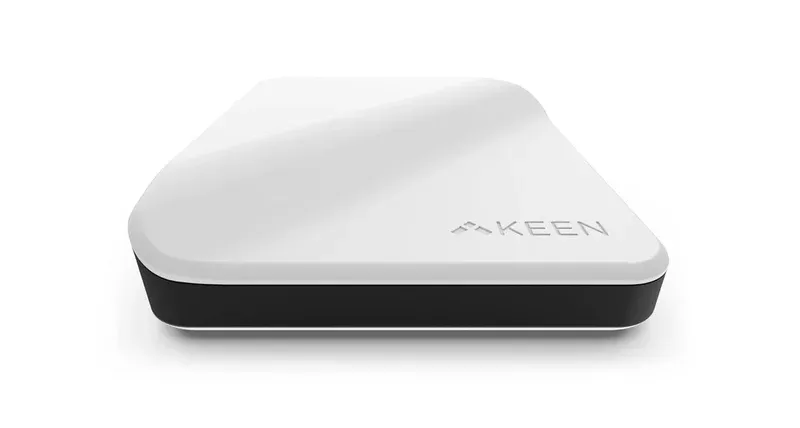
Product Details
🏭 Manufacturer: Keen-Home
What Are Keen Home Smart Vents?
Keen Home Smart Vents are motorized dampers that fit inside your existing ductwork to provide room-by-room HVAC control. This budget-friendly approach to smart venting does not sacrifice core functionality compared to premium brands. Each vent includes built-in temperature and humidity sensors, eliminating the need for additional sensor purchases.
If you want to solve temperature imbalances in your home without spending premium prices, Keen Home delivers a practical solution. The system integrates with Samsung SmartThings, making it ideal for households already invested in SmartThings automation. Many homeowners appreciate Keen Home because the price per vent is significantly lower than competing brands while maintaining reliable operation.
Key Features of Keen Home Smart Vents
Keen Home Smart Vents focus on delivering essential zone control features at affordable prices. Here are the main capabilities:
- Built-in temperature and humidity sensors in every vent
- Samsung SmartThings integration for app control and automation
- Zoned heating and cooling without system replacement
- Easy DIY installation guided by the mobile app
- Wireless mesh network for reliable communication
Built-In Sensors
Every Keen Home vent includes temperature and humidity sensors, so you do not need to buy separate sensor devices. This integrated approach reduces your total system cost and simplifies setup since you have fewer devices to manage and connect.
SmartThings Integration
Control vents directly through the SmartThings mobile app or create automation rules. For example, you can lower bedroom vents at night, close office vents when nobody is home, or adjust based on time of day. SmartThings integration also enables voice control through Alexa when configured properly.
Zoned Heating and Cooling
Direct airflow to specific rooms that need conditioning while reducing flow to unoccupied spaces. This targeted approach helps maintain consistent temperatures across your home without expensive HVAC modifications. Bedrooms, offices, and other temperature-sensitive rooms benefit most from Keen Home zoning.
Easy Installation
Keen Home vents slide into standard 4-inch or 6-inch ducts without special tools. The app provides step-by-step installation guidance for each vent. Most homeowners complete installation in 15 to 30 minutes per unit, making it practical for weekend DIY projects.
Wireless Mesh Network
Keen Home vents communicate through a wireless mesh network, allowing them to relay signals through one another. This approach provides better coverage than direct WiFi connection, especially in homes with thick walls or large distances from the router.
How Keen Home Works in Your Home
Installation begins by identifying supply ducts where you want zone control. Standard ductwork in most homes supports Keen Home vents without modification. Turn off your HVAC, remove existing vent dampers, and insert Keen Home units into the duct openings. Connect the hub to power and WiFi, then pair each vent through the SmartThings app.
Once paired, use the app to set temperature targets and create automation schedules. SmartThings automation lets you tie vent adjustments to time, temperature, or other sensors. For example, if a room temperature drops below 68 degrees, you can automatically open that room's vents. You can also manually adjust individual vents from anywhere through the app.
Installation Considerations
Ductwork access is essential since vents must fit into your existing ducts. Most homes have accessible supply ducts, but some configurations may require professional assessment. Standard duct sizes are 4 inches or 6 inches, and Keen Home supports both.
Your HVAC system should have variable-speed blower capability or the ability to handle zone control without pressure imbalances. Older single-stage systems may struggle when many vents close simultaneously. Maintain at least 50 percent of supply vents open to prevent strain on the blower motor and heat exchanger.
SmartThings hub is required for full functionality. If you already own a SmartThings hub for other devices, Keen Home vents integrate directly. If not, you will need to purchase one separately, though SmartThings hubs have become more affordable in recent years.
Comparing Keen Home to Other Smart Vents
| Aspect | Keen Home | Flair | Alea Air |
|---|---|---|---|
| Price Per Vent | Most affordable | Mid-range | Premium |
| Built-In Sensors | Yes | Optional Pucks | Integrated |
| SmartThings | Native integration | Not supported | Not supported |
| Voice Control | Alexa via SmartThings | Alexa & Google | App-only |
| Installation | Very easy | DIY-friendly | Advanced |
| Thermostat Support | Multi-brand | ecobee/Nest focused | Multi-brand |
Keen Home excels at affordability and SmartThings integration. Flair offers broader thermostat compatibility and voice assistant options. Alea targets advanced automation users with machine learning capabilities.
Bottom Line
Keen Home Smart Vents are ideal for budget-conscious homeowners seeking reliable zone control without premium pricing. The built-in sensors and SmartThings integration make setup straightforward and keep total system cost low. If you have accessible ductwork, a compatible HVAC system, and a SmartThings hub, Keen Home delivers solid value.
Start with 2 to 3 vents in rooms with the most temperature problems, then expand your system over time as budget allows. The modular approach lets you add vents gradually without replacing your entire setup.
Frequently Asked Questions
Is Keen Home compatible with Samsung SmartThings?
Yes, Keen Home Smart Vents integrate with Samsung SmartThings. You can control vents directly from the SmartThings app or create automation routines that adjust vents based on temperature, time, or other triggers.
Can I install Keen Home vents myself?
Keen Home vents are designed for DIY installation. The app provides guided installation steps. Turn off your HVAC, remove old vents from standard ducts, insert Keen Home units, then pair through the app. Most installations take 15 to 30 minutes per vent.
Do Keen Home vents work with voice assistants?
Keen Home vents support Amazon Alexa through SmartThings integration. You can command Alexa to control individual room vents by name. Google Assistant support depends on your SmartThings hub and gateway configuration.
What makes Keen Home more affordable than competitors?
Keen Home focuses on essential features without premium add-ons. Vents have built-in sensors, so optional external sensors are not required. This reduces overall system cost while maintaining solid performance for zone control.
Can I expand my Keen Home system over time?
Yes, you can add Keen Home vents gradually. Start with 2 to 3 vents in the most problematic rooms, then expand your zoning system as budget allows. All vents pair to the same hub and coordinate through the app.