Amazon Alexa - Compatible Devices and Best Products Guide
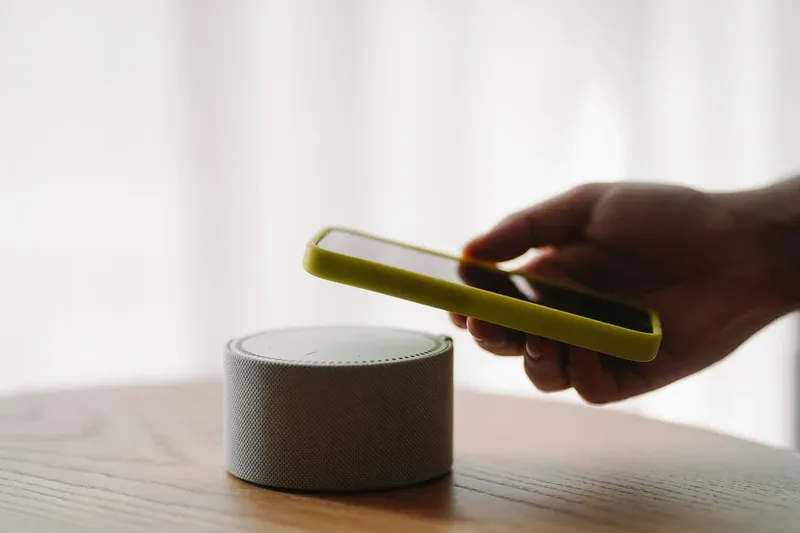

This post may contain affiliate links. As an Amazon Associate we earn from qualifying purchases. Disclosure.
Alexa works with thousands of devices, but compatibility isn't always smooth. Here's what pairs well with Amazon Echo and which products deliver the best experience.
Amazon Alexa has become a household name in the world of smart home technology. Known for its convenience and versatility, Alexa powers a wide range of compatible devices that enhance the functionality of your home. Many Alexa-compatible devices communicate through wireless protocols like ZigBee, Wi-Fi, and Bluetooth, allowing your devices to work together in a cohesive smart home ecosystem. In this article, we'll explore the best Alexa-enabled products and how they integrate easily into your daily life. I'll admit a bias here: that giant "Works with Alexa" badge doesn't impress me much anymore. Half the certified gear leans on a flaky cloud skill that breaks the day the maker loses interest, and I trust a device that speaks Zigbee or Matter locally far more than one that only phones home through Amazon's servers.
Bottom line: Amazon Alexa works with thousands of smart home devices across lighting, security, climate, and entertainment categories. The best Alexa-compatible products communicate via ZigBee, Wi-Fi, or Bluetooth and can be controlled entirely through voice commands on any Echo device.
What Is Amazon Alexa and How Does It Work?
Amazon Alexa is a virtual voice assistant developed by Amazon. It allows users to interact with their smart devices using just their voice. With advanced capabilities, Alexa can perform tasks like setting reminders, playing music, and controlling other smart devices in your home. The ease of using voice commands makes Alexa a favorite among tech enthusiasts and casual users alike.
You can verify the technical specifics at ZigBee Alliance official standards.
Benefits of Alexa-Enabled Products
- Wireless Speakers: Alexa-compatible speakers provide high-quality sound and smooth control through your voice.
- Smart Lighting: With smart bulbs, you can adjust lighting brightness and color to suit any mood or occasion.
- Home Security: Alexa integrates with security cameras, alarm systems, and smart locks for enhanced home security. Advanced smart presence sensors detect occupancy to automatically trigger security routines.
- Kitchen Appliances: Control smart ovens, coffee makers, and other appliances like the LG Signature Smart Microwave, adding efficiency to your kitchen tasks.
- Thermostats and Climate Control: Use Alexa to manage your home's temperature and reduce energy consumption with intelligent scheduling.
- Smart Plugs: Control lamps and appliances with the Tapo Smart Plug P125M (Matter-compatible) or the compact Eufy Smart Plug Mini for voice-activated on/off and scheduling.
- Air Quality: The Govee Smart Air Purifier 2 Pro cleans indoor air with app-controlled fan speeds and filter monitoring through Alexa voice commands.
Alexa-enabled products offer a great deal of convenience and help streamline daily tasks. From setting timers to controlling your smart home hub, Alexa makes your life easier.
Which Smart Devices Work Best with Amazon Alexa?
Smart Speakers and Audio
A quality smart speaker is essential for getting the most out of Alexa. The Amazon Echo line of products, including the Echo Dot and Echo Studio, provide excellent audio experiences. These smart speakers allow you to stream music from various platforms, all controlled by voice commands.
Smart Lighting Solutions
Lighting plays a important role in the ambiance of a home. Alexa-compatible brands like Philips Hue and LIFX offer bulbs that can be dimmed or color-changed with a simple voice request. The Philips Hue Play Wall Washer delivers accent lighting for walls and entertainment, while the LIFX Everyday A19 Smart Bulb provides versatile color and white lighting. For dynamic effects, the creates immersive backlighting, and the offer modular tile lighting. You can also add the for affordable color-changing options. The adds addressable color zones for behind-TV bias lighting, and the extend Alexa voice control to weather-resistant outdoor accent lighting. Create schedules, set scenes, and use your voice to control your entire lighting setup with ease.
How Does Alexa Improve Home Security and Automation?
Security is a significant concern for many homeowners. Devices like the and Blink cameras integrate flawlessly with Alexa, enabling features like live video feed viewing and motion alerts. Additionally, smart locks such as August Smart Lock can be controlled via Alexa, offering peace of mind and enhanced safety for your home. Advanced biometric locks like D2L smart locks provide fingerprint-based entry controlled through Alexa routines. For comprehensive home protection, add Jiangsu Shushi Technology water leak sensors that integrate with Alexa to alert you instantly of potential flooding or water damage.
Customizing Your Smart Home with Alexa
- Routines and Automation: Set up daily routines to automate tasks like turning off all lights at bedtime.
- Skills Integration: Alexa's skills library allows you to add functionalities ranging from reading daily news to controlling your thermostat.
- Multi-Room Audio: Spread your music throughout your home with Alexa's multi-room audio feature.
- Smart Home Hub Integration: Use a central smart hub like the or Varmblixt to coordinate multiple devices and enable local processing for faster response times.
Using Alexa, you can customize your home environment just the way you like it. The possibilities are endless, and the integration of Amazon Alexa with various devices continues to expand, making it an indispensable tool in modern smart homes.
How Do You Set Up Amazon Alexa in Your Home?
For those new to Alexa, setting up the device properly is essential to making the most of its capabilities. Follow this step-by-step guide to integrate Alexa into your smart home effortlessly.
1. Choose Your Alexa Device
Start by selecting an Alexa-enabled device, such as an Amazon Echo or an Alexa-compatible smart display. These devices serve as your central hub for voice control.
2. Download the Alexa App
Once you've chosen your device, download the Alexa app from the App Store or Google Play Store. This app allows you to manage Alexa settings, connect smart home devices, and create automation routines.
3. Connect to Wi-Fi
After installing the app, follow the instructions to connect your Alexa device to your home's Wi-Fi network. A strong Wi-Fi connection ensures smooth operation and faster response times.
4. Enable Smart Home Skills
To control smart devices with Alexa, you need to enable Alexa Skills for each device brand. Go to the "Skills & Games" section in the Alexa app and search for compatible skills for your smart lighting, thermostat, or security cameras.
5. Add and Group Devices
To organize your home automation efficiently, use the "Devices" tab in the Alexa app to add your smart devices. You can group multiple devices into rooms, allowing you to control them all with a single command.
6. Set Up Routines
With routines, Alexa can perform multiple actions at once. For example, create a "Good Morning" routine that turns on your lights, plays the news, and adjusts the thermostat-all with a single voice command.
7. Test Voice Commands
Once everything is set up, test some basic voice commands to ensure Alexa responds correctly. Try saying:
- "Alexa, turn on the living room lights."
- "Alexa, set the thermostat to 72 degrees."
- "Alexa, lock the front door."
These simple commands will help confirm that your Alexa-enabled smart home is functioning properly.
How Do You Troubleshoot Common Amazon Alexa Issues?
Even with an intuitive setup process, you might encounter minor issues when using Alexa. Here are some common problems and their solutions:
-
Alexa isn't responding to voice commands
- Ensure your device's microphone is not muted.
- Check if Alexa's wake word is correctly set.
- Restart the Alexa device and try again.
-
Alexa isn't controlling smart devices
- Confirm that the device is compatible with Alexa.
- Ensure the Alexa Skill for the device is enabled.
- Reboot the smart device and reconnect it in the Alexa app.
-
Wi-Fi connectivity problems
- Restart your router and Alexa device.
- Move your Alexa device closer to the router.
- Check if other Wi-Fi devices are working correctly.
Following these troubleshooting steps will help you resolve most common Alexa-related issues quickly.
Amazon Alexa compatible devices extend far beyond Echo speakers. Control your home with smart plugs, switches, thermostats, and security devices from brands like Tapo, Kasa, Ecobee, and Eufy that all integrate easily with Alexa voice control and automations.
Compatible devices extend from smart plugs (Tapo, ) to vacuums (SwitchBot) and everything in between.
Incorporating Amazon Alexa into your home setup can greatly enhance your daily life, offering control, security, and entertainment through simple voice commands. Whether you're a tech-savvy enthusiast or new to smart home technologies, there are plenty of best Alexa-enabled products to choose from that fit your needs and budget. The flexibility and ease that come with Alexa's compatible devices make home automation simpler and more enjoyable than ever before.
The authoritative reference is ZigBee specification and documentation, worth a look before you buy. With this step-by-step guide, you can easily set up Alexa and explore all its features, making your smart home experience truly effortless. For the interoperability standards that determine cross-device compatibility, the CSA Matter specification is the authoritative source for verifying smart home protocol compliance before purchase.
Getting the Most Out of Your Smart Speaker Daily
Smart speakers work best when integrated into your daily routine. Setting up morning routines that combine weather reports, calendar reminders, and smart home control creates a smooth start to each day. Evening routines can dim lights, set thermostats to sleep temperature, and start relaxing music with one command.
Voice recognition gets better the longer a device knows you, so run the voice-training routine when you set up a new Alexa device. If a command keeps failing, rephrasing with simpler words usually beats repeating the same sentence louder.
Smart Speaker Network Requirements
Every Alexa-compatible device hangs on a stable Wi-Fi link. Keep speakers within 20 to 30 feet of the router without thick walls between, and a dual-band router gives you a fallback band when one gets congested.
Voice commands need almost no bandwidth, but music wants steady throughput. If audio drops out, push the device onto 5GHz; for smart home control across the house, 2.4GHz reaches further through walls.
Privacy Controls and Data Management
Managing your smart speaker's data collection is straightforward through the companion app. Both Amazon Alexa and Google Assistant apps include dedicated privacy sections where you can review, pause, or delete voice recordings. Setting up automatic deletion schedules removes recordings after 3 or 18 months without manual intervention.
Most Alexa devices have a hardware mic mute that physically cuts the listening circuit and lights an indicator. Use it during private conversations; your connected smart home gear keeps working, you just lose wake-word listening until you toggle it back.
Troubleshooting Common Smart Speaker Issues
When an Alexa device ignores the wake word, unplug it for 30 seconds and plug it back in. It re-establishes its cloud connection and is usually responsive again within a minute, no app digging required.
Connection drops between your speaker and smart home devices often stem from network congestion. Rebooting your router alongside the smart speaker clears both connection layers simultaneously. If problems persist, checking for firmware updates through the companion app often reveals pending fixes that address connectivity issues.
Setting Up Multi-Room Audio Groups
Creating speaker groups transforms individual smart speakers into a whole-home audio system. Through the Alexa app or Google Home app, you can group multiple speakers to play synchronized music throughout your home. Playing the same track across all rooms creates an immersive listening experience during parties or while doing household tasks.
Two identical Echo devices can be paired into a stereo set for true left-right separation. Place them a few feet apart at ear level. It is an easy upgrade if you already own a matching pair.
Frequently Asked Questions
What devices are compatible with Amazon Alexa?
Alexa works with thousands of smart home devices across categories including smart lights (Philips Hue, LIFX, Govee), smart plugs (Tapo, Kasa), thermostats (ecobee, Nest), security cameras (Blink, eufy, Ring), smart locks (SwitchBot), and entertainment devices. Devices connect via Wi-Fi, Zigbee, Bluetooth, or Matter protocols through Echo speakers and the Alexa app.
How do I connect smart devices to Alexa?
Open the Alexa app, tap Devices, then the plus icon to add a device. Select the device type and brand, then follow the pairing instructions. Most Wi-Fi devices connect directly after entering your network credentials. Zigbee devices pair through an Echo with built-in Zigbee hub. Matter devices scan a QR code for instant setup across ecosystems.
What are the best Alexa-enabled products for beginners?
Start with an Echo Dot for affordable voice control, then add smart plugs like the Tapo Smart Plug P125M for appliance automation and smart bulbs like the Tapo L535E for lighting control. A smart plug costs under $15 and provides immediate energy savings through scheduling. Add a security camera or video doorbell as your next step.
Can Alexa control devices from different brands?
Yes, Alexa supports devices from hundreds of manufacturers. You can mix Philips Hue bulbs, Tapo plugs, ecobee thermostats, and Ring cameras all controlled through a single Alexa app. Create routines that coordinate devices across brands, like turning on Govee lights and adjusting an ecobee thermostat simultaneously with one voice command.
What is the difference between Echo Dot and Echo Studio?
The Echo Dot is a compact, budget-friendly speaker ideal for voice control and basic music in smaller rooms. The Echo Studio is a premium speaker with 3D spatial audio, Dolby Atmos support, and automatic room calibration for audiophile-quality music playback. Both have the same Alexa voice capabilities, but the Studio delivers significantly better sound quality.