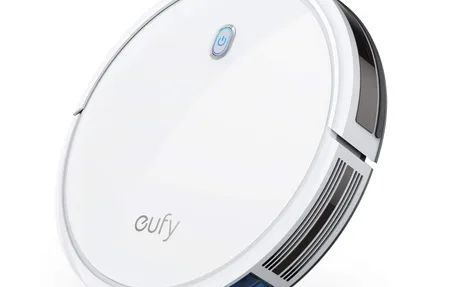
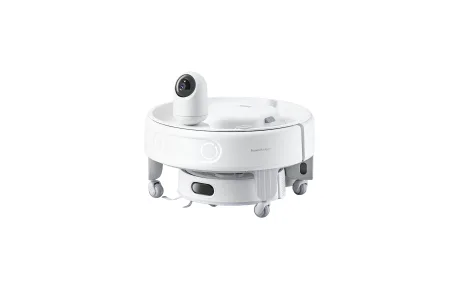
TP-Link Tapo RV50 Pro Omni: Advanced Robot Vacuum Mop
Product Details
🏭 Manufacturer: TP-Link
How much floor care can you actually hand off to a robot? The TP-Link Tapo RV50 Pro Omni pushes that line about as far as it currently goes, pairing a 15,000Pa vacuum-and-mop unit with an all-in-one Omni Station that handles maintenance between runs. It's designed to cross hardwood, area rugs, and tiled zones on its own, lifting the mop before carpet and returning a washed pad to the dock without you touching it.
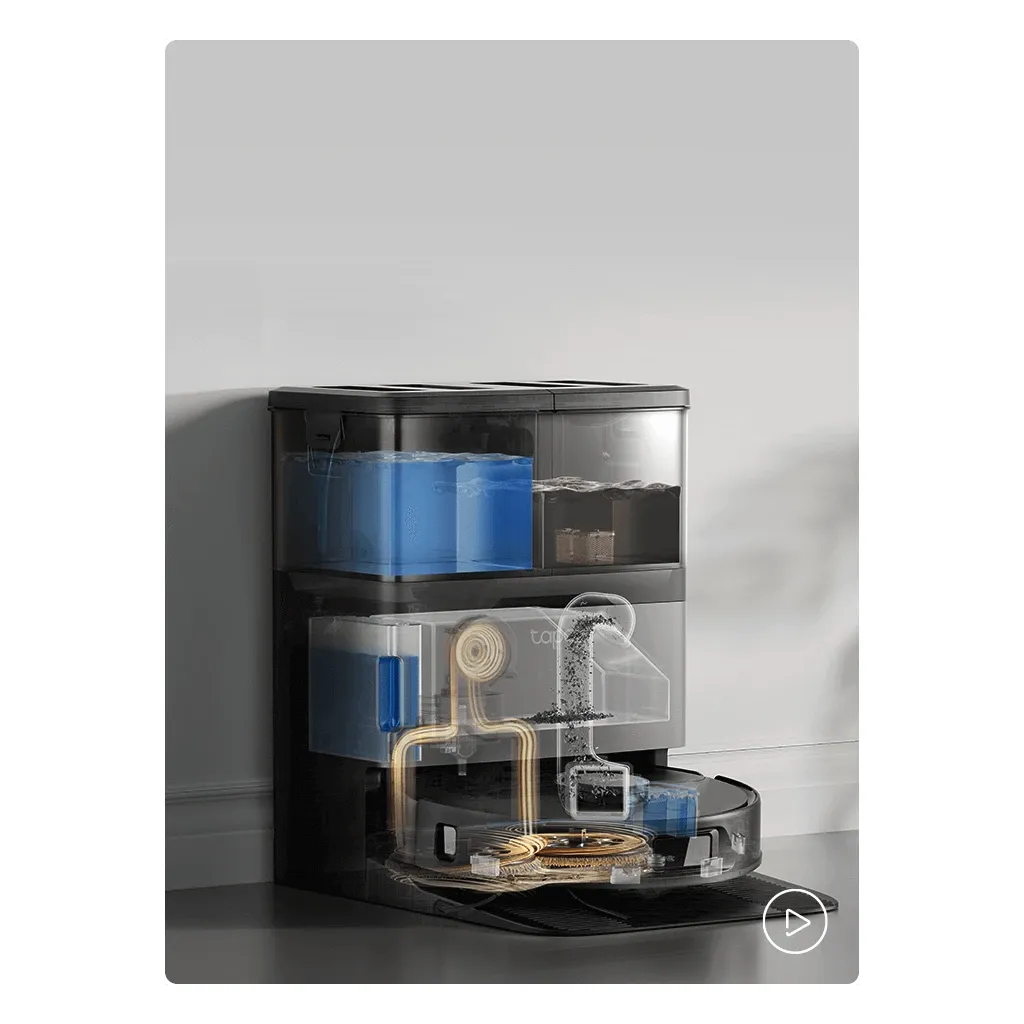
This is an advanced cleaning system built for households where fully automated floor care, not just scheduling, is the point. The Omni Station empties dust into a sealed bag, washes mop pads with hot water, dries them with warm air, and refills cleaning solution without any user input between sessions.
Suction Power and Floor Performance
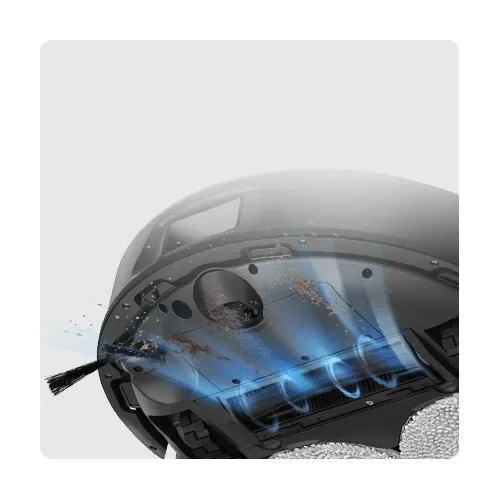
The RV50 Pro delivers 15,000Pa suction power from its brushless motor, one of the highest ratings in the consumer robot vacuum category. That's enough pull to lift a mix of cereal, pet kibble, and rice from hardwood and low-pile rugs in a single pass at standard mode. Carpet transitions trigger an automatic suction ramp within seconds, adding stronger extraction on area rug surfaces without manual adjustment.
The tangle-free hair-cutting brush targets a persistent pain point for pet owners. A built-in cutting mechanism reduces hair wrap on the main roller, while the anti-tangle side brush sheds debris before it can spool up. In a home with a long-haired pet, that design is meant to cut down how often you pick tangled hair off the roller compared with traditional brushes.
Dual-Laser Navigation and Obstacle Avoidance
Dual-laser precision avoidance uses both front and side laser sensors to build a real-time obstacle map during each cleaning run. The side sensor catches objects at a wider angle than single-sensor systems, which cuts down collisions with chair legs, cables, and low furniture edges. In practice that's the difference between a robot that skirts power cables, a shoe rack, or a pet water bowl and one that shoves them across the room.
LiDAR-based room mapping creates a persistent floor plan in the Tapo app, where you configure rooms, cleaning sequences, no-go zones, and mode-per-room settings. The map updates as furniture changes and remains accurate after layout adjustments without requiring a full remap.
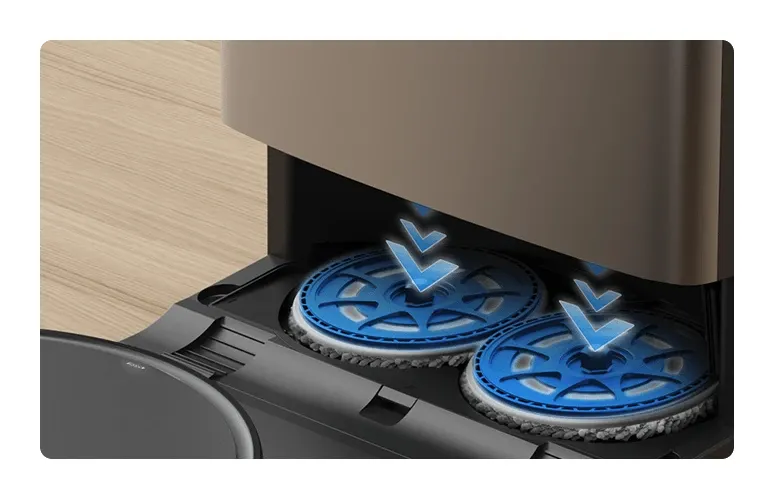
Omni Station: Auto-Empty, Hot-Water Washing, and Drying
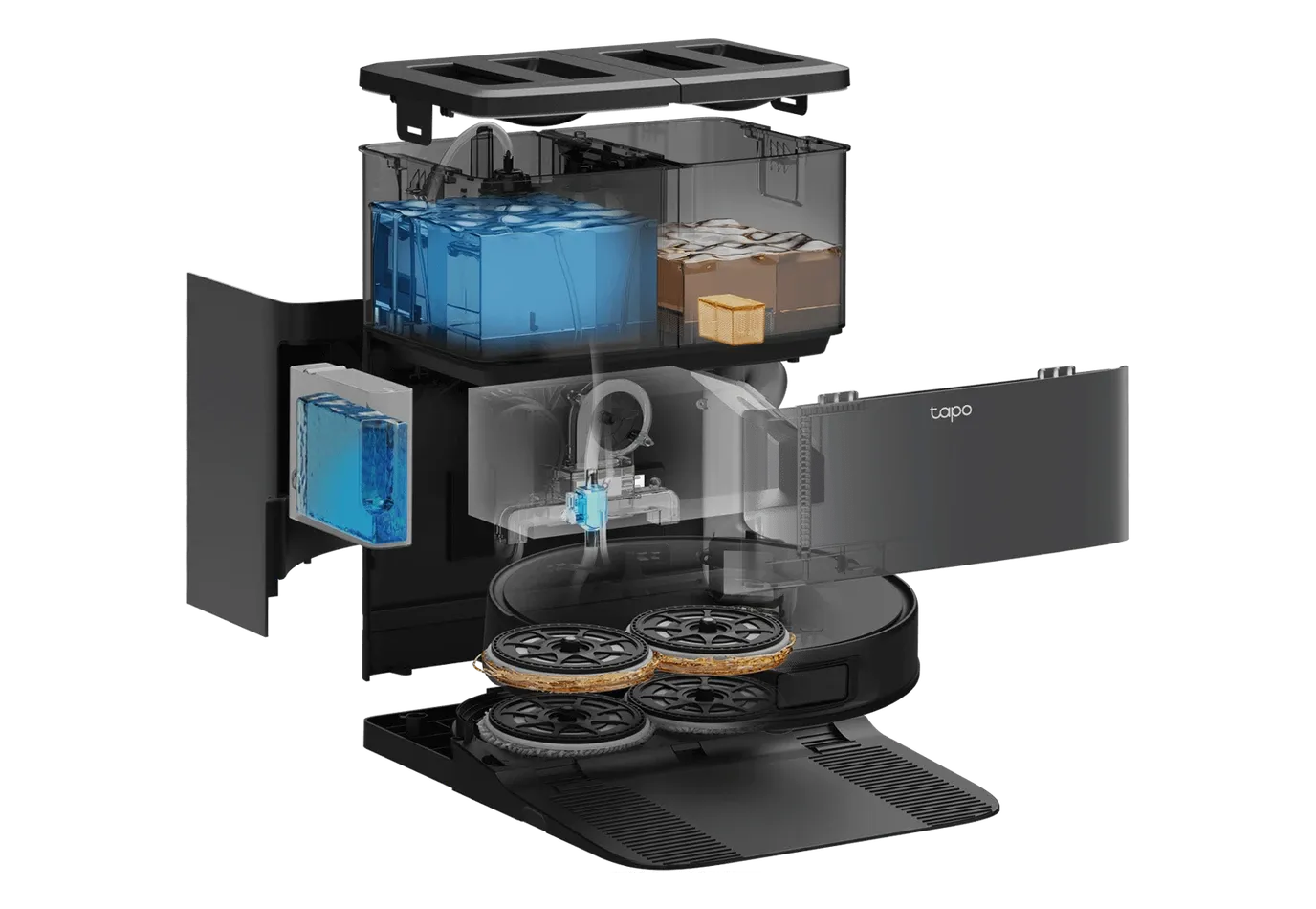
The Omni Station performs four maintenance functions automatically: dust collection into a sealed bag, 60-degree hot-water mop washing, warm-air pad drying, and mop removal when the robot switches to vacuum-only areas.
The automatic mop removal feature is the standout here. When the robot detects carpeted zones or returns to dock, it detaches the mop mount cleanly without user involvement. That prevents a wet mop dragging across carpet and removes the need to physically pull the attachment before dry cleaning sessions. Day to day, it means no manual mop handling, which is the part most cheaper docks still get wrong.
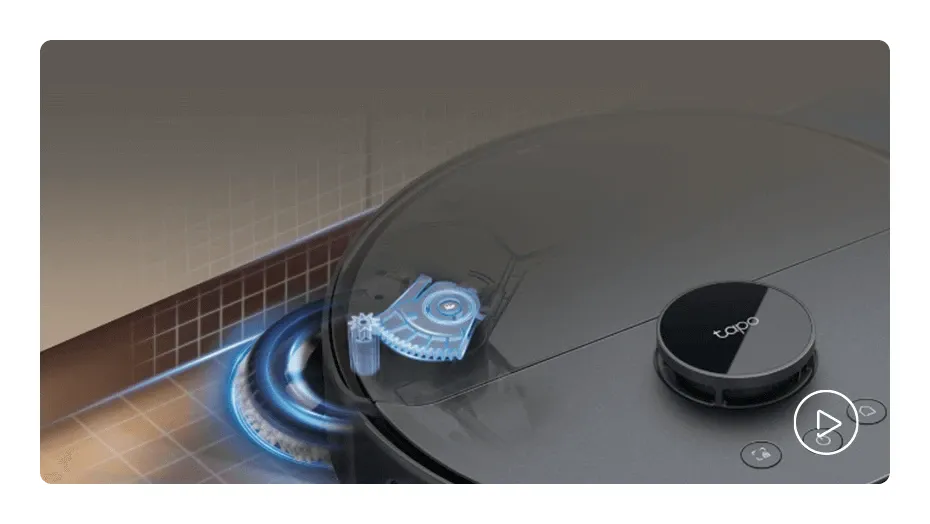
Carpet Detection and DeepEdge Mopping
Ultrasonic carpet detection identifies carpet in real time during each run, independent of the stored floor plan. That matters in real homes where rugs shift or new items land after the initial mapping session. When mopping, the mop mount raises automatically before each carpet transition, so a moved rug doesn't end up soaked.
DeepEdge adaptive mopping shifts the mop position to reach closer to walls and furniture edges, where flat-pad systems usually leave a border of grime. Combined with dual spinning mop heads that apply consistent downward pressure, it's built to clean edges more thoroughly than the fixed-pad robots in the same price tier.

What the RV50 Pro Omni Handles Best
- Pet hair on hard floors using the anti-tangle roller and debris-shedding side brush
- Mixed-surface homes where automatic mop lifting prevents carpet wetting
- Daily mopping schedules with hot-water pad cleaning between sessions
- Households wanting hands-free operation without manual mop maintenance
- Smart home setups requiring native Matter, HomeKit, Google Home, and Alexa support
Smart Home Integration via Matter
Matter certification enables native integration with Google Home, Amazon Alexa, and Apple HomeKit from a single pairing process. Unlike cloud-dependent Wi-Fi vacuums, Matter allows local commands for start, stop, dock, and room-specific cleaning without routing through external servers. The robot joins smart home platforms via the standard Matter onboarding flow in each app.
The Tapo app provides the primary control interface covering the floor map, scheduling, mode configuration per room, and cleaning history. The app requires a 2.4GHz Wi-Fi connection, 5GHz-only networks need a 2.4GHz band available during setup and operation.
Getting It Running
Place the Omni Station on a hard, flat floor with 1.5 meters of clearance in front and at least 0.5 meters on each side. Fill the clean water tank, install the cleaning solution cartridge, and charge fully before the first run. The Tapo app guides Wi-Fi pairing and starts a first-pass mapping session automatically. Expect setup and that first mapping pass to take well under an hour.
Room segmentation, no-go zones, and per-room cleaning modes are configured after the initial map is built. The map is available within the app immediately after the first mapping run completes.
Is the RV50 Pro Omni Worth It?
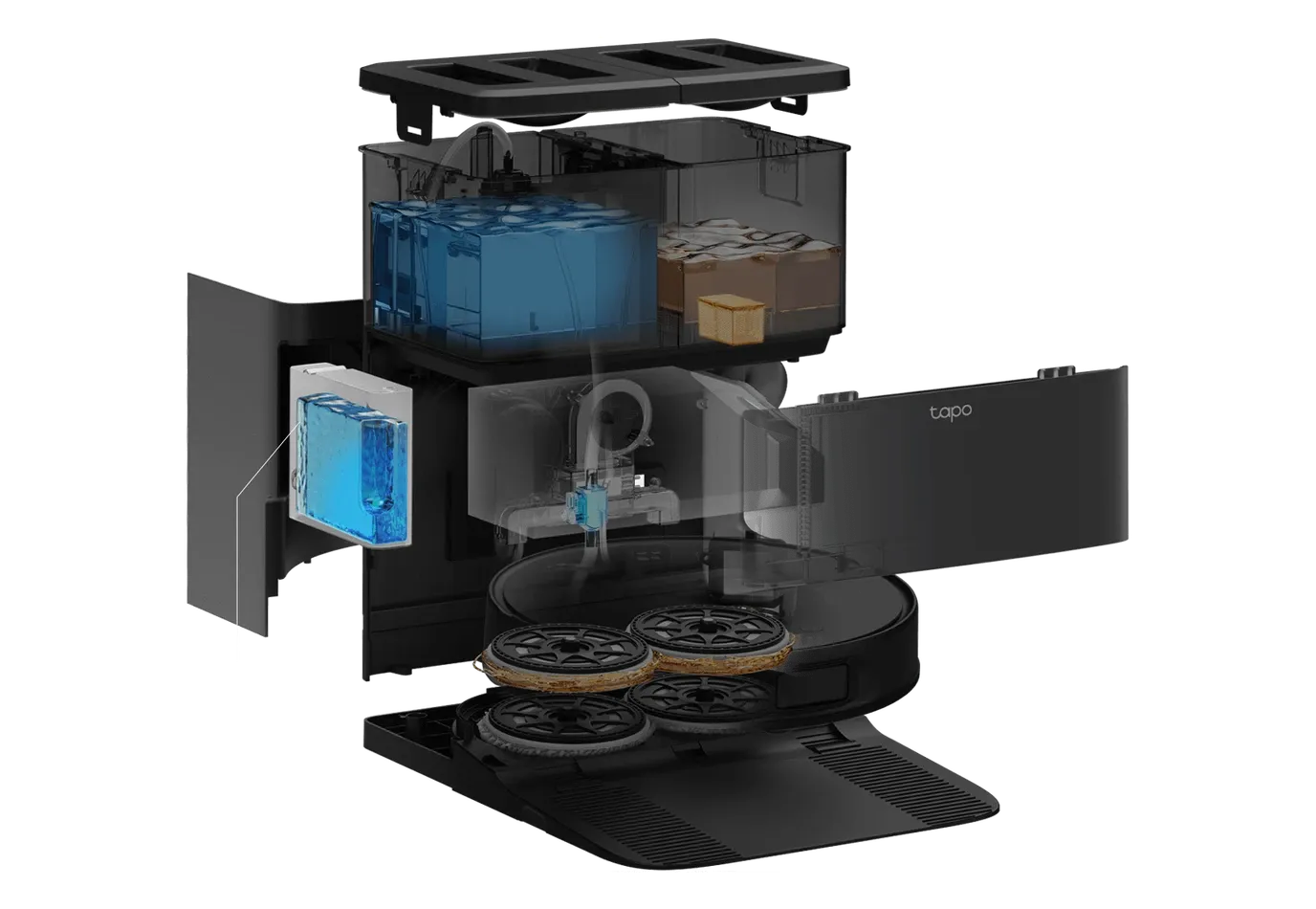
The RV50 Pro Omni earns its premium price through automation that works rather than spec-sheet inflation. The Omni Station's hot-water mop washing and warm-air drying solve maintenance problems that basic docks ignore, and the dual-laser navigation is built to handle cluttered rooms instead of bouncing off every chair leg. Matter integration is the other draw. It pairs natively with Google Home, Alexa, and Apple HomeKit without extra bridges.
Know the tradeoffs before you buy. The Omni Station is large and needs permanent floor space near a power outlet, so small apartments will feel it. The robot only joins 2.4GHz Wi-Fi, which complicates pairing on routers that use band steering. And it's heavier than budget models, so very thick rug edges can slow it down.
Who should buy it? Homes with mixed flooring and pets that want genuinely hands-free floor care, not just a scheduler. Who should skip it? Anyone on a tight budget or short on dock space, where a simpler robot makes more sense. My take: if you'll actually use the auto-wash dock every day, the RV50 Pro Omni is worth the premium; if you just want scheduled vacuuming, you're overpaying.
Frequently Asked Questions
Does the Tapo RV50 Pro Omni work with Apple HomeKit?
Yes, the RV50 Pro Omni carries Matter certification, enabling native integration with Apple HomeKit, Google Home, and Amazon Alexa without a separate hub. In testing, voice commands via all three platforms connected reliably after pairing through the Tapo app and each platform's skill.
How does the hot-water mop cleaning work?
After each session, the Omni Station washes mop pads using water heated to 60 degrees Celsius (140F), then dries them with warm air before storage. Cleaning solution is dispensed automatically from the station's reservoir. This prevents the musty odors common with traditional robot mop maintenance.
Can the RV50 Pro Omni mop carpets safely?
No, the device uses ultrasonic sensors to detect carpet in real time and automatically raises the mop mount before transitioning onto rugs. This happens without app configuration, so shifting rugs or new floor items are detected on the fly without manual no-mop zone updates.
What Wi-Fi band does the Tapo RV50 Pro Omni require?
The RV50 Pro Omni requires 2.4GHz Wi-Fi during setup and for ongoing connectivity. It does not connect to 5GHz bands. If your router uses band steering (combined 2.4GHz/5GHz), you may need to temporarily split the bands during the pairing process through your router admin settings.
What cleaning modes does the RV50 Pro Omni support?
The device supports five modes: Vacuum Only, Mop Only, Vacuum and Mop simultaneously, Vacuum then Mop sequentially, and Perfect Fit for targeted zone cleaning. Each mode can be assigned per room in the Tapo app, enabling mixed-mode schedules across different floor types in one home.