Aqara Thermostat Hub W200 for Smart Climate Control

Product Details
🏭 Manufacturer: Aqara
🔌 Plug Format: 24 VAC wired
📄 Specification Met: FCC, Matter 1.4 controller
🔖 Part Number: SRT-A06E / SRT-A06D
📏 Dimensions: 100 mm x 100 mm x 25 mm
🏳️ Country of Origin: China
🆔 Model Number: SRT-A06E (online), SRT-A06D (Matte Kit, retail)
📐 Size: Compact wall-mount
🎨 Style: Wall-mounted thermostat hub
🧲 Mounting Type: Wall Mount
🔧 Usage: Indoor Use
🧩 Included Components: Thermostat Hub W200, base plate, trim plate, guide and wire labels, user manual, 4 screws with drywall plugs (C-wire adapter sold separately)
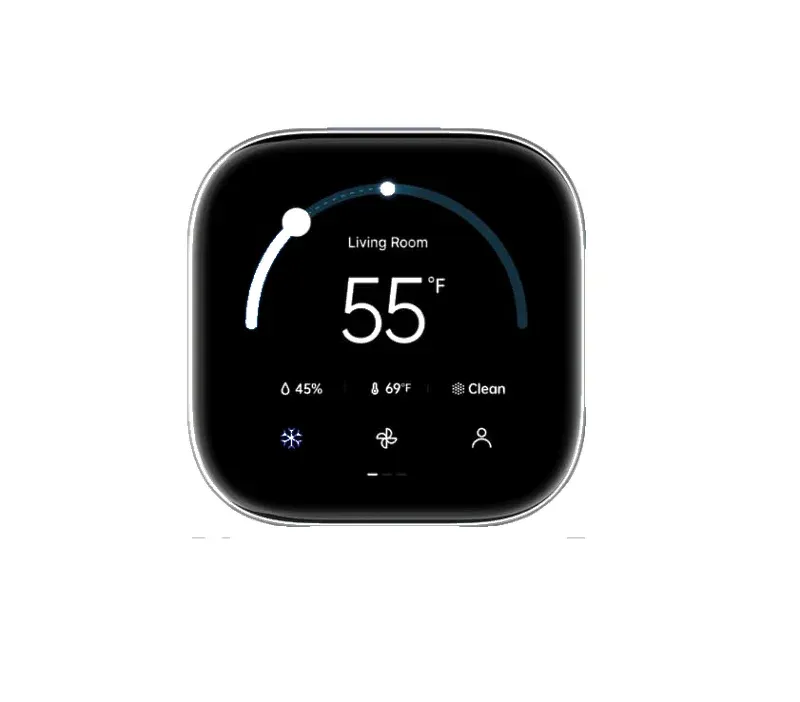
Want one wall panel that runs your heating and doubles as a smart home hub? That's the pitch behind the Aqara Thermostat Hub W200, a 4-inch full-color touchscreen unit that pairs climate control with a built-in Matter controller. It runs on 24 VAC HVAC wiring, mounts to the wall, and manages temperature, security feeds, and connected gear from a single screen. Two features do the heavy lifting here. Adaptive Temperature shifts settings based on your phone's location and activity state, and Clean Energy Guidance nudges heating and cooling toward cleaner grid hours. Both are Apple Home features that, per Aqara, need iOS 26 or later, and Clean Energy Guidance works only in the contiguous United States.
It isn't just a thermostat. The W200 also works as a smart home hub, syncing with Aqara doorbells, locks, and third-party gear over Matter, Thread, and Zigbee. Adjust heat by voice, check a visitor on the screen, or unlock the door without reaching for your phone. That mix is what separates it from a plain dial-and-schedule thermostat.
In a Nutshell
Aqara showed the Thermostat Hub W200 at CES 2026 and announced North American availability on April 7, 2026, at $159.99 for the base unit, with the C-wire adapter at $29.99 extra. It's more than a thermostat: a centralized panel that uses iPhone data for Adaptive Temperature. It adjusts settings based on your 'home,' 'sleep,' 'away,' or 'extended away' status in the Apple Home app, so the house is at the right temperature when you get back.
The Clean Energy Guidance feature makes subtle tweaks to heating and cooling when the grid runs cleaner. The 4-inch touchscreen provides quick access to controls, visitor verification via synced doorbells, and door unlocking - ideal for family homes. With dual-band Wi-Fi, Thread, and Zigbee support, it acts as a Matter controller and Thread border router for more than 50 Aqara and third-party device types.
By the Numbers
The Aqara Thermostat Hub W200 packs solid hardware into a sleek, compact design. Aqara lists it at 100 x 100 x 25 mm, small enough to replace a typical wall thermostat. It needs 24 VAC (18-30 VA) HVAC wiring, and Aqara says the separate C-wire adapter is required for systems without a common wire. Aqara describes it as compatible with the majority of HVAC systems and links a compatibility checker, but its page doesn't spell out stages, heat pump, or dual-fuel support, so run the checker before you buy.
Key specs include:
- Screen: 4-inch full-color touchscreen for intuitive control
- Connectivity: Dual-band Wi-Fi (2.4 and 5 GHz), Thread, Zigbee, Matter 1.4 controller, and Thread border router
- Power: 24 VAC (18-30 VA), C-wire adapter sold separately when there's no common wire
- Sensors: Built-in mmWave presence radar (3 m range, 120 degree field of view, per Aqara), with remote temperature sensors and humidity averaged across sensors
- Compatibility: Apple Home, Google Home, Alexa, SmartThings, and Home Assistant, via Wi-Fi and Matter
- Dimensions: 100 x 100 x 25 mm
- Operating range: -10C to 50C, 0 to 95 percent humidity without condensation
These details make it reliable for daily home automation, handling everything from precise climate adjustments to multi-protocol device management.
Talking to the Rest of Your Home
Smooth connectivity defines the Aqara Thermostat Hub W200. As a Matter controller, it unites Zigbee, Thread, and Wi-Fi devices under one roof, supporting ecosystems like Apple Home, Google Home, Amazon Echo, and Home Assistant. Pair it with Aqara door locks, doorbells, or even third-party sensors for unified control. For rooms heated by radiators, Aqara's Radiator Thermostat W600 adds valve-level control over Thread and Zigbee.
Voice Assistant integration shines: Say "Alexa, set temperature to 72 degrees F" or use Siri for hands-free operation. Automations can use the built-in presence radar and connected sensors, and Aqara's Climate Sensor W100 adds room-based control when the hub runs in Zigbee mode. For IoT devices, its multi-protocol setup ensures broad compatibility, reducing the need for multiple hubs.
Setup involves scanning a QR code in the Aqara Home app, followed by Matter pairing for cross-brand harmony. That's the route for adding third-party Matter gear.
Where It Shines
Here's where the W200 actually earns its spot in a smart home, blending comfort, security, and efficiency. A few practical applications:
Key Points
- Personalized Comfort: Uses iPhone location and activity states for Adaptive Temperature, warming your home as you drive back from work.
- Energy Optimization: Clean Energy Guidance shifts settings toward cleaner grid hours, which suits green living.
- Security Hub: View doorbell snapshots and unlock doors via the touchscreen, though Aqara says that needs its G400 or G410 doorbells and compatible locks.
- Family Management: Sync with locks for guest access; automate lights and HVAC based on occupancy from connected sensors.
- Elderly Care: Monitor temperature fluctuations and combine the built-in presence radar with other sensors for simple alerts.
These uses highlight its role in home environment management, from busy households to eco-conscious setups.
From Box to First Use
Getting your Aqara Thermostat Hub W200 running is a wiring job first and an app job second. With the HVAC power off, replace your old thermostat on its existing wiring, using the bracket and screws.
- Connect the 24 VAC supply (add the C-wire adapter if your system has no common wire) and restore power.
- Download the Aqara Home app (iOS/Android).
- Scan the QR code on the device to pair via Wi-Fi.
- Enable Matter for Thread/Zigbee devices; link to Apple Home or Google Nest.
- Customize automations: Set Adaptive Temperature schedules and connect security gear.
Troubleshooting tips: Ensure 2.4/5GHz Wi-Fi; reset via the touchscreen if pairing fails, and check the app for firmware updates. Batteries aren't required, simplifying maintenance. Aqara also sells a Matte Kit retail version as model SRT-A06D.
How This Compares to the Panel Setup I Actually Run
Clear separation first, because the W200 is a manufacturer's own thermostat panel and I went the other way. My ten heating zones are driven by Sonoff panels I reflashed to run under Home Assistant, not by any vendor thermostat. The heat itself comes from a Gree Versati III SPLIT 10 kW heat pump that HA talks to over MODBUS, with a heating buffer and a hot water cylinder in between. So I can't tell you how this touchscreen holds up on a wall. I can tell you what the same job looks like when the panel is a dumb terminal and the logic sits somewhere you control.
Two of the W200's headline features read differently from that side. Adaptive Temperature leans on your phone's state in the Apple Home app, and I have never paired Apple Home at all, despite owning the hardware for it, so that entire input is missing from my house by choice. Clean Energy Guidance is the more interesting one. It nudges heating toward cleaner grid hours based on what the grid is doing. The equivalent signal in my build is local: an EMMA-A02 energy manager sitting with a 15.0 kWp array and a 13.8 kWh LUNA2000 battery, which means "there is surplus right now" is a measurement, not an inference. Moving a heating run into that window could be a decision the system makes on its own data. The PV side isn't wired into Home Assistant yet, so today that is an intention rather than something running.
My honest opinion? A wall panel that has to ask your phone where you are is solving a weaker version of the problem than a controller that can read your own inverter. If your heat is a boiler and a schedule, the W200's approach is fine and the screen is a real convenience. If you've got generation and storage, you want that decision made where the energy data lives, and that's almost never the thermostat.
Is the Aqara W200 Worth Buying?
Buy the W200 if you want a touchscreen panel that runs your HVAC and folds a Matter hub into the same box. It's a strong fit for Apple Home households and anyone tired of stacking separate Thread and Zigbee bridges. Apple's Adaptive Temperature and the doorbell-on-screen feature are genuinely useful, if you meet the iOS 26 and Aqara doorbell requirements.
Here's the honest tradeoff. The W200 needs AC wiring and permanent wall mounting, so renters or anyone without accessible HVAC wiring should skip it and grab a battery radiator valve instead. My take? For a wired home already going multi-protocol, the convenience of one panel beats buying a thermostat and a hub separately, and that's where it edges past cheaper smart solutions.