Smart Thermostats: Ecobee Reviews, Setup, and Comparisons


This post may contain affiliate links. As an Amazon Associate we earn from qualifying purchases. Disclosure.
A smart thermostat can pay for itself in 18-24 months, but only if it's set up correctly. These guides cover ecobee, Nest, and everything in between.
Quick take: HVAC accounts for 40-50% of your home's energy bill, a smart thermostat that adjusts for occupancy and away mode can cut that 15-25%. Ecobee (Premium $249, Enhanced $179, Essential $119) wins for homes with uneven temperatures, its room sensors average temperature across occupied rooms instead of relying on one hallway unit. Nest Learning Thermostat (4th gen, $279) wins if you want zero manual setup, it builds a schedule by observing your habits for two weeks. Both work with Alexa and Google Home; Nest integrates more deeply with Google ecosystem. SmartSensor add-ons are $79 for a 2-pack.
A smart thermostat is the highest-return smart home upgrade for most households. HVAC accounts for 40 to 50 percent of the average home's energy bill. A thermostat that automatically adjusts for occupancy, time of day, and outdoor temperature makes a measurable difference in that number, without requiring any change in daily behavior after the initial setup.
The two brands that have defined this category are Ecobee and Nest. Both work, both deliver energy savings, and both have been on the market long enough to have reliable long-term track records. The difference is in how they achieve the results and what they integrate with. This guide covers both platforms with honest reviews, installation walkthroughs, and direct comparisons so you can pick the right one for your home.
Looking beyond thermostats? Pair smart climate control with smart vents for room-by-room temperature, they balance hot and cold rooms in homes where a single thermostat reading doesn't capture the full picture.
What Is Ecobee's Room Sensor Strategy?
Ecobee's distinctive feature is room sensors. The thermostat itself monitors temperature at the wall unit, but real home temperature is rarely uniform, a sunny south-facing bedroom runs 4 to 6 degrees warmer than the thermostat in the hallway. Ecobee's room sensors let you average temperature across occupied rooms rather than reacting to one measurement point.
The SmartSensor (Ecobee's latest) also detects occupancy. When paired with scheduling, this creates behavior that's closer to presence-aware automation than simple scheduling. An empty bedroom in the afternoon doesn't get counted in the temperature average; an occupied living room does. Heating and cooling gets directed toward where people actually are.
Ecobee's energy reports are detailed enough to be genuinely useful. The app shows HVAC runtime by hour, day, and month, alongside a comparison to similar homes. If your system runs 20 percent more than comparable homes, that's a signal worth investigating, could be insulation, could be thermostat settings, could be the system itself.
The Ecobee lineup covers a range of budgets and feature sets:
- Ecobee Smart Thermostat Premium ($249): Top model with built-in air quality sensor, Siri voice control, and SmartSensor included in the box
- Ecobee Smart Thermostat Enhanced ($179): Most popular model, all core features, SmartSensor compatibility, Alexa/Google built in
- Ecobee Smart Thermostat Essential ($119): Entry-level option without built-in voice assistant, still supports room sensors
- SmartSensor add-ons ($79 for 2-pack): Temperature and occupancy sensors for any room; each thermostat supports up to 32
The 2026 top smart thermostats roundup compares all three Ecobee tiers against Nest and other competitors with updated pricing.
My honest review: the room sensor system is genuinely useful in homes with uneven temperatures. If your bedroom is always too hot while the thermostat says 72, Ecobee actually solves that problem. For a single-room apartment or a well-insulated newer home with uniform temps, the sensor advantage is smaller. The Ecobee energy savings guide shows the actual runtime and cost numbers you can expect from sensor-based operation.
How Does Nest Learn Without Manual Setup?
The Nest Learning Thermostat earns its name. During the first week of use, it observes when you adjust the temperature and in what direction. By day seven, it has enough data to construct a schedule automatically. Most users find the learning process produces a schedule that matches their habits more accurately than anything they would have set manually.
Nest thermostats integrate deeply with Google Home and the broader Nest ecosystem (cameras, doorbells, alarms). An away mode triggered by your phone's location can synchronize across all Nest devices simultaneously. The Google Nest Renew program also connects Nest thermostats to utility demand-response programs in supported regions, where the thermostat adjusts automatically during grid stress periods in exchange for bill credits.
Current Nest models:
- Nest Learning Thermostat (4th gen, $279): Auto-learning schedule, metal display, farsight display that lights up when you approach
- Nest Thermostat ($129): Budget model with manual scheduling, mirror display, Google Assistant built in
- Nest Temperature Sensor ($39): Add-on sensor for remote room monitoring (one per thermostat, unlike Ecobee's multi-sensor approach)
The top 5 Google Nest features guide covers the capabilities most useful for home automation integration.
The Nest Learning Thermostat is genuinely impressive at schedule learning, I didn't touch the schedule settings for two weeks and it had my patterns down accurately. The limitation is that Nest's single temperature sensor approach doesn't match what Ecobee does with multiple room sensors. The Google Nest troubleshooting guide addresses the common schedule-learning issues that appear in the first month of use.
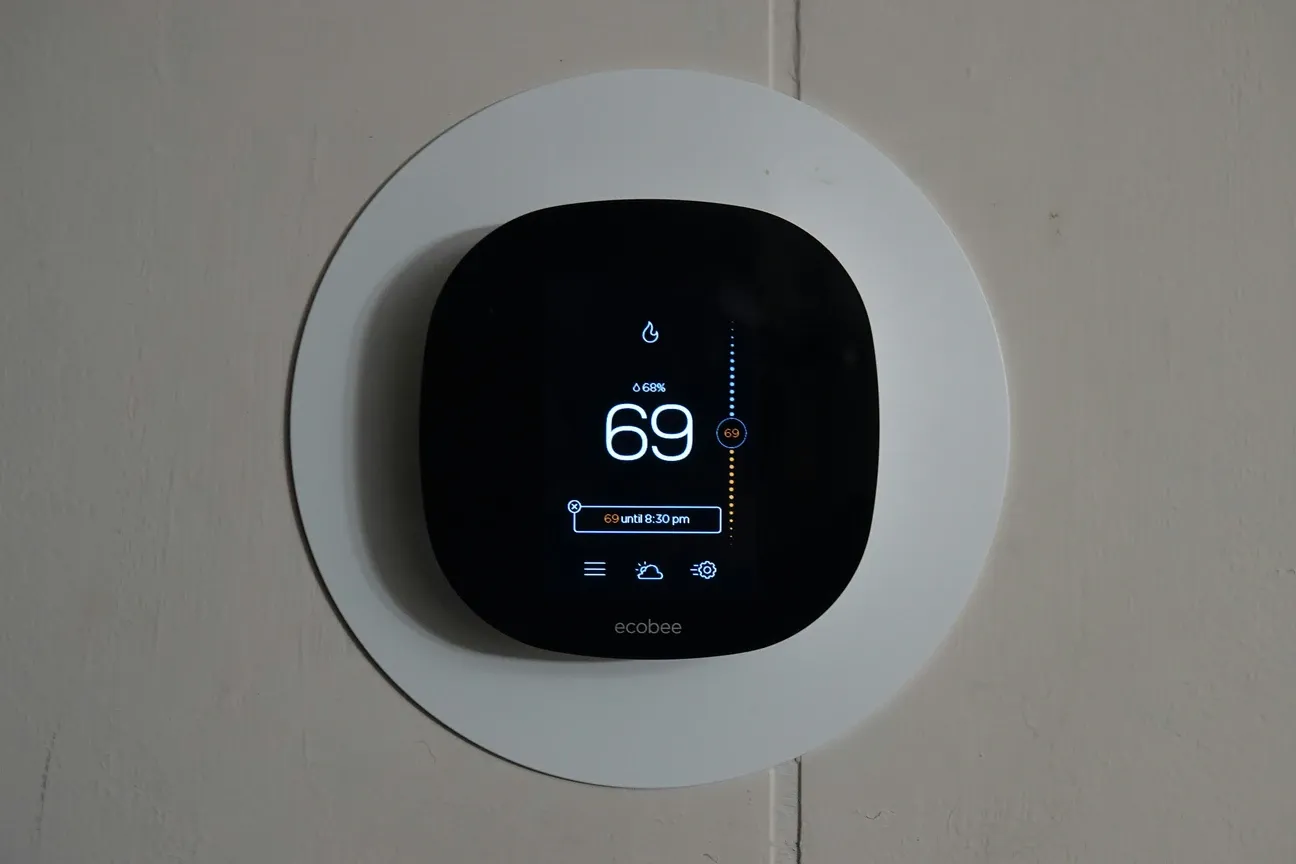
How Do Ecobee and Nest Compare Directly?
When you put both platforms side by side across the things that actually matter:
- Room temperature averaging: Ecobee wins clearly, supports up to 32 sensors per thermostat vs Nest's single external sensor
- Setup complexity: Roughly equal for most systems; Ecobee's Power Extender Kit handles C-wire situations better
- Smart home integration: Both support Alexa and Google Home; Nest integrates more deeply with Google Home ecosystem
- Learning capability: Nest's auto-learning schedule is more sophisticated than Ecobee's manual scheduling
- Energy reporting: Ecobee's detailed runtime reports are more useful than Nest's simpler energy history
- Platform reliability: Both have been on the market for 10+ years with strong reliability track records
The choice usually comes down to your existing ecosystem and which problem you're solving. Nest for Google-heavy households and people who don't want to configure anything. Ecobee for homes with temperature uniformity problems or people who want detailed energy data. The home automation hub guide shows how both platforms fit into a full smart home setup alongside locks, lights, and cameras.
Installation: Do You Need a Professional?
Most smart thermostat installations take 30 to 60 minutes and don't require an electrician. The main steps: photograph your existing wiring, remove the old thermostat, connect the same wires to the labeled terminals on the new unit, and complete the app setup. Both Ecobee and Nest have compatibility checkers on their websites that confirm whether your specific HVAC system works before you buy. If you're installing into a Home Assistant setup, additional configuration steps are needed beyond the standard app-based setup, see the Home Assistant guides hub for the integration walkthroughs. And if local control is the whole reason you're shopping, our best smart thermostats for Home Assistant guide ranks the Z-Wave and Zigbee models that run without any cloud account at all.
The complications: heat pumps with auxiliary heating, multi-stage HVAC systems, and very old systems without a C-wire (common power wire) can require additional steps. Ecobee includes a Power Extender Kit for C-wire situations. Nest handles many setups without a C-wire but occasionally causes issues with certain furnace control boards, worth researching your specific system model before installing.
Tools you'll need:
- Flathead and Phillips screwdrivers
- Wire labels (or tape and a marker) to label existing wires before disconnecting
- Drill and wall anchors if the new thermostat mounts differently
The setup guides here include wiring diagrams for the most common configurations: single-stage heat/cool, two-stage heat/cool, heat pump with aux heat, and electric baseboard. If you've got a standard forced-air system, the installation is genuinely straightforward. The Home Assistant setup and installation guide includes thermostat integration walkthroughs for Z-Wave and Wi-Fi models.
How Do You Configure Your Thermostat for Actual Savings?
Out of the box, a smart thermostat will not automatically save you money. You have to configure the features that create savings. Most owners set the thermostat up and never return to the settings, which means they're running a $200 device as a programmable thermostat.
The features worth configuring after installation:
Occupancy/away mode: Both Ecobee and Nest use phone location to detect when the household is away and adjust temperature accordingly. This feature alone can reduce HVAC runtime by 15-25% in households that travel regularly or work outside the home. Enable it in the app and make sure all household members' phones are registered. More advanced presence-based rules, combining thermostat setpoints with lock codes and lighting, are in the Home Assistant automation advanced guide.
Schedule configuration: Even if Nest auto-learns a schedule, review it after two weeks. Confirm it's not heating an empty house during work hours. Ecobee's schedule requires manual input, so build a realistic one based on your actual routine.
Temperature differential settings: The default temperature differential (how far above/below setpoint the thermostat triggers) varies by model. A 1-degree differential means the system cycles more frequently; a 2-degree differential runs longer but less often. Longer run cycles are typically more efficient for most systems.
Demand Response and Utility Programs
Demand response enrollment: If your utility participates in Nest Renew or Ecobee's utility program equivalent, enroll. You get bill credits for allowing the thermostat to make minor adjustments during peak demand periods. The adjustments are small enough that most users don't notice.
How Do You Troubleshoot Common Smart Thermostat Issues?
The most frequent problems after installation fall into a few categories.
Wi-Fi connectivity drops: Both Ecobee and Nest are sensitive to network configuration. Make sure the thermostat is on the 2.4 GHz band (not 5 GHz only). Check that the router isn't using a firewall rule blocking IoT devices. Rebooting the thermostat from the hardware menu (not the app) often resolves persistent connection issues. First-time setup troubleshooting for network configuration is covered in the getting started with Home Assistant guide.
HVAC system short-cycling: If the system turns on and off rapidly after installation, it's usually a wiring issue. Double-check that wires are in the correct terminals and fully seated. On Ecobee, the wiring diagnostic in the app identifies mismatched wires before the system causes any damage.
Learning schedule problems on Nest: If Nest keeps reverting to a schedule that doesn't match your habits, you may have inconsistent manual adjustments during the learning period. Reset the schedule (Settings > Reset > Schedule) and be deliberate about your adjustments for the first two weeks.
Room sensor not responding: Ecobee SmartSensors run on coin cell batteries (CR2032) that last 18-24 months. Sensors that stop responding are almost always a dead battery. Check battery status in the Ecobee app under Main Menu > Sensors.

What Do the Smart Thermostat Guides Cover?
The setup guide walks through Ecobee installation step by step, including the wiring configurations for common HVAC types. The features guide covers the ten capabilities that regular users find most useful rather than the full spec sheet. The Ecobee vs Nest comparison cuts to the actual decision points rather than listing features side by side. The troubleshooting guide addresses the ten most common issues users hit after installation, including Wi-Fi drops, short cycling, and sensor connection problems.
If you're evaluating whether a smart thermostat is worth the cost for your specific situation, the energy savings guide includes actual calculations based on your HVAC type, local energy rates, and usage patterns, not generic "save up to 23%" marketing claims. Voice control patterns, using Google Assistant or Alexa to adjust the thermostat hands-free, are covered in the voice-controlled home automation guide.
Frequently Asked Questions
Should I choose Ecobee or Nest for my home?
Ecobee for homes with uneven temperatures, its room sensor system averages temperature across multiple occupied rooms instead of relying on one wall unit. Nest if you prefer a thermostat that builds its own schedule by observing your habits for two weeks. Nest integrates more deeply with Google Home; Ecobee works equally well with Alexa and Google.
Do I need a professional to install a smart thermostat?
No, for most standard forced-air systems. Installation takes 30 to 60 minutes: photograph the existing wiring, remove the old unit, connect wires to the labeled terminals on the new thermostat, and complete the app setup. Both Ecobee and Nest provide compatibility checkers on their websites. Heat pumps, multi-stage systems, and older homes without a C-wire may need extra steps or an electrician.
How much money can a smart thermostat actually save?
Savings depend heavily on how you configure the thermostat after installation. Out of the box, a smart thermostat set to a comfortable constant temperature saves nothing. Using occupancy detection and an away mode, which reduces HVAC runtime when the house is empty, can cut heating and cooling costs by 15 to 25 percent in households that work outside the home regularly.
What is a C-wire and do I need one?
A C-wire (common wire) provides constant 24V power to the thermostat. Many older homes lack one. Without a C-wire, some smart thermostats steal power from the heating or cooling circuit, which can cause short- cycling. Ecobee includes a Power Extender Kit that solves this without running a new wire. Nest handles many no-C-wire setups natively but occasionally causes issues with specific furnace control boards.
Can a smart thermostat control multiple zones?
Yes, but each zone needs its own thermostat. A two-zone HVAC system needs two Ecobee or Nest thermostats, one per zone damper controller. Ecobee handles multi-zone homes more elegantly because room sensors can be assigned to individual thermostats and zones can share sensor data across the same account.