Voice-Activated Christmas in Alexa, Google Home, & Siri

This post may contain affiliate links. As an Amazon Associate we earn from qualifying purchases. Disclosure.
Holiday voice automations can handle lights, music, timers, and guest arrivals without lifting a finger. Here's how to set them up on Alexa, Google Home, and Siri.
Quick take: A smart plug on your holiday lights ($12.99 for a Kasa EP25) plus one Alexa routine gives you "Alexa, Christmas lights on", no timer programming, no forgetting to unplug anything. Alexa handles up to 20 simultaneous named timers, which makes it genuinely useful for Christmas cooking with multiple dishes at once. Create a speaker group in Google Home and you can play holiday music across every room in sync with one command. Color-capable bulbs like Philips Hue Lightstrip Plus ($79.99) cycle through red, green, and gold from a single scene, no seasonal bulb swaps needed. I've been running this exact setup for two holiday seasons; the automations save more time than expected.
The creative holiday season is upon us, and it's the perfect time to embrace the magic of voice-activated technology with your Alexa, Google Home, and Siri devices. These smart assistants have dozens of practical uses that can help you manage your festive activities with ease, bringing convenience to your holiday preparations.
How Do You Transform Your Home Environment with Smart Speakers?
Imagine walking into a room that is already buzzing with festive spirit. By using Alexa routines and Google Home automations, you can transform your living space into a cozy, holiday haven. Simply activate your smart home hub to turn on decorative lights, start your holiday playlist, and even control your thermostat to maintain the perfect climate, according to the Matter connectivity standard. The same speaker-and-lighting layering works year round, and our connected home studio setup shows how to tune it for recording rather than carols.
Benefits of Voice Control for Holidays
- Effortlessly manage multiple devices.
- Schedule daily routines for uninterrupted ambiance.
- Integrate voice commands for smart lighting, allowing you to change colors and brightness for a festive mood.
With the help of Siri, you can streamline your holiday tasks. Use your Apple HomeKit-enabled devices to set reminders for gift shopping or send out invitations without lifting a finger.
Holiday Lighting Automations Worth Setting Up
Smart lights are where voice control really shines during the holidays. Pun intended. If you've got Philips Hue bulbs or LIFX strips, you can create color scenes that cycle through red, green, and gold, then trigger them with a single voice command. "Alexa, turn on Christmas mode" can activate an entire house-wide lighting scheme that took you 10 minutes to set up but looks like you spent hours on it.
Here's a setup I've been running for two holiday seasons now:
- Philips Hue Lightstrip Plus ($79.99) behind the TV, set to a warm amber glow
- Two LIFX Mini Color bulbs ($29.99 each) in the living room lamps, cycling between red and green
- A Kasa Smart Plug ($12.99) controlling the Christmas tree lights, scheduled to turn on at 5 PM and off at 11 PM daily
- A Govee RGBIC strip ($24.99) along the mantel, running a custom "fireplace" animation
Total cost for all of that was under $180, and the whole setup responds to a single Google Home routine. Is it overkill? Maybe. But the look on my kids' faces when they say "Hey Google, it's Christmas time" and the entire room transforms makes it worth every penny.
How Do You Enhance Holiday Entertainment with Smart Speakers?
Voice assistants aren't just helpers; they're entertainers, too. Connect them to your smart speakers and play carols throughout your home. You can also use your devices to...
- Ask for cooking tips while preparing holiday recipes in the kitchen.
- Play family-friendly games and quizzes.
- Stream holiday movies or shows on your Chromecast or Roku devices.
By tapping into these smart streaming devices, your collection of festive content is just a voice command away.
Personalized Holiday Experiences
A smart home wouldn't be complete without personalized experiences. With machine learning, your smart speakers learn over time, giving you suggestions that best fit your holiday preferences. For example, if you forget the name of a song, simply ask Alexa to "play the last track" you listened to.
- Create custom playlists with favorite tunes.
- Receive weather updates and travel information before you head out.
- Engage with interactive storytelling for a unique holiday twist.
This way, you'll be sure to have a delightful and tailored holiday experience the whole family can enjoy.
How Does Voice-Controlled Gift Shopping and Lists Work?
Holiday shopping gets chaotic fast. Smart speakers can actually help with this more than you'd expect. Say "Alexa, add Lego Star Wars set to my shopping list" while wrapping presents at 11 PM, and it's saved instantly. Both Alexa and Google Assistant sync shopping lists to their respective apps on your phone, so you've got the list with you at the store without having to remember to bring a piece of paper.
Amazon Echo users get an extra advantage here, you can literally order products by voice through Amazon. "Alexa, order AA batteries" pulls from your order history and Prime account. Some people find that too convenient (hello, impulse purchases), but during the holiday rush when you realize you forgot stocking stuffers, it's genuinely useful. Google Assistant handles this through Google Shopping, though the experience isn't quite as polished.
Holiday Cooking With Voice Assistance
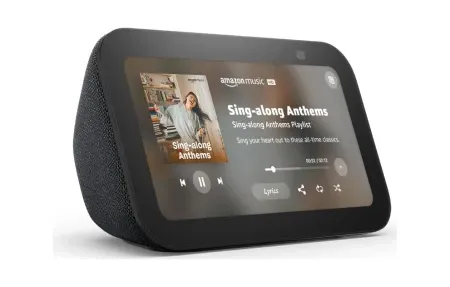
The kitchen during the holidays is pure chaos. Multiple dishes, different cook times, relatives asking questions every three minutes. Smart speakers earn their place on the counter during this period more than any other time of year. Set multiple named timers, "Alexa, set a turkey timer for 3 hours 45 minutes" and "Alexa, set a pie timer for 55 minutes", and check on each one individually. The Echo Show 8 ($149.99) or Nest Hub displays timers visually, which helps when you're juggling six things at once.
Google Assistant can also walk you through recipes step-by-step. Ask "Hey Google, how do I make eggnog from scratch?" and it'll pull a recipe and read each step when you say "next." Hands covered in flour? Doesn't matter. Your voice handles everything.
How Do You Ensure Home Security During the Holidays?
While you're celebrating, ensure your home is secure with smart security features. Your trusted Alexa, Google Home, and Siri devices can manage your smart cameras and video doorbells, providing peace of mind during the hustle and bustle.
- Enable motion detection to receive alerts of unexpected activity.
- Monitor your home remotely via live feeds.
- Use voice commands to lock doors or trigger alarms.
These features help safeguard your home, allowing you to relax and enjoy the festivities.
How Do You Add a Festive Touch with Voice Commands?
Voice-activated technology can do more than manage your home, it can add a touch of magic to your holiday celebrations. Use smart speakers to narrate Christmas stories during cozy family gatherings or activate synchronized lighting displays that match the rhythm of your favorite carols. By combining creativity with technology, you can create unforgettable holiday moments for everyone to cherish.
Holiday Energy Monitoring
Here's something most people overlook during the holidays: all those extra lights, the oven running for hours, space heaters in the guest room, and the inflatable Santa on the lawn add up fast on your electric bill. Smart plugs with energy monitoring, like the Kasa EP25 ($14.99), report real-time wattage through your smart speaker. Ask "Alexa, how much power is the Christmas tree using?" and you'll get an instant reading. I was shocked to find my old incandescent tree lights were pulling 240 watts, swapping to LED strings dropped that to 12 watts for the same brightness. The ENERGY STAR guide to LED lighting confirms that LED lights use up to 90% less energy than traditional incandescent bulbs and last far longer, which is why LED holiday strands sip power compared to old incandescent sets.
Bring Christmas Cheer to Your Home
Set up routines that include playing your favorite Christmas music, illuminating the tree, and adjusting the thermostat for a warm, welcoming atmosphere. With just a single command, your home transforms into a winter wonderland. Voice-activated devices make it easier than ever to infuse your holiday traditions with modern flair.
How Do You Manage Holiday Guests With Smart Home Tech?
Having guests over creates its own set of challenges. Who gets the Wi-Fi password? How do you explain the thermostat? Smart speakers simplify guest management in ways you might not have considered. Set up a guest-friendly routine, "Alexa, guest mode", that adjusts the thermostat to 72 degrees, dims hallway lights to 40% for nighttime navigation, and enables a "goodnight" command that turns off all downstairs lights at once.
You can also create temporary smart lock codes for guests staying overnight. The Yale Assure Lock 2 ($199.99) and Schlage Encode Plus ($299.99) both support time-limited PIN codes that you can manage through Alexa or Google Home. Give your in-laws a code that works for December 23-26, and it deactivates automatically when they leave. No awkward key exchanges needed.
Kids and Holiday Entertainment
Don't underestimate how much smart speakers can entertain children during holiday gatherings. Alexa has dozens of free holiday skills, "Alexa, open Christmas Trivia" keeps kids occupied while adults cook. Google's "Hey Google, tell me a Christmas story" feature generates interactive tales where kids choose what happens next. The Echo Show models can also display holiday karaoke lyrics, which is surprisingly fun for all ages.
One underrated feature: announcement broadcasting. Instead of yelling "DINNER'S READY" through a two-story house full of relatives, say "Alexa, announce that dinner is served" and every Echo in the house plays the message simultaneously. It sounds small, but during a noisy holiday party with 15 people spread across three rooms, it's a lifesaver.
How Do You Make the Most of Your Holiday Smart Home Setup?
As the holiday celebrations begin, let the convenience of voice-activated technology enhance your experience. From setting the perfect ambiance to ensuring your home security, Alexa, Google Home, and Siri are essential allies during the busiest season of the year. The best approach is to set up your routines and automations a week before guests arrive, test everything twice, and then simply enjoy the holidays while your smart home handles the details.
Start crafting your most memorable holiday yet with the help of your voice assistants, bringing family and friends together through smart home automation. A bit of setup time now pays off with a smoother, more relaxed holiday season for everyone.
Frequently Asked Questions
How do I set up voice-activated holiday lights with Alexa?
Plug your holiday lights into a smart plug like the TP-Link Kasa EP25 ($12.99), it also has energy monitoring, so you can see what the holiday lights cost to run. Connect it through the Kasa app, then link your Kasa account to Alexa. Create a routine: open Routines, tap the plus icon, set the trigger to "When I say..." and type your phrase, then add the action to turn on the plug. I use "Christmas lights on" and "Christmas lights off" as separate routines. You can also schedule the routine to trigger at sunset automatically, which means lights come on without any voice command, useful when you're not home. Add a second trigger to turn them off at 11 PM for the night-off schedule. The entire setup takes about 15 minutes and means you never leave holiday lights on overnight by accident or forget to unplug them in the morning.
Can Google Home play holiday music on multiple speakers at once?
Yes, and the process takes about 3 minutes. Open the Google Home app, go to Devices, tap the three-dot menu, and choose Create Group. Name it something obvious like "Holiday Speakers," then select all the speakers you want included. After that, say "Hey Google, play Christmas music on Holiday Speakers" and all of them start playing simultaneously. Google Home supports Spotify, YouTube Music, Apple Music, and Pandora across grouped speakers. The sync latency is under 50 milliseconds, which is below the threshold where you'd perceive echo between rooms. One important limitation: Amazon Echo speakers use a separate "Echo Group" system and can't be mixed with Google speakers in the same group. If you own both, you'll need to create one Google group and one Echo group and choose one or the other for holiday music. For a whole-home music experience, it's easier to stay within one ecosystem. Two mismatched speakers playing slightly out of sync is noticeably worse than one speaker playing clearly.
What voice commands work for holiday cooking timers?
All three assistants handle multiple named timers, and named timers are genuinely better than unnamed ones. Say "Alexa, set a turkey timer for 3 hours 45 minutes" or "Hey Google, set a pie timer for 40 minutes", the name matters because you can check it later by asking "How much time is left on the turkey timer?" Alexa supports up to 20 simultaneous timers; Google Home has a lower limit but handles 8-10 comfortably. Apple's HomePod gained better multi-timer support from iOS 16 onward. I run 6 to 8 named timers during a full holiday dinner, turkey, pie, green beans, rolls, and gravy reduction. Without named timers, an unexpected beep from somewhere in the kitchen sends everyone scrambling to figure out which dish is done. With named timers, I just say "Alexa, timer status" and get a complete readout of everything running. This works on any smart speaker or phone in your home, so you're never stuck at the kitchen counter to check them.