Smart Lighting: Philips Hue, Scenes, and Comparisons

This post may contain affiliate links. As an Amazon Associate we earn from qualifying purchases. Disclosure.
Smart lighting starts with Philips Hue for many people, but there are cheaper options that work just as well. These guides cover setup, automation, and seasonal scenes.
Quick take: Smart lighting is the highest-impact first smart home purchase, no electrician, installs in seconds, and immediately shows what automation feels like. Budget bulbs from Govee and Wyze often run $8-15 each; Philips Hue color bulbs list near $50. Philips Hue launched in 2012 and remains the most reliable system for large installs. Thread and Matter is the right protocol choice for new purchases in 2026: cross-platform support for Apple, Google, and Amazon simultaneously. Avoid Bluetooth-only bulbs, a 30-foot range cap makes them impractical for whole-home automations.
Smart lighting was the first category of smart home technology that crossed from enthusiast hobby into mainstream adoption. Philips Hue launched in 2012. Fourteen years later, budget smart bulbs cost under $15, install in seconds, and work with every major voice assistant. This guide covers the full picture: Philips Hue setup, automation scenes, comparisons with traditional bulbs, and the seasonal lighting ideas worth trying.
Why Does Smart Lighting Still Impress People Who Try It?
The obvious feature is voice and app control. That's useful for turning off lights you forgot in another room, but it's not why lighting becomes a habit. What creates the habit is automation: lights that turn on when you walk through a door, dim automatically at 9 PM to signal wind-down time, or shift from cool white to warm amber as sunset approaches.
Circadian rhythm lighting is the feature that delivers the most consistent impact on daily wellbeing. Color-tunable bulbs adjust their color temperature throughout the day, bright cool white in the morning improves alertness, warm amber in the evening supports melatonin production. The American Academy of Sleep Medicine advises avoiding blue light from handheld electronics 30 to 60 minutes before bedtime. Automated lighting makes the evening wind-down passive rather than something you have to remember to do.
Here's where I landed on my own ceilings, and it's deliberately boring. The color-tunable GU10s going into this build are unbranded Zigbee, paired straight to a Home Assistant Connect ZBT-1 stick on the Home Assistant machine. No bridge, no manufacturer app, no account. That choice costs me things I won't pretend it doesn't: no firmware guarantee, no promise that batch two matches batch one on warm white, and an app experience that is whatever Home Assistant renders. What it buys is that a bulb which holds no opinion about who controls it can be replaced by the cheapest equivalent on the shelf, forever.
The exception I kept is five Philips Hue bulbs and a Hue Go, on the Hue bridge. Five, not fifty. Hue earns its price in the one or two rooms where light quality is the point, and the Hue Go earns its own keep by being the only bulb in the house I can pick up and carry outside. Everywhere else the cheap Zigbee GU10s do the same job for a fraction of the money, and the difference is invisible once the color temperature schedule is running.
One honest limit before you copy this. I haven't set up direct Zigbee binding between switches and bulbs yet, which means the lights here depend on Home Assistant being alive. Update the server mid-evening and the wall switch stops doing anything. That's a real trade-off of the hub-first approach, not a detail to skip past.
Why Is Philips Hue Still the Standard in Smart Lighting Comparisons?
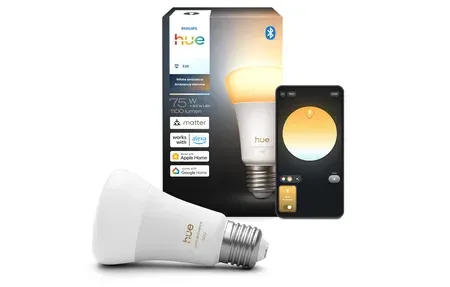
Philips Hue remains the reference point for smart lighting for a few reasons. The ecosystem is genuinely large, bulbs, light strips, outdoor fixtures, gradient lightbars, and entertainment sync accessories all work together. The Hue Bridge uses Zigbee, which means local control that keeps working without internet. The standard Bridge lists at $79.99 on Philips Hue's US store, and the Bridge Pro, which handles 150+ lights, lists at $149.99 after a series of 2026 price increases. And the app has accumulated features over the years to handle automations most users won't fully explore.
The Philips Hue product range covers most home lighting scenarios:
- A19/A21 bulbs: Standard screw-base bulbs in white ambiance and full color versions, with color bulbs listing near $50 each
- BR30 floodlights: Recessed lighting replacement, popular for kitchens and living rooms
- Light strips: Flexible LED strips for TV backlighting, under-cabinet, and accent use
- GU10 spotlights: For track lighting and directional fixtures
- Outdoor fixtures: Bollards, wall sconces, and landscape lights rated for exterior use
- Gradient lightstrip: Shifts through multiple colors simultaneously for more dynamic effects
- HDMI Sync Box: Syncs light colors to what's on your TV in real time (the current model is the 8K version)
The argument against Hue is price. Hue starter kits with a bridge and three or four bulbs list well above $100, and the Bridge alone is $79.99. Comparable light output from a LIFX or a Govee bulb runs $15 to $20 per bulb without a bridge requirement. The Hue premium buys you ecosystem depth, reliability, and Matter support, worth it if you're building a larger setup, less so for one or two bulbs.
What Smart Lighting Automation Scenes Actually Get Used?
Scenes group multiple lights into a single state with specific color, brightness, and color temperature settings. A "movie scene" might dim the living room to 30 percent and shift the accent lights to red. A "focus scene" sets desk lights to 5000K at full brightness. You build these once and trigger them by voice, button, or schedule.
Practical scenes that people actually use consistently:
- Morning: Bedroom gradually brightens from 0 to full over 30 minutes before the alarm, simulating sunrise
- Work: Home office lights at 5000K-6500K for focus and alertness during working hours
- Evening: Living room shifts to 2700K warm white at 7 PM for relaxation
- Movie: Dimmed to 20-30% with bias lighting behind the TV for eye comfort
- Bedtime: Bedroom drops to under 10% brightness at 2700K, then turns off automatically after 20 minutes
- Away: Random light patterns that simulate occupancy while you're traveling
Conditional Logic Automations
The more interesting automation territory is conditional logic in setup: turn on the hallway light only if it's dark outside and motion is detected. Turn off the bedroom light only after a 10-minute delay if no motion is detected. These behaviors require a platform that handles conditionals, Google Home Routines handles basic versions, Home Assistant handles the full complexity.
What Is the Guide to Smart Lighting Protocols?
Understanding protocols matters for buying decisions. Smart lighting runs on three main connectivity options:
Zigbee (Philips Hue and IKEA TRADFRI) uses a mesh network where each bulb extends the signal to others. Reliable, local-first, requires a coordinator or bridge, and responds fast because nothing leaves your home. The standard choice for serious setups.
Wi-Fi (LIFX, Govee, Wyze) connects directly to your router, no bridge needed. Simpler setup, but uses more power and can overload routers with many devices. Response times are comparable to Zigbee when the network is clean.
Thread/Matter (newer Philips Hue bulbs, IKEA's KAJPLATS line, Nanoleaf, Eve) is the emerging standard. Matter over Thread combines Zigbee-like mesh reliability with Apple, Google, and Amazon cross-platform support. If you're starting from zero in 2026, Thread-compatible lights are the forward-looking choice. One catch on Hue's newer dual-protocol bulbs: you choose Zigbee or Thread when you set them up, and Signify has said an update to run both at once is coming later this year.
Bluetooth (some Govee, some IKEA) works without any hub but limits control range to Bluetooth range, roughly 30 feet. Fine for a desk lamp you control directly; impractical for automations involving multiple rooms.
How Do Smart Lights Compare to Traditional Lighting Honestly?
The honest comparison: traditional LED bulbs are cheaper per unit and don't require Wi-Fi, an app, or any configuration. Smart bulbs cost more and add complexity. The question is whether the automation value justifies that cost.
For a bedroom, living room, or kitchen used on a regular schedule, the automation value is substantial. Lights that turn on at sunset, dim in the evening, and turn off at a set time save meaningful effort over years of use. For a utility closet or guest bathroom, probably not.
The one place smart lighting clearly wins on pure cost is replacement frequency. A good Zigbee bulb rated for 25,000 hours lasts many years longer than budget incandescents replaced every year. The upfront cost gap narrows significantly over a five-year ownership period.
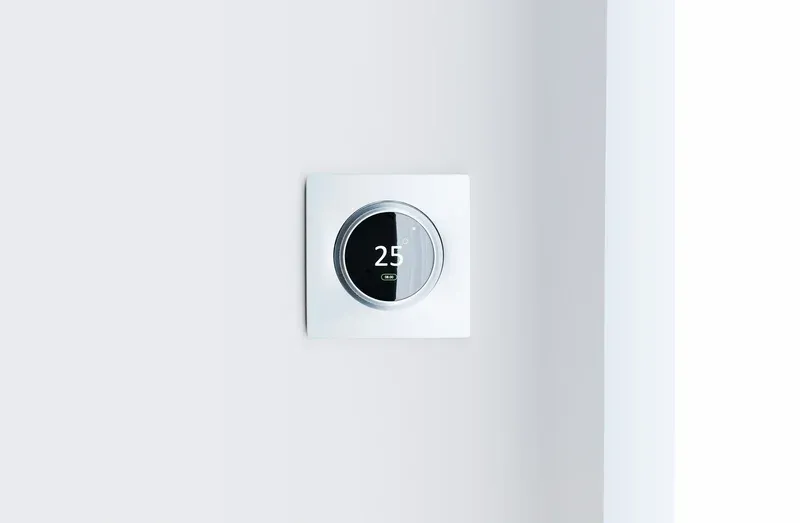
Tips for the comparison: check that your existing fixtures accept bulbs rather than integrated LEDs. Smart bulbs can't replace non-replaceable LED panels. For those, you need a smart dimmer switch instead.
What Seasonal Lighting Ideas Are Worth Setting Up?
Holiday lighting is where smart bulbs really shine. Color-capable bulbs can cycle through red and green for Christmas, orange for Halloween, or red, white, and blue for summer holidays, all without buying special seasonal bulbs.
The guides in this section cover automated holiday ambience setups that run on schedule without any manual intervention. Set them once, and the lights change with the season. When the holiday passes, the schedule turns off automatically.
Outdoor smart lighting adds security alongside ambience. Motion-activated outdoor bulbs that turn on at full brightness when triggered serve double duty as security lighting. The same bulbs can run at 10% brightness as path lighting all night, then jump to 100% when motion is detected.
The full Philips Hue guide, smart lighting comparisons, and seasonal scene ideas are all in this section. Start with whichever piece of the puzzle you're missing right now.
When Are Smart Dimmer Switches Better Than Bulbs?
Smart bulbs don't work well in fixtures controlled by a standard wall switch. If someone flips the switch off, the bulb loses power and becomes uncontrollable from the app until the switch is turned back on. This is a real problem in households where not everyone is on board with smart home behavior.
Smart dimmer switches solve this by keeping constant power to the bulb while moving the intelligence to the switch itself. Lutron Caseta is the standout choice: the switches communicate over a proprietary protocol that's exceptionally reliable, the app is polished, and the integration with Google Home, Alexa, and HomeKit is all native. The Caseta starter kit with a bridge and one dimmer costs around $80.
The installation step that trips most people up is the neutral wire requirement. Most smart switches need a neutral wire, which older homes (pre-1985) often don't have run to the switch box. Lutron Caseta is one of the few switches that works without a neutral wire, making it the right choice for older homes regardless of any other preference.
The IKEA DIRIGERA hub is a budget alternative that supports Matter and pairs with IKEA's cheap remotes and dimmer controllers. Those control the bulbs, not the circuit, so the dead-switch problem above still applies.
What Energy Savings Can You Get From Smart Lighting?
The energy argument for smart lighting is real but often overstated. The savings depend on what you're replacing and how disciplined you were before.
Replacing incandescent bulbs with LED smart bulbs cuts lighting energy by 75-80 percent, but most households already made that switch with non-smart LEDs. The marginal savings of smart over standard LED come from automation: lights that turn off when nobody's in the room, schedules that don't leave accent lights running overnight, and occupancy-based control in rooms people forget to manually switch off.
A realistic estimate: say automations cut 3 hours of unnecessary lighting a day across 10 LED bulbs at 10 watts each. That's 0.3 kWh a day, or about 9 kWh a month. At the 18.31 cents per kWh the EIA reported for the US residential average in July 2026, that's roughly $1.65 a month. A larger home might double it. So the payback on smart bulbs comes from convenience and security lighting, not from the electric bill, and a set of bulbs will not pay for itself through savings alone.
Frequently Asked Questions
Do smart bulbs work with both Alexa and Google Home?
Most do. Philips Hue, LIFX, and Govee all support both Amazon Alexa and Google Home. Apple HomeKit-compatible bulbs are the exception, they require HomeKit certification (or Matter), which is common on Philips Hue and Nanoleaf but not on most budget Wi-Fi bulbs. Check for "Works with Alexa" and "Works with Google Assistant" badges before buying. One brand to treat with care is Sengled: after repeated cloud outages in 2025, Amazon removed its Alexa skill, and Wi-Fi Sengled bulbs that depend on that cloud lost voice control.
Do I need a hub for smart lighting?
Only for Zigbee systems like Philips Hue, which requires the Hue Bridge ($79.99 on Philips Hue's US store). Wi-Fi bulbs from LIFX and Govee connect directly to your router with no hub needed. If you're adding 1 to 3 bulbs, Wi-Fi is simpler. For 10 or more bulbs, Zigbee with a hub gives better reliability and local control that works when the internet is down.
What is circadian rhythm lighting and does it actually work?
Circadian lighting automatically adjusts color temperature through the day, cool white in the morning for alertness, warm amber in the evening to support melatonin production. The American Academy of Sleep Medicine advises avoiding blue light from handheld electronics 30 to 60 minutes before bedtime, and automated color shifts make dimming and warming evening light passive. Studies on tunable bulbs specifically are limited, so treat it as a comfortable evening habit rather than a sleep treatment.
How much do smart bulbs cost compared to regular LED bulbs?
Budget smart bulbs from Govee and Wyze often run $8 to $15 each. Philips Hue color bulbs list near $50 each and are frequently discounted. Standard LED bulbs cost $3 to $8. The gap narrows over a 5-year ownership period because smart bulbs rated for 25,000 hours last significantly longer than cheap incandescents. For frequently used rooms, the automation value justifies the premium.
Which smart lighting protocol is best in 2026?
Thread and Matter is the forward-looking choice for new purchases. It combines Zigbee-like mesh reliability with cross-platform support for Apple, Google, and Amazon simultaneously. Zigbee remains the best value for existing setups, with years of proven reliability. Wi-Fi works fine for small setups. Avoid Bluetooth-only bulbs, the 30-foot range limit makes them impractical for whole-home automations.
Sources & References
- Home Assistant - Philips Hue home-assistant.io
- Home Assistant - Light home-assistant.io
- Home Assistant - Matter home-assistant.io