What iOS 27 Changed in the Home App, Beta by Beta, and What It Costs

This post may contain affiliate links. As an Amazon Associate we earn from qualifying purchases. Disclosure.
iOS 27 left beta on September 14, 2026. The Home app got 4K HomeKit Secure Video, Apple Intelligence clip summaries, grouped notifications, an Energy tab and Thread 1.4. Here is which beta delivered what, and the iCloud+ pricing catch that only appeared on release day.
Apple shipped iOS 27 to everyone on September 14, 2026, and for once the Home app was near the top of the changelog instead of buried under it. I want to be clear about where I'm writing from. My house is built around Home Assistant, with Somfy motors on the shutters, and the voice layer is Google, a Nest Mini and a Nest Hub Max today. Nothing I own has ever been paired to Apple Home. So this is a compendium of what MacRumors, 9to5Mac, AppleInsider and Matter Alpha reported across the beta cycle, checked against each other, with my opinion of what it means for a house like mine layered on top. It is not a hands-on review. If you want a walkthrough by someone with three HomePods, this isn't it. For the evergreen version, covering compatible devices, hubs and setup, start with the Apple HomeKit guide.
Bottom line: iOS 27 gives the Home app 4K HomeKit Secure Video, Apple Intelligence clip descriptions and natural-language search, notifications that merge related alerts into one, an Energy tab for smart plugs, remote Apple TV updates and Thread 1.4. The AI camera features need an iPhone 15 Pro or newer and a hub on tvOS 27 or HomePod Software 27. And on launch day Apple revealed the catch: summaries cover one camera on the $9.99 2TB iCloud+ plan, two on the $29.99 6TB plan, five on the $59.99 12TB plan.
What Did iOS 27 Change in the Home App?
Two outlets published the full feature list. 9to5Mac's June 11 write-up (the WWDC week piece) covered the headline camera changes, and MacRumors' August 6 guide filled in everything Apple added quietly during the betas. Combining the two, the list looks like this:
- 4K streaming and recording for HomeKit Secure Video cameras that have a 4K sensor. Previously capped at 1080p.
- Apple Intelligence video descriptions: a short written summary of what happened across a run of clips, so you know whether the motion alert was a courier or a cat before you open anything.
- Search in clips, in the Home app and in Spotlight, using plain language including objects and colors.
- Noteworthy clips pinned above the general footage, which MacRumors calls Highlights.
- Grouped footage: one person crossing two or three cameras becomes one event rather than three.
- Summarized notifications, plus a Reduce Notifications toggle in the Home app's Apple Intelligence settings that merges related events (arrival, then the door unlocking) into a single alert that updates as things happen.
- Video previews on long-press of a notification.
- An Energy tab that shows usage from smart plugs that report it.
- Apple TV updates from the Home app, no remote required.
- Thread 1.4, faster accessory pairing and a simpler Matter configuration screen, filed under reliability.
Ten-plus items. Is that a big release? For the Home app, yes, by Apple's own standards of the past three years. Most of it is camera work, though, and if you own no HomeKit Secure Video camera then the practical changes are the Energy tab, the Apple TV updater and whatever Thread 1.4 does for your accessories' stability.
Which Beta Actually Delivered What?
The reason this matters: the betas got reported as separate news events, and by September the timeline had blurred into "iOS 27 beta adds AI to Apple Home". Here's the sequence as the outlets recorded it.
Beta 1, June 8. Apple announced the camera features at WWDC. 9to5Mac's June 11 piece lists the four HomeKit Secure Video additions (descriptions, search, noteworthy clips, 4K) and the real-time updating notifications. Matter Alpha, writing the same week, spotted Thread 1.4 returning in the tvOS 27 developer beta and the new Energy tab, and noted that Matter cameras remained unsupported in Apple Home.
Beta 2, June 22. One Home app change. AppleInsider's beta 2 roundup says it plainly: the Apple TV now appears in the Updates section of the Home app's settings, and you can install its software update from there without turning the TV on, matching how HomePods already updated. MacRumors ran the same feature under a headline about it hinting at Apple's rumored home hub, which is speculation, and a forum commenter claiming inside knowledge disputed it. That's all beta 2 did for Home.
Beta 3, early July. The Apple Intelligence camera features started working for testers, and the 4K recording toggle appeared for cameras that could use it. This is the beta most of the "what's new in Apple Home" videos were filmed on.
Public beta, July, and release, September 14. Nothing was removed on the way out. What arrived on release day was pricing, which I'll get to.
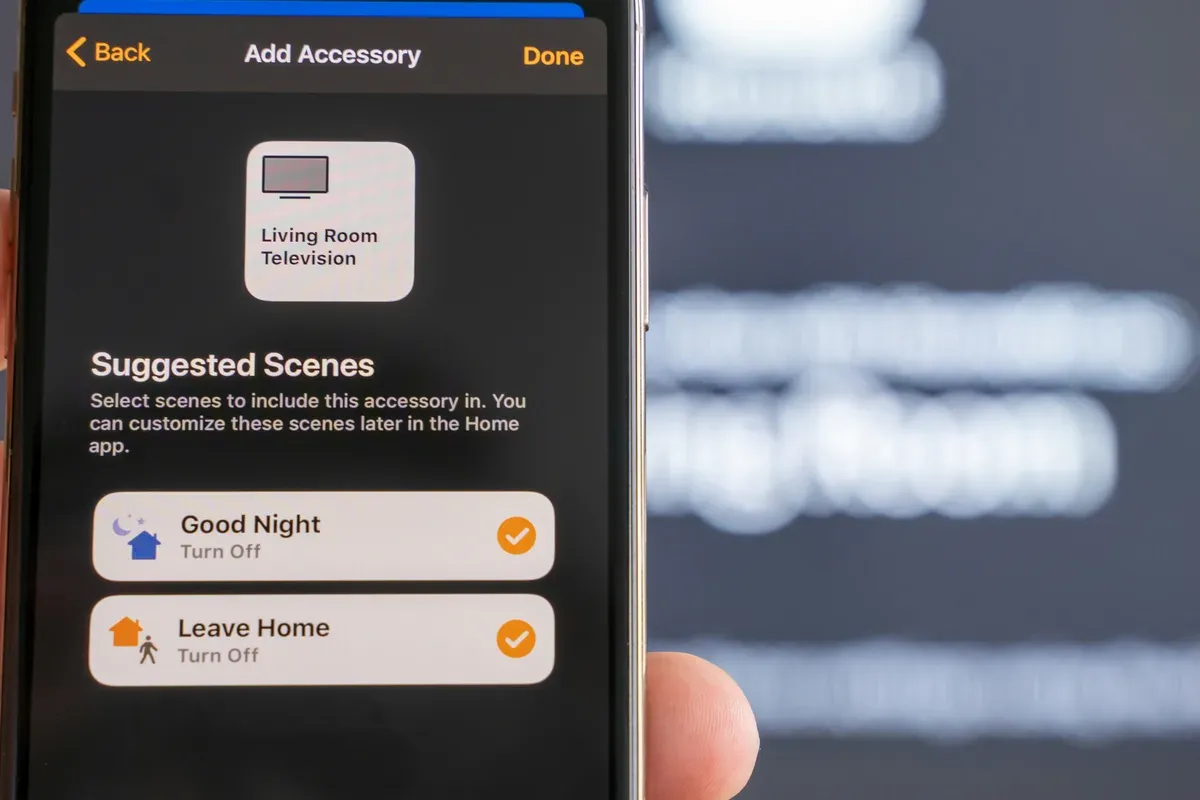
Photo by Patrick Campanale on Unsplash.
So when a headline promised that beta 2 brought context-aware Siri, new automations and a redesigned Home app, it was describing three different things that didn't happen in that build. The Siri overhaul in iOS 27 is a system-wide change. The Home app's automations editor is the one you had last year. The redesign is the HomeKit Secure Video footage view, not the app.
What Is the iCloud+ Catch That Showed Up on Release Day?
Apple's beta release notes said the AI camera features were for "eligible iCloud+ subscribers" and left it there. On September 14, MacRumors published what eligible means, and it's the single most important paragraph in this article for anyone with more than one camera.
| iCloud+ plan | Monthly price | Cameras with AI summaries |
|---|---|---|
| 2TB (also the Apple One Premier tier) | $9.99 | 1 |
| 6TB | $29.99 | 2 |
| 12TB | $59.99 | up to 5 |
There is no tier with unlimited summary cameras. Storage for HomeKit Secure Video recording itself follows the older rule MacRumors restates in its guide: the 50GB plan stores one camera, 200GB stores five, and 2TB and up store unlimited cameras. The per-camera cap is only on the Apple Intelligence layer sitting on top.
Read those two rules together. A household with three doorbell-and-porch cameras that was happily recording on the $2.99 200GB plan can turn on 4K and the new footage view for nothing extra. To get written summaries on all three cameras it needs the $59.99 12TB plan, which is a 20x increase for a feature Google and Amazon sell as a flat subscription. Would I pay that? No, and I don't think the pricing survives a year unchanged. But it's the pricing today, and nobody saw it during three months of betas.
A camera summary that costs $29.99 a month for two cameras is not a feature, it's a tier ladder with a feature hung on it.
A camera summary that costs $29.99 a month for two cameras is not a feature, it is a tier ladder with a feature hung on it.
Which Hardware Is Supported, and Where Does 4K Get Thin?
MacRumors' guide is specific about requirements, and the beta reporting matched it, so I'll treat these as settled:
- Apple Intelligence camera features: iPhone 15 Pro or later, and a home hub running tvOS 27 or HomePod Software 27. The hub does the work; without one the descriptions and search simply don't appear.
- 4K recording: any iPhone, but the camera must have a 4K sensor and firmware that exposes it to HomeKit. No Apple Intelligence needed.
- Everything else (grouped notifications, Energy tab, Apple TV updates): iOS 27 and a hub.
Where the 4K promise gets thin
Most HomeKit Secure Video cameras on sale today are 1080p or 2K hardware. Apple has not published a compatibility list, and in the betas the 4K toggle only showed on cameras whose makers had already updated firmware. If you bought a HomeKit camera two years ago, iOS 27 does not raise its resolution. It raises the ceiling for the next camera you buy, which is a different thing from what the headline implies.
Storage is the other half. HomeKit Secure Video only records motion events, not continuous footage, but 4K clips are several times the size of 1080p clips of the same event. Apple doesn't publish per-clip figures. What it does publish is the 10-day rolling window, and at 4K on three cameras the window is the same, the bytes are not. If you're on the 200GB plan for storage reasons and you enable 4K everywhere, watch your iCloud usage for a fortnight before assuming it fits.
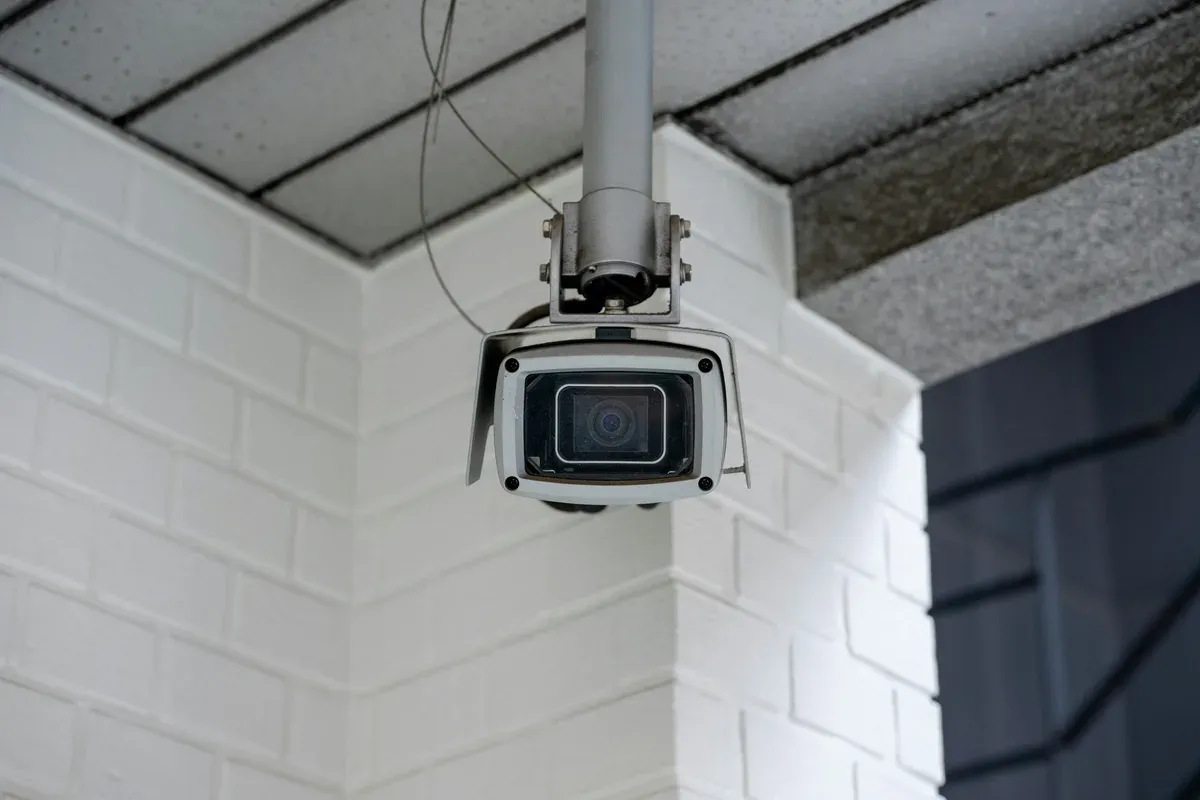
Photo by Turquo Cabbit on Unsplash.
What Do the Energy Tab and Thread 1.4 Add?
The Energy tab is the change I find most interesting, precisely because it's so limited. It shows consumption from smart plugs and other accessories that report power. It does nothing with the number. Matter Alpha checked and found no way to trigger an automation on energy use inside the Home app, and no energy metric exposed to Shortcuts as a trigger. So it's a meter, not a control.
Compare that with the Energy dashboard in Home Assistant, the piece of software I keep the whole house's control layer on, which has read per-device consumption for years and feeds it into automations the same way it feeds anything else. In my house the Gree heat pump is controlled from Home Assistant over Modbus, and the 10 floor-heating zones run on Sonoff panels reflashed to talk to it. The photovoltaics are still in Huawei's FusionSolar cloud rather than in Home Assistant, and that is the honest state of a house mid-build, not the finished picture. The point stands either way: an energy number is only useful once something can act on it. Apple built the display and not the trigger. Why ship it that way? My guess is that the trigger is coming with the home hub hardware everyone keeps reporting on, and the tab is groundwork.
Thread 1.4 is the opposite kind of change: invisible to users, meaningful to anyone who has fought a Thread mesh. The 1.4 spec lets vendors share Thread network credentials in a standard way, so a new accessory joins the network you already have instead of spinning up its own. If you've read our guide to building a Thread network for Home Assistant, you know that "one network instead of three" is most of the battle. Apple adopting 1.4 on its border routers (HomePod, Apple TV) is good news for mixed households where an Apple hub and a Home Assistant radio both sit on the same Thread mesh.
Update, October 9: Can You Automate It From the Outside?
Three weeks on, the search phrase that keeps surfacing is "iOS 27 beta new automation features", so here is a straight answer checked against what has actually been published since release. The Home app's automation editor did not change in iOS 27. Not in the betas, not in the September 14 release, not in iOS 27.0.1 on September 28, which MacRumors lists as a Face ID bug fix. 9to5Mac re-published its Home app roundup on October 8, and its two headline items are the same two from June: the Apple Intelligence layer on HomeKit Secure Video, and the real-time notification that "updates as the activity happens" with the Reduce Notifications toggle. The article notes that HomeKit Secure Video already had activity automations and describes no new triggers, conditions or Shortcuts actions. MacRumors' guide still says there is no way to create automations based on the Energy tab's data. So the automation story is the one I wrote above: a meter, not a trigger.
What is new is the beta track. Apple moved straight to iOS 27.2: beta 1 on September 16, a public beta on September 22, beta 3 on October 5 and a second public beta on October 6, per MacRumors' iOS 27 roundup. The only Home-related item anyone has pulled out of those builds is code in beta 3 that a developer read as HomeKit's proximity manager showing nearby accessory controls in the Dynamic Island. That comes from one person reading strings in a beta, with an AI-generated mockup attached, and Apple has said nothing. I'd file it as a rumor and not plan a single switch around it. The home hub hardware the rumor sites keep predicting for an October event is the more likely place for an automation announcement, and until Apple says something there is nothing to update.
The HomeKit improvements that did ship are the quiet reliability ones already listed: Thread 1.4 on Apple border routers, faster accessory pairing and a simpler add-accessory flow for Matter devices. None has a toggle to find. They either make your next pairing smoother or they don't, and nobody outside Apple has measured it.
If the automation you want doesn't exist in the Home app, build it in Home Assistant and expose the result. That's the practical route for a mixed household, and the HomeKit Bridge documentation is specific about what crosses over. Bridged device triggers appear in Apple Home as single-press buttons on stateless programmable switches, which the Home app shows by number rather than by name; the docs suggest the Eve app to tell them apart. A bridge carries at most 150 accessories, and cameras, locks and TV-type media players want their own bridge in accessory mode. HomeKit Secure Video is explicitly not supported over the bridge, so an RTSP camera exposed this way still gets a live view and none of the iOS 27 recording features. Home Assistant 2026.10, released on October 7, added one small HomeKit-side change worth knowing: valve entities can now be presented in the Home app as a faucet, shower head or sprinkler, with number entities for the valve duration. For a house with Gardena irrigation on the Home Assistant side, that's the first time the Home app would show the sprinkler as a sprinkler.
The honest summary for anyone who searched for new automation features in the iOS 27 beta: there weren't any, the Energy data still can't trigger anything, and the next build that could change that is iOS 27.2, which so far hasn't.
Does any of this matter for a Home Assistant house?
Less than the changelog suggests, and I say that without hostility. HomeKit Secure Video's model, process the video on a hub in the house, encrypt it, then store it in iCloud, is closer to my own rule than Ring's or Nest's. My cameras are Reolink, chosen for RTSP and the official Home Assistant integration, so recordings and events belong to a machine in the house and not to an account. Apple keeps the processing local too. It just keeps the storage and the intelligence in its cloud and its subscription.
So what would iOS 27 change for someone running the stack this blog is built on?
- If you also carry an iPhone and expose Home Assistant entities to Apple Home through the HomeKit Bridge integration, the grouped notifications and the Reduce Notifications toggle apply to whatever you've exposed. That's a genuine quality-of-life gain for the household members who prefer the Home app over the Home Assistant companion app.
- The Energy tab will show your bridged plugs' consumption if they report it. It won't do anything you can't already do in Home Assistant.
- Thread 1.4 on the HomePod helps if the HomePod is one of your border routers.
- The camera features don't reach you at all unless the camera is a native HomeKit Secure Video device. RTSP cameras bridged into Apple Home get a live view, not recording, and not the AI.
For anyone weighing Apple Home as their whole platform, our Apple HomeKit guide covers which devices work, which don't, and the hub question in full. The short version after iOS 27: the platform got better at cameras and no better at the layer above them, and the pricing for the camera intelligence is the most expensive per-camera model on the market.
Should you update, and what should you check first?
Update the phone. It's the public release, not a beta, and the Home app changes are additive; nothing you had is gone. Two checks before you touch a camera setting, though.
First, look at your hub. The Apple Intelligence features need tvOS 27 or HomePod Software 27 on the device acting as home hub, and those update on their own schedule. Home app Settings, Home Hubs and Bridges, confirm the version before you wonder why descriptions aren't appearing.
Second, look at your plan before enabling summaries on a second camera. The Home app will let you turn it on; the tier decides whether it works. If you're on Apple One Premier and assumed the bundle covered the house, it covers one camera.
Is the release worth the wait it took? For camera-heavy Apple households, clearly. For everyone else it's a solid maintenance year with one strange pricing decision attached, and the interesting Home app story is the one Apple hasn't told yet: the hardware hub that beta 2's tiny Apple TV change was supposedly hinting at. When that ships, the Energy tab will make sense. Until then it's a number on a screen.
Frequently Asked Questions
Do I need a new iPhone for the iOS 27 Home app camera features?
For the Apple Intelligence parts, yes. MacRumors' feature guide puts the video descriptions, clip search and summarized notifications behind an iPhone 15 Pro or newer, plus a home hub (Apple TV or HomePod) on tvOS 27 or HomePod Software 27. 4K recording is the exception: it needs a 4K-capable HomeKit Secure Video camera, not a particular iPhone.
Which iCloud+ plan gives AI summaries for more than one camera?
According to MacRumors on release day, the $9.99 2TB plan covers AI summaries on one camera, the $29.99 6TB plan covers two, and the $59.99 12TB plan covers up to five. There is no plan with unlimited summary cameras. Plain 4K recording and the redesigned footage view do not have this per-camera cap; only the Apple Intelligence layer does.
What did iOS 27 beta 2 actually change in Apple Home?
One thing. Beta 2 on June 22 added the ability to update an Apple TV from the Updates section of the Home app, the way HomePods already updated. The 4K and Apple Intelligence camera features were announced with beta 1 in June and showed up working in beta 3 in early July, so a write-up that pins them to beta 2 is mixing releases.
Did iOS 27 add new automation triggers to the Home app?
No. The automation editor is unchanged from iOS 26, the Energy tab's data cannot start an automation in the Home app or in Shortcuts, and 9to5Mac's October 8 roundup lists no new triggers, conditions or actions. The iOS 27.2 betas running since September 16 have not added any either; the only Home-related find is unconfirmed code in beta 3 hinting at Dynamic Island controls for nearby accessories. If you need a trigger the Home app lacks, build the automation in Home Assistant and expose its result through the HomeKit Bridge integration.
Sources & References
- MacRumors - iOS 27 Home App: 10+ New HomeKit Features macrumors.com News
- 9to5Mac - Everything new for Apple Home app in iOS 27 9to5mac.com News
- AppleInsider - New in iOS 27 beta 2: update an Apple TV from the Home app appleinsider.com News
- MacRumors - iOS 27 AI Camera Summaries Cost $9.99 for One Camera, $59.99 for Five macrumors.com News
- MacRumors - Apple Releases iOS 27 macrumors.com News
- Matter Alpha - Apple Home goes pro: Thread 1.4, 4K video, and native energy management in iOS 27 matteralpha.com Industry
- 9to5Mac - Apple Home adds two powerful new features in iOS 27 (October 8, 2026) 9to5mac.com News
- MacRumors - iOS 27 roundup (release and 27.2 beta timeline) macrumors.com News
- Home Assistant - HomeKit Bridge integration documentation home-assistant.io Documentation
- Home Assistant - 2026.10 release notes home-assistant.io Documentation