Build a DIY ESP32 Irrigation Controller with ESPHome

This post may contain affiliate links. As an Amazon Associate we earn from qualifying purchases. Disclosure.
Commercial smart sprinkler controllers want a subscription and a cloud account to open a valve. This reference design builds a 6-zone irrigation controller around a cheap ESP32 instead, with rainwater priority, automatic tank refill, and full Home Assistant integration. Wiring and firmware included.
Quick take: A 6-zone DIY irrigation controller built on an ESP32 with ESPHome needs no cloud services. This design waters from a 3000 liter rainwater tank first, falls back to mains automatically below a 12 percent reserve, and refills the tank on its own. Full firmware, wiring pinout, and Home Assistant configs below.
A note on provenance first. This is a reference design, not a write-up of my own garden. My own irrigation hardware is a bought Gardena multi-channel controller with a valve box and Rain Bird valves, and I haven't run this ESP32 build myself. The component choices follow the manufacturers' data sheets and the ESPHome documentation, so treat the firmware as a starting point: validate the YAML with esphome config, and run the first-start checks at the bottom before trusting it with water.
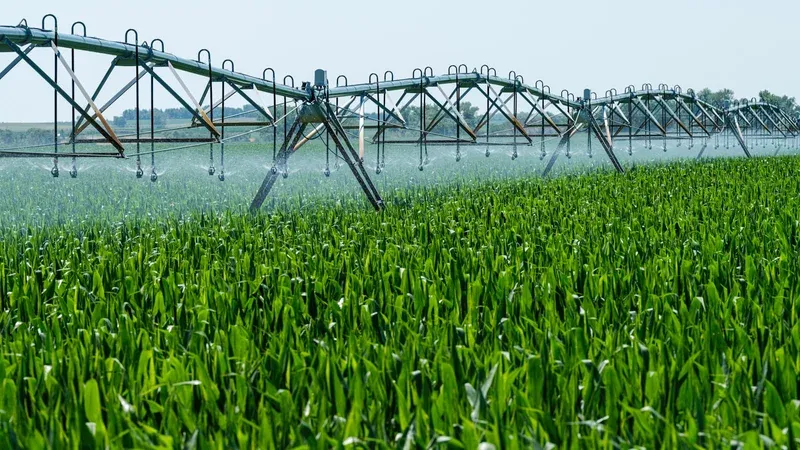
Picture a garden that drinks rainwater. A 3000 liter tank collects roof runoff, a submersible pressure pump pushes it to six watering zones, and the water company only gets involved during a long dry spell. The brain of the whole thing? A cheap ESP32 on a DIN rail, running open source firmware you can read line by line.
This guide walks through the complete design: the plumbing layout, the control panel wiring, the full ESPHome firmware, and the Home Assistant side. Every config file is complete, so you can copy, adjust the pins and thresholds, and flash.

Why Build Your Own Irrigation Controller?
Commercial smart controllers tend to tie basic features like seasonal adjustment to a phone app that phones home. Few of them know what a rainwater tank is, and fewer still can switch to a backup source when the tank runs low, let alone refill it.
The DIY route can solve all three problems: budget a weekend for the hardware and an evening or two for the YAML. It also removes the part of consumer smart hardware I dislike most, the vendor sitting between you and your own solenoid valves.
If you have never flashed a board before, this is not the project to learn on. Start with a sensor that cannot flood anything, get the toolchain working, then come back. The ESPHome and Home Assistant walkthrough covers that first hour, and everything below assumes you have already done it once.
A DIY irrigation controller can answer to nobody's cloud, with its safety rules in the firmware instead of an app.
One honest warning before the parts list. This project mixes 230V mains, 24V AC valve wiring, and plumbing backflow rules. The low-voltage side is beginner friendly. The mains side belongs behind an RCBO, and if wiring a contactor makes you nervous, hand that one section to an electrician and build the rest yourself.
What Parts Go into the Build?
The control panel lives in an IP65 DIN rail enclosure. Prices swing by region and supplier, so the table lists roles, not costs.
| Part | Role |
|---|---|
| ESP32 DevKit (ESP-WROOM-32) | controller |
| 8-channel optoisolated relay board, 5V + 1 spare relay | valve and pump switching |
| 230V to 24V AC bell transformer, 50 VA | valve coil power |
| Mean Well MDR-60-5 DIN supply, 5V 10A | ESP32 and relay power |
| DFRobot A02YYUW ultrasonic sensor | tank level |
| 2x Rain Bird 100-DV 1 inch valve, 24V AC | tank fill + mains bypass |
| 2x Gardena V3 valve box, 3 zones each | zone valves 1 to 6 |
| Contactor 25A + RCBO B6 30mA | pump switching, protection |
| IP65 DIN enclosure, fuses, wire | housing |
Two sizing notes. First, the transformer: Rain Bird's data sheet puts a DV coil at 0.30 A (7.2 VA) inrush and 0.19 A (4.6 VA) holding, so a 50 VA transformer has room for a zone valve plus a source valve at once, but not for a free-for-all. The firmware runs zones sequentially anyway, because the pump and the supply line can only feed one zone properly. Second, the pump never hangs off a hobby relay. A 1 kW submersible motor gets a proper contactor; the relay board only switches the contactor coil.
How Does the Water Side Fit Together?
Two rules shape this layout. Rainwater and drinking water must never connect directly, and the pump must never fight the bypass valve. The tank refill line drops water in through a Type AA air gap, an open vertical gap above the tank inlet, so backflow into the mains simply can't happen. The bypass line gets a 1 inch check valve, and choose a pump with an internal check valve on its outlet, which isolates the tank side. Check the plumbing rules where you live, since backflow requirements differ.
Both sources meet at a shared manifold feeding two Gardena V3 valve boxes, three zones each. Standard 25 mm pipe and 1 inch threads throughout, nothing exotic.
How Do You Wire the Control Panel?
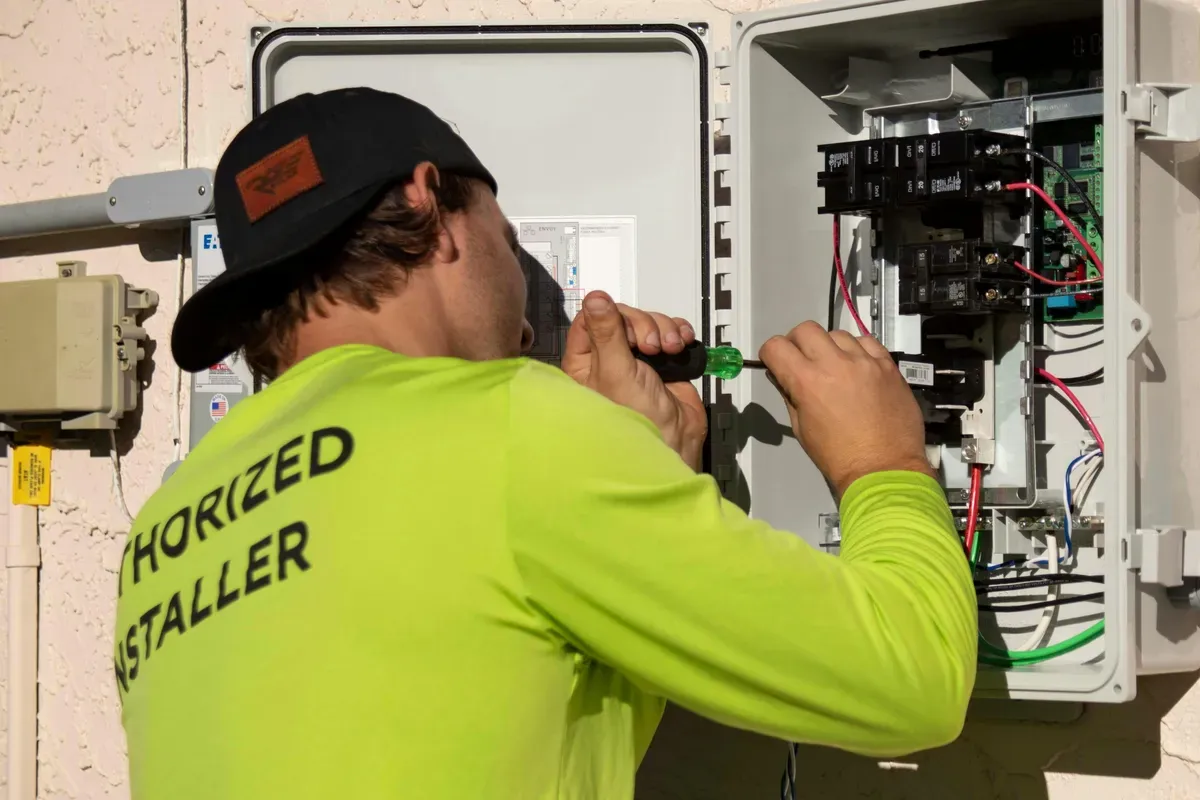
The 230V section is short: RCBO in, transformer and 5V supply out, plus a contactor for the pump. Everything else is low voltage. The relay board switches the 24V AC hot leg to each valve coil, and all coil commons return straight to the transformer's second terminal.
Why so much fuss about which relay closes when? Because most cheap optoisolated boards are active-low: the input pin pulled to ground energizes the relay. In ESPHome that is a one-line fix, inverted: true on every output, but miss it and all nine relays slam on at boot.
ESP32 Pin Map
| ESP32 pin | Relay | Drives | Voltage |
|---|---|---|---|
| GPIO16 (RX2) | - | A02YYUW level sensor TX | 3.3V UART |
| GPIO32 | K1 | tank fill valve | 24V AC |
| GPIO33 | K2 | mains bypass valve | 24V AC |
| GPIO25 | K3 | zone 1 | 24V AC |
| GPIO26 | K4 | zone 2 | 24V AC |
| GPIO27 | K5 | zone 3 | 24V AC |
| GPIO14 | K6 | zone 4 | 24V AC |
| GPIO13 | K7 | zone 5 | 24V AC |
| GPIO23 | K8 | zone 6 | 24V AC |
| GPIO19 | K9 | pump contactor coil | 230V via contactor |
The pin map avoids GPIO0, GPIO2, and GPIO15. Those are strapping pins that wiggle during boot, and a valve that twitches on every restart is a flooded flower bed waiting to happen. You don't want strapping pins anywhere near a solenoid.
What Does the Complete ESPHome Firmware Look Like?
The whole controller is one YAML file, written against current ESPHome syntax, and the design goal is simple: every safety rule must work with the router unplugged. Home Assistant is a remote control here, not the brain. If ESPHome is new to you, skim the ESPHome sprinkler component docs first; it does the zone sequencing heavy lifting.
Tank Level Sensing
The A02YYUW is a waterproof ultrasonic sensor from DFRobot that sends distance readings over UART at 9600 baud, with a range of 3 to 450 cm and 1 mm resolution according to the ESPHome documentation. Mount it inside the tank lid pointing at the water, at least 3 cm above the highest level, since 3 cm is the shortest distance it can measure.
substitutions:
  dist_full_cm: "22"     # sensor to water surface, tank full - measure yours
  dist_empty_cm: "112"   # sensor to water surface, tank empty - measure yours
  tank_liters: "3000"
  reserve_pct: "12"      # below this, irrigation switches to mains bypass
  fill_start_pct: "25"   # refill valve opens
  fill_stop_pct: "85"    # refill valve closes
  fill_timeout: 90min    # refill hard stop - leak protection
  max_source_runtime: 60min

esphome:
  name: irrigation
  friendly_name: Garden Irrigation
  on_boot:
    priority: -100
    then:
      - switch.turn_off: relay_fill
      - switch.turn_off: relay_bypass
      - switch.turn_off: relay_pump
      - switch.turn_off: zone1
      - switch.turn_off: zone2
      - switch.turn_off: zone3
      - switch.turn_off: zone4
      - switch.turn_off: zone5
      - switch.turn_off: zone6

esp32:
  board: esp32dev

wifi:
  ssid: !secret wifi_ssid
  password: !secret wifi_password

api:
  encryption:
    key: !secret api_key

ota:
  - platform: esphome

logger:

uart:
  id: uart_level
  rx_pin: GPIO16
  baud_rate: 9600

sensor:
  - platform: a02yyuw
    uart_id: uart_level
    id: tank_distance
    name: Tank Distance
    unit_of_measurement: cm
    filters:
      - multiply: 0.1          # sensor reports millimeters
      - median:
          window_size: 7
          send_every: 4
      - clamp:
          min_value: ${dist_full_cm}
          max_value: ${dist_empty_cm}
      - throttle_average: 30s

  - platform: template
    id: tank_percent
    name: Tank Level
    unit_of_measurement: "%"
    accuracy_decimals: 0
    update_interval: 30s
    lambda: |-
      const float full = ${dist_full_cm};
      const float empty = ${dist_empty_cm};
      const float d = id(tank_distance).state;
      if (isnan(d)) { return NAN; }
      return clamp((empty - d) / (empty - full) * 100.0f, 0.0f, 100.0f);

  - platform: template
    id: tank_volume
    name: Tank Volume
    unit_of_measurement: L
    accuracy_decimals: 0
    update_interval: 60s
    lambda: |-
      if (isnan(id(tank_percent).state)) { return NAN; }
      return id(tank_percent).state * ${tank_liters} / 100.0;
The median filter matters more than it looks. When the pump runs, the water surface ripples and raw readings jump around. Filtered, the level trace should be smooth enough to hang refill decisions on, but check it against your own tank.
Relays, Interlock, and Source Selection
Here is the part most commercial controllers lack. The pump and the bypass valve sit in an ESPHome interlock, so firmware physically refuses to energize both. A template switch called water_source picks between them by tank level every time a cycle starts.
switch:
  - platform: gpio
    id: relay_fill
    name: Tank Fill Valve
    pin: { number: GPIO32, inverted: true }
    restore_mode: ALWAYS_OFF
    on_turn_on:
      - script.execute: fill_watchdog
    on_turn_off:
      - script.stop: fill_watchdog

  - platform: gpio
    id: relay_bypass
    name: Mains Bypass Valve
    pin: { number: GPIO33, inverted: true }
    restore_mode: ALWAYS_OFF
    interlock: [relay_pump]
    on_turn_on:
      - script.execute: source_watchdog

  - platform: gpio
    id: relay_pump
    name: Rain Tank Pump
    pin: { number: GPIO19, inverted: true }
    restore_mode: ALWAYS_OFF
    interlock: [relay_bypass]
    on_turn_on:
      - script.execute: source_watchdog

  - platform: gpio
    id: zone1
    pin: { number: GPIO25, inverted: true }
    restore_mode: ALWAYS_OFF
  - platform: gpio
    id: zone2
    pin: { number: GPIO26, inverted: true }
    restore_mode: ALWAYS_OFF
  - platform: gpio
    id: zone3
    pin: { number: GPIO27, inverted: true }
    restore_mode: ALWAYS_OFF
  - platform: gpio
    id: zone4
    pin: { number: GPIO14, inverted: true }
    restore_mode: ALWAYS_OFF
  - platform: gpio
    id: zone5
    pin: { number: GPIO13, inverted: true }
    restore_mode: ALWAYS_OFF
  - platform: gpio
    id: zone6
    pin: { number: GPIO23, inverted: true }
    restore_mode: ALWAYS_OFF

  - platform: template
    id: water_source
    name: Water Source
    lambda: 'return id(relay_pump).state || id(relay_bypass).state;'
    turn_on_action:
      - if:
          condition:
            lambda: 'return id(tank_percent).state > ${reserve_pct};'
          then:
            - switch.turn_on: relay_pump
          else:
            - switch.turn_on: relay_bypass
    turn_off_action:
      - switch.turn_off: relay_pump
      - switch.turn_off: relay_bypass
Zones, Refill, and Watchdogs
The sprinkler component runs zones one at a time, which protects both the 50 VA transformer and the water pressure. It treats water_source as its pump, so source selection happens automatically at the start of every cycle.
sprinkler:
  - id: irrigation_ctl
    main_switch: Irrigation
    auto_advance_switch: Zones Auto Advance
    pump_switch_id: water_source
    valve_open_delay: 2s
    valves:
      - valve_switch: Zone 1 Front Lawn
        valve_switch_id: zone1
        run_duration_number: { name: Zone 1 Duration, initial_value: 10, min_value: 1, max_value: 60, step: 1, unit_of_measurement: min }
      - valve_switch: Zone 2 Back Lawn
        valve_switch_id: zone2
        run_duration_number: { name: Zone 2 Duration, initial_value: 10, min_value: 1, max_value: 60, step: 1, unit_of_measurement: min }
      - valve_switch: Zone 3 Left Beds
        valve_switch_id: zone3
        run_duration_number: { name: Zone 3 Duration, initial_value: 8, min_value: 1, max_value: 60, step: 1, unit_of_measurement: min }
      - valve_switch: Zone 4 Right Beds
        valve_switch_id: zone4
        run_duration_number: { name: Zone 4 Duration, initial_value: 8, min_value: 1, max_value: 60, step: 1, unit_of_measurement: min }
      - valve_switch: Zone 5 Hedge Drip
        valve_switch_id: zone5
        run_duration_number: { name: Zone 5 Duration, initial_value: 15, min_value: 1, max_value: 60, step: 1, unit_of_measurement: min }
      - valve_switch: Zone 6 Greenhouse
        valve_switch_id: zone6
        run_duration_number: { name: Zone 6 Duration, initial_value: 5, min_value: 1, max_value: 60, step: 1, unit_of_measurement: min }

globals:
  - id: fill_alarm
    type: bool
    initial_value: 'false'

binary_sensor:
  - platform: template
    id: low_water
    name: Low Water
    lambda: 'return id(tank_percent).state < ${reserve_pct};'
  - platform: template
    id: fill_timeout_alarm
    name: Fill Timeout Alarm
    lambda: 'return id(fill_alarm);'

text_sensor:
  - platform: template
    name: Water Source Mode
    update_interval: 5s
    lambda: |-
      if (id(relay_pump).state) { return {"rain tank"}; }
      if (id(relay_bypass).state) { return {"mains"}; }
      return {"idle"};

interval:
  - interval: 60s
    then:
      - if:
          condition:
            and:
              - lambda: 'return !isnan(id(tank_percent).state);'
              - lambda: 'return id(tank_percent).state < ${fill_start_pct};'
              - lambda: 'return !id(fill_alarm);'
              - switch.is_off: relay_fill
          then:
            - switch.turn_on: relay_fill
      - if:
          condition:
            and:
              - switch.is_on: relay_fill
              - lambda: 'return id(tank_percent).state >= ${fill_stop_pct};'
          then:
            - switch.turn_off: relay_fill

script:
  - id: fill_watchdog
    mode: restart
    then:
      - delay: ${fill_timeout}
      - globals.set: { id: fill_alarm, value: 'true' }
      - switch.turn_off: relay_fill
      - logger.log: 'Fill timeout - valve closed, inspect for leaks or a stuck valve'
  - id: source_watchdog
    mode: restart
    then:
      - delay: ${max_source_runtime}
      - sprinkler.shutdown: irrigation_ctl
      - switch.turn_off: relay_pump
      - switch.turn_off: relay_bypass
      - logger.log: 'Watchdog - max source runtime exceeded, all outputs off'
The refill loop runs on the ESP32 every 60 seconds, independent of watering. Open at 25 percent, close at 85 percent, hard stop after 90 minutes. The timeout exists for one failure: a fill valve stuck half-open would otherwise dump mains water through the overflow all night. As a last mechanical backstop, the tank overflow drains to a soakaway, so even total controller failure can't flood anything.
How Does It Plug into Home Assistant?
The ESPHome integration discovers the device within a minute of it joining the network, and every switch, number, and sensor appears as an entity. Firmware handles safety; Home Assistant handles scheduling and nagging you.
An automations.yaml, trimmed to the three that matter:
- id: irrigation_morning_run
  alias: 'Irrigation: 5:30 run with rain skip'
  triggers:
    - trigger: time
      at: '05:30:00'
  conditions:
    - condition: numeric_state
      entity_id: sensor.forecast_precipitation
      below: 1
  actions:
    - action: switch.turn_on
      target:
        entity_id: switch.irrigation

- id: irrigation_low_water
  alias: 'Irrigation: low tank warning'
  triggers:
    - trigger: state
      entity_id: binary_sensor.low_water
      to: 'on'
      for: '00:05:00'
  actions:
    - action: notify.mobile_app_phone
      data:
        title: Rain tank low
        message: 'Tank at {{ states("sensor.tank_level") }}%. Watering runs on mains until it refills.'

- id: irrigation_fill_alarm
  alias: 'Irrigation: refill timeout alarm'
  triggers:
    - trigger: state
      entity_id: binary_sensor.fill_timeout_alarm
      to: 'on'
  actions:
    - action: notify.mobile_app_phone
      data:
        title: Tank refill timeout
        message: Fill valve ran 90 minutes without reaching 85%. Check for leaks.
And the dashboard card, one gauge plus manual controls:
type: vertical-stack
cards:
  - type: gauge
    entity: sensor.tank_level
    name: Rain Tank
    severity: { green: 40, yellow: 20, red: 0 }
  - type: history-graph
    entities: [sensor.tank_volume]
    hours_to_show: 72
  - type: entities
    title: Irrigation
    entities:
      - switch.irrigation
      - switch.zones_auto_advance
      - sensor.water_source_mode
      - switch.tank_fill_valve
      - switch.mains_bypass_valve
      - switch.rain_tank_pump
Entity ids depend on your device name, so check yours under Settings, Devices and Services, ESPHome before pasting.
How Do You Run and Calibrate It the First Time?
Do the first test with the pump breaker off and the manifold's manual ball valve closed. Watch relays, not water.
- Flash over USB, confirm all nine relays stay silent through three reboots.
- Measure the sensor-to-water distance at full and near-empty tank, then set
dist_full_cmanddist_empty_cm. A flat-sided 3000 liter tank is close enough to linear; a very irregular tank wants a calibration table instead. - Toggle each zone from Home Assistant and listen for the correct V3 valve clicking.
- Force the source logic: with the tank above reserve, starting a cycle must pull in the pump contactor; set
reserve_pctto 99 temporarily and the bypass valve must open instead. - Let a refill run to completion once while you watch, before you ever leave it unattended.
After that, open the water and let the sprinkler component do its thing. Is this more work than buying a controller off the shelf? Yes, at the start. Whether it pays off depends on how much you value rainwater priority and a controller with no cloud account.
If you want the deeper background on how ESPHome devices talk to Home Assistant, our earlier ESPHome sensor firmware guide covers the toolchain from install to OTA updates. This design is green living with a soldering iron: the garden stays watered, the water bill stays boring, and the logic stays in your panel, where it belongs.
Frequently Asked Questions
Does the irrigation controller work when Home Assistant is down?
Yes, and that is a hard requirement of this design. All critical logic lives in the ESPHome firmware on the ESP32 itself: zone sequencing, the pump-versus-bypass interlock, source selection by tank level, automatic refill with its timeout, and the runtime watchdog. Home Assistant only adds scheduling, notifications, and a dashboard. If the Wi-Fi router or the Home Assistant server dies mid-cycle, the ESP32 finishes the watering run on its own and the safety rules keep working. A power cut is also safe because every valve is normally closed and the boot sequence forces all nine outputs off before any automation can run.
Why does the build use 24V AC valves instead of 12V DC ones?
Because 24V AC is the de facto standard for irrigation hardware. Rain Bird, Hunter, Gardena, and Orbit all sell 24V AC solenoid valves, so replacements are easy to find, and the coils tolerate long cable runs to valve boxes better than low-voltage DC. Rain Bird's data sheet for the DV series lists 0.30 A (7.2 VA) at inrush and 0.19 A (4.6 VA) holding at 60 Hz, so a 50 VA transformer has headroom to drive a zone valve plus a source valve at the same time. The relay board doesn't care whether it switches AC or DC, so the ESP32 side stays identical.
How accurate is the A02YYUW ultrasonic sensor for tank level?
Good enough for irrigation decisions, not for lab work. The A02YYUW reads 3 to 450 cm with 1 mm resolution, according to the ESPHome documentation, and it is waterproof, which matters inside a condensation-heavy tank. Raw readings bounce around when the water surface ripples during pumping, and ESPHome recommends filters for this sensor, so the firmware applies a median filter over 7 samples plus a 30 second throttle average. The refill thresholds sit 60 percentage points apart, so residual noise shouldn't cause valve chatter. Verify the reported level against a visual check on your own tank.
What happens when the rainwater tank runs empty mid-cycle?
The controller switches sources instead of running the pump dry. Every time a watering cycle asks for water, the firmware checks the tank percentage against the reserve threshold, 12 percent in the default config. Above it, the pump runs; below it, the mains bypass valve opens instead, and an interlock guarantees the two can never be energized together. The pump also has its own dry-run protection as a second layer. Meanwhile the independent refill loop opens the fill valve at 25 percent and closes it at 85 percent, so in practice the tank rarely gets low enough to force a mains cycle.
Sources & References
- ESPHome - Sprinkler Controller component esphome.io
- Home Assistant - ESPHome integration home-assistant.io
- ESPHome - A02YYUW waterproof ultrasonic sensor esphome.io
- Rain Bird - DV series valve technical specification rainbird.com