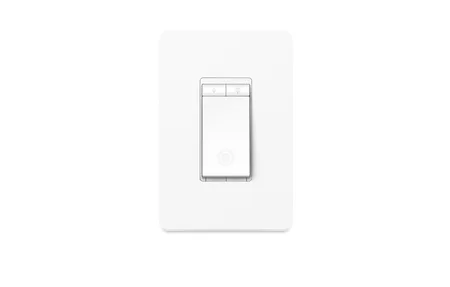
Sonoff D1 Smart Dimmer Switch: Wi-Fi + RF Dimming for Under $20
Product Details
🏭 Manufacturer: Sonoff
🔌 Plug Format: AC Power
📄 Specification Met: FCC, CE, RoHS
🏋️♂️ Weight: 58 g
📏 Dimensions: 3.94 x 1.69 x 1.14 inches
🏳️ Country of Origin: China
🆔 Model Number: D1
🎨 Style: In-Wall Dimmer
🧲 Mounting Type: In-Wall
🔧 Usage: Indoor Use
🧩 Included Components: 1x Sonoff D1 Smart Dimmer Switch, User Manual
The Sonoff D1 is an in-wall Wi-Fi dimmer switch that fits inside a standard single-gang box. It costs around $15-18 on most retailers, comfortably under $20, and adds remote dimming, schedules, and voice control to any existing dimmable light fixture. Unlike a smart bulb approach, you swap one switch and every bulb on that circuit gets smart - no per-bulb cost. That's the pitch, and it mostly delivers.
It's aimed at homeowners who want dimming without paying for a Lutron Caseta or a Leviton Decora Smart. It's not for everyone - you need a neutral wire and dimmable bulbs - but if you have both, this is one of the more practical budget dimmers available.
What Does the Sonoff D1 Smart Dimmer Switch Do?
The D1 connects to your 2.4GHz Wi-Fi network and registers with the eWeLink app (iOS and Android). From there you can set brightness levels from 0-100%, create schedules, and use scenes. It also has a built-in RF 433MHz receiver, which lets you pair a physical remote if you want a traditional wall button alongside the app control.
Sonoff's listing rates the D1 at 200W for incandescent bulbs and 150W for dimmable LEDs, with a 1A current limit. That LED ceiling matters more than people expect - run the math on your fixture before ordering.
Voice assistant support covers Alexa and Google Assistant, which Sonoff lists as supported control methods. There's no native Thread or Matter support on this model, and no Zigbee - this is strictly a Wi-Fi device.
How to Wire the D1 Dimmer Switch
Wiring is straightforward if you have the right setup. The D1 needs four things: a Live (L) wire, a Neutral (N) wire, a Load (Lo) output going to the light, and optionally a switch input (S1/S2) for a physical toggle.
Don't skip checking for neutral. In older US homes built before the 1980s, many switch boxes have only two wires - hot and switched hot - with neutral running directly to the fixture. The D1 won't function in that configuration.
Step-by-Step Wiring Overview
- Turn off the circuit breaker for that switch.
- Pull out the existing switch and identify L, N, and Load wires with a non-contact tester.
- Connect Live to the D1's L terminal, Neutral to N, and the load wire to Lo.
- If you want a physical wall button, connect it to S1.
- Push the D1 into the box, attach your cover plate, and restore power.
The D1 is a compact module (62 x 47 x 32.5 mm per Sonoff's listing), so it can live in a wall box, but expect a tight fit with thick wiring. Fold cables neatly before pushing it in. Terminal screws on modules this size are small, so keep a precision screwdriver handy.
Sonoff D1 in eWeLink vs Home Assistant
The eWeLink app works fine for most users. You get brightness sliders, schedules, countdown timers, and basic scenes. Anything routed through the cloud adds a round trip to Sonoff's servers, so expect a small delay compared with local control.
Home Assistant users have two paths. The official eWeLink integration connects via cloud and exposes the D1 as a light entity with brightness control. It works, but it depends on Sonoff's servers. The better option for most HA users is the Sonoff LAN mode - the D1 communicates on your local network when it's on the same subnet as HA, which removes the cloud dependency and the round trip that comes with it.
Setting Up LAN Mode in Home Assistant
The SonoffLAN integration installs through HACS and talks to devices over the local network using mDNS, and its documentation says devices in DIY mode need no eWeLink credentials at all. It needs working multicast traffic between Home Assistant and the device, so keep both on the same subnet. Check the project's device list for your exact model before you buy.
I haven't run a D1 myself, so I can't tell you how stable LAN mode is over months. The integration's authors say local mode is not always stable and that devices can drop off the network, which is worth knowing before you automate lighting around it.
Compatibility: What Bulbs Work with the D1?
Bulb compatibility is where most D1 problems originate. The short answer: Sonoff says the D1 only drives incandescent bulbs and dimmable LEDs, within 200W and 150W respectively. Results with LEDs vary by bulb.
Non-dimmable LED bulbs are a hard no. They'll flicker at anything below full brightness, and some will hum audibly even at 100%. This isn't a D1 flaw - it's a fundamental LED driver incompatibility that affects every trailing-edge dimmer.
Which LED Brands Play Well with the D1?
I can't give you a tested bulb list for this dimmer, and I'd distrust anyone who gives you a neat one, because LED dimming depends on the individual driver. The general pattern with any small dimmer is that bulbs sold as dimmable and rated for trailing-edge dimmers behave best, and budget no-name LEDs are hit or miss. If you get flicker at low brightness, look for a minimum-brightness or dimming-range setting in the eWeLink app, and try a different bulb before blaming the wiring.
Halogen bulbs dim beautifully and are zero-hassle, but they're inefficient. If energy use matters, go dimmable LED and test one bulb before wiring the whole fixture.
Upsides and Downsides
Worth considering if you have neutral wire, dimmable bulbs, and want a budget dimmer that works with Alexa and Home Assistant.
Pros:
- RF 433MHz support means you can add a physical remote
- Local LAN control in Home Assistant - no cloud required
- Compact module that can sit in a wall box
- $15-18 price point is hard to beat
- FCC and CE certified
Cons:
- Neutral wire required - a real blocker in older homes
- 150W LED limit is low, and the Shelly Dimmer 2 is a no-neutral alternative
- No Matter, no Zigbee, no Thread - purely Wi-Fi
- eWeLink app stores data on Sonoff's cloud by default
The lack of neutral-wire support is the only dealbreaker here. Everything else is a reasonable trade-off for the price. A Zigbee alternative is the SONOFF MINI-ZBDIM-E dimmer.
Frequently Asked Questions
Does the Sonoff D1 work without a neutral wire?
No. The Sonoff D1 requires a neutral wire for proper operation. If your switch box only has a live and load wire (common in older US homes), the D1 will not work. Check your wiring before buying - the Shelly Dimmer 2 is a popular no-neutral alternative.
What bulbs are compatible with the Sonoff D1?
Sonoff's listing rates the D1 at 200W for incandescent bulbs and 150W for dimmable LEDs, with a 1A maximum current, and the bulbs must be rated as dimmable. Non-dimmable LEDs will flicker, buzz, or fail to dim correctly. Always check the bulb packaging before wiring.
Can I use the Sonoff D1 with Home Assistant?
Yes. Home Assistant supports the D1 through the official eWeLink integration (cloud-based) or via the Sonoff LAN mode add-on for local control. Local mode keeps commands on your network, so no cloud is required, though the integration's own documentation warns that the local protocol is not always stable.
Does the Sonoff D1 support RF remotes?
Yes. The D1 has a built-in RF 433MHz receiver, so you can pair a compatible Sonoff RF remote (sold separately) to control the dimmer without your phone. This is genuinely useful for wall plates where you want a physical button alongside the smart features.