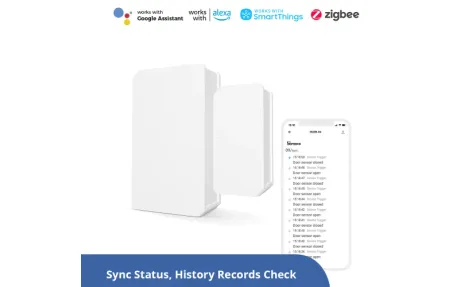
Aqara Door Window Sensor P2: Thread Protocol and Apple Home
Product Details
🏭 Manufacturer: Aqara
🆔 Model Number: DW-S02D
The Aqara Door and Window Sensor P2 (model DW-S02D, sold in some regions as DW-S02E) is a Thread-based magnetic contact sensor. It speaks Matter over Thread, so it can join Apple Home, Google Home, Amazon Alexa and other Matter platforms without an Aqara hub, provided a Matter-compatible Thread border router is on the network. It reports open and closed states and feeds automations on whichever platform it joined.
I haven't used the P2. I've lived with Zigbee sensors for about a decade (an Aqara and Xiaomi Zigbee set in my flat has survived two controller changes), so this page leans on Aqara's own manual and spec sheet to explain what's different about a Thread sensor.
Thread Installation: A Border Router, Not a Hub
Thread is a low-power mesh protocol built for smart home devices. Unlike Zigbee, it gives every device its own IP address, and it needs a Thread border router to bridge the mesh to your network. A HomePod mini or a Nest display already does the job.
For Apple Home, Aqara's manual calls for an iPhone on iOS 16.3 or later and a HomePod mini or second-generation HomePod. For Google Home, it lists Nest speakers and displays (the Nest Hub, Nest Hub Max and Nest Mini among them). On Aqara's product page the fourth-generation Echo appears as an example border router for an extra Matter app. Setup is the usual Matter routine: pull the insulating tab, wait for the LED to breathe, then scan the Matter QR code on the manual in your app.
One practical detail from the manual. Once the sensor has joined one Matter system, you don't reset it to add another. You switch on pairing mode in the first app, which generates a fresh setup code for the second.
Automations This Sensor Enables
Typical rules for a contact sensor like this:
- Turn on a hallway light when the front door opens
- Trigger a camera recording when a window opens at night
- Send a notification if the garage door stays open for 10+ minutes
- Pause heating or cooling while a window is open (pair it with a smart thermostat)
Aqara's own example for the P2 is exactly that last one: when the sensor reports open, turn off the thermostat. Whether it pays for itself depends on how often windows stay open with the heating on, so treat it as a sound idea and not a guaranteed saving.
The P2 also supports a tamper alarm and adjustable sensitivity in the Aqara Home app, and Aqara says more features will arrive by OTA update.
Build Quality and Form Factor
According to the spec sheet, the main unit measures 77 x 22 x 22 mm and the magnet piece 36 x 11.5 x 7.3 mm. That makes the body a long, slim bar rather than a flat puck. A flat magnet comes in the box for tighter spots, and the manual says it can replace the accessory unit in awkward installs. Adhesive stickers hold it to the frame.
The operating range is -10 to 50 C and up to 95% relative humidity without condensation, so a cold garage door is inside the specification. Aqara publishes no ingress rating, so keep it indoors or under cover.
Reliability and Latency
Thread's selling point is a local, low-latency mesh that doesn't route through a cloud server. Aqara markets the P2 on exactly that: local automations that don't depend on cloud services. If your internet drops, automations that live on a local controller such as a HomePod keep running.
I haven't measured response times, and I'd distrust anyone who quotes a number without saying how they measured it. What you can check for yourself is mesh health. Thread sensors rely on mains-powered devices to relay their messages, so a single border router at the far end of the house is the weak spot to look at first.
What It Can't Do
The P2 is a binary open or closed sensor, built around a Hall sensor. It doesn't measure the opening angle, detect vibration, or sense temperature. For vibration (package delivery, knock detection), look at Aqara's separate vibration sensor, and for presence, the FP2. The P2 is purpose-built for one thing: knowing whether something is open or closed.
Who Gets the Most From It
If you already own a HomePod or a Nest display and want door and window sensors without adding a hub, the P2 fits. Thread plus Matter means one sensor can be shared between Apple Home and Google Home by generating a new setup code, which a Zigbee sensor can't do natively.
If you're weighing this against a Zigbee contact sensor, ask which radio your existing hardware already speaks. A house with a Zigbee coordinator gains little from adding Thread just for door sensors, while a house built around HomePods or Nest displays already has the border routers the P2 needs.
The other side of the ledger is the border router requirement. If you don't have a compatible speaker or display, add one to the cost. And if you don't care about Thread or Matter and just want a cheap contact sensor, the older Aqara Zigbee door sensor is the lower-cost route, as long as you have a Zigbee hub or coordinator.
Battery changes are simple. Aqara's manual says to pry off the battery cover with a slotted screwdriver and swap in a new CR123A. That's a larger and pricier cell than the CR2032 coins in many sensors, so keep a spare. Aqara doesn't promise a life in years, so check the battery level in your app now and then. Since it runs on Thread, you need a border router, and the Aqara Hub M200 is one.
Frequently Asked Questions
Does the Aqara Door Window Sensor P2 require the Aqara Hub?
No, but it does need a Matter-compatible Thread border router. Aqara's manual lists the HomePod mini and second-generation HomePod for Apple Home, and Nest speakers and displays such as the Nest Hub and Nest Mini for Google Home. Aqara's product page also names the fourth-generation Echo as an example border router. An Aqara hub such as the Hub M3 is optional, and Aqara says it unlocks extra app features and longer battery life.
What battery does the Aqara P2 sensor use?
The P2 takes a single CR123A lithium battery, according to Aqara's spec sheet and manual (not a CR2032 coin cell). Aqara doesn't publish a fixed battery-life figure on the product page. It says only that changes should be infrequent and that life varies with the Thread border router and Matter app the sensor is connected to. Aqara recommends its own border router for the best results.
How close does the magnet have to be to the Aqara P2?
Aqara's manual asks you to line up the marker on the sensor body with the magnet when you stick them on, with the body on the fixed frame and the magnet on the moving part. In the Aqara Home app (with a Hub M3), the sensitivity can be tuned within a range of 1 to 3 cm. The P2 reports open or closed only. It doesn't report how far a door or window is open.