Raspberry Pi 500 as a Keyboard Computer for Smart Home

Product Details
🏭 Manufacturer: Raspberry Pi
🔖 Part Number: SC1231
📏 Dimensions: 286 × 122 × 23 mm
🏳️ Country of Origin: United Kingdom
🆔 Model Number: SC1231
📐 Size: Standard
🎨 Style: Keyboard Computer
🧲 Mounting Type: Desktop
🔧 Usage: Personal Computing
🧩 Included Components: Keyboard computer, 32GB microSD card with Raspberry Pi OS
The Raspberry Pi 500 represents a revolutionary leap in compact computing, integrating a powerful computer into a sleek keyboard design. This innovative device is perfect for enhancing your smart home setup with its solid IoT device capabilities. In this article, we will explore the features, advantages, and potential applications of the Raspberry Pi 500 in creating a more integrated and automated living environment.
Overview of the Raspberry Pi 500
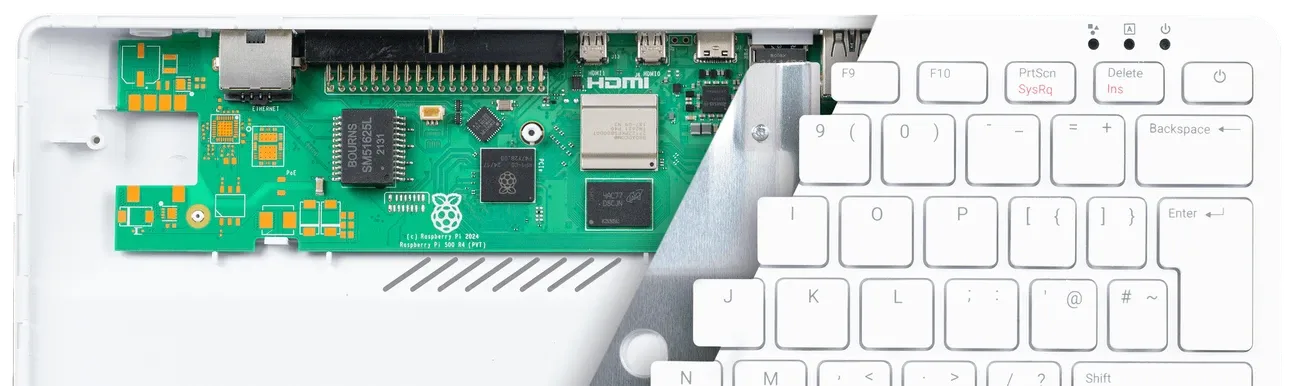
The Raspberry Pi 500 has a 2.4GHz quad-core 64-bit Arm Cortex-A76 CPU, providing a significant boost in performance compared to its predecessors. It includes 8GB of LPDDR4X SDRAM, which supports memory-intensive tasks with ease. The device is equipped with dual-band Wi-Fi, Bluetooth 5.0, and gigabit Ethernet, which covers most home network setups. Raspberry Pi lists the unit-only version at $180 and the Desktop Kit at $200, and says the Pi 500 stays in production until at least January 2034 (checked on the manufacturer's product page in October 2026). SparkFun lists the unit-only model as SKU DEV-27445, and the US-layout part number is SC1231.
What Is Inside
- Processor: BCM2712 Quad-core Cortex-A76 @ 2.4GHz
- Memory: 8GB LPDDR4X SDRAM
- Connectivity: Dual-band IEEE 802.11b/g/n/ac Wi-Fi, Bluetooth 5.0, BLE, Gigabit Ethernet
- Display Output: 2 × micro HDMI ports (supports up to 4Kp60)
- Storage: Micro SD card slot for operating system and data storage
- GPIO: Horizontal 40-pin header for connecting HATs or other hardware
- Power: 5V DC via USB-C connector
The Raspberry Pi 500 also includes a compact keyboard with 78, 79 or 83 keys depending on the regional layout, according to the product brief. A one-piece aluminium heatsink is built in for cooling.
Applications in Smart Home Automation

The Raspberry Pi 500 can be a central component in your smart home automation setup. Here are some creative ways to utilize this device:
-
Home Server: Use it as a home server for media streaming, file storage, and sharing across the network. Its dual 4K HDMI outputs make it perfect for setting up a home theatre system.
-
Automate Tasks: With home automation software like Home Assistant, you can control various devices and automate tasks using the Pi's GPIO capabilities.
-
Voice Assistant Integration: It can be used to build custom voice assistants or integrate with existing platforms like Google Assistant or Alexa, enhancing voice control capabilities in your smart home.
-
Learning and Development: The Raspberry Pi 500 is an excellent tool for learning programming and developing custom IoT solutions, ideal for makers and hobbyists.
What Stands Out
Cooling and Performance
The Raspberry Pi 500 has a one-piece aluminium heatsink built in, and the manufacturer's brief says it improves thermal performance. The cooling is passive, so there's no fan to hear. We haven't run sustained load tests on this board, so treat any claim about long-term throttling behavior as unverified.
Connectivity Options
With dual-band Wi-Fi and Bluetooth 5.0, the Raspberry Pi 500 offers reliable wireless connectivity. The inclusion of gigabit Ethernet ensures fast and stable wired connections for applications requiring lower latency and higher throughput.
Display and Graphics
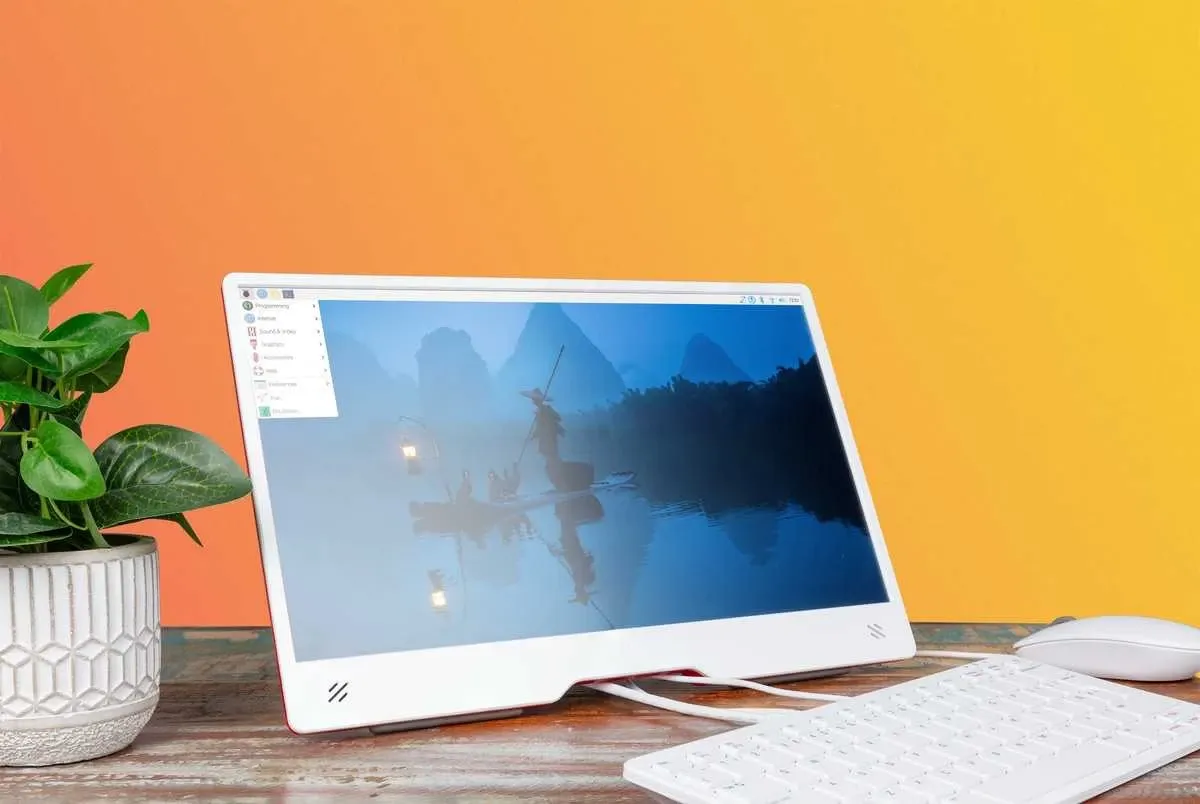
The device supports dual 4K display output via micro HDMI ports, making it perfect for setting up dual monitors or connecting to high-resolution TVs for an immersive media experience. The VideoCore VII GPU is listed with OpenGL ES 3.1 and Vulkan 1.3 in Raspberry Pi's February 2026 product brief (an older brief listed only OpenGL ES 3.0, and some retailers still print Vulkan 1.2).
Setting Up Your Raspberry Pi 500
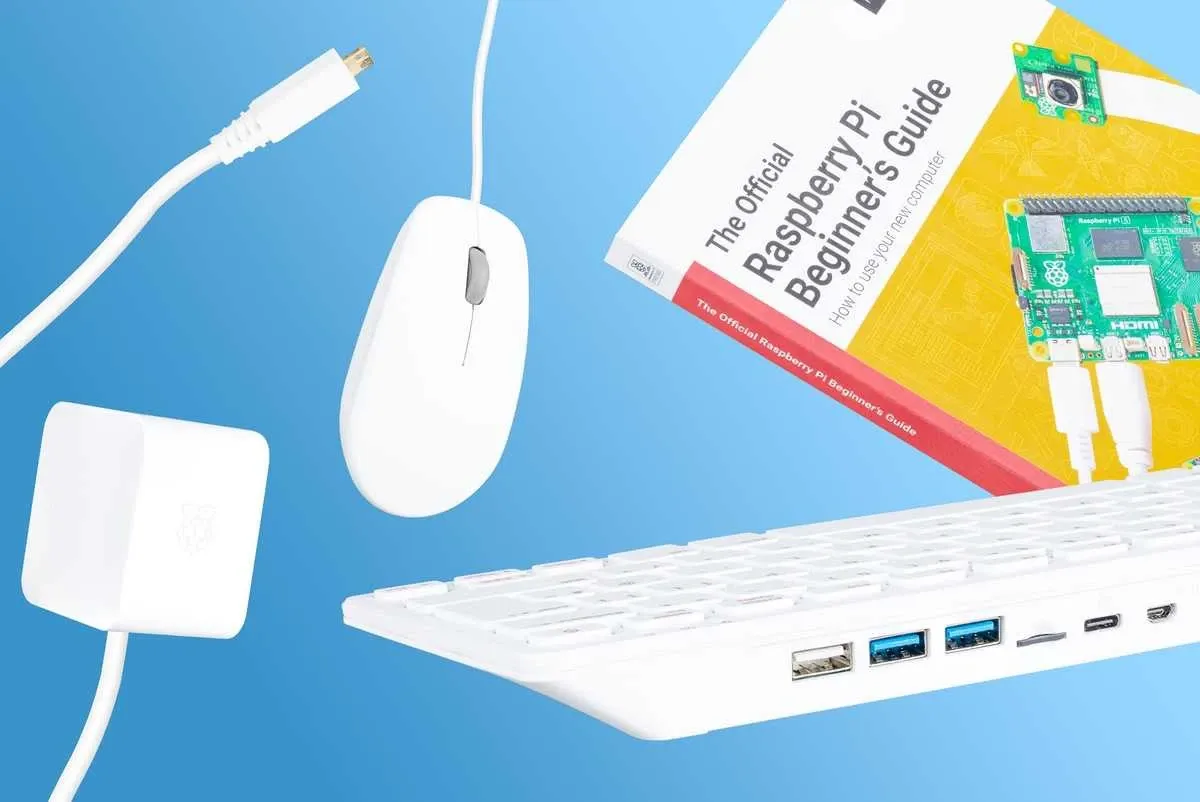
Getting started with the Raspberry Pi 500 is straightforward:
-
Hardware Checklist:
- Raspberry Pi 500 computer with keyboard.
- Micro SD card (the 32GB card that ships with both versions comes pre-loaded with Raspberry Pi OS).
- USB-C power supply (not in the unit-only box; the $200 Desktop Kit adds it, plus a mouse and an HDMI cable).
- Micro HDMI to HDMI cable (also kit-only).
- USB mouse (optional).
-
Software Setup: Insert the micro SD card and connect the power supply. Use a micro HDMI cable to connect to a monitor. Boot up the system, and you're ready to explore the world of Raspberry Pi.
Advanced Smart Home Use Cases
Beyond routine lighting schedules and media playback, the Raspberry Pi 500 can run heavier self-hosted workloads. Install Docker containers for Home Assistant add‑ons like Frigate to perform real‑time object detection on camera streams, sending mobile notifications whenever an unfamiliar face approaches the porch. Build a local Grafana stack visualising temperature, humidity, and air‑quality trends captured from Bluetooth sensors scattered around the house, and trigger fans or dehumidifiers when thresholds are crossed. The Pi's general‑purpose I/O header can drive relays that open greenhouse vents, irrigate herbs, or reset an unresponsive router automatically. With WireGuard VPN running on the same board you can securely reach every device while travelling, without exposing ports to the public internet. Home Assistant also supports Matter and Thread, though Thread needs a compatible USB radio and some setup.
So, Is It for You
The Raspberry Pi 500 is a major upgrade for anyone looking to enhance their smart home experience with IoT devices. Everything sits inside the keyboard, which suits a desk. At $180 for the unit alone, a headless Home Assistant box in a cupboard doesn't need the keyboard, so a bare board is the cheaper route there. For a desk computer that also runs your automations, it makes sense.