Indoor air quality monitoring with IKEA ALPSTUGA sensor

Product Details
🏭 Manufacturer: IKEA
🔌 Plug Format: Mains powered (USB-C)
📄 Specification Met: CE, FCC, IC, UKCA, Matter
🔖 Part Number: 706.093.96
🏋️♂️ Weight: 3 oz (85 g, packaged)
📏 Dimensions: 40 mm x 40 mm x 90 mm
🏳️ Country of Origin: China
🆔 Model Number: ALPSTUGA E2495
📐 Size: 40 x 40 x 90 mm
🎨 Style: Mains-powered air quality sensor
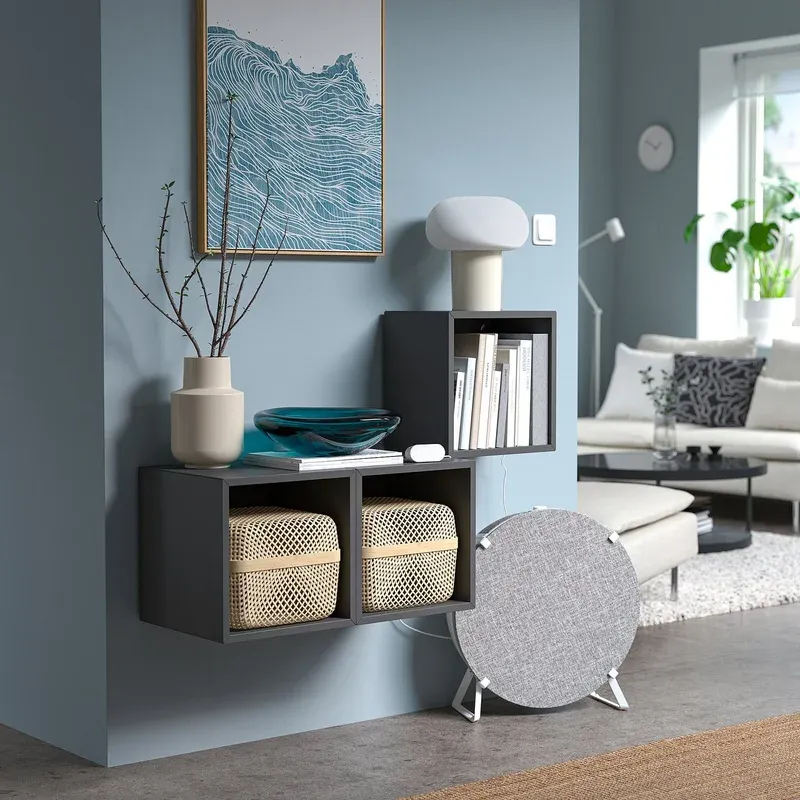
🧲 Mounting Type: Desktop, Wall Mount
🔧 Usage: Indoor Use
🧩 Included Components: Sensor, quick start guide (USB-C cable and power adapter sold separately)
The Rundown
The IKEA ALPSTUGA is a compact indoor air quality sensor that measures four key environmental metrics: carbon dioxide (CO2), fine particles (PM2.5), temperature, and relative humidity. It lists at EUR 29.99 on IKEA's Baltic sites and $34.99 on ikea.com/us as of October 2026 (it launched in the US at $29.99 in December 2025), which is unusual pricing for anything that reports CO2 at all. Commissioning follows the standard Matter route: scan the QR code from a Thread Border Router app, assign a room, and the built-in display starts cycling live readings once the sensor settles.
ALPSTUGA is notable from simpler thermometer sensors because it covers CO2 levels, which most people never monitor at home. A living room with poor ventilation can drift past 1,500 ppm without anything visible happening, and there's no way to know without a meter in the room. This sensor makes an invisible number readable. The display also doubles as a clock, which is a practical touch for a bedside or desk placement.
IKEA uses a Sensirion SEN63C sensor module inside ALPSTUGA. Sensirion is a well-regarded Swiss sensor manufacturer whose chips appear in professional and laboratory-grade equipment. Finding their module inside a EUR 30 consumer device is notable. The CO2 detection relies on photoacoustic sensing, and the PM2.5 uses laser particle counting.
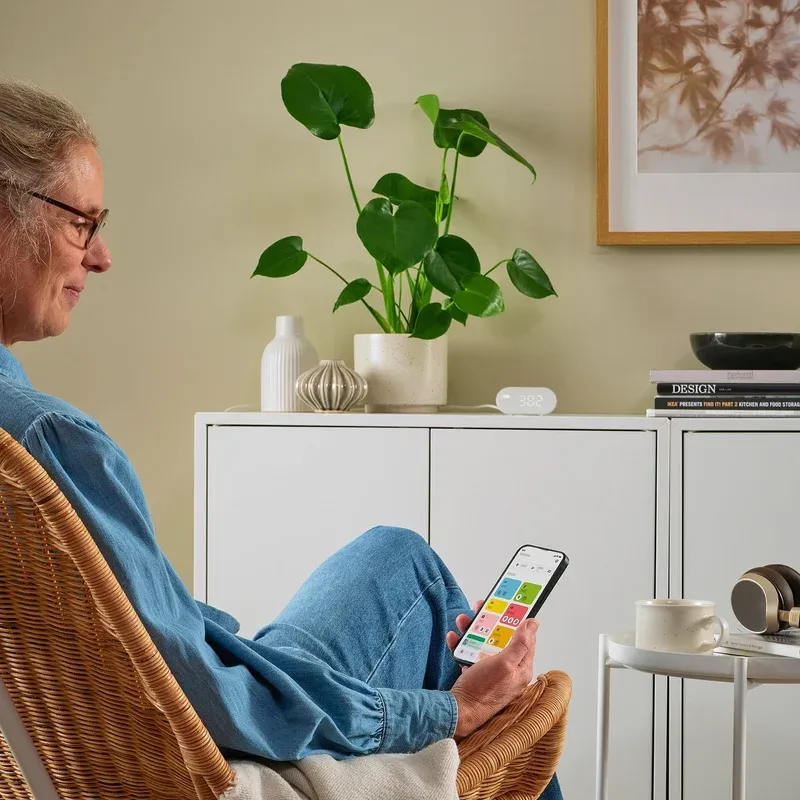
Under the Hood
ALPSTUGA is mains powered via USB-C, which means it also contributes to your Thread mesh network by acting as a router node. Thread is a low-latency, self-healing mesh protocol, and mains-powered devices strengthen coverage for battery-powered sensors and switches in the same network.
My own mesh is the Zigbee version of that idea, and it behaves the same way. Several dozen devices hang off a Home Assistant Connect ZBT-1 coordinator, and the ones actually carrying the network are the mains-powered ones: a Sonoff MINI-ZBR3 tucked behind a switch, a metering plug, a 16 A timer relay. The battery sensors just talk and go back to sleep. The wired ones do the forwarding. That's why I stopped treating a permanently powered device as an expense and started treating it as network hardware that happens to also measure something. A USB-C sensor is worth more to a mesh than its own readings suggest.
The device measures 40 x 40 x 90 mm (IKEA lists the packaged weight at 3 oz, roughly 85 g). It is built from ABS plastic with a clean, minimal design that blends into most room styles. The display shows readings in a rotating cycle or stays on a chosen metric. Brightness dims automatically at night, making it suitable for bedroom use.
IKEA doesn't publish accuracy figures, so the numbers come from Sensirion's catalog entry for the SEN63C: CO2 accuracy of plus or minus 100 ppm, a typical temperature accuracy of 0.45 degrees Celsius, and a typical humidity accuracy of 4.5 percent RH. Sensirion also notes that the SEN63C is not certified for the RESET and WELL building standards, which tells you the intended job: a trend monitor for a home, not a reference instrument.
The sensor uses Matter 1.3 over Thread for all connectivity (the CSA certification record lists the model as E2495, certified in June 2025). Matter is an open, royalty-free smart home standard backed by Apple, Google, Amazon, and Samsung. Thread runs at 2.4 GHz using IEEE 802.15.4 radio, with AES-CCM encryption for all traffic between devices and the border router.
Works With
ALPSTUGA pairs with any Thread Border Router that supports Matter commissioning. IKEA DIRIGERA is the recommended option. Other compatible border routers include Apple HomePod mini, Apple TV 4K (3rd gen), Google Nest Hub 2nd gen, and Amazon Echo 4th gen.
Commissioning is identical on any of them: scan the Matter QR code from the hub app and assign a room. Once the sensor is on the fabric, IKEA's own app, Apple Home, and Google Home each expose it, though the platforms differ in which of the four metrics they surface. One caveat about the Apple half of that sentence: I own Apple hardware and have never once set up Apple Home. Not a criticism of it, just a road I didn't take. So treat the HomeKit coverage on this page as specification reading rather than a first-hand report, and weigh it accordingly.
Home Assistant users can add ALPSTUGA through the Matter integration. After adding the border router to your network, Home Assistant discovers the sensor automatically. All four entities show in the dashboard with proper units, and because Matter commissioning is local, the entities keep updating whether or not the vendor cloud is reachable.
Worth saying where I'm standing when I write that. My Home Assistant OS instance runs on a Raspberry Pi 5 bolted to DIN rail inside the electrical cabinet, fed from a Mean Well MDR-60-5 supply, and everything hanging off it speaks Zigbee rather than Thread. That wasn't a verdict on Thread. It was a coordinator decision made once, early, and Zigbee simply had the catalogue I needed at the prices I wanted: soil moisture probes, ceiling MmWave sensors, leak detectors, a 2-in-1 rain sensor. Thread still doesn't match that spread at the bottom of the market. If you're starting from nothing today the arithmetic looks different, and a cheap mains-powered Thread router that also reports CO2 is a sensible first stake in the ground.
Local control and privacy
Matter runs locally. Readings do not pass through IKEA's cloud for processing. Automation rules set in DIRIGERA or Home Assistant run on the local network, so a sensor-triggered action does not depend on an internet round trip to fire. IKEA can push OTA firmware updates through the app. Check the app release notes before applying updates.
When It Makes Sense
ALPSTUGA works best when placed in occupied rooms where air quality varies throughout the day. It is particularly useful in spaces with limited ventilation.
- Set a CO2 alert for 1,000 ppm to know when to open a window in a home office
- Automate an IKEA air purifier to turn on when PM2.5 rises above 15 micrograms per cubic meter
- Monitor a bedroom overnight for temperature and CO2 without checking your phone
- Track humidity spikes after cooking or showering to decide when to run a fan
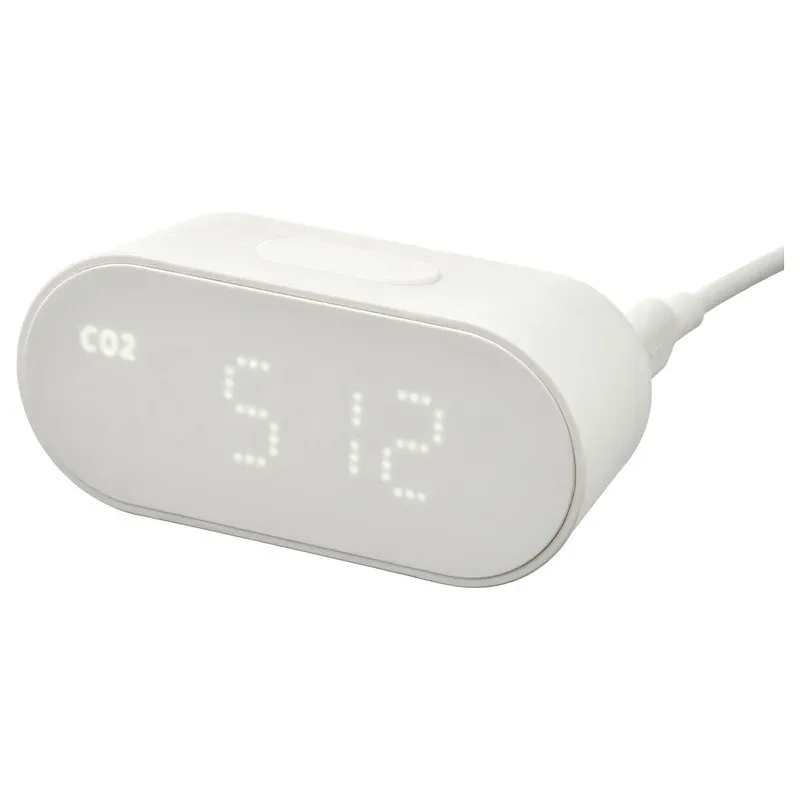
Getting It Running
Setup is straightforward. Plug ALPSTUGA into power over USB-C; note that IKEA does not put a cable or an adapter in the box, and sells its SMAHAGEL power supply kit separately ($7.99 in the US), though any spare USB-C charger does the job. Open your Thread-capable hub app and start a new device pairing. Scan the QR code on the back or bottom of the device. The hub discovers ALPSTUGA within about 60 seconds. Assign it to a room and wait two to three minutes for initial readings to stabilize.
Place the sensor at desk or shelf height for the most representative room readings. Keep it away from direct sun, cooking surfaces, and air vents. Readings near a window or kitchen will not reflect average room conditions accurately.
Automations and thresholds
Start with a simple CO2 notification at 1,000 ppm. ASHRAE recommends keeping CO2 below 1,100 ppm for good air quality. Once you understand your room's pattern over a few days, you can refine thresholds. Combine with a smart plug on a fan or with an air purifier for hands-free responses to air quality changes.
The threshold pattern is the part that transfers, and it's the part I've already built on the outdoor side of my own setup. Soil moisture and temperature probes, plus a 2-in-1 rain sensor, all Zigbee, all reporting straight into Home Assistant with no vendor cloud anywhere in the path. The automation itself is dull: a number crosses a line, something switches. Picking the line is where the work is. My first soil threshold was wrong twice before the logged readings told me what normal actually looked like in that spot, and a CO2 threshold will punish you the same way if you guess. Log for a week. Automate after that.
Build the Rest of the IKEA Sensor Cluster
ALPSTUGA is strongest when it isn't working alone. Air quality data means more once the rest of the room is instrumented, and IKEA's sensor line is cheap enough that a full set still costs less than a single premium monitor. If you're standing up a Matter-over-Thread setup, pair it with a few siblings:
- The IKEA MYGGSPRAY motion sensor so ventilation or a fan only kicks in when someone's actually in the room.
- The IKEA MYGGBETT door and window sensor to tell an automation whether a window is open before it fires a "purge the CO2" routine.
- The IKEA KLIPPBOK water sensor for the same rooms, since a humid basement or laundry corner is exactly where both air quality and leaks matter.
Because they all speak Matter over Thread, they land in one dashboard and share the same Thread mesh, so adding the next sensor gets easier, not harder. That compounding is the real reason to start with IKEA rather than a single pricey standalone monitor.
Final Verdict
ALPSTUGA offers four-metric air quality sensing at a price that undercuts rivals by a wide margin. Comparable sensors from Awair or IQAir typically cost three to five times more. The Sensirion chip inside gives confidence in the sensor's accuracy. The Matter over Thread protocol keeps the device local, responsive, and compatible with every major platform.
Some users have reported that temperature does not appear in Apple Home, though all other metrics do. That points at a Home app compatibility gap rather than a broken sensor, and it's the kind of thing an update tends to close. On Google Home, Home Assistant, and IKEA's own app, all four metrics are exposed.
Now the honest part, because it changes how you should read everything above. I don't own an ALPSTUGA, and I don't own a single piece of IKEA smart home hardware. The sensing claims here come from IKEA's published specification and Sensirion's datasheet for the SEN63C module, not from a unit sitting on my desk. What I can speak to is the role the device plays: a permanently powered node that both measures and forwards, dropped onto a mesh you already run. That's a job several devices do on my own coordinator, and it's the reason a cheap mains-powered sensor is usually worth more than its spec sheet. For a household already running a Thread network, ALPSTUGA turns ventilation from something you guess at into a number you can automate against, and continuous indoor monitoring at this price is a rare thing to be able to say.
Frequently Asked Questions
Does IKEA ALPSTUGA need a hub to work?
Yes. ALPSTUGA uses Matter over Thread and requires a Thread Border Router such as the IKEA DIRIGERA hub, Apple HomePod mini, Apple TV 4K, Google Nest Hub 2nd gen, or Amazon Echo 4th gen to connect to your smart home app.
What does IKEA ALPSTUGA measure?
ALPSTUGA measures four things: carbon dioxide (CO2), fine particles (PM2.5), temperature, and relative humidity. All readings appear on its built-in display, and you can also check them in your smart home app.
Is ALPSTUGA compatible with Apple HomeKit?
Yes. ALPSTUGA is Matter-certified, so it works with Apple HomeKit, Google Home, Amazon Alexa, Samsung SmartThings, and Homey. Note that some users have reported temperature readings not showing in Apple Home - this may depend on your iOS and Home app version.
How accurate is the CO2 sensor in ALPSTUGA?
IKEA uses a Sensirion SEN63C sensor module inside ALPSTUGA. The sensor tracks CO2 trends reliably and responds within a few minutes to ventilation changes. Sensirion's catalog entry for the module quotes CO2 accuracy of plus or minus 100 ppm, which is typical for photoacoustic sensors in this price range. IKEA and Sensirion both say to give the unit about twelve hours to settle before reading much into the numbers.
Can ALPSTUGA trigger my air purifier automatically?
Yes. If you pair ALPSTUGA with an IKEA air purifier or any compatible smart purifier in the same app, you can build an automation that turns on the purifier when CO2 or PM2.5 rises above a set threshold. This works natively in the IKEA Home Smart app with DIRIGERA.