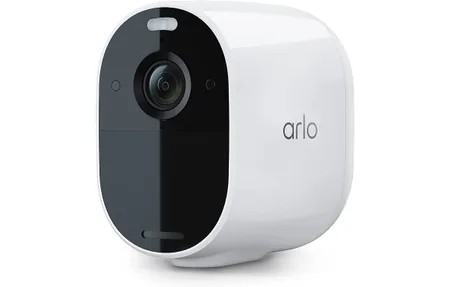
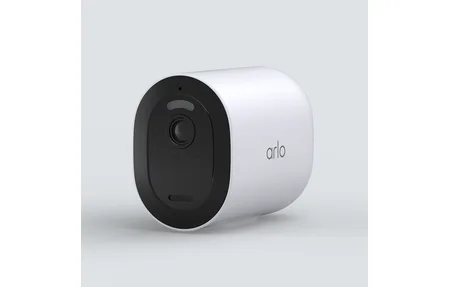
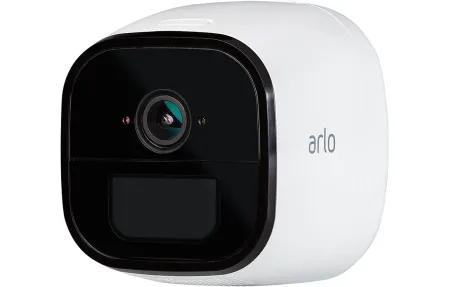
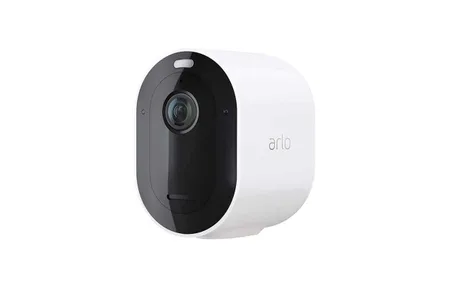
Arlo Ultra 4K Wire-Free Camera: Full Review
Product Details
🏭 Manufacturer: Arlo
🆔 Model Number: VMC5040
🔧 Usage: Indoor Use
Most wire-free cameras top out at 1080p or 2K. The Arlo Ultra (model VMC5040) shoots 4K HDR at 3840x2160, and it does it on battery, with no power cable run to the mounting spot. At $299 for the camera alone, it's aimed at homeowners who want premium image quality but don't want to drill channels for wiring. The 180-degree diagonal field of view is wide enough to cover an entire driveway in a single frame.
What Does 4K HDR Mean for Home Security?
The VMC5040 captures video at 3840x2160 with HDR processing, which compresses bright highlights and lifts shadow detail simultaneously. In practice, that means the camera renders license plates on a sun-lit driveway and faces in a shadowed doorway in the same frame. Most 1080p cameras either blow out the sky or lose detail in shade.
Color night vision uses the built-in spotlight to illuminate scenes in full color rather than grayscale. The spotlight activates automatically on motion detection. You can also set it to stay on continuously as a deterrent light. With zero ambient light at night, the spotlight keeps faces identifiable out to roughly 15 feet, which covers most porches and short driveways.
How Wide Is the 180-Degree Field of View?
The 180-degree diagonal FOV is notably wider than the 110-130 degrees you get from most budget cameras. It's wide enough that a single unit can cover a two-car garage entrance or a front porch with flanking shrubs. The trade-off is mild fish-eye distortion at the edges, which makes distant objects harder to read.
Arlo's app includes a digital zoom and a dedicated "zoom and enhance" view that crops into the center of the frame for a more rectilinear perspective. It doesn't add resolution, but it does make the footage easier to parse when reviewing a specific zone. You can draw custom activity zones in the app to filter alerts to specific areas within the wide frame.
Does Arlo Ultra Really Need a Subscription?
This is where most buyers get surprised. The camera records and stores clips locally only if you own an Arlo SmartHub (sold separately). Without a hub or an Arlo Secure subscription, the camera streams live video but saves nothing. Cloud recording starts at $2.99 per month per camera or $12.99 per month for unlimited cameras, billed annually.
What the Free Tier Includes
Without any subscription, you get:
- Live streaming from the app
- Two-way audio
- Manual recording (saves to phone only)
- No motion-triggered clip storage
- No person, vehicle, or package detection
The free tier is genuinely limited. Most buyers will need at least the $2.99 plan to get useful alert clips. If you already own an Arlo SmartHub, local storage via USB drive is a no-subscription alternative worth considering, though setup is less intuitive than the cloud path.
What Arlo Secure Adds
The paid plans unlock cloud storage (30-day history on the base plan), AI-powered object detection for people, vehicles, animals, and packages, and e911 emergency response integration. The object detection meaningfully reduces false alerts from trees and passing headlights. With person-only filtering active, alerts typically fall from dozens a day to a handful, a big cut in day-to-day noise.
Battery Life and Power Options
The rechargeable battery lasts between one and six months depending on activity level, resolution settings, and climate. High-traffic areas recording in 4K drain the battery faster, closer to the one-month end. In a low-traffic side-yard scenario with 10-15 clips per day, expect two to three months between charges.
An optional solar panel accessory ($79) provides continuous trickle charging and is practical in locations with direct sun for at least four hours daily. The IP65 weatherproof rating means rain and dust aren't concerns, but IP65 does not cover submersion, avoid pointing it at locations that flood.
Smart Home Compatibility
The Arlo Ultra works with Amazon Alexa, Google Assistant, and Apple HomeKit. Alexa and Google integration allows live view on Echo Show and Nest Hub displays with a voice command. HomeKit Secure Video is available on the Arlo Secure subscription and routes footage through iCloud rather than Arlo's servers, which is a meaningful privacy difference if you're in the Apple ecosystem.
According to Arlo's official compatibility documentation, HomeKit Secure Video requires an iCloud+ plan with 50 GB or higher storage and an Apple Home hub (HomePod, iPad, or Apple TV) on the same network.
Two-way audio uses a built-in microphone and speaker with noise cancellation. Call quality is clear enough for short conversations. The siren is loud at 80 dB and can be triggered manually in the app or set to activate automatically on specific alert types.
Who Should Buy the Arlo Ultra 4K?
The Arlo Ultra suits buyers who need wide-area coverage without running cable, already own other Arlo hardware (the SmartHub investment pays off across multiple cameras), and want HomeKit Secure Video as a privacy-conscious cloud option. It's not the right pick for buyers who want zero subscription costs, the Eufy cam lineup handles that use case better at lower hardware cost.
At $299 per camera plus $12.99/month for unlimited cloud recording, an Arlo Ultra system covering four entry points runs about $1,200 upfront and $156 per year in ongoing costs. That is premium pricing, but the 4K HDR image quality and 180-degree FOV are genuinely hard to match in a wire-free form factor at any price point below $350 per camera.
Setup takes about 10 minutes per camera. Download the Arlo app, create an account, scan the QR code on the camera, and follow the Wi-Fi pairing steps. Wall mounting uses the included magnetic mount with a screw base, repositioning the camera later is a matter of lifting and rotating rather than removing hardware.