Simple Arduino Smart Home Projects: 5 Beginner Builds

This post may contain affiliate links. As an Amazon Associate we earn from qualifying purchases. Disclosure.
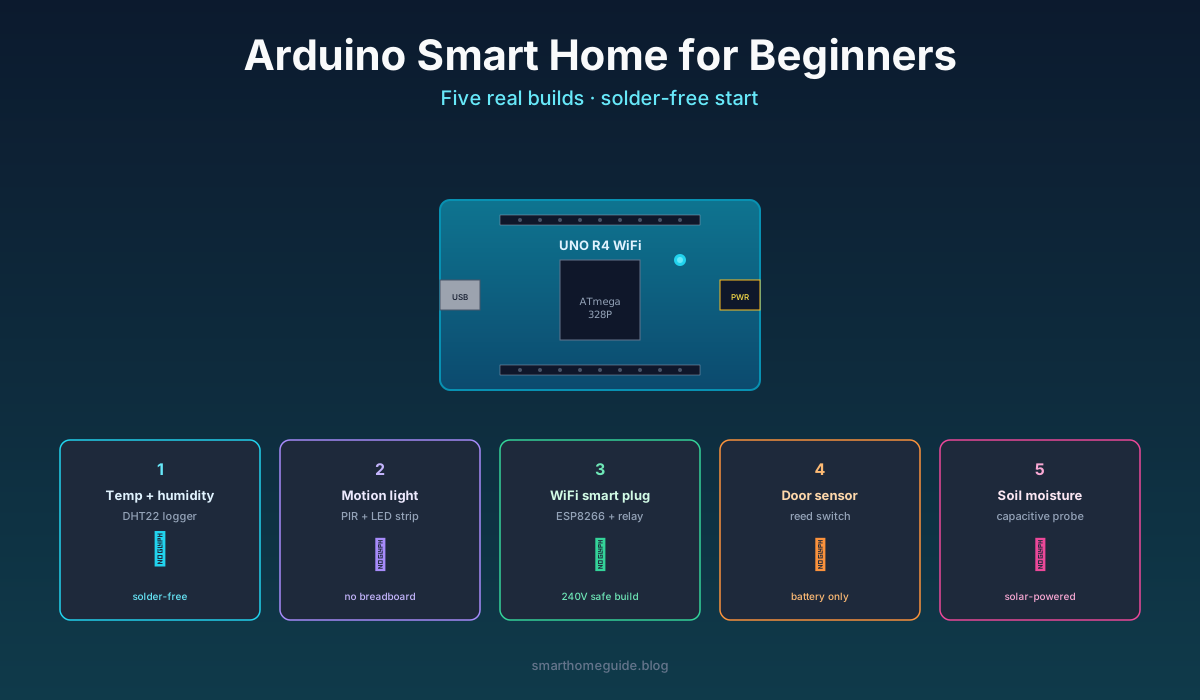
Five Arduino smart home projects you can finish in a weekend without a soldering iron, written for people whose last electronics class was high school. Each build connects to Home Assistant, costs under 30 GBP, and survives a real house full of cats and curious children.
Five Arduino smart home projects you can finish in a weekend without a soldering iron, written for people whose last electronics class was high school. Each build connects to Home Assistant, costs under 30 GBP, and survives a real house full of cats and curious children.
I started messing about with Arduino in 2017 after years of buying off-the-shelf smart home gear that broke in ways I couldn't fix. The first project took an entire Saturday and produced a temperature sensor that worked for three days before falling off the desk. Six years later the same DHT22 is still running in the airing cupboard. Cheap parts plus careful builds beat expensive black boxes most of the time.
Pick the Right Arduino Board First
You'll see hundreds of Arduino variants for sale. For smart home work in 2026 only three matter:
- Arduino UNO R4 WiFi: best for learning, built-in WiFi, runs the modern toolchain. About 20 GBP.
- ESP8266 (Wemos D1 Mini): smaller, cheaper, built-in WiFi, drop-in for most simple projects. About 4 GBP.
- ESP32 DevKit: more pins, Bluetooth too, slightly faster. About 6 GBP.
The original UNO R3 is the famous board but it needs a separate WiFi module for any of the projects below. Skip it unless you've inherited one. Genuine Arduino boards include manuals, warranty, and reliable manufacturing tolerances. Clone boards under 5 GBP work most of the time but eat a Saturday when they don't.
I run different boards for different jobs. UNO R4 for the projects I'm actively coding on, ESP8266 boards for finished sensors deployed around the house, and one ESP32 for a Bluetooth proxy that talks to Govee thermometers.
Project 1: Temperature and Humidity Logger
This is the project everyone should build first. It teaches the four core skills (wiring, code upload, serial output, Home Assistant pairing) without any risk of frying anything.
Parts list: ESP8266 board, DHT22 sensor, three jumper wires, a USB cable. About 12 GBP total.
Wiring is three connections: DHT22 VCC to 3.3V, GND to GND, DATA to D4. Flash the board with ESPHome using their web installer. Add this device config to your Home Assistant ESPHome dashboard:
sensor:
  - platform: dht
    pin: D4
    model: DHT22
    temperature:
      name: Living Room Temperature
    humidity:
      name: Living Room Humidity
    update_interval: 60s
That's the whole project. The board appears in Home Assistant as two new sensors. Mine has been running for 18 months on a USB-C plug behind the sofa, reporting every minute, and has lost connection exactly twice (both router reboots). The accuracy is within 0.5 degrees C of a calibrated reference thermometer.
Project 2: Motion-Triggered Nightlight
Step up from sensors to outputs. This project switches an LED strip on when motion is detected and shuts it off after a configurable delay.
Parts list: ESP8266, PIR motion sensor (HC-SR501), 1 metre of 5V WS2812B LED strip, USB power supply. About 18 GBP.
Wiring: PIR VCC to 5V, GND to GND, OUT to D2. LED strip data to D3, power to 5V, ground to ground. The PIR module has two trimmer pots, the right one controls sensitivity, the left one controls how long it keeps the output high after motion stops.
The ESPHome config combines a binary sensor (PIR) with a light component (LED strip) and a tiny automation that fires the light when motion is detected. The whole thing fits in 30 lines of YAML and appears in Home Assistant as a motion sensor plus a controllable light. Mount it inside a cupboard, under a bed, or behind a sofa.
Project 3: WiFi-Enabled Smart Plug
This is the first project that involves mains voltage. Read the safety note carefully or skip to Project 4.
Parts list: A pre-built ESP8266 smart plug enclosure (like a Sonoff S26 or Athom Smart Plug). Skip the DIY-from-a-relay approach unless you have actual electrical certification. About 12 GBP.
The enclosure already handles 240V isolation, fusing, and the live/neutral wiring you should not be doing on a breadboard. Flash it with ESPHome over USB-TTL using their tasmotization guide, then it appears in Home Assistant as a switch with energy monitoring.
I have nine of these around the house controlling table lamps, the coffee maker, the rabbit's heat pad, and the bathroom mirror demister. They've been running since 2022 and survived three firmware updates. The energy monitoring lets me see exactly which appliances are eating power, which paid for the plugs themselves in saved electricity within the first year.
Project 4: Door and Window Contact Sensor
Battery-powered sensors that report open/closed state. Useful for entry alerts, child-safety automations, and the classic "did I leave the garage open" worry.
Parts list: ESP8266 D1 Mini, a magnetic reed switch (about 50p each), CR2032 battery and holder, a small 3D-printed or hot-glued enclosure. About 6 GBP per sensor.
The reed switch connects between GND and GPIO 4 with the internal pull-up enabled. ESPHome deep-sleep mode wakes the board on state change, reports to Home Assistant over WiFi, and goes back to sleep. Battery life ranges from three months on a CR2032 up to a year on two AA cells.
This is the project that taught me battery management. Reading sensors continuously drains a coin cell in 24 hours. Deep-sleep with interrupt wake-up makes the same battery last 90+ days. Same parts, same code, ten times the runtime once the sleep behaviour is right.
Project 5: Soil Moisture Monitor
For anyone who keeps killing houseplants. A capacitive moisture probe in the soil reports a percentage value to Home Assistant, which then nags you (or fires a pump relay) when the plant needs water.
Parts list: ESP8266, capacitive soil moisture sensor v1.2 (NOT the resistive kind, those corrode in weeks), three jumper wires. About 8 GBP.
The capacitive sensor outputs an analogue value between roughly 200 (water) and 700 (dry air). Calibrate by sticking the probe in a glass of water, noting the value, then leaving it in dry potting mix and noting the value. Map that range to 0-100% in ESPHome.
I keep one of these in every plant that has died before. They report every six hours and trigger a notification when moisture drops below 30%. My fiddle-leaf fig has now survived three years, which is genuinely the longest any plant has lasted in this flat.
Connecting Everything to Home Assistant
All five projects assume Home Assistant as the central brain. If you don't have it yet, install on a Raspberry Pi 4 or a small N100 mini PC, then add the ESPHome add-on through the add-on store. The whole setup takes about an hour for someone new to Linux.
ESPHome makes the Arduino-to-Home-Assistant pairing a non-issue. No custom Python, no MQTT broker configuration, no manual code. Plug the board in, flash from the web UI, name the device, and it appears in the Home Assistant dashboard. Once you've done three of these projects the workflow becomes muscle memory.
Common Beginner Mistakes
Five things I see every month in Reddit threads and beginner forums:
- Powering boards from a phone charger instead of a regulated 5V supply. Phone chargers fluctuate. Get a proper Mean Well 5V 2A brick for around 8 GBP.
- Skipping the 0.1uF capacitor near sensor pins. Cheap PIR sensors trigger randomly without it. Two-minute fix, eliminates 80% of false alarms.
- Buying resistive soil sensors. The probe corrodes in three weeks. Capacitive lasts years.
- Soldering before tested on a breadboard. Permanent connections are for working circuits. Test first.
- Leaving mains relays exposed. Even at 5V the high side is dangerous if it touches metal. Always enclose or use a commercial smart plug.
The biggest mistake of all is treating Arduino projects as throwaway demos rather than long-term infrastructure. The temperature sensor I built first in 2017 is still running. Treat each project like real kit that will live in your house for years and the build quality follows.
Pick Project 1, finish it this weekend, then post a photo somewhere accountable. That single weekend changes how you think about smart home gear from "buy and hope" to "build and own". The other four projects fall into place over the following month if you commit to one per weekend.
Where to Find Better Tutorials and Help
Once you've finished the five projects above you'll want deeper tutorials and a place to ask when something breaks. These four resources have served me consistently:
The Arduino Project Hub is the official tutorial catalogue and lists vetted projects across difficulty levels. The community ratings filter out the worst content. Tutorials there assume Arduino IDE but most translate directly to ESPHome with minor adjustments.
The ESPHome documentation is the single best reference for any sensor or actuator you'll attach to a smart home build. Every component has an example YAML snippet and a wiring diagram. Searching the docs is faster than searching the web for any beginner-to-intermediate question.
The /r/homeassistant and /r/Arduino subreddits answer specific debugging questions within an hour during European daytime. Post the YAML config, the serial output, and a clear photo of the wiring. Don't post "it doesn't work" without those three things or the responses get terse.
For paid courses, the Andreas Spiess YouTube channel is free but worth a Patreon contribution. He explains microcontroller projects with the kind of measured pace beginners need without dumbing the content down. His ESP32 tutorials saved me weeks during the Bluetooth proxy build last year.
My Honest Verdict on Arduino vs Ready-Made Smart Home Gear
Building Arduino sensors is genuinely cheaper per device than buying commercial equivalents, a 6 GBP DIY contact sensor versus a 25 GBP Aqara P1 sensor, for example. The savings only matter past about 15 sensors though. Below that the time investment outweighs the cash savings.
What Arduino actually wins on is independence. The cheap DIY contact sensor on my front door reports state to Home Assistant locally with zero cloud dependency, zero account, zero subscription. The Aqara would too once paired, but it took five years for Aqara to support local-only Matter. The Arduino sensor was local on day one because I built it that way.
If you only want one or two sensors and you don't want to learn the toolchain, buy a Zigbee or Matter sensor and skip Arduino. If you want twenty sensors across the house, or you want sensors in places where no commercial product exists (soil moisture, the kettle, the rabbit hutch), Arduino is the right path. Start with this guide's beginners-tutorials series, finish the five projects, then decide whether the cash and independence savings are worth your weekends.
Frequently Asked Questions
Which Arduino board should beginners pick for smart home projects?
The Arduino UNO R4 WiFi is the easiest starting point in 2026. It has built-in WiFi, ships with the modern toolchain, and works with thousands of compatible tutorials. Older UNO R3 boards still work fine for offline projects but need an extra ESP8266 module for network access. Skip the cheapest clones from eBay until you've finished at least one project on a known-good genuine board.
Do I need a soldering iron for beginner Arduino smart home projects?
No. All five projects in this guide use breadboard or screw-terminal connections only. A soldering iron becomes useful around project number eight or nine when you want permanent enclosures, but the first month of learning is entirely possible with jumper wires and a small breadboard. Many beginners give up after spending 40 GBP on a soldering kit they never use.
How do I connect an Arduino to Home Assistant safely?
The simplest path is ESPHome firmware flashed to an ESP8266 or ESP32 board, not the original Arduino UNO. ESPHome handles WiFi, encryption, and Home Assistant pairing automatically through a single YAML file. Plug the board into a USB port on the machine running Home Assistant, run the web-based installer, and the device appears as a sensor or switch within minutes. No code changes needed.
What sensors should I buy first for Arduino smart home builds?
A DHT22 temperature and humidity sensor, a PIR motion module, a reed switch, a capacitive soil moisture probe, and a single 5V relay module cover roughly 80% of beginner smart home projects. Buy them as a starter kit rather than individually, a bundle costs about 25 GBP versus 40 GBP separately and includes the resistors and jumper wires you'd otherwise scramble to find.
Are Arduino smart home projects safe to leave running long-term?
Yes for low-voltage sensor projects. Anything switching mains voltage (240V relay projects) needs proper enclosures, fuses, and either a certified mains power module or a smart plug acting as the high-voltage layer. Use the Arduino only for the logic and let a commercial smart plug handle the actual AC switching whenever possible. That single rule eliminates 90% of the fire risk in DIY smart home builds.
Sources & References
- Arduino Project Hub - official tutorials
- Home Assistant - ESPHome documentation