Home Assistant 2026.9: A Map for Matter, and What It Won't Fix

This post may contain affiliate links. As an Amazon Associate we earn from qualifying purchases. Disclosure.
Home Assistant 2026.9 finally draws a map of your Matter network inside the main interface, opens a proper front door for Modbus devices, and quietly tightens who can install updates. Here is what the release notes and the Matter documentation actually commit to, read from a house that doesn't run a single Thread device yet.
Quick take: Home Assistant 2026.9 shipped on 2 September 2026, and 2026.9.4 followed on 27 September. For Matter users the headline is a network map inside the Matter panel, showing Thread and Wi-Fi paths with signal strength. It needs the Matter Server app 9.2.0 or newer. It shows you where a problem is. It won't fix it.
I'll be upfront about the angle. This house has no Matter devices on Thread yet, so there's no map of mine to screenshot, and I won't pretend there is. What it does have is Home Assistant OS on a Raspberry Pi 5 clipped to a DIN rail in the electrical cabinet, a Home Assistant Connect ZBT-1 busy running the Zigbee network, and a Google Nest Hub Max moving over from the flat. That last one matters more than it sounds. Google's own support page on preparing for Matter lists the Nest Hub Max among devices with a Thread border router built in. So the first Thread device that arrives here will find a mesh I never set out to build. That's the lens for everything below.
The Matter Map Moves Into the Main UI
Zigbee, Z-Wave and Bluetooth have had maps in Home Assistant for a while. Matter hadn't. The data existed, but it sat in the Matter Server's separate web interface, which the release notes admit most people never open.
It now lives under Settings > Connectivity > Matter, behind a Show map button. Per the Matter integration documentation, Home Assistant sits in the middle and the rest is drawn like this:
- Purple squares are Thread border routers; orange squares are Wi-Fi access points.
- Cyan circles are Thread routers, and the one leading the network gets an extra outline. Teal means end device, red means offline.
- Gray circles are Thread neighbors Home Assistant doesn't manage, such as another platform's devices on the same mesh.
- Thicker lines mean stronger signal. Dashed lines flag a one-way or lopsided link; dotted lines are connections known only from a Thread device's routing table.
Border routers get recognizable names, a host name or an SSID, instead of a serial number. Prerequisites are an administrator account and the Matter Server app 9.2.0 or newer, or 1.4.0 if you run the server yourself. On an older server the page tells you so instead of failing quietly.
One caution from the docs: Refresh topology sends a request to every online Matter device. Use it when something looks stale, not out of habit.
Is this the best change in the release? For anyone whose Thread sensors keep dropping, I'd say yes. Frenck's own favorite, in the 2026.9 release notes, was the Modbus work, and Matter Alpha's Ward Zhou, writing during the beta, pitched the map as a way to find devices with weak connections. I'd go further: on Thread, it replaces a hunch with a picture.
A network map doesn't fix a flaky Thread mesh. It just ends the argument about where the problem is.
What the Map Won't Fix
Most Matter misery is network misery, and the documentation says so plainly. Matter relies on local IPv6 and mDNS multicast moving freely, and it may not play well with VLANs, multicast filtering or misbehaving IGMP snooping.
That one lands close to home. The smart devices in this house sit on a real VLAN on Ubiquiti gear, not just a second SSID. Will Matter object? I don't know yet, and I'd rather say that than guess. At least the answer will be visible now: a device with no known route to Home Assistant appears on the map with no connection at all.
Then there's a limit no map cures. Matter firmware updates pushed from Home Assistant don't currently work for Thread devices on a network with any Apple border router, because those routers don't forward the mDNS packets needed to find the update provider. Leaning on a HomePod mini? Expect "Target node did not process the update file" and plan on updating through Apple Home.
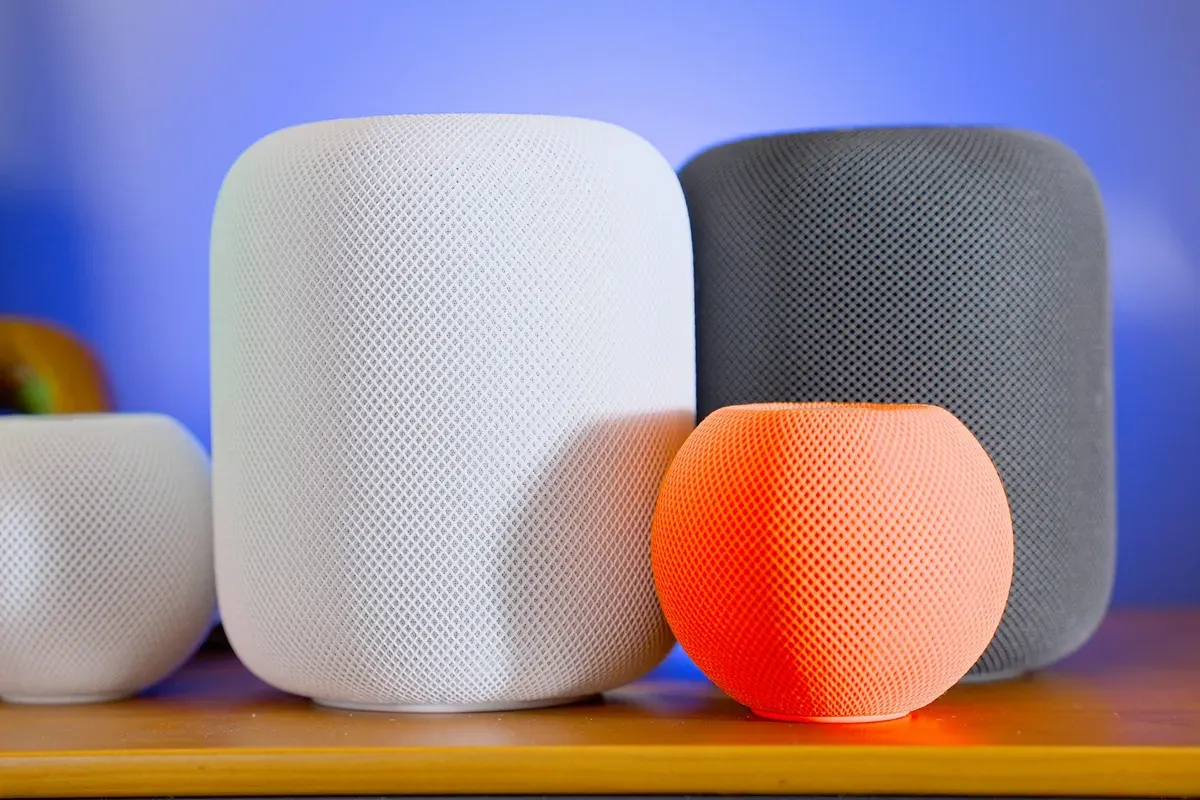
Photo by Jaime Marrero on Unsplash.
When the map does show something ugly, our Thread troubleshooting guide covers the usual fixes, and the Thread setup walkthrough starts from border routers up.
Modbus Gets a Proper Front Door
Until now a Modbus device meant writing its register map in YAML by hand. From 2026.9, an integration can already know a device's Modbus layout and share a single connection with anything else polling the same box. The first three are Fronius (optional Modbus TCP over SunSpec, adding per-string data its HTTP API doesn't expose), Sofar Inverter Modbus and Flexit. The YAML route stays.
Does that help this house? Only half of it. The Gree heat pump already talks to Home Assistant over Modbus. The Huawei inverter doesn't; its data still goes to Huawei's FusionSolar cloud. Huawei isn't among the integrations built the new way, so 2026.9 changes nothing for it today. Good groundwork. I just wouldn't pick an inverter on the hope that its brand is next.
Blinds, Golden Hour and a Shelly Fix
Motorized covers get three quiet wins. The Sun integration adds four conditions and eight triggers for golden hour, blue hour, midnight sun and polar night, and the release notes pitch them for closing blinds before direct sun hits a room. Cover actions gain an optional speed parameter for motors with more than one speed. And 2026.9.3 fixed Matter cover entities not being created for Shelly devices when the tilt attribute was null.

Photo by Jay Lo on Unsplash.
Our 12 io-homecontrol blinds still run on a Somfy TaHoma, outside Home Assistant, so none of this does anything here yet. Wiring the TaHoma into Home Assistant is the next job on this build, and golden-hour triggers are one more reason not to let it slide. The same release added full camera support to the Shelly integration, which we covered in the Shelly Camera write-up.
Read These Before You Update
| Area | What changed |
|---|---|
| Update entities | Install, skip and clear skip need an admin; update scripts started by a non-admin now fail |
| Z-Wave JS | Lock user and credential actions need an admin |
| LLM APIs | Tool names get a domain prefix, like homeassistant__GetLiveContext |
| Persistent Notification | Updating an existing notification fires updated, not added |
| KNX | Exposes no longer send the first value unless Send on initialization is on |
| UniFi Protect | Version 7.2.105 or newer required |
| Vacuum | Deprecated battery_level removed |
| Flexit Nordic | Fireplace mode switch removed; use the climate preset |
Two of these bite ordinary households: custom voice prompts that name tools directly, and dashboard buttons that let family members run an update script. Check those first, then go straight to 2026.9.4 rather than stopping at .0. Will the map still be the feature people remember by 2026.10?
Frequently Asked Questions
Where is the Matter network map in Home Assistant 2026.9?
Go to Settings, then Connectivity, then Matter, and select Show map under My network. Connectivity is a new settings page in 2026.9 that groups Matter, Zigbee, Z-Wave, Thread, MQTT, Bluetooth, Serial and a few other protocols behind one entry instead of listing each directly in the settings menu. Old links still work. You need an administrator account to open the map.
Why does the map say my Matter server does not support network topology?
Your Matter server is too old for the feature. The Home Assistant documentation asks for the Matter Server app 9.2.0 or newer, or version 1.4.0 or newer if you run the Matter server yourself outside the app. Update it and reopen the map. If it then reports that no network topology data is available yet, Home Assistant simply hasn't received network details from your devices, which isn't the same as a fault.
Can Home Assistant update Matter devices on Thread behind a HomePod mini?
Not at the moment. The Matter integration documentation says Matter OTA updates from Home Assistant don't work for Thread devices on a network with any Apple border router, because those routers don't forward the mDNS packets Home Assistant needs to find the update provider. The typical error is "Target node did not process the update file". Apple Home may offer the same update from its side instead.
Can Home Assistant 2026.9 tell me why a device changed state?
Yes, and it's the quietest useful change in the release. Selecting any row on the Activity page now opens a details dialog that reads top to bottom: what started it (a person, a state change, a schedule, an integration or a restart), the automations or scripts it passed through, and the entity's own change. Each step links to the entity or straight to the automation trace, and timestamps go down to the millisecond, so events inside the same second keep their order. If a blind closes and nobody knows why, this is where to look first.
What did 2026.9 add to the Security dashboard?
Two sections, both set up from the same editor. Active alerts appears only when something needs attention, such as a door left open or a smoke detector going off, and you choose which entities count and whether each one is an Alert or a Warning. Favorites pins the doors, locks and sensors you check most to the top. The release notes say surfacing the same alerts on the Home dashboard is planned for a later release.
Which integrations use the new Modbus connection sharing in 2026.9?
Three, at release. Fronius gained optional Modbus TCP support over SunSpec for per-string solar data, and Sofar Inverter Modbus and Flexit are built the same way. The classic YAML Modbus integration, where you write the register map yourself, keeps working unchanged. Any other inverter brand still needs its existing integration or a hand-written YAML map.
Sources & References
- Home Assistant - 2026.9 release notes home-assistant.io
- Home Assistant - Matter integration documentation home-assistant.io
- Google Home Help - Prepare your smart home for Matter support.google.com
- Matter Alpha - Home Assistant 2026.9 update makes Matter troubleshooting more accessible matteralpha.com