Beautiful Wooden Blinds with Smart Home Compatibility
Product Details
🏭 Manufacturer: Lutron
Finding the perfect balance between style and functionality is one of the greatest challenges when outfitting your home. The Lutron Caseta Wood Blinds offer the perfect solution, giving you smart control over the ambiance of your living space while boasting a timeless, elegant design. If you've been searching for the ideal addition to your smart home ecosystem, these wooden blinds deliver. With full compatibility with leading platforms like Alexa, Google Assistant, and Home Assistant, they bring convenience and beauty together under one roof.
Introducing Lutron Caseta Wood Blinds
The Lutron Caseta Wood Blinds are part of the Caseta ecosystem, which is widely praised for ease of use, reliability, and adaptability. What sets these blinds apart is their ability to combine sophisticated smart home features with the natural warmth of beautiful wood. Imagine controlling the amount of light in your space with just your voice or a simple tap on your smartphone - all while enjoying the elegance that only wood blinds can provide.
These smart blinds are also designed for energy efficiency, helping control the temperature in your home by letting in or blocking out sunlight as needed.
Key Features and Specifications
Lutron's attention to detail is evident in every aspect of these blinds. Here's a closer look at what makes them impressive:
Key Points
- Remote control compatibility via the Caseta app, allowing you to easily adjust them from anywhere.
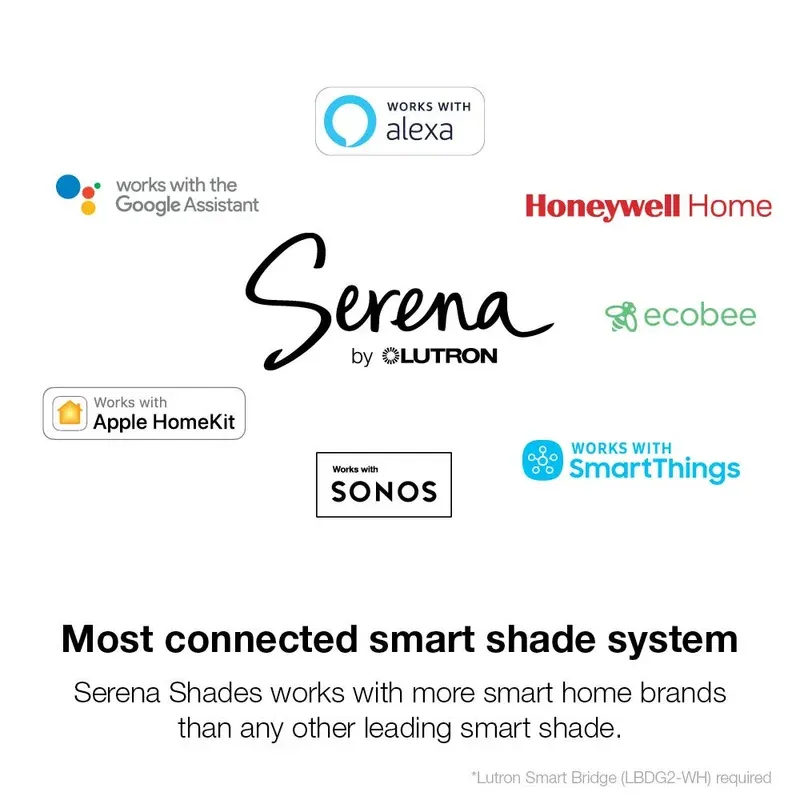
- Voice control integration with Alexa, Google Assistant, and Home Assistant.
- Scheduling options to automate their operation to suit your daily routines.
- A sleek and durable build, crafted from high-quality wood for both resilience and aesthetic appeal.
- Lutron Smart Bridge compatibility for a reliable and responsive connection.
The blinds not only enhance the style of your home but also provide smart features that make daily life easier and more efficient.
Smooth Connectivity with Leading Platforms
One of the standout features of the Lutron Caseta Wood Blinds is their compatibility with popular voice assistants, including Alexa and Google Assistant. With a quick setup, you'll have the ability to raise or lower your blinds with simple voice commands like, "Alexa, open the living room blinds." This hands-free approach is perfect for multitasking or when your hands are full.
If you're already using the Caseta ecosystem, these blinds fit in flawlessly. Pair them with the Lutron Smart Bridge for a reliable setup and enhanced control options. Whether you're at home or halfway across the world, you can use the app to manage your blinds, ensuring your space always looks just the way you want it to.
Additionally, they work great with Home Assistant, offering advanced automation options for tech enthusiasts who like to fully customize their home experience.
Practical Scenarios for Smart Blinds
The versatility of the Lutron Caseta Wood Blinds makes them a fantastic addition to any home. Here are just a few practical ways you can use them:
- Morning Wake-Up Calls: Set your blinds to open at sunrise for a more natural wake-up routine.
- Energy Savings: Lower the blinds during the hottest part of the day to keep your living space cooler without relying on air conditioning.
- Privacy on Demand: Close the blinds with a simple voice command or app control when evening rolls in.
- Vacation Mode: Schedule randomized adjustments while you're away to give the impression that someone is home.
These use cases highlight how these blinds can go beyond aesthetics and add genuine convenience to your life.
Getting Started with Lutron Caseta Wood Blinds
Setting up the Lutron Caseta Wood Blinds is straightforward and user-friendly. Here's a brief overview of the setup process:
- Attach the Blinds: Install them just like any traditional wooden blinds. Hardware is included in the package for easy mounting.
- Connect to the Lutron Smart Bridge: If you're using the Smart Bridge, plug it into your router and follow the app's prompts.
- Download the App: The Caseta app guides you step-by-step in connecting the blinds to your system.
- Sync with Voice Assistants: Link the app to Alexa, Google Assistant, or Home Assistant for voice control.
- Start Automating: Set schedules, customize lighting environments, and enjoy full control.
The app and setup process are both user-friendly, ensuring that you'll be up and running in minutes.
What's Included in the Box
When purchasing the Lutron Caseta Wood Blinds, you'll receive everything needed to get started. The package includes:
- The wooden blinds (your selected dimensions)
- Installation hardware and bracket mounts
- A quick start guide for setup assistance
It's worth noting that if you aim to integrate these with the Caseta ecosystem, a Lutron Smart Bridge is sold separately.
Final Thoughts: Who Should Buy Lutron Caseta Wood Blinds?
The Lutron Caseta Wood Blinds are ideal for homeowners who want to combine luxury and functionality. These blinds are a perfect fit for anyone looking to add smart features to their living space without compromising on style. Their smooth operation, easy compatibility with smart home systems, and energy-saving benefits make them a worthwhile investment.
That said, if you're not already invested in a smart home ecosystem, you may need to consider the additional cost of the Lutron Smart Bridge. However, for those already using the Caseta platform or planning to expand their smart home, these blinds offer excellent value.
Ultimately, these smart blinds make controlling your home's lighting and privacy effortless, saving time while improving your space's decor. Whether you're automating routines or simply admiring their natural beauty, the Lutron Caseta Wood Blinds are a transformative addition to any modern home.
Frequently Asked Questions
How do I set up Lutron Caseta Wood Blinds?
Setting up Lutron Caseta Wood Blinds is straightforward. First, install the Lutron Caseta Smart Bridge, which connects to your home network via Ethernet or WiFi. Then use the Lutron app to pair your blinds. Once added to the Caseta ecosystem, you can integrate them with Alexa, Google Assistant, or Home Assistant for voice control and automation.
Do Caseta Blinds work with HomeKit and Alexa?
Yes, Lutron Caseta Wood Blinds work with Amazon Alexa and Google Assistant through voice commands. For Apple HomeKit users, you'll need to use the Lutron app or set up routines through HomeKit's automation features. The blinds integrate with Home Assistant as well, giving you flexibility in how you control them.
What warranty do Lutron Caseta Blinds have?
Lutron Caseta products typically come with a comprehensive warranty covering defects in materials and workmanship. The exact warranty terms depend on your region and the specific model. We recommend checking the product documentation or contacting Lutron directly for warranty details specific to your purchase.
Can I schedule the blinds to open automatically?
Absolutely. The Lutron app allows you to create custom schedules for your blinds, including sunset-based automation that adjusts them based on daylight. You can also set up automations through Home Assistant, Alexa routines, or Google Home scenes for more complex scheduling based on time, occupancy, or other triggers.
Do the Caseta Wood Blinds require batteries?
Lutron Caseta Wood Blinds are powered through a wired connection rather than batteries. Each blind module needs to be connected to a Lutron power supply or outlet module. This ensures consistent power and eliminates the need for battery replacement, making them reliable for long-term use.