Access Control & Secure Entry Systems
Smart locks, keyless entry, and biometric authentication enable secure access control with remote management and real-time monitoring.
February 10, 2026
Blog posts
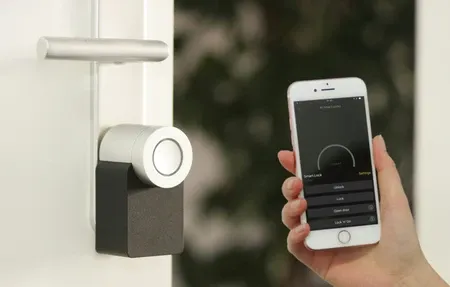
Discover how to install a smart security system with our comprehensive, easy-to-follow guide. Enhance your home security effortlessly today!
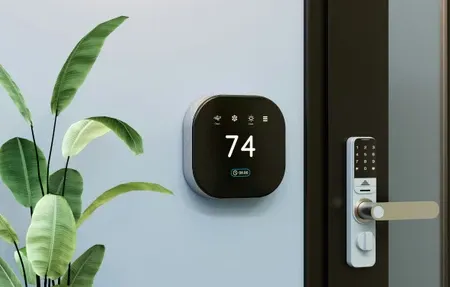
Explore the leading smart home systems like Google, Alexa, and HomeKit. Understand their features and benefits for seamless home automation.
Products
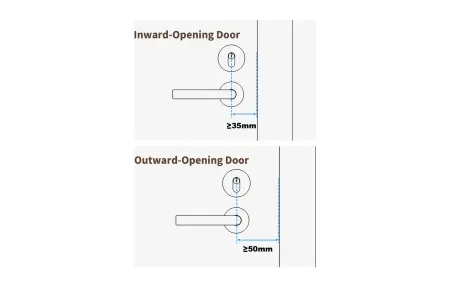
Matter over Thread smart lock with Bluetooth, NFC, voice control. 6-month battery, auto-lock, quiet mode. Works with Apple Home, Alexa, Google Home.
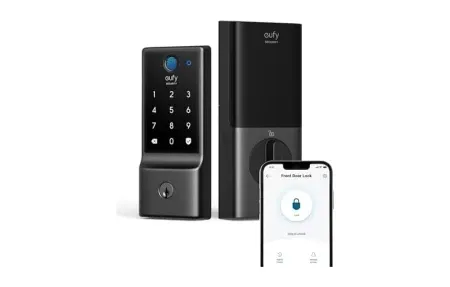
Seamless keyless entry, built-in Wi-Fi, and IP53 durability make Eufy Security Smart Lock C220 an advanced, fingerprint-fast shield for your front door.
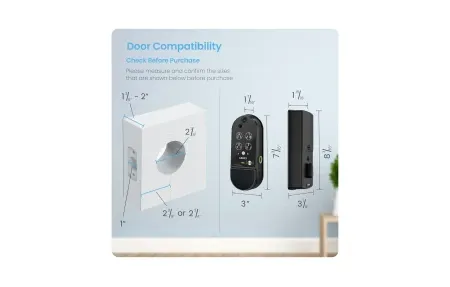
Lockly Affirm Smart Deadbolt features 0.2-second AI fingerprint recognition, PIN Genie keypad, Wi-Fi, and app control.
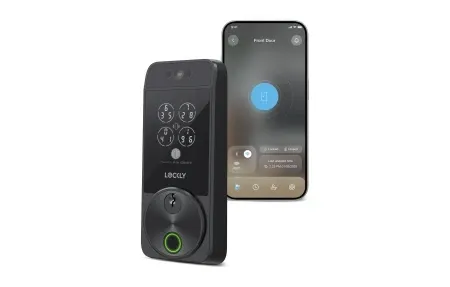
Facial recognition smart lock with fingerprint scanner, radar tech, Wi-Fi, and Apple Home Key support. No fees.
SwitchBot Lock Ultra Vision Combo with 2K video, 3D facial recognition, 16 unlock methods, and Matter certification for smart lock control.
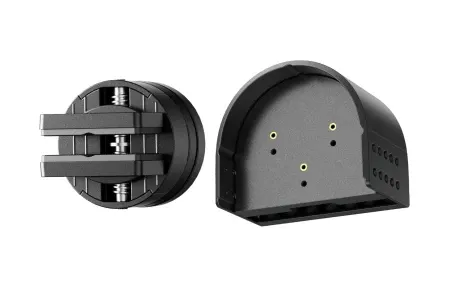
3D facial recognition smart lock with palm vein unlock, Matter support, Wi-Fi connectivity, and 9-month battery life for secure hands-free access.
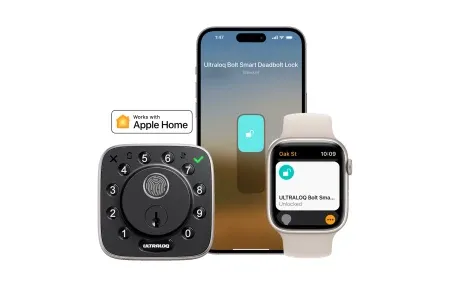
Matter-enabled fingerprint smart lock with advanced 99.8% accurate biometric recognition, Thread mesh networking, and extended battery life.
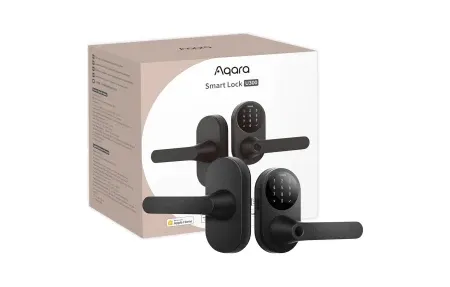
The Aqara Smart Lock U300 offers enhanced security and seamless integration with smart home systems like Apple HomeKit, Google Assistant, and Alexa.
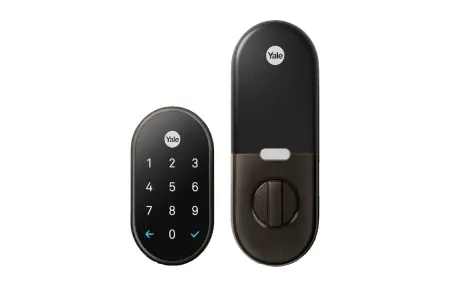
Ultra-Wideband smart lock with hands-free unlocking, BHMA Grade 1 certification, biometric access, and Matter/Thread support for Apple Home.
Smart Home Access Control Solutions
Access control is key for modern smart homes. It gives you safe and easy ways to manage entry to your home. Smart locks offer keyless entry, remote access, and real-time tracking of who comes and goes.
Smart Lock Types and Features
Smart locks are the main access control option. They offer fingerprint scans, PIN codes, remote unlocking, and work with voice assistants. Modern smart locks use protocols like Matter, Thread, Wi-Fi, and Bluetooth to stay connected.
Security Benefits
Access control systems boost home safety by removing the need for keys. They log all entries, allow guest codes, and let you check lock status anytime. Facial recognition, fingerprint scans, and palm vein reading are newer biometric methods gaining ground.
Integration and Automation
Smart access control works with home automation systems. It can trigger scenes when doors unlock and send alerts for break-in attempts. It also links with lighting and climate systems for full security control. Access control is a vital part of smart home security. A good access plan keeps your home safe while making entry easy for those you trust. Advanced methods use multiple checks for strong safety and flexible access.
Modern smart locks go beyond keys with many ways to verify identity. Keypad codes let you set custom access for family and guests. Guest codes can expire on their own. Mobile apps let you verify access from anywhere. Biometric options like fingerprint and facial scans add both safety and convenience. Integration with home systems turns on lighting when doors open. It also sends alerts for odd access patterns.
Long-term Security and Convenience
Smart access control fixes common issues like lost keys. It keeps detailed logs and lets you change access codes right away. Override options ensure you can still get in during tech failures. This prevents lockouts. As smart lock tech grows, it adds guest codes, activity tracking, and forced entry alerts. Your system gets smarter over time.
Access control goes beyond front doors. It also secures garages, sliding doors, and side entrances. It links with home systems to respond to events. Lights can change when doors unlock. Alerts fire when odd entries happen. Using biometrics, codes, and keys together adds backup. You can still get in if one method fails. Smart locks also log activity that shows daily patterns. This helps with both safety planning and automation. A full access control setup protects your home and gives you peace of mind.
Start by adding a smart lock to your main door. You will enjoy keyless entry and remote tracking right away. Then expand to other doors, garages, and inside rooms as you get used to it. Look for lock models that fit your door type and login style. Test before full setup. Let your household know about the changes. Over time, add activity tracking, guest codes, and links to your wider home system.
Smart access control covers all parts of household entry. Fingerprint, facial, and palm vein scans give safe and easy entry for your family. Smart locks can link with home platforms to unlock as your phone nears home. They can also auto-lock when all leave. Guest codes with end dates let service workers in without giving out keys. Logs track every entry event and show who came and when. Backup codes prevent lockouts during tech issues. Your setup provides steady safety while fitting into daily life without hassle.
Choosing the right smart lock depends on your door type and daily routine. Deadbolt locks are the most common and fit standard door frames. Some models replace only the interior side, keeping your existing key as backup. Others swap the entire unit for a clean, modern look. Keypad models work well for families who want a shared code instead of handing out keys. Fingerprint models are fast and remove the need to type anything at all. If you travel often, remote unlock through a phone app is a must-have feature. Check that the lock runs on batteries and note the expected battery life. Most smart locks last about a year on standard cells. Look at reviews to see how each model handles cold weather if your door is exposed to the elements.
Many homeowners begin with a basic smart lock and then discover how much more access control can do. Auto-lock timers close the door behind you after a set time. This means you never have to wonder if you locked up. Many locks also show battery status in your phone app so you know when to swap cells. Some models include alarms that sound if someone tries to force the door open. Others have a built-in doorbell camera so you can see who is there before you unlock. The range of features keeps growing as more brands enter the market. Prices have dropped in recent years, making smart locks a realistic upgrade for most homes. Even renters can find models that fit over existing hardware with no drilling required. The setup process for most smart locks takes less than thirty minutes with basic household tools.
Proper care keeps your smart lock running well for years. Replace batteries before they die to avoid lockouts. Clean the fingerprint sensor with a soft cloth every few weeks. Keep the lock firmware updated through the app so you get the latest fixes and features. Test your backup entry method every few months to make sure it still works. If your lock uses a keypad, change your code at least once a year for better safety. Check the door alignment from time to time since shifting frames can stop the bolt from locking right. Most makers offer phone support if you run into trouble. Keep your purchase receipt for warranty claims. A well-maintained smart lock gives reliable service year after year with very little effort on your part.
Smart home systems use many layers of tech working together. Low-level wireless protocols connect to high-level platforms. Each part plays a role in making things work as one. Knowing how these layers link helps you choose wisely when growing your setup. A connected home needs the right mix of fit, safety, and future-ready design. This keeps your gear useful for years to come.