IKEA KLIPPBOK Smart Frame for Custom Digital Art Displays
Product Details
🏭 Manufacturer: IKEA
🔌 Plug Format: AC Power
📄 Specification Met: CE, FCC
🔖 Part Number: KLIPPBOK-001
🏋️♂️ Weight: 1.2 kg
📏 Dimensions: 400 mm x 300 mm x 30 mm
🏳️ Country of Origin: China
🆔 Model Number: KLIPPBOK-001
📐 Size: Medium Frame
🎨 Style: Wall-mounted
🧲 Mounting Type: Wall Mount
🔧 Usage: Indoor Use
🧩 Included Components: KLIPPBOK Frame, Power Adapter, User Manual
The IKEA KLIPPBOK Smart Picture Frame is the future of personalized art for your home. This innovative device combines timeless design with modern technology, allowing you to showcase your favorite digital artwork, photographs, or interactive displays on a sleek, backlit panel. If you're looking for a stylish yet functional way to liven up your living space, this smart frame delivers both exceptional quality and versatility.
Key Features of the IKEA KLIPPBOK Smart Picture Frame
The KLIPPBOK doesn't just display digital art; it transforms your home into an interactive gallery. Whether you're showcasing memories or displaying seasonal themes, it integrates with your existing setups. Here are some highlights:
- Customizable RGB Lighting for immersive displays and ambiance.
- Smart Home Integration with Alexa and Google Assistant for convenient voice commands.
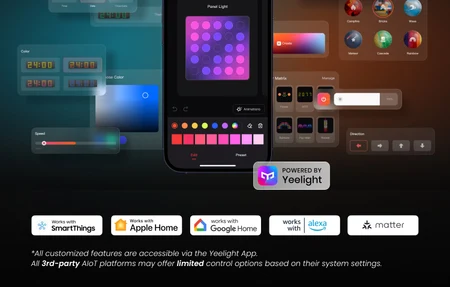
- Bluetooth and Mobile App Compatibility for easy image uploads and display settings.
- Energy-efficient Backlit Panel that uses LED technology to display vibrant colors.
- Slim and modern design that blends easily with your décor.
With the ability to update images and control lighting from your smartphone, this frame offers complete creative control.
Specifications and Build Quality
The IKEA KLIPPBOK boasts a minimalistic design crafted for durability. The frame measures 400 mm x 300 mm x 30 mm, making it the perfect size for most walls. Despite its solid construction, it weighs only 1.2 kg, so mounting it doesn't require heavy-duty brackets. The RGB LED panel inside adds a pop of color and ensures your images look vibrant and lifelike.
Here are the technical specifications:
- Dimensions: 400 mm x 300 mm x 30 mm
- Weight: 1.2 kg
- Power Source: AC Power (1.5 A)
- Lighting: Full RGB LED Backlighting
- Connectivity: Bluetooth 4.2 and Wi-Fi (2.4GHz)
- Smart Assistants Supported: Alexa, Google Assistant, and Home Assistant
- Materials: ABS frame with tempered glass
The KLIPPBOK meets key safety certifications like CE and FCC standards, ensuring reliable operation.
Connectivity and Integration Options
One of the biggest strengths of the IKEA KLIPPBOK is how well it works with different platforms. With Bluetooth and Wi-Fi compatibility, syncing it with your smart home devices is a breeze. Once connected, you can adjust the frame using voice commands through Alexa or Google Assistant. Additionally, the KLIPPBOK integrates with Home Assistant, providing even greater flexibility for advanced users.
You can upload images directly to the frame using the compatible mobile app, which allows you to shuffle displays, control brightness, and set timers. If you're using RGB lighting, you can also change colors or sync lighting effects with other devices in your home.
Real-world Use Cases for the IKEA KLIPPBOK
This smart frame fits perfectly in various settings. Here are just a few ways you can incorporate the KLIPPBOK into your home:
-
Living Room Centerpiece: Display seasonal artwork or cherished photographs to match your mood or décor.
-
Home Office Accent: Use the KLIPPBOK as a motivational tool, displaying inspirational quotes or serene landscapes to keep you focused.
-
Children's Rooms: Transform your child's room with animated artwork or bedtime visuals, thanks to customizable RGB lighting.
-
Special Occasions: Impress your guests by showcasing themed displays during holidays or celebrations.
-
Security Feature: With integration into Home Assistant, the KLIPPBOK can even display camera feeds, making it a discreet addition to home security setups.
Its versatility ensures that the KLIPPBOK caters to a wide range of needs, from functional to decorative.
Getting Started with the KLIPPBOK
Setting up the KLIPPBOK is incredibly simple. After unboxing, hang the frame on your desired wall using the included mounting hardware. Once mounted, plug it into a power outlet and download the accompanying mobile app.
Here's how to get started:
- Download the KLIPPBOK app from your device's app store.
- Turn on the frame and connect it to your Wi-Fi network following the on-screen directions.
- Pair the frame with your smartphone using wireless connectivity.
- Upload your favorite photos or artwork through the app.
- Sync it with your voice assistant for hands-free control.
The entire setup takes less than 15 minutes, and the intuitive app interface ensures a smooth experience.
Configuration Tips
- Use the app's preset color themes for an optimal lighting experience.
- Schedule on/off times through your smart assistant to save energy.
- Group your KLIPPBOK with other IKEA smart devices for synchronized settings.
Strengths and Limitations
The IKEA KLIPPBOK Smart Picture Frame offers numerous advantages, including its customizable features and direct integration, but there are a few considerations to keep in mind.
Advantages:
- Supports dynamic RGB lighting and vibrant image quality.
- Easy setup process and intuitive mobile app.
- Works with popular smart home systems, including Alexa and Google Assistant.
- Offers energy-efficient operation with LED backlighting.
Drawbacks:
- No support for 5 GHz Wi-Fi, which may limit some setups.
- Cannot be used outdoors or in high-humidity areas.
- Frame dimensions are fixed, so you cannot expand or resize it.
Overall, the KLIPPBOK is an excellent addition to any modern smart home setup.
Bottom Line
If you're looking to add a sophisticated yet functional piece of digital art to your home, the IKEA KLIPPBOK Smart Picture Frame is a fantastic choice. Its sleek design, customizable lighting, and direct integration capabilities make it a standout option. While it does have a few limitations, such as lack of 5 GHz Wi-Fi support and fixed dimensions, these are minor drawbacks compared to its overall performance.
The KLIPPBOK is especially well-suited for those who value both form and function in their smart home decor. Whether you're showcasing precious memories or seasonal artwork, this frame delivers vivid visuals and user-friendly features. It's perfect for tech enthusiasts and homeowners who want a new way to personalize their space.
When you pair it with your existing smart home devices, the KLIPPBOK becomes more than just a picture frame - it's a dynamic expression of your style. Ready to upgrade your wall art? Try the KLIPPBOK today and experience a smarter way to display your favorite memories.
Frequently Asked Questions
Can the KLIPPBOK show live security camera feeds?
Yes, when integrated with Home Assistant or similar platforms, the KLIPPBOK can display live feeds from compatible smart cameras. This makes it useful as a discreet security monitor while maintaining the aesthetic appeal of digital art display. Integration requires Home Assistant configuration and compatible cameras.
Does the KLIPPBOK support 5 GHz Wi-Fi?
No, the KLIPPBOK only supports 2.4 GHz Wi-Fi connections. If your home network operates primarily on 5 GHz, you'll need a dual-band router configured to broadcast a 2.4 GHz network. Most modern routers support both bands simultaneously, so this is rarely a significant limitation.
How often can I change images on the KLIPPBOK?
You can change images as frequently as you want using the mobile app or through scheduled transitions. The frame supports unlimited image uploads, and you can set automated daily or weekly rotations. Updates happen instantly via Bluetooth or Wi-Fi connection.
Is the KLIPPBOK rated for outdoor use?
No, the KLIPPBOK is designed for indoor use only and is not weatherproof or suitable for outdoor installation. High humidity areas like bathrooms may also cause operational issues. The device requires standard indoor electrical outlets and a climate-controlled environment for optimal performance.
Can I control KLIPPBOK brightness independently?
Yes, you can adjust brightness through the mobile app at any time. Voice commands via Alexa or Google Assistant also support brightness adjustments. The frame offers both manual app control and automated scheduling for brightness levels based on time of day.