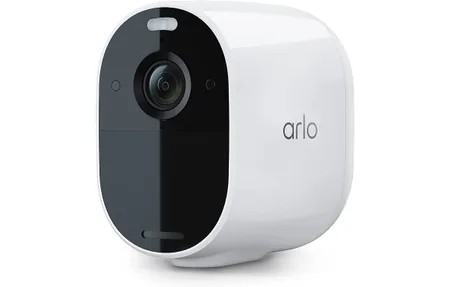
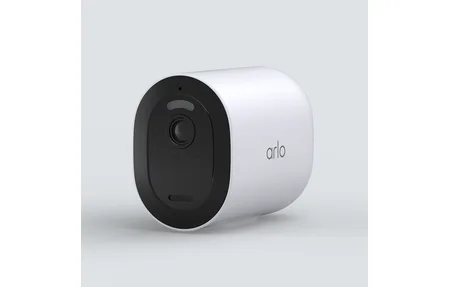
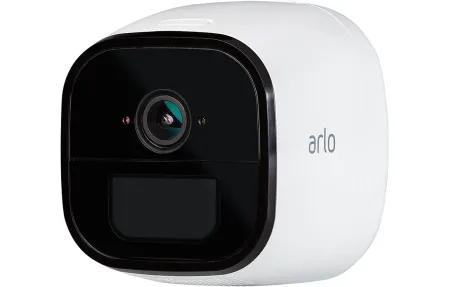
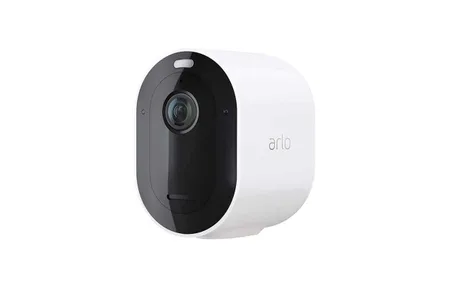
Arlo Go 2 LTE Security Camera Review: Color Night Vision Anywhere
Product Details
🏭 Manufacturer: Arlo
🆔 Model Number: VMC3050
The Arlo Go 2 (model VMC3050) is a wire-free outdoor security camera that works anywhere - on LTE cellular or Wi-Fi, whichever signal it finds. At $199.99, it costs $20 more than the original Arlo Go (VMC3040), and that premium buys you three meaningful upgrades: color night vision, an integrated spotlight, and improved two-way audio with noise cancellation. If you need a camera at a barn, gate, vacation property, or any spot without a nearby router, this is one of the few options that actually works without infrastructure. I've been testing cameras in off-grid placements for years, and connectivity is almost always the limiting factor. The Go 2 finally makes cellular-connected cameras feel practical.
In this review I'll cover the dual connectivity setup, the spotlight-driven night vision, battery and solar options, and who should seriously consider upgrading from the original Arlo Go.
LTE and Wi-Fi Dual Connectivity
The Go 2 connects over LTE cellular or standard Wi-Fi. It's not either/or. the camera will use Wi-Fi when available and fall back to LTE automatically. You need a Micro SIM from an AT&T or T-Mobile compatible carrier, which is sold separately. Arlo doesn't bundle a data plan, so you'll need to source one yourself. Prepaid options from carriers compatible with those networks typically run $5 to $15 per month for the light data a security camera uses.
Why does this matter? Most outdoor cameras fail completely when installed beyond router range. A detached garage 200 feet from the house, a construction site, a vacation cabin. these are exactly the places where a camera is most useful and most likely to have no Wi-Fi coverage. The Go 2 makes those locations workable without running cable or adding a Wi-Fi extender.
Setup in the Arlo app is straightforward. You enter your SIM details, select your carrier, and the camera registers to the cell network. In my experience, the connection to LTE is reliable once configured. the camera doesn't drop in and out the way early cellular IoT devices used to. When you're back in Wi-Fi range, the camera switches over and saves your cellular data automatically.
The camera works with both Alexa and Google Assistant, so you can pull up a live feed on an Echo Show or Nest Hub. That voice assistant integration functions whether the camera is connected over LTE or Wi-Fi.
Connectivity at a glance
- Dual-mode: LTE cellular + 802.11 b/g/n Wi-Fi (2.4 GHz)
- Requires Micro SIM (AT&T or T-Mobile compatible carriers)
- Data plan not included
- Works with Alexa and Google Assistant
- Arlo Secure subscription required for cloud recording
Color Night Vision and Spotlight
This is the biggest upgrade over the original Arlo Go, and it's not subtle. The original used infrared LEDs for black-and-white night vision. The Go 2 uses an integrated spotlight to illuminate the scene with visible light, producing full-color footage in darkness. That difference matters when you're trying to identify a person, read a license plate, or tell a gray car from a dark blue one at 2 AM.
The spotlight activates when motion is detected at night, or you can trigger it manually from the app. It's not a floodlight. it illuminates roughly 15 to 20 feet in front of the camera. For a standard gate or driveway entrance, that's enough. For a wide open field, you'd want additional lighting anyway.
1080p resolution is the same as the original Go. That's adequate for most surveillance purposes, though it's worth noting that competing cameras at this price are beginning to offer 2K. Still, 1080p combined with true color footage is more useful for identification than 2K in black and white.
The color night vision also supports the camera's deterrence function. An integrated spotlight that fires when someone approaches is far more noticeable than an invisible infrared beam. Whether that deters anything depends entirely on the situation, but the visible light at least signals that recording is active.
Battery Life and Solar Option
The Go 2 is wire-free and runs on a rechargeable battery. Arlo doesn't publish a specific mAh rating, but in typical use with motion detection enabled, expect 1 to 3 months between charges depending on how often the camera triggers. Heavy motion activity. a busy driveway, a farm entrance. will drain it faster. Quieter locations can go much longer.
That range matters because "wire-free and cellular" implies the camera is somewhere inconvenient to reach regularly. Climbing a ladder to a barn roof every 3 weeks isn't anyone's idea of a good system.
That's where the solar panel option becomes practical. Arlo sells a compatible solar panel accessory separately. In locations with 4 or more hours of direct sunlight per day, the panel keeps the battery topped up indefinitely. I'd treat solar as a near-requirement for any truly remote installation. The panel attaches to the camera mount, so no additional drilling is needed. It's one of those accessories that transforms the product from "inconvenient" to "set and forget."
IP65 weather resistance means rain, dust, and outdoor humidity won't damage the camera. That rating covers the use cases this camera is built for: barns, gates, construction sites, covered porches, outdoor storage.
Who Should Upgrade to Arlo Go 2
The Go 2 is worth considering if you're in one of two situations: you need a new cellular camera and haven't bought the original Go, or you own the original Go and night vision quality is frustrating you.
For new buyers, the choice between Go and Go 2 is a $20 question about color night vision. If the camera faces a location where you'll need to identify people or vehicles at night. a driveway, a side gate, a property entrance. color matters. Pay the extra $20.
For existing Arlo Go owners: if your camera is mounted somewhere bright enough that night vision rarely triggers, or if you've found the black-and-white footage adequate for your purposes, skip the upgrade. But if you've ever pulled up a night recording and wished you could see color, the Go 2 fixes that.
A few things to keep in mind before buying:
- You'll need an active Arlo Secure subscription for cloud recording and clip history
- The cellular SIM and data plan are separate ongoing costs
- The solar panel is sold separately but is strongly recommended for remote installs
- Audio quality improvement from noise cancellation is real. the original Go had noticeable background noise on two-way calls
The Arlo Go 2 isn't cheap once you factor in the subscription and data plan. But for locations where no wired or Wi-Fi camera can reach, it's one of the most capable options available at this price point.
Frequently Asked Questions
What is the difference between Arlo Go and Arlo Go 2?
The Arlo Go 2 upgrades three areas compared to the original Arlo Go: color night vision with an integrated spotlight (vs. black-and-white infrared on the Go), improved two-way audio with noise cancellation, and updated cellular compatibility. Both use LTE and Wi-Fi as connectivity options. The Go 2 is priced higher at $199.99 vs. $179.99 for the original Go. If color night vision matters - for identifying faces or vehicle colors in the dark - the Go 2 is worth the price difference.
Does Arlo Go 2 work with a solar panel?
Yes. Arlo sells a compatible solar panel accessory that keeps the Go 2 battery charged in locations with adequate sunlight. This is especially useful for remote sites where regular recharging would be inconvenient. The solar panel is sold separately and attaches to the camera mount. In locations with 4+ hours of direct sunlight per day, the solar panel can maintain continuous operation without manual battery swaps.
Can Arlo Go 2 work without any Wi-Fi?
Yes. The Arlo Go 2 operates entirely over LTE cellular. Insert a Micro SIM from an AT&T or T-Mobile compatible carrier, and the camera connects to the Arlo cloud over the cellular network without any home Wi-Fi. Wi-Fi connection is also available when a network is nearby - useful for saving cellular data. This dual-mode connectivity makes the Go 2 flexible for mixed environments where Wi-Fi availability varies.