Smart Home Workouts: Sensors, Displays, and Lights

This post may contain affiliate links. As an Amazon Associate we earn from qualifying purchases. Disclosure.
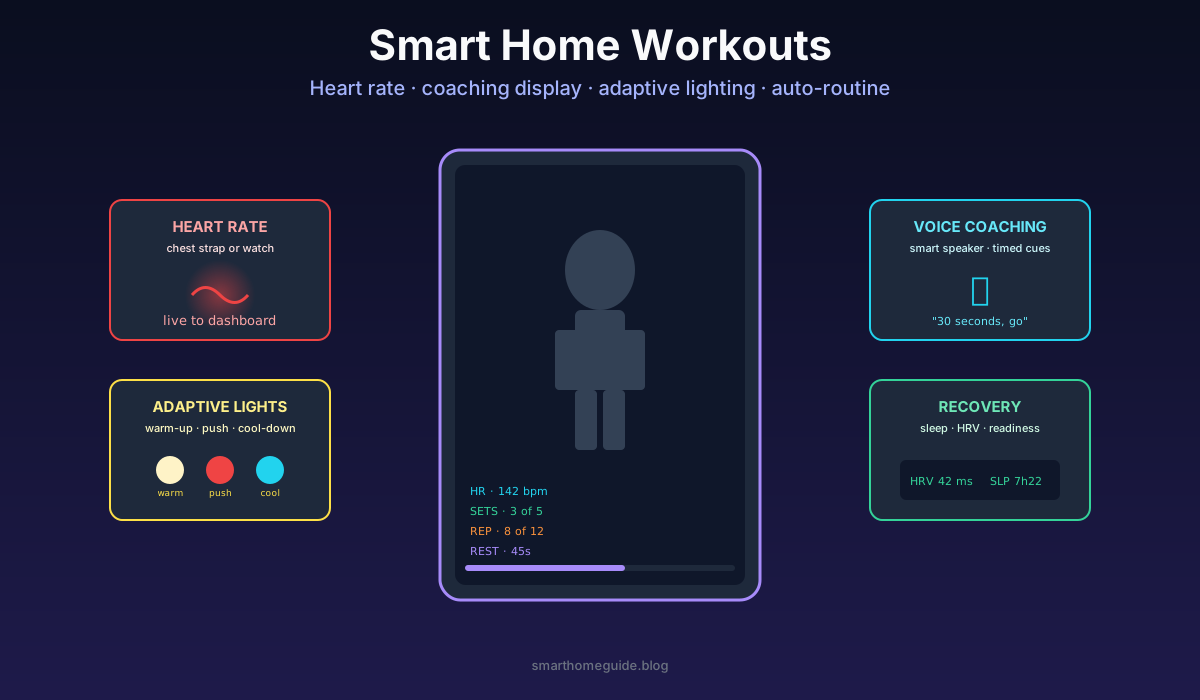
Home workouts beat gyms on cost and convenience but lose on motivation. Smart home tech closes the gap, heart-rate displays, voice coaching, adaptive lighting that shifts with workout intensity, and recovery tracking that tells you when to rest. Here's the kit that actually changes outcomes versus expensive equipment that gathers dust.
Home workouts beat gyms on cost and convenience but lose on motivation. Smart home tech closes the gap, heart-rate displays, voice coaching, adaptive lighting that shifts with workout intensity, and recovery tracking that tells you when to rest. Here's the kit that actually changes outcomes versus expensive equipment that gathers dust.
I cancelled my gym membership three years ago after working out at home for two months during a renovation. The home setup beat the gym on consistency. The flat replaced the four-times-a-week gym schedule with a six-times-a-week home schedule, mostly because the friction of leaving was gone. The smart home tech below is what kept the new schedule alive past the novelty period. If you've got a dedicated space to kit out, my guide to designing a smart home gym goes deeper on ventilation, lighting, and equipment automation.
The Heart Rate Display Is the Single Best Upgrade
A visible heart rate during a workout changes behaviour more than any other piece of tech. Without it you train by feel, which is unreliable on bad sleep days or after coffee. With it you train by zone, which is consistent across sessions.
The minimum kit is a Polar H10 chest strap (about 75 GBP) and any device showing the live BPM. The H10 is the most accurate consumer heart-rate sensor available; optical wrist sensors lag the H10 by 5-10 seconds and report 5-15 BPM lower during high-intensity work. The strap pairs over Bluetooth, lasts 400 hours on a coin cell, and reads accurately even during burpees and rope work.
The display side has three options. A wall-mounted tablet showing a Home Assistant dashboard at 0.5 metre distance works well. An Apple Watch or Garmin in a stand at eye level works for solo workouts. The biggest screen is a TV running a custom Home Assistant view showing BPM, current zone, and time in zone. I prefer the TV approach because the data integrates with the workout video playing alongside it.
The British Heart Foundation heart rate zone guide explains the science. Three zones cover most use cases: 50-70% max HR for endurance, 70-85% for threshold work, and 85%+ for intervals. Use 220-age as a rough max HR; better, do a lab test or a 20-minute time trial to get real numbers for your body.
Voice Coaching Beats Silent Timers
A smart speaker giving timed voice cues during a workout outperforms a phone timer or a wall clock. The cues stop me skipping rest periods and starting the next set early when fatigue distorts my time perception.
The basic implementation is a Home Assistant automation that announces interval boundaries through a smart speaker in the workout space. "30 seconds, go." "Halfway, push." "10 seconds, breathe." The exact phrasing matters less than the consistency. I use the HomePod mini in my workout space because the voice quality is best at conversational volume.
More sophisticated workflows tie the voice cues to the heart rate. If the BPM stays below the target zone for 20 seconds, the speaker says "harder, get in the zone." If the BPM hits 95% of max during a rest interval, the speaker says "rest longer, breathing isn't recovered." The behaviour change from real-time coaching is significantly larger than from post-workout review.
For coaching content, free YouTube workouts cover most needs. The smart speaker just needs to handle the timing cues, not replace the trainer. Total cost: about 80 GBP for the HomePod mini.
Adaptive Lighting That Matches Intensity
Lighting affects workout state more than most people realise. Bright cool light keeps you alert during sets. Warm dim light cues recovery during cool-down. Red light during rest intervals reduces eye strain without resetting alertness.
My setup uses three Hue White and Color smart lights in the workout space, controlled by Home Assistant automations tied to the workout phase. Phase one (warm-up) runs all three bulbs at 4000K and 60% brightness. Phase two (working sets) shifts to 6500K and 100% brightness. Phase three (cool-down) drops to 2700K and 30%. The transitions take 60 seconds rather than abrupt switches, so the lighting change feels environmental rather than performative.
A simpler version uses a single smart bulb on the workout space lamp and just two scenes (working / recovering). The improvement from this minimum implementation is still noticeable. The full three-phase setup is about 100 GBP in bulbs plus the automations; the minimum version is about 25 GBP for one bulb.
Recovery Tracking Stops Overtraining
Tracking heart rate variability (HRV) and sleep tells you when to rest versus when to train. Without these signals, motivation drives training frequency, which drives overtraining, which drives injury and burnout. The HRV signal is the cheapest insurance policy in home fitness.
A Whoop strap (29 GBP/month subscription) or an Apple Watch (one-time purchase) records overnight HRV reliably. The morning reading correlates with autonomic nervous system recovery state. Low HRV means your body has not recovered from the previous day's stressor; train light or rest. Normal HRV means proceed with the planned session.
The Home Assistant integration pulls HRV via the manufacturer's API or via HealthKit on Apple devices. A template sensor computes a daily "readiness" score combining HRV with sleep duration and resting heart rate. The morning dashboard shows the score plus a recommendation: rest, light training, or full session.
In my own data over two years, training only on green-light days produced larger strength gains than training every day did. The intuition that more frequency equals more gains is wrong above a certain volume threshold. HRV tracking helps you find that threshold.
Climate Control During Workouts
The other environmental variable that affects performance is temperature. Most home workout spaces are 1-3 degrees C too warm for high-intensity work. A smart thermostat that drops the room temperature during scheduled workout windows produces better performance than fixed all-day settings.
My implementation: a Home Assistant automation drops the workout room thermostat to 17 degrees C starting 15 minutes before a scheduled workout. The room cools while I'm preparing. By the time the working sets start, the radiator has shut off and the room sits at workout-optimal temperature without active cooling.
For summer workouts the equivalent is a smart fan or AC unit. The Dyson Pure Cool integrates with Home Assistant via HomeKit; the cheap alternative is a smart plug controlling a regular box fan. Either approach drops perceived exertion noticeably during the same workout intensity.
What Equipment Earns Its Place
Smart fitness platforms compete fiercely for the home market, and most overdeliver on subscription content while underdelivering on real-world utility. My honest verdict on the major categories:
Connected mirrors (Mirror, Tonal, Tempo) deliver high content quality and integrated coaching. They cost 1500-3000 GBP plus monthly fees. For dedicated home gym users they pay back; for casual home workout users a TV plus YouTube Premium beats them on value.
Smart bikes (Peloton, NordicTrack, Echelon) work well for cardio-only users. The integration with health metrics is mature, the content libraries are deep, and the community keeps motivation high. Cost is 1000-2500 GBP plus subscription. The big risk is the bike becoming a clothes rack within 18 months; rent before you buy if you can.
Connected strength equipment (Tonal, JaxJox kettlebell, Hyfit cable) shows promise but the form-factor compromise versus traditional barbells and dumbbells is real. A 30-60 GBP barbell plus weight plates outperforms most smart strength equipment for serious training.
The honest minimum kit is a Polar H10 chest strap, a HomePod mini, two Hue smart bulbs, a Home Assistant install, and access to free YouTube workouts. Total around 200 GBP. That setup produces better workout consistency than 2000 GBP of branded smart fitness gear in most cases, because it integrates with the rest of your home and runs without ongoing subscriptions.
The NHS physical activity guidelines recommend 150 minutes of moderate exercise or 75 minutes of vigorous exercise per week plus strength training twice. The smart home tech above primarily addresses the consistency problem, making it easier to hit those weekly targets without leaving home. The exercises themselves stay traditional. Sensors do not replace effort; they replace the friction that prevents effort.
Where the Smart Home Approach Has Limits
A few honest limitations. The smart home setup does not replicate group fitness energy. If group classes are what keep you accountable, no amount of home tech will substitute. Hybrid setups (group classes twice a week plus solo home sessions on smart kit) work better than either alone.
Heavy strength training above 80% of one-rep max needs a competent spotter. No smart home setup safely replaces a human standing by during max-effort barbell work. Stick to dumbbells and bodyweight for solo home sessions, or invest in proper safety bars and a power rack.
Highly technical sports (Olympic weightlifting, gymnastics, climbing) need coaching that no smart home setup provides. Use home for general fitness and conditioning; book in-person coaching sessions monthly for the technical work.
Within those limits, the kit above produces consistent results at a fraction of gym cost and zero commute. Start with the heart-rate display and add the rest as the workout schedule justifies it.
A Practical Build Order for Enhancing Your Workout Space
The fastest way to apply this is week by week rather than all at once. Each step is enhancing the previous one without making the system more fragile.
- Week 1: Polar H10 chest strap + Apple Watch or phone running the Polar Beat app for visible HR
- Week 2: Add a HomePod mini or Echo Dot in the workout space and set up basic voice-timer routines
- Week 3: Install one Hue smart bulb in the main workout light fixture and write two scenes (work and recover)
- Week 4: Set up Home Assistant if not already running and integrate the Polar strap via Bluetooth proxy
- Week 5: Add HRV tracking via Whoop, Garmin, or Apple Watch HealthKit integration
- Week 6: Build the morning readiness template and the workout-window thermostat schedule
That sequence delivers visible value at each weekly checkpoint, which is what keeps the project alive past the first burst of enthusiasm. Skip steps if you already have the kit; do not skip the order, because each step assumes the previous one is in place.
The Single Mistake That Kills Most Home Workout Setups
Buying a big-ticket item first. A Mirror, a Peloton, a Tonal, any 1000+ GBP piece of branded technology that promises to transform your fitness. The reason these fail is not that the products are bad; it is that the missing variable is the consistency habit, and a single big purchase does not build the habit.
The smart home approach above costs around 200 GBP total and builds the consistency habit through gradual integration. Once the habit is established, a premium piece of equipment can amplify it. Without the habit, the same purchase amplifies guilt instead.
The order matters: cheap kit, six weeks of consistency, then evaluate whether premium equipment improves results enough to justify the cost. Most readers will find the cheap kit is enough; that is the data the fitness industry does not want you to discover.
Frequently Asked Questions
What smart home gear actually improves home workouts?
Three things matter: a heart-rate sensor visible during the workout (chest strap or watch with a live display), voice coaching from a smart speaker for timed cues, and adaptive lighting that shifts colour and brightness with workout phase. Total cost around 150 GBP including a Polar H10 chest strap and a HomePod mini. Everything else (mirrors, proprietary platforms, branded equipment) is optional and rarely justifies the price premium.
Do I need a Peloton or Mirror to make home workouts work?
No. Both are excellent products with strong content libraries, but neither is necessary for effective home training. A 65-inch TV plus YouTube Premium covers the same content space for a fraction of the cost. The smart home advantage is environmental tuning, lighting, music, climate, that the proprietary platforms cannot integrate with. Build the environment first, add content second, decide on premium platforms only if free content does not produce results.
How do I display live heart rate during workouts at home?
A Polar H10 chest strap pairs with Home Assistant via a Bluetooth proxy on ESP32 and exposes the heart rate as a sensor entity. A Home Assistant dashboard on a wall-mounted tablet or projected onto a TV shows live BPM during the workout. Total cost around 90 GBP for the strap and 8 GBP for the ESP32 proxy. Alternative: Apple Watch on a stand with the Workout app in always-on display mode.
How does adaptive lighting actually help during a workout?
Cool 6500K light at 100% brightness during high-intensity sets keeps you alert and focused. Warm 2700K at 30% during cool-down stretches cues the parasympathetic nervous system to recover. Red light during rest periods (rather than full white) protects your eyes from glare while you're catching breath. The lighting transitions are subtle but consistent users report better workout completion rates and faster perceived recovery.
Should I track HRV and sleep to time my home workouts?
Yes if you train more than three times per week. Heart rate variability (HRV) recorded overnight by a Garmin, Whoop, or Apple Watch correlates with recovery state. Low HRV after a hard session means more rest needed; normal HRV means proceed. Skipping this signal means roughly 30% of your hard workouts happen on under-recovered days, which limits gains and increases injury risk. Build the HRV reading into a Home Assistant template that recommends rest or training each morning.
Sources & References
- British Heart Foundation - Exercise heart rate zones
- NHS - Physical activity guidelines